Summary
Editor's rating
Value: good system, but you pay for the ecosystem
Design: discreet hub, normal‑looking bulbs, tiny button
Packaging and setup experience
Build quality, lifespan and how reliable it feels
Performance: speed, brightness and MotionAware in real life
What you actually get in this kit and what it can do
Does it actually make daily life easier?
Pros
- Very stable and responsive system with almost no disconnects or glitches
- Bright 1100 lm bulbs with good white and colour options for everyday use
- Bridge Pro gives plenty of room to grow (150+ lights, 50+ accessories, MotionAware, Hue Sync support)
Cons
- High price compared to basic Wi‑Fi smart bulbs and simpler kits
- App can feel a bit complex at first for new users due to many options

Specifications
View full product page →| Brand | Philips Hue |
Smart lights that finally behave like a proper system
I’ve been using Philips Hue stuff on and off for a while, but this was my first time starting directly with the Bridge Pro + smart button + 3 E27 colour bulbs as a full kit. I set it up in my living room and bedroom and used it as my main lighting for about three weeks. I’m not an installer or anything, just a regular person who likes gadgets and hates getting up to turn lights off.
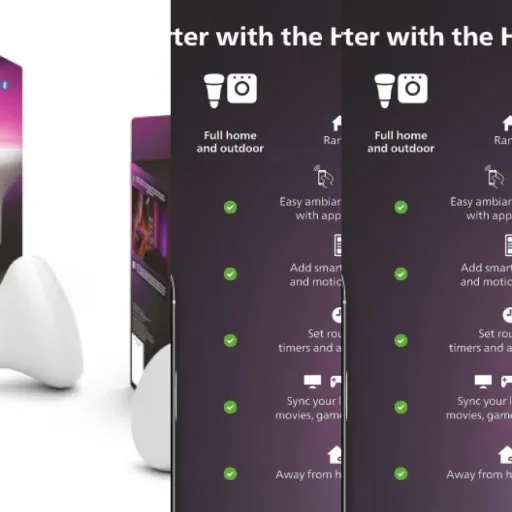
The idea is simple: the Bridge Pro is the brain, the three bulbs give you white and colour light, and the little smart button is there for quick control without always grabbing your phone or talking to Alexa. On paper it does a lot: Matter, Zigbee, Apple Home, Alexa, Google, SmartThings, Hue Sync, MotionAware, scenes, automations, the whole lot.
In practice, what matters is: does it connect easily, does it react quickly, and does it keep working without you constantly fixing stuff. Over these weeks, I’ve played with colours, routines, voice control and the new MotionAware thing (using multiple bulbs instead of a separate motion sensor). I also compared it to some cheap Wi‑Fi bulbs I still have in other rooms.
Short version: it’s pretty solid and feels more reliable than the random Wi‑Fi bulbs, but it’s also clearly a premium ecosystem. You pay more, you get a cleaner experience, but there are a few things that annoyed me, especially around price and the learning curve in the app if you’re new to Hue.
Value: good system, but you pay for the ecosystem
Let’s be honest: Philips Hue is not cheap, and this starter kit is no exception. You get three bright colour bulbs, the Bridge Pro and a smart button, but compared to generic Wi‑Fi bulbs, you’re easily paying two to three times more per bulb. If you only want one or two smart bulbs to play with colours occasionally, there are cheaper brands that will do the job.
Where the value starts to make more sense is if you plan to build a whole-house system. The bridge lets you add 150+ lights and 50+ accessories, and the app is mature. Over three weeks I didn’t waste time troubleshooting, which is the main reason I’m slowly ditching my cheap Wi‑Fi bulbs. With those, I saved money at the start but paid in frustration: random offline devices, laggy apps, weird firmware updates. With Hue, everything just behaves more predictably.
Is the Pro bridge itself worth it over the old one? If you already have the old bridge and only a few lights, I’d say it’s not urgent. The Pro’s extra capacity and MotionAware are nice, but not essential unless you’re going big with Hue or you really want to try the new presence detection tricks and Hue Sync stuff. If you’re starting from scratch though, getting the Pro now means you won’t have to replace it later when you add more lights.
So in terms of value: for a casual user, it’s probably on the expensive side for what you actually need. For someone who wants a stable, expandable setup and is okay paying more upfront to avoid headaches, it starts to look reasonable. Personally, I think it’s good, but not a bargain. You pay for the ecosystem and the reliability, not for raw specs or brightness alone.
Design: discreet hub, normal‑looking bulbs, tiny button
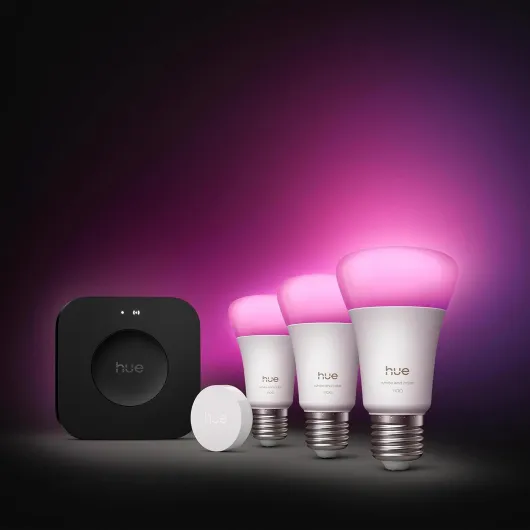
On the design side, Philips Hue keeps it pretty simple. The Bridge Pro I got is black, a small square box that you hide near your router. It’s not pretty or ugly, it’s just a plastic box with a couple of LEDs. Once it’s plugged in, you forget about it. I shoved it behind my router and never touched it again except once to check the cable. For me that’s ideal: it doesn’t try to be a decoration piece, it just sits there and does its job.
The bulbs are standard A19/A60 size with E27 base. They look like normal LED bulbs, slightly heavier, with Philips Hue branding. When they’re off, nobody in my house could tell they’re smart bulbs unless I told them. That’s good if you don’t want your lamps to look like sci‑fi props. The glass is matte, so the light spreads evenly and you don’t see ugly hotspots. When using strong colours like red or blue, the bulb still looks uniform, not patchy.
The smart button is small and white, with a magnet and adhesive plate. I stuck it near my living room door. It’s basically one button you can single press, long press or double press to trigger different scenes. The feel is decent: clicky enough, not mushy. It doesn’t scream “premium”, but it doesn’t feel cheap toy‑like either. Over three weeks, nobody in the house complained about it, which is already a win.
If you like flashy industrial design, this kit isn’t going to impress you visually. But if you want stuff that blends into a normal home without looking weird, it’s fine. Personally I liked that guests didn’t even notice anything special until I changed the whole room to blue with my voice.
Packaging and setup experience
The packaging is very Philips Hue standard: compact box, clear printing, and everything slotted in foam/cardboard. Nothing fancy, but it’s organised. Each part has its spot: bulbs in cardboard sleeves, bridge in a separate compartment, smart button with its little manual and mounting pieces. It’s not overpacked with tons of plastic, which I appreciated. You open it, you see immediately what’s what, no digging.
What matters more is the setup experience. I plugged the bridge into my router with the included Ethernet cable, powered it up, opened the Hue app, scanned the QR code, and that was basically it. The app found the bridge on the first try. Adding the three bulbs was also simple: screw them in, turn on the wall switch, and they popped up in the app within seconds. I renamed them by room and function ("Living ceiling 1", "Living lamp", etc.) to keep things clear.
The only slightly confusing bit is that the app is quite full of options: scenes, automations, zones, rooms, accessories, labs, etc. If you’re new to Hue, you might spend a good half hour clicking around to understand where everything lives. But the basic flow (add bridge → add lights → add button → create room) is guided enough. I didn’t need any YouTube tutorial, which is nice.
So packaging and setup: clean, straightforward, not flashy. It feels like a product that has been refined over several generations. No drama, no weird steps, no QR code that doesn’t scan. For something that will be the core of your smart lighting, that kind of boring reliability is exactly what you want.
Build quality, lifespan and how reliable it feels
Durability is always a bit tricky to judge after only a few weeks, but I can at least talk about build quality and reliability. Philips claims around 25,000 hours for the bulbs. I obviously haven’t hit that, but I’ve used Hue bulbs for years and they usually last a long time. I’ve had maybe one failure in five years across a bunch of bulbs, so I’m inclined to trust that these will hold up similarly, even if the energy label is only D.
The Bridge Pro runs 24/7. It gets slightly warm but never hot. The plastic casing feels solid enough, and the Ethernet port connection is tight, not wobbly. I had one power cut during the test period; when power came back, the bridge rebooted and reconnected by itself, and all lights were reachable again within a minute. No manual reset needed, which is exactly what you want from this kind of hub.
The smart button is the only part that feels more fragile, just because it’s small and battery powered. It’s fine, but if you have kids who like to smash buttons, I wouldn’t be shocked if it ends up on the floor occasionally. The magnet and adhesive plate hold well though; mine stayed firmly on the wall. The click mechanism still feels the same after a few hundred presses.
Overall, the system gives off a feeling of being built to last a few years without fuss. No weird flickering, no random disconnects, no cheap plastic that creaks. It doesn’t feel premium in a luxury way, but it does feel like something you install once and then stop worrying about, which for home lighting is more important than fancy materials.
Performance: speed, brightness and MotionAware in real life
Performance-wise, the combo of Bridge Pro + bulbs is clearly better than the random Wi‑Fi bulbs I used before. From the Hue app, turning a light on or off is basically instant. With Alexa, there’s maybe a tiny delay (like half a second), but it’s consistent. Compared to my older non‑Pro Hue bridge, I’d say the difference is there but not huge; things feel slightly snappier, especially when controlling a whole room with many lights at once.
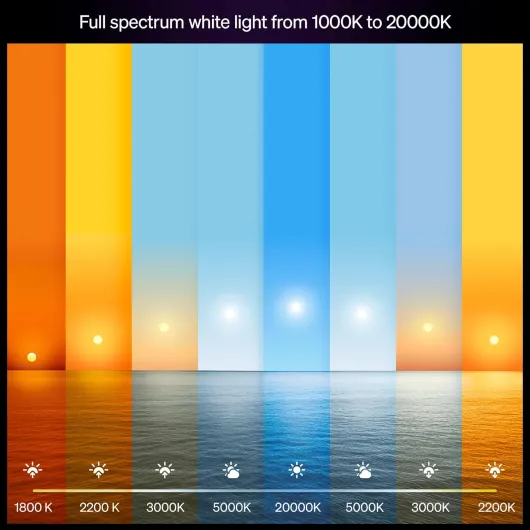
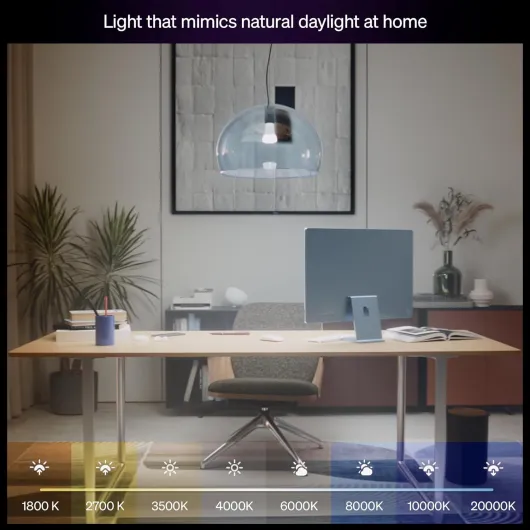
The brightness is solid. At 1100 lumens, a single bulb in my bedroom was enough for everything from reading to getting dressed. In my living room (roughly 20 m²), two bulbs in the ceiling and one in a floor lamp gave me more light than I usually need. The colour range is wide: warm white for evenings, cold white for working, plus the usual 16 million colours. Some extreme colours like very deep green or very warm orange don’t look as strong as on the app wheel, but for normal use (relax, movie, party) it’s more than enough.
I played a bit with MotionAware by creating zones with at least three Hue devices. It’s not magic, but it did switch lights on reliably when I walked through the hallway or living room. You need to think a bit about bulb placement, like one Amazon reviewer said: if you only have one bulb in a big room, detection is weaker. With 3–4 bulbs, it worked better. The nice part is: no extra hardware to buy, it’s all virtual in the app.
Over three weeks, I had zero disconnects or random offline bulbs, which I can’t say about my Wi‑Fi bulbs. That’s the main thing I noticed: it just keeps working. If you like to set routines and forget about them, this matters more than fancy features. For me, performance is strong, even if the jump from the old bridge to the Pro is more of a small step than a big leap.
What you actually get in this kit and what it can do
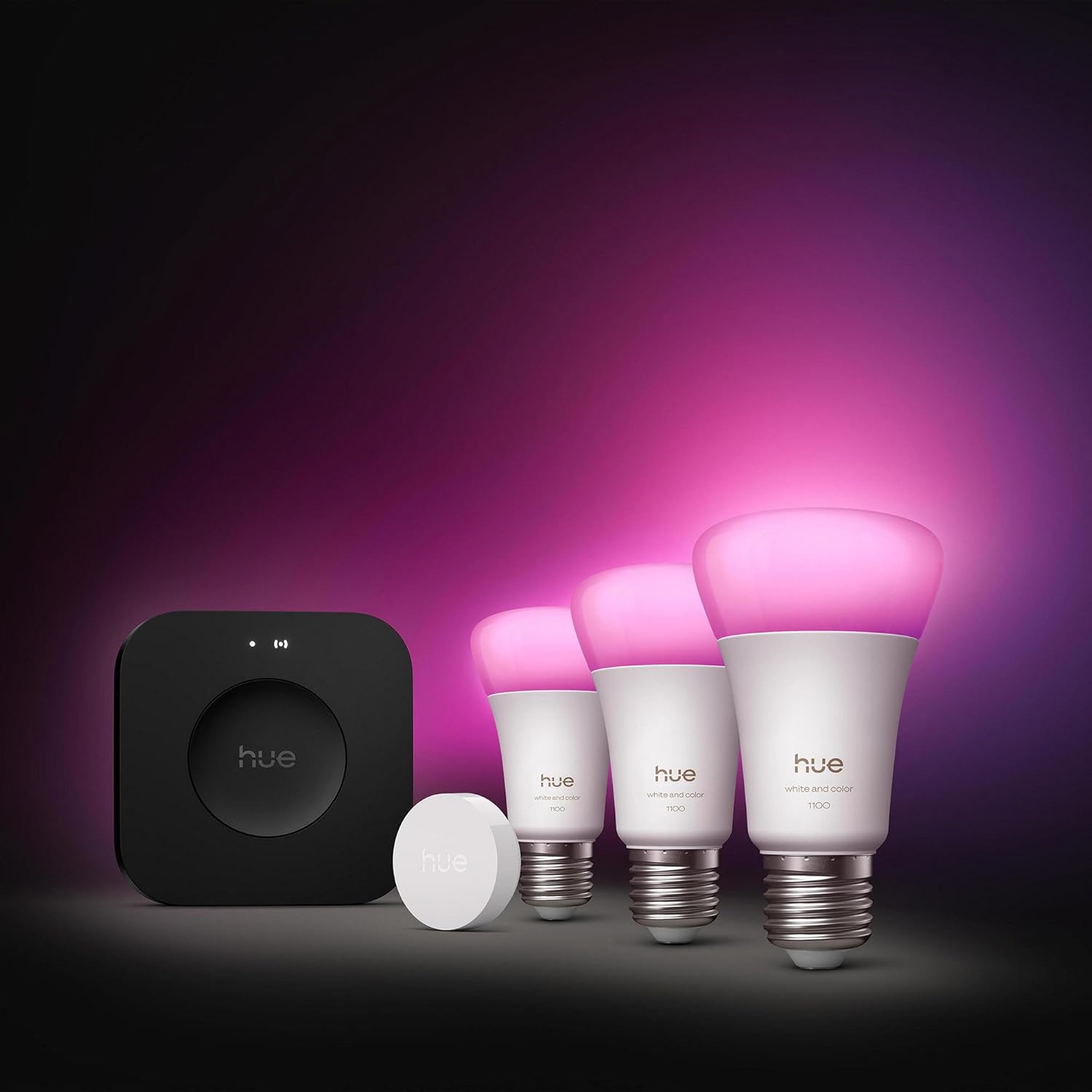
In the box you get three A60 E27 LED bulbs (1100 lumens, white + colour), one Hue Bridge Pro and one smart button. No motion sensor, no extra switches, just this. The bulbs are standard E27 screw base, so they went straight into my ceiling fittings and a floor lamp without any adapter. Each bulb is roughly equivalent to a bright 75W bulb in terms of light, so one bulb is enough for a small room, but for a big living room you’ll want at least two.
The Bridge Pro connects to your router with Ethernet and talks to the bulbs over Zigbee. It supports up to 150+ lights and 50+ accessories, and you can store up to 500 scenes. I obviously didn’t hit those limits, but I did migrate 12 older Hue bulbs and 3 switches onto it without any problem. The app walked me through scanning the new bridge’s QR code, and my existing setup moved over in about 20–25 minutes, which matches what one of the Amazon reviews said.
The main “Pro” extras are: Hue Sync support for surround lighting (if you have the other gear), more storage for future features, and this MotionAware thing where it uses the bulbs themselves as presence detection if you have at least three Hue devices in a zone. I tested MotionAware in my hallway and living room by grouping 4 bulbs and it did actually switch on and off based on movement without a separate sensor.
Overall, in terms of features, it’s packed: it works with Apple Home, Alexa, Google Assistant, SmartThings, Matter, IFTTT. If you like tinkering and connecting everything, you’re covered. If you just want lights that you can dim and change colour with your phone, this is probably more than you strictly need, but it does give you room to grow into it later.
Does it actually make daily life easier?
For me the real question was: does this kit actually change how I use my lights day to day, or is it just a toy I’ll ignore after a week? After three weeks, I’m still using the automations and scenes, which is a good sign. I set up a simple morning routine: lights slowly turn on warm white at 7:00 in the bedroom, then the living room lights come on at 7:15 at a cooler white for working. At night, everything dims to a very warm tone at 22:30 and turns off at 23:30. I don’t touch the switches anymore most days.
The smart button turned out more useful than I expected. I programmed a single press to toggle the main living room scene, a long press to switch everything off in that room, and a double press for a “movie” scene (dim blue/amber combo). My partner, who hates messing with apps, only uses that button and is perfectly fine with it. So yeah, it does simplify things for non‑tech people in the house.
Voice control with Alexa and Google Assistant worked fine. Commands like “turn off all lights” or “set living room to 30%” were understood without drama. The only time it got annoying was when I kept renaming rooms and scenes in the Hue app, then had to sync again with Alexa. Once I settled on names, it was stable. If you’re already deep into one ecosystem (Apple Home, Google, Amazon), this bridges in quite cleanly.
So in terms of effectiveness: yes, it does what it promises. Lights react quickly, routines trigger on time, and everyone in the house uses at least one control method (button, phone, or voice). It’s not life-changing, but it actually reduces little annoyances, like walking back to the living room to check if a light is off, or getting out of bed to switch something on.
Pros
- Very stable and responsive system with almost no disconnects or glitches
- Bright 1100 lm bulbs with good white and colour options for everyday use
- Bridge Pro gives plenty of room to grow (150+ lights, 50+ accessories, MotionAware, Hue Sync support)
Cons
- High price compared to basic Wi‑Fi smart bulbs and simpler kits
- App can feel a bit complex at first for new users due to many options
Conclusion
Editor's rating
After a few weeks living with the Philips Hue Starter Kit Bridge Pro, my feeling is pretty clear: it’s a solid, reliable smart lighting setup that does exactly what it’s supposed to do, but you need to be okay with the price and the idea of locking into the Hue ecosystem. The lights are bright, colours are fun, the bridge is stable and the smart button makes it usable for everyone in the house, not just the tech nerd. Automations, routines and MotionAware all worked without me constantly babysitting the system.
If you want to slowly turn your whole home into a smart lighting setup and you care more about reliability than saving every last euro, this kit is a good starting point. It gives you the main pieces: hub, bulbs and a basic physical control. You can then add more bulbs and switches over time. On the other hand, if you just want a couple of coloured bulbs for mood lighting and you’re very price‑sensitive, this is probably overkill and you’ll find cheaper options that are “good enough”. It’s not perfect, and the Pro upgrade is a bit hard to justify for light users, but as a core system for serious smart lighting, it’s pretty convincing.
![NEW White and Colour Ambiance Smart Light Bulb Starter Kit, 75W - 1100 Lumen [E27 Edison Screw] 2 Bulbs + Smart Button - With Bluetooth - Works with Alexa, Google Assistant and Apple Homekit E27 2 Pack Starter Kit + Button](https://www.smart-light-guru.com/storage/1015385/conversions/71yJIPbE0LL._AC_SL1500_-medium.webp)