Syncing Lights with Music and Movies: The Room as Part of the Story
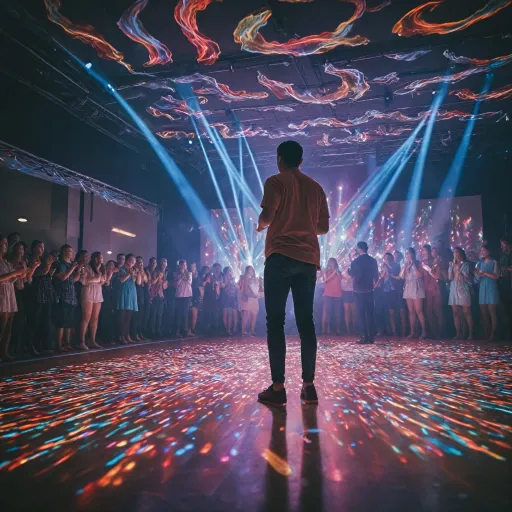
Smart lighting started out as a convenience trick (turn the lamps off without leaving the couch), then quietly became something more interesting. When a row of color-changing smart bulbs starts tracking the color of an explosion on the screen, or an LED strip behind the TV warps softly with the bass of a track, the room is no longer separate from the content. It is part of it. This category covers everything that makes that effect work, fail, or feel gimmicky, from a movie night setup to a party scene that turns the whole room into one reactive color palette.
Syncing smart lights with music and movies sits at a strange intersection: home theater enthusiasm, smart home tinkering, gaming setups, and the simple desire to make a living room or bedroom feel less like a room. The promise is straightforward. The execution is anything but. Latency, color fidelity, screen capture method, dynamic range, audio source priority, room geometry; each of these decides whether the result feels magical or distracting.
The rubric is built for readers who want to understand the mechanics, compare app and remote control approaches across smart light ecosystems, and choose a setup they will actually live with. Not a vendor pitch, not a list sorted by price.
What This Category Actually Covers
Light syncing breaks down into a few families, and each behaves differently enough that confusing them is the first mistake most people make.
Video-reactive lighting
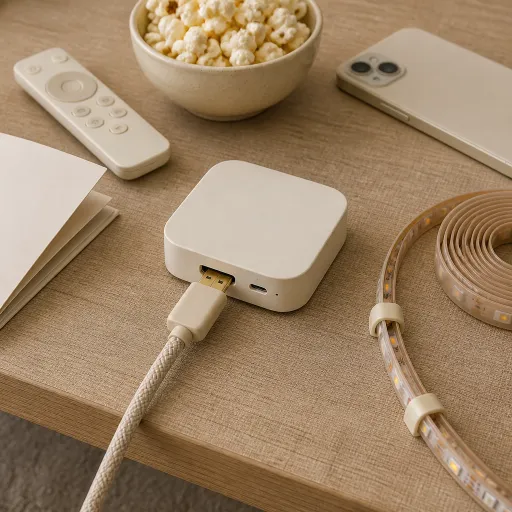
Smart lights that respond to what is on the screen. The defining variable here is how the system reads the video signal. Some intercept the HDMI feed directly through a dedicated capture box, which produces the cleanest and lowest-latency result. Others rely on a camera pointed at the screen, which is cheaper but introduces ambient interference. Software-based screen capture from a connected PC or console occupies a third lane, with its own trade-offs around frame rate stability and supported sources. RGB and RGBIC LED strips are the most common fixtures behind this kind of setup. A standard RGB strip changes color as a single block, while an RGBIC strip is addressable and lets each segment of the LED strip show a different color at the same time, which is what makes the effect on screen feel like motion across the wall rather than a flat color wash.
Audio-reactive lighting
Smart lights that pulse, sweep, or shift palette in time with sound. The audio input can come from a built-in hub microphone, a direct line input, a screen capture box, or streaming software running on a connected device. Microphone-based setups are the easiest to install but the worst at distinguishing a snare from a slammed door. Direct audio routing solves that, but demands a bit more planning around the rest of the home theater chain. A floor lamp with a color-changing smart bulb, an LED strip under the TV, or a row of smart bulbs in the ceiling can each carry the same music sync scene differently. RGBIC light strips behind a screen can ripple in time with the bass, while a color-changing floor lamp keeps the broader ambient color shift across the room.
Scene-based sync
Smart lights that change based on metadata rather than raw signal: a movie tag triggers a warmer color palette, a horror scene drops the brightness, a workout playlist sends every smart light in the room to red, a Christmas scene paints the floor lamp green and the LED strip red. This is less about live reactivity and more about ambient curation, and it sits closer to scripted scenes than true sync. Most lighting apps let you build these scenes for any room, trigger them by app or by voice, and tie them to a schedule or a remote control press. Some lighting apps also let you save reactive scenes per room so the living room and bedroom can run different sync behavior at the same time.
Multi-room and entertainment-zone sync
What happens when you want the kitchen island, the hallway, the bedroom strip, and the living room TV light all participating in the same scene without one lagging two beats behind the others. This is a different engineering problem from a single smart bulb syncing to a single screen, and it deserves its own treatment. The best multi-room sync results usually require smart lights from the same ecosystem because cross-brand timing is rarely tight enough for serious entertainment use, and the app handling the sync needs to know which room each light belongs to.
Where the Fixtures Go: Strip, Floor Lamp, Bedroom, Box
A reactive scene only works as well as the placement of its fixtures. A few placement decisions come up in almost every setup we walk through.
An RGBIC strip mounted on the back edge of the screen produces the classic bias-light glow and carries the most movement in a video sync setup. A second RGBIC strip behind a shelf or under a desk can extend the effect without flooding the room. A color-changing floor lamp in the corner is the easiest way to add depth without buying a second strip, and it pairs well with a remote control button bound to a movie scene.
In a bedroom, the same logic applies in miniature: a short LED strip behind the bed frame, a single color-changing smart bulb in a floor lamp, and a remote on the nightstand can cover both a calm bedtime scene and a louder music sync palette for headphone listening. The HDMI capture box, if you use one, stays in the living room with the main screen; the bedroom setup usually leans on app-based or microphone sync instead.
Setups and Configurations We Cover
Articles in this category walk through specific setups in plain language: what to plug into what, where the latency comes from, and which compromises are worth living with. Recurring formats include:
- End-to-end walk-throughs of common living room and bedroom setups, from a single LED strip behind a TV to a full surround of color-changing smart bulbs, light bars, and floor lamps
- Comparisons of sync methods (HDMI capture box, screen sampling app, microphone hub, software passthrough) with honest notes on where each one breaks
- Troubleshooting pieces aimed at the most common failure modes: lag between audio and lights, washed-out colors, dropouts during HDR video content, sync loss when switching sources
- Room geometry guides: how the placement of LED light strips, floor lamps, and ceiling smart bulbs changes what the effect feels like, and why the same lighting setup feels stunning in one room and gimmicky in another
- Audio source routing explainers for readers who want their music sync to actually respect the music, not the dishwasher in the background
- Color and brightness tuning walkthroughs to keep reactive scenes from washing out skin tones or strobing too aggressively
- App and remote control walkthroughs that show how to bind a one-button shortcut to a full reactive scene for movie nights, music sessions, gaming sessions, or a party
- Holiday and party color scenes that turn a basic LED strip setup into a soft Christmas mood lamp or a fast-changing music sync palette without rewiring anything
For the Reader Who Wants More Than Defaults
This category is built for a specific kind of reader: someone who already knows that flipping a switch in a lighting app does not produce the immersive room shown in the marketing video, and who wants to understand why. Maybe you have already bought an LED strip and felt let down by the result. Maybe you are planning a home theater and want lighting to be part of the design rather than an afterthought. Maybe you saw a syncing setup at a friend's place, asked how it worked, and got an answer that did not quite hold up.
If that describes you, the writing here assumes a basic comfort with smart lights, app control, remote control, and ecosystem terminology, and skips past the introductory hand-holding. You will find detail on the parts that matter, opinions where opinions are due, and clear statements about where the technology still falls short.
What This Category Does Not Cover
Syncing smart lights with music and movies is a specific corner of the smart lighting world, and pretending otherwise would waste your time. You will not find general smart bulb buying guides here, nor introductions to setting up your first scene or routine. Articles assume the basics are already in place: a working ecosystem, a hub or bridge if needed, and smart lights that are at least capable of the color range and brightness required for the effect.
We also avoid pieces that obsess over benchmarks no one will perceive in practice. A ten-millisecond latency improvement that requires a dedicated capture chain rarely earns its place in a real living room. The writing aims for the threshold where differences are visible in the room, not the threshold where differences are measurable on paper.
Our Editorial Angle
Three principles run through every article in this rubric.
The room is the unit of analysis, not the bulb. A perfectly tuned LED strip behind a TV will still feel flat if the rest of the room fights it. Every guide treats the surrounding ambient smart lighting, wall color, screen size, and seating distance as part of the equation.
Latency and fidelity are the two failure modes. When syncing breaks, it almost always breaks in one of two ways: the smart lights lag the source enough to be distracting, or the colors miss the mark enough to feel wrong. Every method comparison comes back to these two axes.
Honest about gimmick territory. Not every scene benefits from light sync. Subtitled dramas, dialogue-heavy comedies, acoustic music, and many gaming genres are arguably worse with reactive color-changing lighting running in the background. The category names these cases rather than pretending the effect is universally desirable.
What You Will Learn by Reading
By the time you have worked through a few articles in this category, you should be able to make a few decisions confidently:
- Whether HDMI capture, screen sampling, or audio-only sync fits your room, source devices, and patience
- Where to place LED strips, light bars, color-changing smart bulbs, and floor lamps so the effect reads as immersive rather than chaotic
- How to layer scene-based ambient lighting on top of live sync so the room does not flicker through dialogue
- What latency thresholds are tolerable for film, music, gaming, and party use respectively
- Which failure modes are easy to fix in the app and which are baked into the method you chose
- How RGB and RGBIC strips differ in practice, and when the extra granularity of an RGBIC strip is worth the cost
- How to bind a reactive sync scene to a remote control button so the room can switch from reading mode to movie mode to party mode in one press
- How to build seasonal color scenes (a Christmas palette, a Halloween palette, a calm bedroom palette) that play well with live music or movie sync
Remote Controls, Apps, and One-Tap Scenes
A great sync setup falls apart fast if it takes five taps and a search bar to start a movie. Articles in this category treat the remote control as a first-class part of the setup, not a footnote. A physical remote button bound to a color-changing movie scene is what makes the difference between a feature you use every night and a feature you used twice.
The app is the place where you design the scene; the remote control is where you live with it. Most ecosystems let you bind a scene to a remote button, a wall switch, or a voice command. Bind a movie scene, a music scene, a bedroom reading scene, and a holiday color scene to four different presets, and the room becomes responsive without ever opening the app.
FAQ
Does syncing lights with music and movies work with any smart bulbs?
Not really. The effect depends on color-changing smart bulbs and LED strips that can shift hue quickly and accurately, which rules out lower-end smart bulbs designed mainly for on/off and dimming. Color range, refresh rate, and the responsiveness of the underlying protocol all matter. Smart bulbs and LED strips marketed for ambient or entertainment use are a different category from general smart lights, even when they share a product family.
Is HDMI capture really better than a camera-based system for syncing lights with movies?
In almost every case, yes. Camera capture is exposed to room glare, reflections, and ambient light, all of which corrupt the color reading. It also adds processing latency. An HDMI capture box reads the actual video signal, which is faster and more accurate. The trade-off is cost and setup complexity, and the requirement that every source you want to sync with smart lights routes through the box.
Why do my smart lights lag behind the audio when syncing to music?
Microphone-based sync introduces a small but noticeable delay because the sound has to travel through the air, be picked up by the hub, processed, and converted into a lighting command that the smart lights can act on. Direct audio routing reduces or eliminates this lag. If your hub or controller supports a line-level audio input, that is almost always the better path for music sync.
Will syncing smart lights with music and movies damage my bulbs over time?
Rapid color and brightness changes do put more wear on the components than static use, but reputable color-capable smart bulbs and LED strips are engineered with that in mind. The bigger concern in practice is heat: tightly packed RGB or RGBIC strips running at high brightness for hours can shorten lifespan. Adequate spacing, lower peak brightness, and breaks between long entertainment sessions are reasonable habits.
Can I sync smart lights to a music streaming app or video service directly?
The honest answer is: rarely in a clean, official way. Most streaming services do not expose the kind of metadata or signal access that would allow direct integration with a lighting app. The workarounds are screen capture or audio capture on the device playing the content, which means routing through a smart hub, a connected computer, or a dedicated HDMI capture box. The effect can be excellent, but the path to it is almost never a single switch in the app.
Do I need a smart hub to sync lights with music and movies?
It depends on the ecosystem. Some smart bulbs and LED strips run sync features directly through their own app over the local network without a separate hub. Others, particularly those built around Zigbee, require a bridge to expose the entertainment features. For HDMI-based video sync, a dedicated capture box almost always sits between your sources and the TV, and pairs with the lighting ecosystem over the local network.
What is the difference between RGB and RGBIC for light syncing?
RGB strips change color as a single block: the whole LED strip is one color at any moment. RGBIC strips are addressable, so each segment of the same strip can show a different color at the same time. For light syncing with music and movies, RGBIC matters because the on-screen colors usually vary across the frame, and an RGBIC strip can mirror that variation. A plain RGB strip will still react, but it will average everything down to one color across the strip.
Can I use the same smart lights for movie sync and for a party?
Yes, and that is often the point. The same color-changing smart bulbs and LED strips can run a calm cinematic scene for a film and a fast, high-saturation party color sweep for music, simply by switching scenes in the app or on a remote. The setup does not change; only the chosen scene does.
Is this all just a gimmick that gets switched off after the first week?
Sometimes. For a lot of setups, the novelty fades and the smart lights get turned off during anything that demands focus. For others, well-tuned sync becomes invisible in the good sense: you stop noticing the lights individually and just feel the room respond. The difference usually comes down to restraint in the configuration. Subtle color palettes, lower peak brightness, and scenes that match the mood rather than the second-to-second action tend to age better than aggressive reactive setups.