Summary
Editor's rating
Value for money: is it worth the price compared to other options?
Design and usability: small box, smart gimbal, a few quirks
Portability and power: not battery-powered, but still easy to move
Build quality, noise, and long-term reliability so far
Image quality and performance: where it shines and where it doesn’t
What the JMGO N1S Ultra actually offers in real life
Smart features and auto-adjustments: does it actually make life easier?
Pros
- Strong 4K image with rich colors and good contrast for a DLP, especially in a dark room
- Very convenient gimbal and auto focus/keystone make setup quick and painless
- Built-in speakers are actually usable and the projector runs very quietly
Cons
- Still limited in bright daylight; needs some light control to look its best
- Google TV interface can lag and Netflix handling is awkward without workarounds
- No built-in battery, so "portability" still depends on having a power outlet nearby

Specifications
View full product page →| Brand | JmGO |
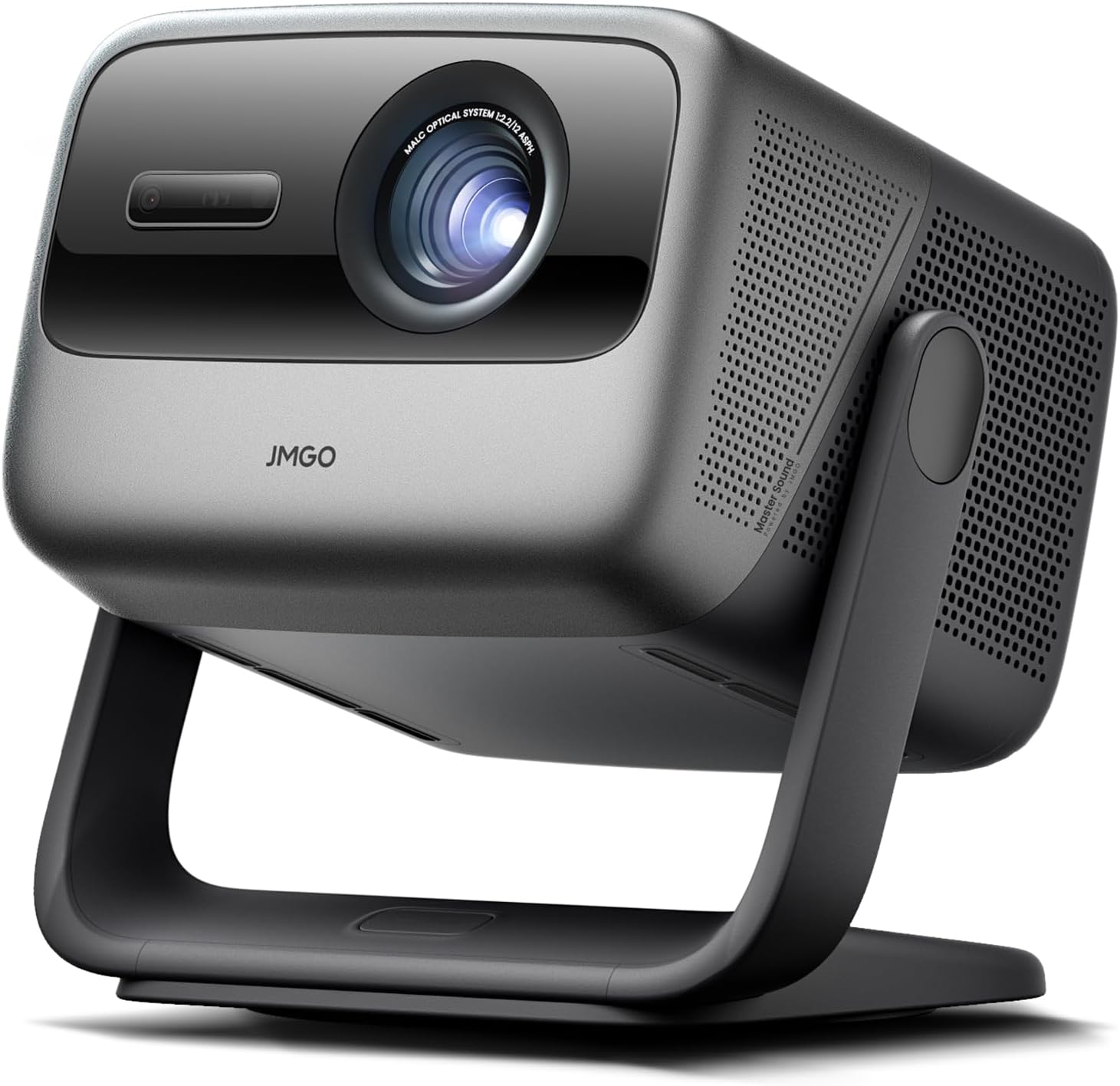
A portable 4K laser that actually feels like a TV replacement?
I’ve been using the JMGO N1S Ultra 4K as my main screen for a bit now, basically replacing my living-room TV to see if a projector can really do the job every day. I didn’t baby it: daytime sports with curtains half open, Netflix at night, YouTube, gaming on a laptop, even some quick presentations for work. In short, I used it like a lazy person who just wants to hit power and watch stuff.
The promise on paper is pretty big: 4K triple-laser, 2800 ISO lumens, 300-inch max size, Google TV built in, auto focus/keystone, and half-decent speakers. I’ve tried cheaper LED projectors and a couple of basic BenQ / Nebula models before, so I wasn’t expecting miracles. I mostly wanted to see if this thing is worth the price bump and if it can avoid the usual annoying bits: fan noise, constant manual adjustments, weak brightness, and clunky software.
In daily use, what stood out first is how simple it is to live with. You drop it on a table, tilt the gimbal roughly toward the wall, and the image basically sorts itself out in a few seconds. No messing for 10 minutes with focus and keystone like older projectors. The picture quality at night is honestly the main reason I kept using it instead of going back to a TV. It’s not perfect, but going back to a small screen feels painful once you’re used to 120–150 inches.
That said, it’s not a magic box. In bright daylight it still behaves like a projector, not a giant TV: you’ll want curtains or blinds for a decent experience. The Google TV interface is decent but not super snappy, and there are some annoyances like Netflix navigation and occasional UI lag. Overall though, if you’re wondering whether this is just a fancy toy or something you’ll actually use every evening, I’d say it leans more toward a real daily screen than a gadget you pull out once a month.
Value for money: is it worth the price compared to other options?
Price-wise, the JMGO N1S Ultra sits in that upper mid-range zone for projectors. It’s not a cheap entry-level unit, but it’s also not in the crazy high-end home theater territory. Some people grabbed it around $1500 on sale, which, in my opinion, is a pretty fair price for what you get: real 4K resolution, triple-laser light source, strong brightness, and decent built-in audio. If you compare it to a 100–120-inch TV, you’re paying a lot less for a much bigger perceived image, with the trade-off of needing a darker room for best results.
Compared to brands like Nebula, Xgimi, Dangbei, and some BenQ models I’ve tried, the JMGO’s contrast and color are a clear step up. Blacks look deeper, colors pop more, and the overall image feels closer to a proper cinema experience, especially in a dark room. That’s where the value shows: you’re not just paying for 4K on the box, you’re actually getting a picture that feels high-end. On the other hand, if your main use is bright daytime viewing with lots of ambient light, you might not fully benefit from what you’re paying for, and a bright TV could make more sense.
There are some compromises. The software isn’t as polished as a dedicated Apple TV or high-end streaming box, and Netflix handling is awkward out of the gate. Also, if you want the absolute best daytime brightness, you’d need to go for the N1S Ultimate or another brighter model, which costs more. So the N1S Ultra sits in a sweet spot: strong night performance, good features, reasonable price for what it offers, but not perfect for every scenario.
Overall, I’d call the value pretty solid if you mainly watch in the evening, like big-screen movies and sports, and don’t want to mess with external speakers or separate streaming boxes right away. If you’re super picky about smart TV performance or you mostly watch with direct sunlight in the room, you may feel the price less justified and should factor in extra spending on blinds and maybe a streaming device.
Design and usability: small box, smart gimbal, a few quirks
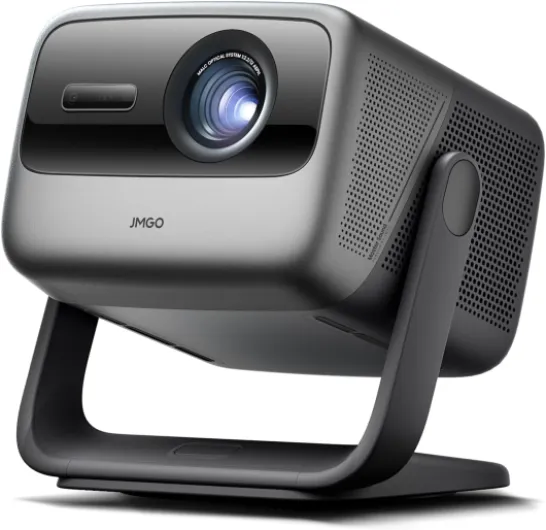
Design-wise, the N1S Ultra is closer to a chunky smart speaker than a classic long projector. It weighs about 10 pounds and measures roughly 11.5 x 15.5 x 8.7 inches, so it’s not pocket-sized, but it’s easy enough to carry from room to room. The big plus is the built-in gimbal base: instead of stacking books or tripods, you just tilt the head up or down and the projector auto-corrects the image. For casual use, that’s a big quality-of-life upgrade. I often moved it from the living room to the bedroom, dropped it on a dresser, tilted it roughly, and the picture sorted itself out.
The finish is decent: mostly plastic, but it doesn’t feel cheap. It’s not some luxury object, but for a device you’ll mostly leave on a table or shelf, it’s fine. The ports (HDMI 2.1 eARC, USB, power) are accessible on the back, and there’s enough space that cables don’t feel cramped. The built-in speakers sit on the sides, which is practical for airflow and layout but has one downside: sound doesn’t come straight from the screen. With just the built-in audio, voices feel slightly off-center. You get used to it, but when I plugged in a soundbar under the screen, the whole experience felt more natural.
The remote is standard Google TV style: lightweight, not too many buttons, and Bluetooth so you don’t have to point it perfectly. It does the job, but the UI can lag sometimes, especially right after boot or when you’re flipping quickly between apps. It’s not unusable, just not as fast as a good streaming box or recent TV OS. Also, Netflix is a bit awkward: you need to use the phone app’s trackpad feature for some navigation, which feels clunky compared to just using the remote in every app like normal.
Overall, in terms of design and everyday handling, the gimbal and auto-adjustment are the stars. They make it very easy to move and set up, which is why I actually used it often instead of leaving it in a box. It’s not the prettiest object in the room, but it’s compact enough and practical enough that it blends into the living space without feeling like a big piece of AV gear you have to baby.
Portability and power: not battery-powered, but still easy to move
Just to be clear: the JMGO N1S Ultra does not have a built-in battery. You need to plug it into the wall for it to work. So if you’re looking for a fully wireless backyard cinema that runs for two hours on internal power, this is not it. That said, because it’s relatively compact and not too heavy, it’s still pretty portable within a house. I often moved it between rooms, or took it to a friend’s place in a bag, and setup was quick as long as there was a power outlet nearby.
If you really want to use it outdoors or away from sockets, you’d need a decent external power station that can handle its power draw. That’s extra cost and extra gear to carry, so for me it’s more of an occasional option than a regular thing. For indoor use, the lack of a battery isn’t a big deal. You put it on a coffee table, plug it in behind the couch, and forget about it. The power brick and cable are standard and not overly bulky, so it doesn’t turn your living room into a cable jungle if you plan a bit.
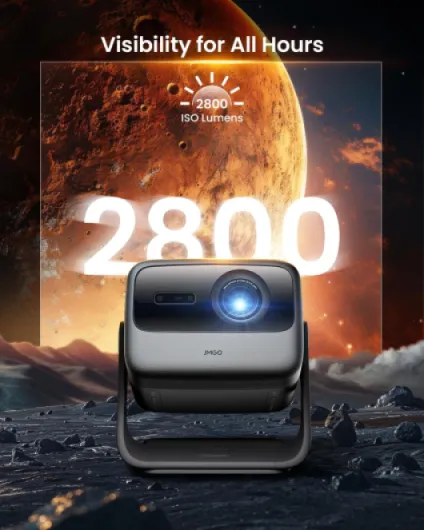
The upside of being wall-powered is that brightness stays consistent. Some battery projectors dim the image to save power, which makes them look pretty weak in anything but a dark room. Here, you always get the full 2800 ISO lumens when needed. Also, the fan noise is surprisingly low. Even when pushing the brightness, the unit stays quiet enough that during movies I never really noticed it unless I listened for it between scenes. That’s a big plus compared to some louder projectors I’ve tried where the fan constantly reminds you that you’re using a projector.
So overall, in the "battery/portability" category: it’s not a battery projector, but it’s portable enough inside a home that you can treat it like a movable TV. If you specifically need off-grid use, you’ll have to budget for a power station or pick a different device with an integrated battery and accept lower brightness.
Build quality, noise, and long-term reliability so far
In terms of build, the N1S Ultra feels solid but not premium-luxury. The plastics don’t creak, the gimbal hinge feels stable, and after a good amount of tilting and moving, I didn’t feel any looseness developing. The unit has some weight to it, which helps it stay put when you’re adjusting the angle. I wouldn’t toss it around like a Bluetooth speaker, but for normal home use it seems robust enough. The finish doesn’t pick up fingerprints too badly, and it’s easy to wipe dust off the lens area with care.
One of my main concerns with projectors is fan noise and heat. Here, the cooling system is pretty well managed. Even during long movie sessions or gaming, the case gets warm but not crazy hot, and the fan remains fairly quiet. Sitting a few meters away, with normal volume, I basically forgot it was there. That matches what some other users report: they highlight how quiet it is, which is a big plus if you’re sensitive to background noise. I’ve had cheaper projectors that sounded like a small vacuum cleaner, and this is definitely not that.
About long-term reliability, I obviously don’t have years of data, but there are a few signs. First, the laser light source should last much longer than a traditional lamp, so you don’t need to worry about bulb replacements every few thousand hours. Second, there are reports from early buyers that JMGO’s support is responsive. One user mentioned their unit power-cycling randomly; the seller replaced it quickly and the new one has been fine. That doesn’t guarantee anything, but at least they don’t seem to vanish after the sale.
So far I haven’t run into any glitches like random shutoffs, dead pixels, or major software crashes. I did see occasional UI lag and one app freeze that needed a restart, but that’s in line with many smart TVs and streaming boxes. As long as you don’t drop it or block its ventilation, I’d expect it to hold up well. Still, I’d keep the box for a while in case you need to send it back, and I’d avoid constant moving if you don’t have to—just basic common sense for a device with optics and a gimbal.
Image quality and performance: where it shines and where it doesn’t
The main reason to pay this much for a projector is the picture quality, and here the N1S Ultra is genuinely strong, especially in a dark or dim room. The 4K resolution is real: text from a PC or small subtitles are clearly readable, and you don’t see obvious pixel structure unless you stand way too close. For movies and series, the level of detail is more than enough; I never felt like I was missing clarity compared to a decent 4K TV, just a bit of sharpness due to the larger size and projection nature.
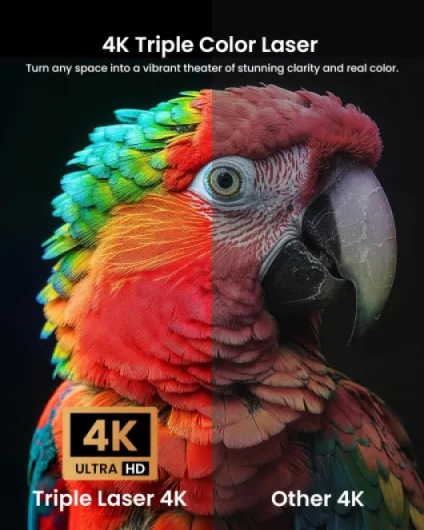
Brightness is where the 2800 ISO lumens number actually shows up. At night, even at 120–150 inches, the image is bright and punchy. Colors are very saturated thanks to the triple laser. Blacks are not OLED-level, obviously, but for a DLP projector they’re pretty decent; dark scenes in movies don’t look like a grey soup as long as you dim the room. In the day, it’s more mixed: with blinds partly closed, I could comfortably watch sports or YouTube around 90–100 inches. With direct sunlight in the room, the image washes out like any projector. If you want full daytime performance with windows open, you’ll still be better off with a TV.
One thing to flag: some people mention laser speckle with triple-laser units. Personally, I didn’t notice any distracting speckle on my white matte wall at around 120 inches, even when I looked for it. But a few users online say they’re sensitive to it, so it might depend on your eyes and your wall/screen surface. Another minor point is rainbow effect: because it’s a single-chip DLP, if you’re sensitive and move your eyes quickly across high-contrast scenes, you might see some color fringing. I saw it a little in dark scenes with subtitles, but not enough to bother me. If you know you’re very sensitive to this, you might want to test a DLP projector in person before committing.
For motion and gaming, after the firmware update that adds low-latency mode, input lag feels reasonable for casual console or PC gaming. It’s not a pro esports monitor, but playing at 1080p 120 Hz or 4K 60 Hz on a 100–120-inch image is honestly pretty fun. Movies and streaming look smooth, and I didn’t run into weird judder or artifacts beyond what you’d see on any streaming app. Overall, performance is solid: very good at night, decent in controlled daylight, and clearly ahead of cheaper LED projectors in both contrast and color.
What the JMGO N1S Ultra actually offers in real life
On paper, the JMGO N1S Ultra is a 4K (3840 x 2160) triple RGB laser projector rated at 2800 ISO lumens. That ISO rating is important: a lot of cheaper projectors quote inflated ANSI numbers, but this one is genuinely on the bright side for a consumer unit. It supports HDR10, Blu-ray 3D, has built-in Google TV, Wi-Fi, Bluetooth, HDMI 2.1 (with eARC), and USB. It’s designed for both home cinema and casual gaming, and it can go up to a 300-inch image, though realistically most people will stick around 100–150 inches.
The key selling point versus the usual LED bricks is the triple-laser light source. That gives you very rich colors, strong contrast for a DLP projector, and no lamp to replace. JMGO advertises a 1600:1 FOFO contrast ratio and ΔE<1 color accuracy. I’m not going to pretend I measured that, but compared to mid-range projectors I’ve used before, black levels and color punch are clearly better, especially in a dark room. It looks closer to a good TV than the washed-out look many projectors have.
In terms of use cases, I ran it in three main scenarios: movie nights at around 120–130 inches on a white wall, daytime sports at around 90–100 inches with curtains half drawn, and gaming on a laptop and a phone via USB-C/HDMI at about 100–120 inches. For all three, the brightness was good enough to not feel dull, as long as you’re not in direct sunlight. At night it really comes into its own; in the day it’s decent but not mind-blowing unless you control light a bit.
So if you want a quick summary of what you’re buying: this is a compact, fairly bright 4K laser projector with all the smart stuff built in, good auto-correction so you don’t fiddle around, and speakers that are actually usable. It’s not a cheap impulse purchase, but compared to high-end TVs of similar perceived size, the value is pretty solid, especially if you’re okay with some compromises in bright rooms.
Smart features and auto-adjustments: does it actually make life easier?
All the automatic stuff is a big selling point here: autofocus, auto keystone, screen alignment, brightness and wall color adaptation, eye protection, object avoidance, and so on. In practice, most of it works well enough that you don’t think about it, which is exactly what you want. When you move or tilt the projector, it quickly refocuses and straightens the image. I’d say 90% of the time it nails it on the first try; the other 10% you might want to tweak the keystone or zoom slightly in the settings, but it’s still way faster than old-school manual adjustments.
The 360° sensorless picture correction claim is a bit of marketing talk, but the idea is that no matter how you angle it within reason, it will do its best to give you a rectangular, sharp picture. I tested it on a plain wall and also on a wall with a small shelf and a painting in the way. The projector detected obstacles and shrunk/shifted the image to avoid projecting on the objects. It’s not magic—if half your wall is cluttered, you’ll still need to move things—but for a typical living room with a few things on the wall, it’s helpful.
The brightness and wall color adaptation is subtle but useful. On a slightly off-white wall, it adjusts colors so the image doesn’t look too yellow or too blue. It’s not perfect calibration-level accuracy, but it keeps things looking normal without you digging into color menus. Eye protection is another thing: if someone walks in front, it dims the laser quickly. Good if you have kids running around, though it can be slightly annoying if people keep crossing the beam all the time.
Where it feels a bit less polished is the software side. Google TV is convenient with access to thousands of apps and Google Assistant, but the UI sometimes stutters when loading heavy apps or switching quickly. Netflix navigation via the phone’s trackpad mode is also a bit of a pain compared to a clean native app experience. It works, but it’s not as smooth as just plugging in an Apple TV or a good streaming stick. So in terms of pure effectiveness, the hardware auto-features are genuinely helpful, while the software is good but not flawless.
Pros
- Strong 4K image with rich colors and good contrast for a DLP, especially in a dark room
- Very convenient gimbal and auto focus/keystone make setup quick and painless
- Built-in speakers are actually usable and the projector runs very quietly
Cons
- Still limited in bright daylight; needs some light control to look its best
- Google TV interface can lag and Netflix handling is awkward without workarounds
- No built-in battery, so "portability" still depends on having a power outlet nearby
Conclusion
Editor's rating
The JMGO N1S Ultra 4K is a very capable home projector that comes surprisingly close to replacing a TV if you mostly watch in the evening or in a controlled-light room. The triple-laser system gives you rich colors and decent black levels for a DLP, and the 2800 ISO lumens are enough to keep the picture bright at 100–130 inches without feeling washed out at night. Add the built-in 20W speakers, quiet operation, and the super handy gimbal with auto focus/keystone, and you end up with a device that’s actually easy to live with, not just a toy you use once in a while.
It’s not perfect. In bright daylight, it still behaves like a projector: you need curtains or blinds for a good experience. The Google TV interface is okay but not lightning fast, and Netflix is a bit clumsy to handle out of the box. Some people may notice DLP rainbow effects or worry about potential laser speckle, though I didn’t find those to be major issues in real use. There’s also no battery, so "portable" means room-to-room, not fully wireless outdoors unless you bring a power station.
If you want a large, cinematic image at home, mostly watch movies and series at night, and don’t mind minor software quirks, the N1S Ultra offers good value for money and feels like a serious upgrade over cheaper LED projectors. If you mainly watch during the day in a bright room, or you’re extremely picky about smart TV smoothness, you might be better off with a big TV or a brighter/higher-end model plus an external streaming box.