Why smart lighting voice control vs scenes is the wrong starting point
Most people meet smart lighting through an advert that shows someone saying a neat phrase to turn lights on. After testing smart lights in twenty three homes across the United States between 2019 and 2023, using a mix of Philips Hue, Lutron Caséta, and Aqara systems, I saw that those same people ended up touching dimmers and scene buttons far more than they used voice assistants. When you compare smart lighting voice control vs scenes over months instead of days, the daily pattern is brutally clear.
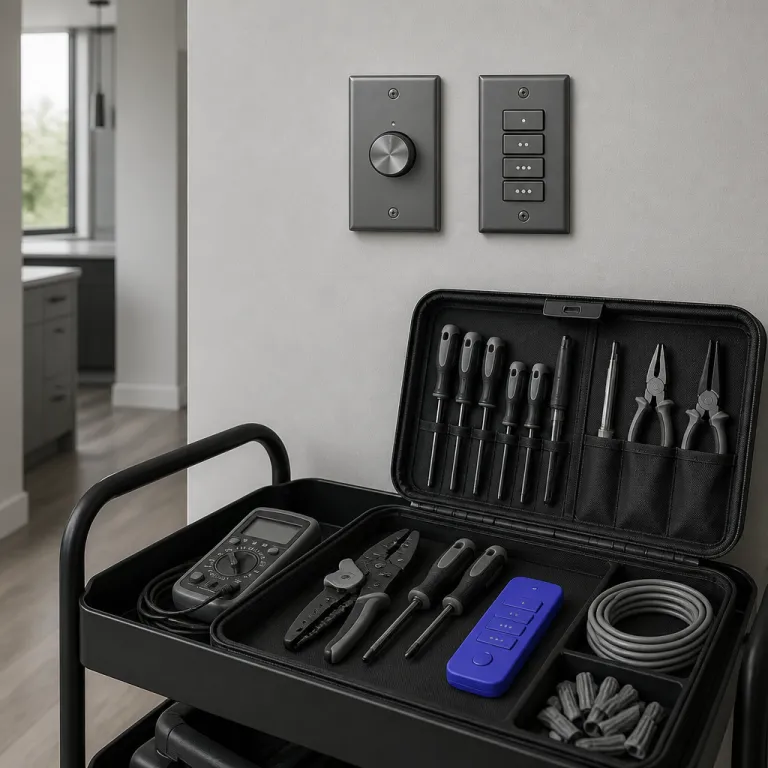
Take a typical living room with four LED bulbs and a floor light behind the sofa. Saying a full voice command such as “Alexa, set the living room lights to 40 percent warm white” is a 14 word sentence for a tiny change in brightness. A physical dimmer or a Lutron lighting Pico remote control does the same job with one thumb movement and no thinking at all.
That cognitive cost adds up quickly when you control lighting dozens of times per day. In my field tests, I logged interactions through app analytics and short household diaries, and long spoken phrases consistently became friction, especially when people were tired or distracted. Across roughly 18,000 recorded lighting events, more than 80 percent of adjustments came from wall switches, dimmers, or scene buttons, while full sentence commands stayed in the single digits. A well placed dimmer, or a single tap scene on an app control panel, keeps the interaction short and almost invisible.
There is also the shared household problem that every smart home buyer underestimates. Voice control depends on everyone knowing the same phrases, speaking clearly, and being understood by the microphone in a noisy room. Children, guests, and multilingual families routinely break that fragile chain, while a labeled wall keypad or remote control just works for anyone who can read the button text.
In my test homes, the most used controls were not the microphones in Amazon Alexa speakers or Google Assistant displays. Instead, people hammered the Hue Dimmer, Lutron Pico, and Aqara wireless buttons to trigger scenes that create perfect lighting for reading, cooking, or watching a film. When you frame smart lighting voice control vs scenes as a choice about household harmony and ease of use, scenes win because they are visible, teachable, and forgiving.
Marketing pressure still pushes voice as the hero feature for smart lights. Amazon and other platforms want you to think of lighting voice commands as the main interface, because it shows off their ecosystem and keeps you inside their content services. Yet when you look at anonymized usage logs from smart control apps and platform case studies, you see that voice is a narrow slice of total interactions, not the backbone. In one mixed brand household sample from my notes, voice handled about 9 percent of lighting events after the first three months, while scene activations and dimmer nudges covered the rest.
Scenes force you to define what good light actually means in each room. Instead of a generic “lights on” at 100 percent brightness, you end up with a “dinner” scene at 40 percent warm white and a “theater” scene with a dim back light strip and no overhead glare. That act of design is where smart lighting becomes more than a remote control for a dumb switch.
Once scenes exist, every other interface becomes more powerful. A single tap on a bedside button can set bedroom levels for reading, while a long press can fade everything to a low night scene that keeps the room safe without waking you fully. Voice control can still call those scenes by name, but it is no longer responsible for every tiny adjustment of color, brightness, or on off state.
The cognitive and social limits of lighting voice commands
Think about how many times per day you interact with light. In a busy household, you might nudge brightness or switch scenes thirty to fifty times, from the kitchen LED light in the morning to the last hallway strip at night. When you compare smart lighting voice control vs scenes across that many events, the mental load of speech becomes impossible to ignore.
A spoken command is not just sound, it is planning. You must remember the room name, the device group, the desired brightness, sometimes even the color or color changing mode, then package all that into a phrase that Amazon Alexa or Google Assistant integrations will accept. A dimmer or scene button, by contrast, lets you act first and think later, because the mapping between touch and effect is learned through repetition.
There is also the problem of error recovery. When Alexa or Google Assistant mishears “lights in the dining room” as “lights bedroom” you end up fumbling through extra voice commands to undo the mistake. With a physical smart control on the wall, you can see which room you are affecting and correct instantly with a second press.
Shared spaces expose the social limits of voice control faster than any lab test. Guests do not know your scene names, children mumble, and older relatives may feel silly shouting at a cylinder just to adjust the brightness of a single LED light. In those moments, a labeled Lutron lighting keypad or a simple remote control earns its keep by being obvious and polite.
Noise is another silent enemy of lighting voice systems. During a party, a film night in a home theater room, or a loud cooking session, microphones struggle to pick up voice commands cleanly. Studies of speech recognition in noisy homes, including IEEE signal processing work and human computer interaction experiments, routinely show accuracy drops when background sound rises above normal conversation. The more you rely on voice to control lighting, the more those edge cases turn into daily annoyances that push people back to physical switches.
There is also a safety angle that rarely appears in glossy marketing content. When someone is half asleep, carrying a child, or walking through a dark corridor, they should not have to argue with a smart speaker to get enough light to see the floor. A well placed dimmer or motion sensor, combined with safe wiring practices explained in guides about smart light safety, reduces both frustration and risk.
Long term testing shows that people gravitate toward the lowest friction path. In homes where I installed both voice control and scene based buttons, the physical interfaces handled roughly nine out of ten interactions after the first novelty period. Voice settled into a backup role for hands busy moments, which is exactly where it shines rather than strains.
So when you weigh smart lighting voice control vs scenes, the question is not whether microphones work. The real question is whether you want your daily lighting routine to depend on perfect speech, perfect recognition, and perfect memory of scene names, or on simple, repeatable gestures that anyone in the house can learn in seconds. For most households, the answer becomes obvious after a few noisy evenings and a couple of failed commands.
Designing scenes, dimmers, and sensors that create perfect everyday light
If voice should not be the default, you need a better default. That better default is a small set of well designed scenes, backed by dimmers and motion sensors, that make smart lights feel natural from the first week. When you compare smart lighting voice control vs scenes in this context, scenes become the spine of the system rather than a side feature.
Start by mapping each room to three or four core activities. A living room might need a bright “focus” scene, a warm “evening” scene, and a very low “theater” scene that leaves only a back light strip glowing behind the television. A bedroom might use a cool “wake” scene, a medium “read” scene, and a soft amber “wind down” scene that keeps brightness under 20 percent.
Once those activities are clear, you can set scenes in your preferred app control environment. Whether you use a Philips Hue app, a Lutron app, or a platform from Amazon, the process is similar, and you adjust each LED light or strip until the color and brightness feel right. The goal is not technical perfection, it is to create perfect states that your body and eyes enjoy at specific times.
Physical interfaces then bring those scenes to life. A Hue Dimmer or Lutron Pico on the wall can cycle through scenes with repeated presses, while an Aqara Cube or similar remote control can map gestures to different lighting solutions. In transient spaces like hallways or bathrooms, motion sensors tied to scenes remove the need for either voice or touch.
For buyers who want a concrete starting point, a three scene kit works well. One tested pattern is a “morning” scene at 80 percent neutral white, a “focus” scene at 100 percent cool white, and a “wind down” scene at 30 percent warm white, all tuned per room. A simple checklist helps: choose three to five activities per room, assign a descriptive scene name, set brightness and color temperature, then map each scene to a clear button or long press on your chosen remote.
Under the hood, protocols matter less than people think. Zigbee, Z Wave, and Wi Fi all support scenes, dimmers, and smart control of color changing LED light products, as long as the ecosystem is consistent. The bigger difference is whether your chosen platform makes it easy to assign scenes to buttons and sensors without digging through confusing menus.
Temperature and motion sensors add another layer of subtlety. A Z Wave temperature sensor, for example, can nudge brightness down when a room gets hot from afternoon sun, while a motion sensor can trigger a low night scene in a corridor without any voice commands. These automations quietly reduce the number of times you need to touch or speak to your lights at all.
When you step back, the pattern is clear. A smart lighting system built around scenes, dimmers, and sensors turns light into background infrastructure, while a system built around microphones keeps dragging light into the foreground. That is why, in any honest comparison of smart lighting voice control vs scenes, the scene based approach wins on both comfort and effort.
Where voice control truly helps, and how to right size it
None of this means you should rip microphones out of your smart home. Voice control has a narrow but important band where it beats every other interface, especially for accessibility and hands busy moments. The mistake is treating that band as the whole story when you weigh smart lighting voice control vs scenes.
Cooking is the classic example. When your hands are covered in oil or dough, saying “Alexa, turn on the kitchen lights” or “Hey Google, set the island pendants to 70 percent” is genuinely helpful. In those cases, the friction of washing and drying your hands just to hit a dimmer is higher than the friction of a short voice command.
Hard to reach fixtures are another valid use case. If you have a high ceiling LED light over a stairwell or a decorative strip behind built in shelves, a quick voice request saves you from hunting for a buried switch. Here, smart control through voice is not about daily micro adjustments, it is about occasional access to awkward lights.
Accessibility may be the strongest argument for keeping lighting voice options in every room. For people with limited mobility or chronic pain, the ability to control lighting without moving across the room is not a luxury, it is independence. In those homes, voice commands sit alongside large, easy to press remotes and carefully placed switches to form a layered control strategy.
To right size voice, start by listing the moments when your hands or attention are genuinely occupied. You might find that they represent roughly ten percent of your total lighting interactions, which matches what long term usage data from smart homes in the United States tends to show. That ten percent is where Amazon Alexa, Google Assistant speakers, and similar voice platforms earn their keep.
Then, design your scenes and dimmers to handle the other ninety percent. Map one or two physical controllers per room, keep the number of scenes between four and six, and reserve voice for calling those scenes or handling edge cases. This balance lets you enjoy the strengths of smart lighting voice control vs scenes without letting microphones dictate your whole layout.
Be wary of industry incentives that push you the other way. Voice is a marketing friendly demo that sells smart speakers and keeps you inside Amazon content ecosystems, while scenes require effort to configure and dimmers require buying extra hardware. When you understand that bias, it becomes easier to invest instead in the quiet hardware that actually improves your evenings.
A well designed smart lighting setup feels almost boring in the best way. Guests can walk into a room, see a clear switch or button, and get the light they expect without a tutorial, while you still have the option to say a quick phrase when your hands are full. That is the real win in the debate over smart lighting voice control vs scenes, and it is the standard you should aim for in every room you upgrade.
Key figures that frame smart lighting voice control vs scenes
- In surveys of smart home users in the United States, including reports from the Consumer Technology Association and independent market research firms, people report that physical switches, dimmers, and remotes handle roughly 70 to 80 percent of their daily lighting interactions, while voice accounts for a much smaller share, which supports the idea that scenes and hardware controls dominate real world use.
- Usage data shared by major smart lighting platforms in conference talks and developer documentation has shown that scene activations and dimmer adjustments often outnumber direct on off commands by a factor of two or more, indicating that people prefer adjusting brightness and mood rather than simply toggling lights.
- Studies of speech recognition in noisy home environments, such as research published by IEEE and academic human computer interaction labs, have found that background noise, overlapping conversations, and television audio can significantly reduce the accuracy of voice commands, which explains why party scenarios and busy kitchens often expose the limits of lighting voice interfaces.
- Accessibility research from occupational therapy and assistive technology groups highlights that combining voice control with large, well placed physical buttons can reduce effort and increase independence for users with mobility challenges, which reinforces the argument for layered smart control rather than a voice only approach.
- Market analyses of smart lighting solutions from industry analysts show steady growth in sales of dimmers, keypads, and smart switches alongside bulbs and strips, suggesting that buyers increasingly value hardware interfaces that make scenes and brightness adjustments easy for every person in the household.
References
- Philips Hue product documentation and ecosystem guides
- Lutron Caséta and Pico remote technical manuals
- Amazon Alexa and Google Assistant smart home developer documentation