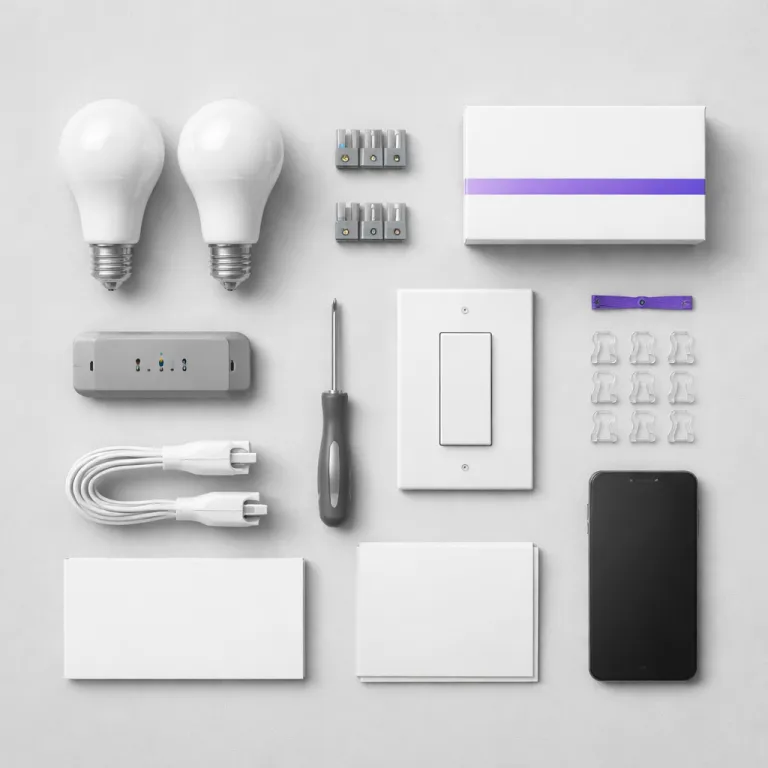
Start small so your first smart light actually gets used
When people ask how to set up smart lights, they often start by buying a big box of smart bulbs from Amazon and then feel stuck. A calmer and far more effective first step is to buy no more than three connected light bulbs and focus on one room, because a single working smart light in a living room teaches you more than ten boxed bulbs in a cupboard. That small pilot keeps the project manageable and stops you becoming the permanent smart home person every time someone cannot turn lights on.
Pick one light bulb that matters for daily life, such as the main ceiling light in the family room or a bedside lamp. Replace the existing light bulb with a single smart bulb, then leave every other light bulb in the house as a normal one so the rest of the household still understands how the room works. This way the new smart lighting feels like an upgrade, not a science experiment that breaks the familiar room layout or leaves people confused about how to control lights.
For this first test, avoid mixing too many smart devices or brands, because each extra device and each extra app multiplies the support calls you will get. A simple Wi‑Fi smart light bulb such as a TP‑Link Tapo L530E or a Philips Wiz bulb is enough to learn the basics of smart lighting control. Once that first smart light works reliably for a week, you can safely add more smart bulbs and extend smart lights into a hallway or kitchen without overwhelming yourself or cluttering your phone with extra apps.
Choose your ecosystem before you choose any smart bulbs
The most important step in how to set up smart lights is choosing the ecosystem that will control lights for the whole household. If your family already uses Amazon Echo speakers, then smart lights that work smoothly with Alexa routines will feel natural, while a home full of Apple devices usually pairs better with HomeKit‑friendly brands such as Philips Hue or Nanoleaf. Matching the smart bulb and the app to the ecosystem you already own means fewer passwords, fewer updates and fewer late night questions about why the living room light will not turn off.
For Google Home users, the Google app on Android or iOS becomes the central place to control lights, speakers and other smart devices. When you add a new smart light bulb, the manufacturer app handles the first pairing step, then you link that account into the Google app so you can say “Hey Google, turn lights in the dining room to warm white” without touching your phone. This is also where clear voice control names matter, because a simple name like “sofa light” is easier for children and guests than “Philips Hue color bulb number three”.
If you lean toward Philips Hue, understand that the Hue Bridge is the real brain of the system, while each Hue bulb is just a client on the Zigbee network. The bridge connects smart bulbs to your router with a cable, which keeps Wi‑Fi less congested and makes large sets of smart lights more stable than many cheap Wi‑Fi bulbs. For a mixed household with both vintage fixtures and modern lamps, a Hue setup also works well with a classic flush mount ceiling light, especially if you follow a style guide such as this one on how a vintage flush mount ceiling light brings smart style to modern homes.
Fix the wall switch problem before your family revolts
Every first time buyer who asks how to set up smart lights eventually hits the same wall switch problem. A smart light bulb only stays online while the wall switch is left on, so when someone flicks that switch off out of habit, the smart bulb disappears from the app and voice control stops working. That is usually the moment when the rest of the family decides that smart lighting is annoying and asks you to put the old light bulbs back.
You have three realistic options to solve this without becoming tech support forever. The quickest fix is to tape the wall switch in the on position and explain that the app or a small remote will now control lights in that room, which works surprisingly well in a bedroom or office, but always follow local electrical safety rules and never cover a damaged switch. A more elegant approach is to install a Philips Hue dimmer switch or a Lutron Aurora dial over the existing switch, so people can still tap or turn a physical control while the smart bulb always stays powered.
In shared spaces or multi unit buildings, physical controls matter even more because not everyone will have the app or want to say “Hey Google, turn lights in the hallway” every time they pass through. Smart living platforms in larger residential buildings often combine app tap controls with wall keypads so residents can control lights without thinking about the underlying smart devices or protocols, as shown in this case study on a multi unit residential building smart living platform. Borrow that idea at home by giving every important smart light at least one obvious physical way to control lights, whether that is a battery powered remote, a Hue Bridge linked dimmer or a smart button stuck near the door.
Pairing that actually works: from factory reset to first voice command
Most pairing failures during smart light setup come from skipping one boring but essential step. Before you even screw in the new smart bulb, update the manufacturer app on your phone, check that your handset is on the 2.4 gigahertz Wi‑Fi band and, if the bulb is second hand, perform a full factory reset using the on off sequence in the manual. That reset clears old Wi‑Fi details and lets the app connect smart bulbs cleanly without ghost devices lingering from a previous home.
Once the smart bulb is powered and blinking, open the app and follow the guided step by step process, resisting the urge to rush. Keep the bulb physically close to your router or Hue Bridge during this first pairing, because distance and thick walls can make a new device fail to appear in the app. When the app finds the light, give it a clear room and light name, then test basic commands such as dimming, changing color temperature and turning the light on and off from both the manufacturer app and your main ecosystem app.
After that first success, link the light into your voice assistant so the rest of the household can use simple phrases. In a Google Home setup, you would open Google Home, tap the plus icon, choose “Set up device” and then add the brand account so that “Hey Google, turn lights in the kitchen to blue” works from any linked speaker. With Philips Hue, you pair bulbs to the Hue Bridge in the Hue app, then connect that bridge to the Google app or Amazon Alexa, which keeps the Zigbee lighting network stable while still allowing cloud based voice control.
Three automations that make smart lighting feel effortless
The fastest way to make smart lights feel worth the effort is to set just three simple automations in the first hour. A sunset based schedule that turns the main living room light on automatically each evening removes the daily “who will get up to flip the switch” question and quietly proves that smart lighting can reduce friction instead of adding it. A second schedule that fades bedroom lights down over fifteen minutes at bedtime helps everyone wind down without harsh light, especially if you use warm color temperatures around 2700 kelvin.
The third high impact automation is a motion triggered night light in a bathroom or hallway, using either a dedicated motion sensor or a camera with a built in sensor. Set the smart bulb in that room to a very low brightness and warm color, then restrict the automation to late night hours so it does not trigger constantly during the day. This way a half asleep family member can walk to the bathroom and have the light bulb turn on gently without shouting “Hey Google, open Google Home and turn lights on” at two in the morning.
During the first week, resist the temptation to build complex scenes with dozens of smart devices, because every extra rule is another thing that can break. Focus on these three core routines and make sure everyone knows how to override them with a wall remote, an app tap or a short voice command. Once those basics feel natural, you can explore more advanced scene design and even study lighting foundations for smart sites and streets to understand how professional planners think about layers of light.
Keep control shared so you are not the permanent smart home admin
The real test of how to set up smart lights is not day one, but day thirty when you are away and someone else needs to control lights without calling you. Start by inviting other household members into the shared home inside your main ecosystem app, whether that is the Google app, Amazon Alexa or Apple Home, so they can control lights from their own phones. This simple step stops every request from flowing through your device and makes the system feel like shared infrastructure rather than your personal gadget.
Next, give each important room at least two ways to control lights, ideally one physical and one digital. A Philips Hue dimmer, a smart button or a battery powered remote mounted near the door lets guests tap to turn lights on, while the app and voice control remain available for more advanced scenes. Keep voice commands short and memorable, such as “Hey Google, turn lights in the bedroom off” instead of long phrases that nobody will remember after a busy day.
Finally, prepare for the inevitable late night failure with a simple three step recovery plan that anyone can follow. First, power cycle the affected smart light by turning the wall switch off for ten seconds and then back on, watching for the bulb to blink or change color. If that fails, reboot the router or Hue Bridge, then as a last resort perform a factory reset on the smart bulb and re add it in the app, which sounds tedious but usually takes less than five minutes once you have done it once.
Key figures that show how smart lighting changes real homes
- Signify, the company behind Philips Hue, has reported in its own marketing materials that households using smart bulbs for adaptive schedules can reduce lighting electricity use by around 30 percent compared with always on traditional bulbs, especially when motion sensors and dimming are used together. Treat this as an indicative manufacturer estimate rather than an independent scientific study, because the exact savings depend heavily on your previous habits and local electricity mix.
- A survey by the Consumer Technology Association (CTA) found that smart lights and smart plugs are among the first three smart devices purchased by new smart home users, which confirms that lighting is often the entry point into connected homes rather than security or entertainment. The CTA figures are based on self reported responses from a sample of consumers, so they show market trends rather than a complete census of every household.
- Energy Star data indicates that replacing a single 60 watt incandescent light bulb with a 10 watt LED smart bulb can save roughly 80 kilowatt hours of electricity per year in a typical living room, which adds up quickly when several bulbs are automated to turn off when not needed. This back of the envelope example assumes an average of about three hours of use per day and will vary if your usage pattern or bulb wattage is different.
- Google has stated in public blog posts that millions of households now use voice commands such as “Hey Google, turn lights off” daily, showing that voice control has moved from novelty to routine for basic lighting tasks in many homes. These figures come from aggregated usage statistics across Google Assistant devices rather than from a formal academic survey.
FAQ: practical answers about setting up smart lights
How many smart bulbs should I buy for my first setup ?
For a first attempt at how to set up smart lights, limit yourself to one to three smart bulbs in a single room. This keeps troubleshooting simple and lets you refine names, scenes and controls before expanding. Once those first smart lights feel reliable for everyone, you can gradually add more bulbs and switches.
Do I really need a Hue Bridge or similar hub ?
If you plan to use more than about ten Philips Hue bulbs or want rock solid reliability, a Hue Bridge is worth it because it uses Zigbee instead of Wi‑Fi for each light. Smaller apartments with just a few Wi‑Fi smart bulbs can often skip a hub and rely on the router alone. The trade off is that hub based systems scale better and usually recover faster from network glitches.
What is the best way to name rooms and lights for voice control ?
Use short, descriptive names that match how your family already talks about the space, such as “kitchen main” or “sofa lamp”. Assign each smart light to a clear room in your Google app or Alexa app so that commands like “turn lights in the kitchen on” behave predictably. Avoid cryptic names like “bulb 01” because they confuse both people and voice assistants.
How do I stop people from turning the wall switch off ?
The simplest method is to cover the switch with a small guard or tape and explain that the new remote or app now controls that light. A more polished option is to install a smart friendly dimmer or a Philips Hue remote over the switch so people can still tap something physical. The goal is to keep constant power to the smart bulb while preserving a familiar way to control lights.
What should I try first when a smart light stops responding ?
Start with a power cycle by turning the wall switch off for ten seconds and then back on, watching whether the bulb blinks or changes color. If the light bulb still does not appear in the app, restart your router or Hue Bridge and wait a few minutes. Only if those steps fail should you perform a factory reset on the smart bulb and repeat the pairing process from the beginning.