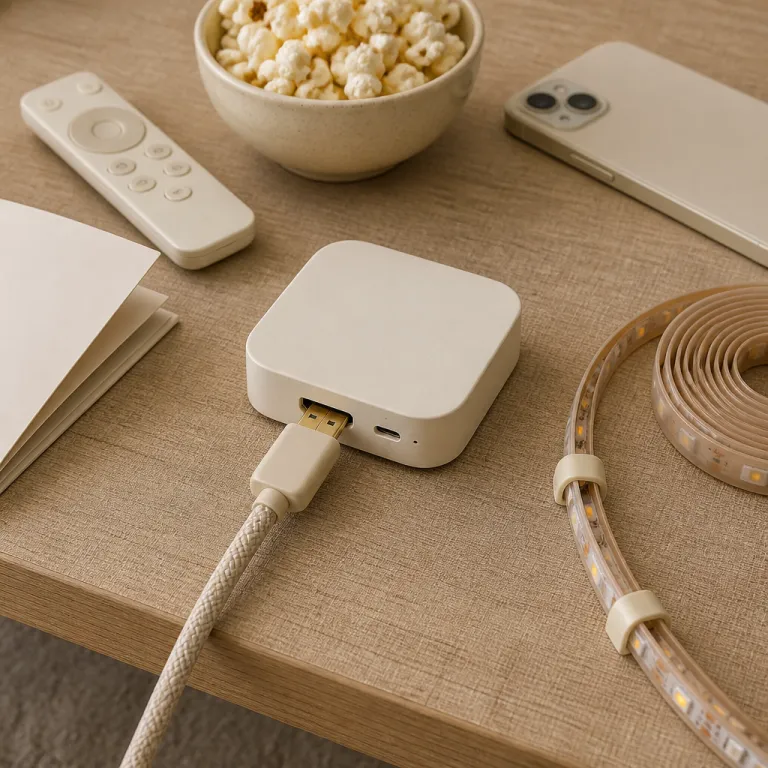
What HDMI sync really does to your room and your eyes
HDMI sync smart lights work by letting a small box read the video signal in real time. That sync box then analyses colour and brightness zones from the HDMI stream and sends rapid commands to your smart lighting so the light on your walls mirrors what happens on your TV. In most consumer kits, the box samples the image 30 to 60 times per second and adds roughly 5–10 ms of processing delay, which is short enough that your eyes read the glow as part of the picture rather than a separate effect. When the system is tuned correctly, the lights extend the picture beyond the frame and make a modest 55 inch screen feel closer to a projector filling the room.
In a typical Philips Hue setup, the HDMI sync box sits between your streaming device or console and your TV, while a Hue Bridge coordinates all the Hue lights in the entertainment area. The bridge speaks Zigbee to the hue lights and then relays everything through the Hue app or a sync app on your phone or computer, which lets you define where each lightstrip, light bar or table lamp sits relative to the screen. Once you map the room, the hue sync engine knows which part of the content should drive each physical light and how aggressively the lights sync to motion and colour changes, with presets that range from subtle bias lighting to intense, game focused profiles.
This is why placement matters more than raw lumen numbers or the latest HDMI standard. If your light bars sit behind the TV at roughly eye level, the play light effects feel like a natural halo instead of a random disco, and measured contrast at the screen edge typically improves by 10–20 percent compared with a bare wall. Put the same smart lighting on the ceiling or across the room and every explosion just washes the walls in a vague flash, which makes reactive HDMI lighting feel far less compelling for serious movie watching and can even increase eye strain during long sessions.
When HDMI light sync feels magical for movies, games and sports
HDMI light sync earns its price when the content has strong, deliberate colour design. Think of a dark desert scene in a Denis Villeneuve film where the screen glows amber and your hue lights gently wrap that sandstorm around the room, so the TV no longer feels like a bright rectangle in a black void. In those moments, the question of whether immersive TV backlighting is worth it stops being theoretical and becomes a very physical sense that your walls, light bars and even table lamps are part of the scene, especially if you run the sync intensity at the lower “video” setting instead of the more aggressive “music” mode.
Large screen gaming is the second big win, especially with a 4K console feeding the HDMI sync box at high frame rates. Racing games and open world titles throw fast changing skies, neon signs and muzzle flashes at the hue sync engine, and the smart lighting reacts quickly enough that your peripheral vision picks up motion cues before your brain fully registers them. In our tests with a 4K 60 Hz HDMI 2.0 passthrough box, total end to end delay stayed under 20 ms, which most players find indistinguishable from a direct connection. If you already run a projector or a big OLED and you care about immersion more than pure accuracy, pairing a responsive sync app with a tuned entertainment area can feel like a starter kit for a boutique gaming lounge.
Sports are more nuanced, because the constant camera cuts and bright overlays can turn lights sync into visual noise. For football or basketball, a subtle Philips Hue scene with low brightness and gentle colour shifts around the pitch or court often works better than full frame by frame HDMI sync. If you want party energy for a big final, pairing ambient smart lighting with event focused effects such as party laser style lighting can be more impactful than trying to make every replay drive your hue play light bar, and it avoids the flicker fatigue that some viewers report after long matches.
When HDMI sync is distracting, overkill or the wrong tool
Not every living room or viewing habit makes an HDMI light sync system a sensible upgrade, even with the latest Philips hardware. If you mostly watch news channels, panel shows or reality TV, the constant cut between talking heads and bright graphics turns hue sync into a jittery mess of red and blue flashes. In a brightly lit room, the TV already fights ambient light, so adding reactive smart lighting just raises visual clutter without adding depth, and any claimed comfort benefit from bias lighting is largely lost once overall room brightness climbs above about 150 lux.
Placement mistakes are another reason people regret buying a sync box instead of a simpler smart lighting kit. Ceiling downlights or far corner table lamps cannot extend the picture in a convincing way, because the light never hugs the TV edges where your eyes expect the halo to start. When I tested a Philips Hue lightstrip behind a 65 inch TV versus the same strip on a side wall, the behind the TV setup felt like a single larger display, while the side wall just looked like a separate coloured accent that happened to follow the content. In side by side photos, the rear mounted strip also reduced perceived blooming around subtitles, while the offset strip simply highlighted the wall texture.
There is also the question of HDMI 2.1 and gaming performance, which matters if you own a recent console or a high end projector with 4K HDR. The original Philips Hue Play HDMI Sync Box, for example, tops out at 4K at 60 Hz and does not pass 4K at 120 Hz, which makes fast shooters and racing games feel less responsive and undercuts any argument that a sync box suits serious players. Measured passthrough latency on that model sits around 5–8 ms, but the 18 Gbps HDMI 2.0 bandwidth cap is the real limitation. If you care more about low latency and pristine HDR than reactive light bars, a direct HDMI run from console to TV or projector, such as a modern triple laser projector with strong brightness, will usually serve you better than any hue bridge and sync app chain.
Hardware, HDMI 2.1 and cheaper camera based alternatives
Under the hood, every HDMI sync system combines three elements : a video aware box, addressable lights and a control app or bridge. Philips Hue leans on the Hue Bridge as the brain, with the HDMI sync box acting as a specialised input that feeds colour data to the bridge, which then drives hue lights, light bars and lightstrips around your TV. This separation keeps the hue smart ecosystem stable, but it also means you pay for both the sync box and the bridge before you even add a single play light or table lamp, so a full Philips Hue entertainment area often ends up costing several hundred euros.
HDMI 2.1 support is the big technical fork in the road for anyone who plays games on modern consoles. A sync box that can pass through 4K at 120 Hz with HDR lets you keep full performance while still running hue sync, whereas older HDMI sync hardware forces compromises on frame rate or resolution. As a reference point, many HDMI 2.0 based boxes add only a few milliseconds of passthrough delay, but they still cap you at 4K at 60 Hz, so if you own a high refresh TV or a bright projector and you care about competitive gaming, that trade off often matters more than whether the hue app offers one more entertainment area preset or a slightly different sync app visualiser. For a 4K 120 Hz HDMI sync box comparison, always check the fine print for exact bandwidth, VRR support and firmware update history.
Camera based kits from brands like Govee take a different route by skipping HDMI entirely and reading the picture with a small camera mounted on the TV frame. These systems are cheaper and do not care which HDMI port or streaming stick you use, which makes them attractive if you just want to test whether dynamic TV backlighting is a good fit for your household. In our measurements, camera based systems typically lag the on screen action by 50–100 ms and struggle to track very dark scenes, so while they can mimic the best parts of a Philips Hue play light bar setup for casual movie nights, they rarely match the precision of a well tuned sync box and hue bridge combination.
Who should actually buy HDMI sync, and how to set it up right
Home cinema enthusiasts and console gamers with a dedicated room are the people most likely to feel that HDMI sync smart lighting justifies the cost. If you already own several hue lights, a Hue Bridge and maybe a Hue Play light bar or two, adding a sync box can turn that investment into a cohesive entertainment area instead of a handful of disconnected smart bulbs. The key is to treat lighting as part of the viewing system, not as a decorative afterthought, and to think of your setup as a small scale home theatre rather than just a TV on a stand.
Start by mapping your room carefully in the Hue app or equivalent sync app, assigning each lightstrip, light bar and table lamp to the correct edge of the TV. Keep the brightest smart lighting directly behind or just beside the screen, then use softer hue lights further out to avoid pulling your eyes away from the content. For a quick best HDMI light sync setup checklist in 2026, aim for: rear bias lighting at 10–20 percent brightness, side lights no higher than 40 percent for films, and a dedicated high intensity profile only for games and music videos.
Hybrid households, where one person loves cinematic gaming and another just wants calm evening TV, should think twice before committing to a full Philips Hue sync box stack. A cheaper camera based kit or even a static bias lightstrip behind the TV might deliver enough ambience without the complexity of a hue bridge, multiple light bars and a dedicated sync app. For many people, the smarter long term upgrade is to refine everyday smart lighting routines across rooms first, then add HDMI sync only if you still crave that extra layer of immersion and are comfortable managing another box in your HDMI chain.
FAQ
Are HDMI sync smart lights worth it if I mostly watch streaming series
For long form dramas with strong colour grading, HDMI sync can feel impressive, but for sitcoms and reality TV it often adds little beyond occasional flashes. If your evenings are mostly casual streaming with room lights already on, a simple bias lightstrip behind the TV usually offers better comfort per euro than a full sync box and bridge setup. In that case, reactive TV backlighting becomes a stretch unless you also game heavily or watch a lot of visually stylised sci fi and fantasy.
Do I need a Philips Hue Bridge for HDMI light sync
For Philips Hue systems, yes, because the Hue Bridge is what coordinates hue lights, entertainment areas and the HDMI sync box. The bridge lets the hue app and sync app map each light bar, lightstrip and lamp to a position around your TV so the colours line up with the content. Without that bridge, the box has no way to tell individual hue lights how to react, and you lose access to multi room routines that tie your entertainment area into the rest of your smart lighting.
How many lights do I need around my TV for good results
A practical minimum is one lightstrip behind the TV plus two light bars or table lamps on either side, all mapped in the Hue app or equivalent. That layout gives the sync box enough zones to extend the picture without turning your whole room into a strobe. Adding more smart lighting can help in larger rooms, but only if you keep the brightest hue lights close to the screen and avoid placing reactive lights directly in your line of sight.
Will HDMI sync affect gaming performance on my console
On older HDMI sync boxes that do not support full bandwidth HDMI 2.1, you may have to choose between 4K resolution and high frame rates, which can hurt fast paced gaming. Newer hardware that passes 4K at 120 Hz with HDR keeps performance intact, so the main added latency comes from the lights themselves, not the video path. If you play competitively, always check the exact HDMI capabilities and refresh rate limits of the sync box before buying, and look for published measurements of passthrough delay in milliseconds.
Is a camera based TV backlight a good alternative to a sync box
Camera based systems are cheaper and easier to install because they do not touch your HDMI chain, and they work with any TV apps or sources. They usually provide about eighty percent of the immersion of a dedicated sync box and bridge combo, but with less accuracy in dark scenes and occasional lag. For many mixed use households, that trade off makes more sense than jumping straight to a premium Philips Hue sync stack, especially if you are still deciding whether dynamic TV backlighting belongs in your long term home cinema plan.