Summary
Editor's rating
Is the Control One + subscription actually worth the money?
Layout, build, and how it feels under the hands
Build quality and how it holds up gig after gig
Real-world performance: from bar gigs to weddings
What the Control One actually does (and what it doesn’t)
Does it actually make your light show better, or just different?
Pros
- Tight integration with DJ software and Engine DJ hardware for automatic, beat-synced light shows
- Hands-on controls (pads, encoders, touch strip) that make live tweaks quick and simple
- Dual DMX universes and dual USB ports suitable for more complex rigs and smooth DJ changeovers
Cons
- Relies heavily on SoundSwitch software with a subscription after 3 months
- Learning curve and occasional software quirks can be frustrating for critical professional events
- Documentation and tutorials are a bit scattered, so you end up hunting through YouTube and groups

Specifications
View full product page →| Brand | SoundSwitch |
A DJ lighting controller that actually talks to your music
I’ve been DJing long enough to know that messing with lights while you’re also trying to mix can be a pain. Most of the time you either leave the fixtures in sound mode, or you pay someone to sit on a lighting desk. I picked up the SoundSwitch Control One because I wanted something in between: proper DMX control, but without becoming a full-time lighting tech. I’ve been using it for private events and bar gigs, with a mix of cheap Chinese fixtures and a couple of moving heads.
The first thing to understand is that this is not just a box: it’s a hardware controller that’s basically married to the SoundSwitch software. The hardware on its own does nothing; everything goes through the desktop app or Engine DJ / Serato / other supported software. So if you hate the idea of subscriptions or learning new software, that’s already an important point. They give you 3 months of SoundSwitch, then it’s subscription or a lifetime license if you want to commit.
In practice, the promise is simple: your tracks drive the light show, and the Control One lets you tweak things live without digging through a laptop. When it works, it feels very natural: you load a track, the lights react to the beat grids and cues, and you just nudge colors, intensity, strobe, or call scenes on the pads. Compared to running a separate DMX controller, the main difference is that you’re not chasing the beat manually all night.
It’s not all perfect though. The software has a learning curve, and if your library is messy or your DJ software is half-pirated or outdated, expect some headaches. Also, I’ve seen occasional hiccups: random disconnections once or twice, and one night where it refused to see one of my universes until I rebooted everything. So my take: it’s a strong tool if you’re ready to invest time into setup and understand that it’s still software-driven, not a magic brick that just “works” no matter what.
Is the Control One + subscription actually worth the money?
On value for money, it sits in an interesting spot. It’s not dirt cheap, but it’s far from top-end lighting consoles. Considering you get a dual-universe DMX interface, a dedicated controller, and 3 months of software access, the package is fair. Before this, SoundSwitch used to sell a more expensive bundle, and that scared me off. At this price, I was willing to try it as a serious upgrade from “lights in sound mode” without going into full LD territory.
The subscription is where opinions split. Some DJs hate paying monthly. For me, the flexibility is actually useful: I don’t gig heavily every single month, so I can pause the sub in quiet periods and only pay when I have a run of events. Over a year, the cost is still reasonable if you’re charging normal DJ rates. If you’re just doing occasional house parties for friends, it might feel like overkill and not the best use of your budget.
Compared to buying a standard DMX controller and programming everything manually, you’re basically paying for time saved and music integration. If you enjoy deep DMX programming and don’t mind riding faders all night, you could build something cheaper with generic hardware and open-source software. But if you’re like me and want your DJ software and lights to talk to each other without writing a novel of cue lists, the cost makes sense.
So overall, I’d say the value is good but not mind-blowing. You need to actually use the features to justify it. If you’re a working DJ doing weddings, bars, or small clubs and you want a controlled light show without hiring a separate person, it pays for itself over a few gigs. If you’re super casual or hate subscriptions on principle, you’ll see it as too much hassle and cost for what it does.
Layout, build, and how it feels under the hands
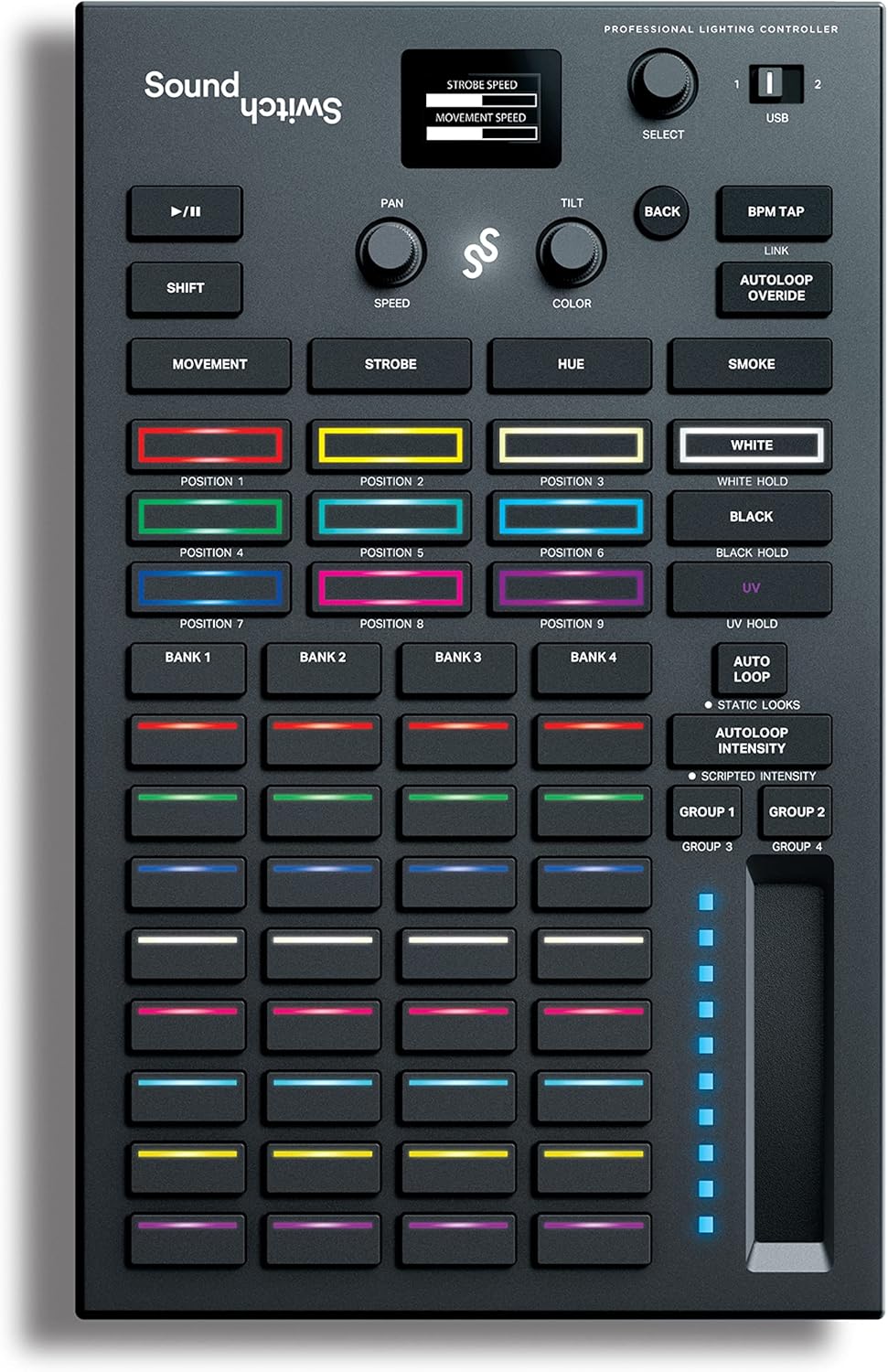
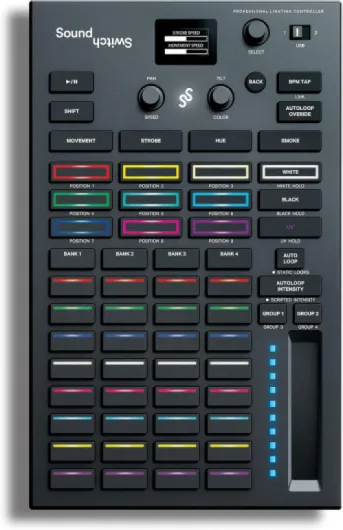
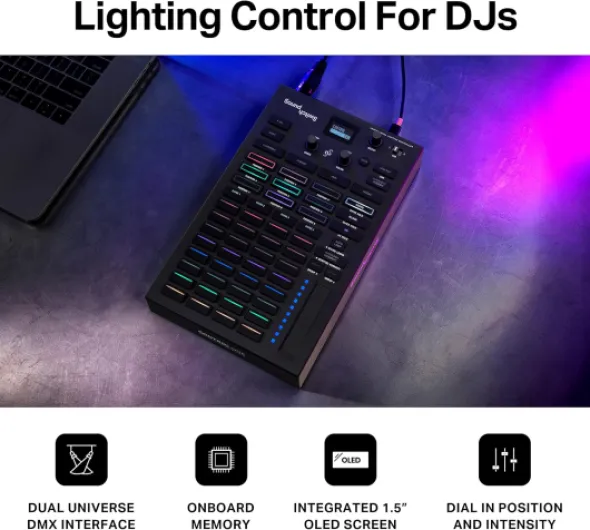
Physically, the Control One is compact and reasonably light: around 10.7 x 6.6 inches and under 2 pounds. On the desk next to a DJ controller or mixer, it doesn’t eat too much space. The layout is simple enough: RGB pads, encoders, a touch strip, a few buttons for banks and navigation, and the DMX and USB ports on the back. It looks more like a DJ pad controller than a traditional lighting console, which I actually prefer because I don’t want a huge desk next to me at weddings.
The pads feel similar to what you get on mid-range DJ gear: not top-tier, but responsive enough. I mapped them to different Autoloop banks, static looks, and blackout. After a couple of gigs, I was hitting them without looking too much, which is what you want when you’re focusing on mixing. The touch strip for intensity is probably my favorite part. Being able to quickly fade the whole rig up or down without going into a menu is very practical, especially when someone randomly grabs the mic for speeches.
On the back, you get two DMX universe outputs with a thru option, plus dual USB for switching between two laptops or DJs. The dual USB is a small detail that makes changeovers a lot less stressful. I did one wedding where I handed over to another DJ mid-night; we each had our laptops connected, and the transition was smooth. No unplugging, no cable circus. Build-wise, the unit is plastic but doesn’t feel like a toy. I toss it in a backpack with some bubble wrap, and after a bunch of setups and teardowns, nothing is rattling or bending.
If I nitpick, the overall look is a bit generic and the screen feedback is minimal, so you rely a lot on your laptop or Engine hardware screen for detailed info. Also, the labeling is okay but not super clear for a total beginner. First hour I had a couple of “which button does what again?” moments. But once your muscle memory kicks in, it’s fine. It’s not premium boutique gear, but for the price and what it’s supposed to do, the design is pretty solid and practical.
Build quality and how it holds up gig after gig
On the durability side, I’ve been tossing the Control One in and out of bags, cars, and tight DJ booths for a while, and it’s holding up fine. The casing is plastic, but it doesn’t feel flimsy. The knobs don’t wobble, the pads haven’t gone mushy, and the USB ports still feel tight when you plug in cables. I’ve used it mainly for mobile gigs, so it’s seen its share of quick setups, teardown in the dark, and the occasional drunk guest leaning on the table.
The only “issue” I hit was not really the unit itself but a bad USB cable once, which matches one of the Amazon reviews. At first I thought the device was faulty because it kept disconnecting. Swapped the cable for a better one and the problems went away. So I’d say: don’t trust the cheapest cable in your box, especially if you’re running long USB runs. The DMX ports have been solid too; I’ve used both wired DMX chains and wireless DMX transmitters off it without physical problems.
It’s not built like a tank like some metal rack gear, but that’s also not the price range here. For something that lives in a backpack or small case, it’s decent. I don’t baby it, but I also don’t throw it on concrete. If you’re touring hard with daily shows, you might want a more protective case or foam. For weekend warriors, mobile DJs, and bar setups, the build is good enough that I don’t worry about it failing mechanically mid-gig.
Long term, the bigger risk is honestly software and driver support, not the plastic shell. If the company keeps updating SoundSwitch (which they have been doing), the hardware should stay relevant for a while. From a pure physical durability angle, I’d call it pretty solid for the price, with the usual advice: use decent cables and don’t crush it under an amp rack.
Real-world performance: from bar gigs to weddings
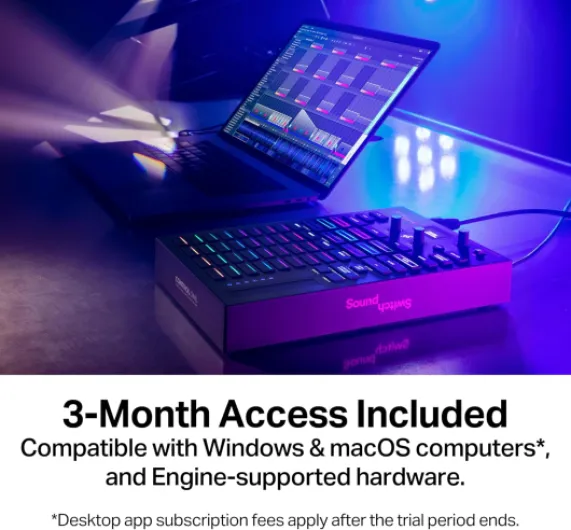
Performance-wise, the big selling point is the automatic shows synced to your tracks. When things are set up correctly (fixtures patched, beat grids clean, cues in place), it does a good job of keeping the lights on beat and matching the energy of the track. I’ve run it with wash lights, a couple of moving heads, and some cheap effects, and it managed to create something that looked way more coordinated than sound mode ever did. The fact that it stops when music stops is a big plus for weddings and corporate events.
The flip side is that the whole thing is only as reliable as your software chain. I’ve had nights where everything ran for four hours straight with zero issues. I’ve also had one gig where SoundSwitch didn’t want to talk to Serato at first, and I had to restart both. That lines up with some of the harsher Amazon reviews: the concept is solid, but there are occasional software quirks. If you’re expecting rock-solid, never-fail theater-level reliability, you’ll be frustrated. If you’re used to DJ software and the usual “turn it off and on again” ritual, you’ll probably just accept it.
Latency-wise, the response is quick. Firing a pad, changing color with the encoders, or riding the touch strip updates the lights without noticeable delay. Auto BPM detection via live audio is okay but not perfect. For a live band or random audio source, it’s better than nothing, but it’s not as tight as when it’s properly linked to DJ software with beat grids. For proper DJ sets, I’d always recommend running it through supported software instead of relying on the mic or live input detection.
One thing I noticed: more complex rigs mean more time in the software. Moving heads with gobos, rotation, and multiple modes take longer to configure and script. Once they’re set, it’s nice, but don’t expect to plug in a random fixture 10 minutes before a show and have a perfect show. Overall, performance is strong when prepared, but you need to respect the setup time and accept that it’s still a software product with the occasional hiccup.
What the Control One actually does (and what it doesn’t)
On paper, the SoundSwitch Control One is a DMX controller/interface with tight integration to the SoundSwitch software. It gives you 2 DMX universes, USB connection, and a bunch of pads, knobs, and a touch strip to interact with your light show. It also works with Philips Hue, which sounds like a gimmick, but for small house parties or streaming setups it’s actually handy if you already have Hue bulbs in the room.
The big thing is how it ties into your music. You can use it with Engine DJ hardware (Denon DJ / Numark units) and skip the laptop entirely, or plug it into a computer and hook it up to Serato, VirtualDJ, or just live audio via BPM detection. The auto features are what most DJs care about: you can let SoundSwitch build Autoloops and scripted shows per track, so the lights follow your beat grids and cue points. When your song stops, the lights stop flashing, which is way better than generic sound-activated modes when someone is giving a speech or there’s a slow intro.
That said, this isn’t a universal DMX box for every software. It’s clearly built around SoundSwitch, and while some folks try to use it in other ways, you’re buying into that ecosystem. There’s also the subscription element: three months included, then recurring fees unless you buy the full license. Personally I don’t love subscriptions, but the monthly price is low enough that I can pause it in months where I don’t gig much, which is what I ended up doing for a while.
So in simple terms: if you want plug-and-play DJ + light integration, this is one of the more realistic routes right now. If you want something that works with any random DMX software or you never want to touch a computer, you’ll probably be annoyed. It’s built for DJs first, not for theater techs or people who want total independence from software.
Does it actually make your light show better, or just different?
In terms of effectiveness, the real question is: does this box + software combo make your gigs look better without you spending your whole set staring at a lighting desk? For me, yes, but with some conditions. Once I had a basic library of tracks analyzed and some Autoloops and static scenes set up, my lighting went from random flashing to something that actually followed breakdowns, drops, and genre changes. For example, during a slow first dance, the system held calm colors and gentle movement instead of going into disco-strobe madness just because somebody coughed.
Where it really helped was consistency. Before, every gig looked different because I would tweak things on the fly or forget certain scenes. With SoundSwitch + Control One, I have a baseline of looks and movements that I know will trigger on certain types of tracks. Then, live, I just use the pads and knobs to push it a bit harder when the room needs more energy, or tone it down for speeches and toasts. That’s a much more manageable workload while DJing solo.
It’s not magic though. If you don’t map your fixtures properly or you skip the prep work, the results are pretty average. The Autoloops are decent but can feel a bit generic out of the box. You get better results when you spend time customizing banks for different genres (e.g. one bank for house, one for hip-hop, one for cheesy wedding stuff). Also, the online documentation is scattered. I ended up learning more from YouTube and Facebook groups than from official docs, which can be annoying when you just want clear, step-by-step guides.
So in practice: it does improve your light show, especially compared to just sound-activated fixtures, but there’s effort involved. If you’re lazy about prep, it will feel like “meh, it works but nothing special.” If you’re willing to invest some evenings into building your library and scenes, it becomes a pretty solid part of your setup and actually saves you stress during events.
Pros
- Tight integration with DJ software and Engine DJ hardware for automatic, beat-synced light shows
- Hands-on controls (pads, encoders, touch strip) that make live tweaks quick and simple
- Dual DMX universes and dual USB ports suitable for more complex rigs and smooth DJ changeovers
Cons
- Relies heavily on SoundSwitch software with a subscription after 3 months
- Learning curve and occasional software quirks can be frustrating for critical professional events
- Documentation and tutorials are a bit scattered, so you end up hunting through YouTube and groups
Conclusion
Editor's rating
For DJs who want their lights to follow the music without turning into full-time lighting techs, the SoundSwitch Control One is a pretty solid option. The hardware is compact, well laid out, and gives you enough hands-on control to adjust looks on the fly. The real strength is the integration with SoundSwitch software and DJ platforms like Serato and Engine DJ: once your tracks are prepped, the system handles most of the light show while you focus on mixing. It’s especially handy for weddings and events where random strobing during speeches is not acceptable.
It’s not perfect. The software has a learning curve, the documentation is a bit scattered, and there are occasional reliability quirks that mean you should always test your setup before a gig. If you expect completely bulletproof behavior with zero restarts ever, you’ll be disappointed. Also, the subscription model and dependency on SoundSwitch might put off people who want a one-time purchase and universal DMX compatibility.
In my opinion, it’s a good fit for mobile DJs, bar/club DJs managing their own lights, and anyone already in the Denon/Engine DJ ecosystem. It’s less ideal for super casual users who only play a few times a year, or for lighting pros who want deep manual control and independence from specific software. If you’re willing to invest some prep time and accept the software-first approach, it gives you a noticeable step up in how professional your light show feels, without a crazy amount of extra work during the actual set.