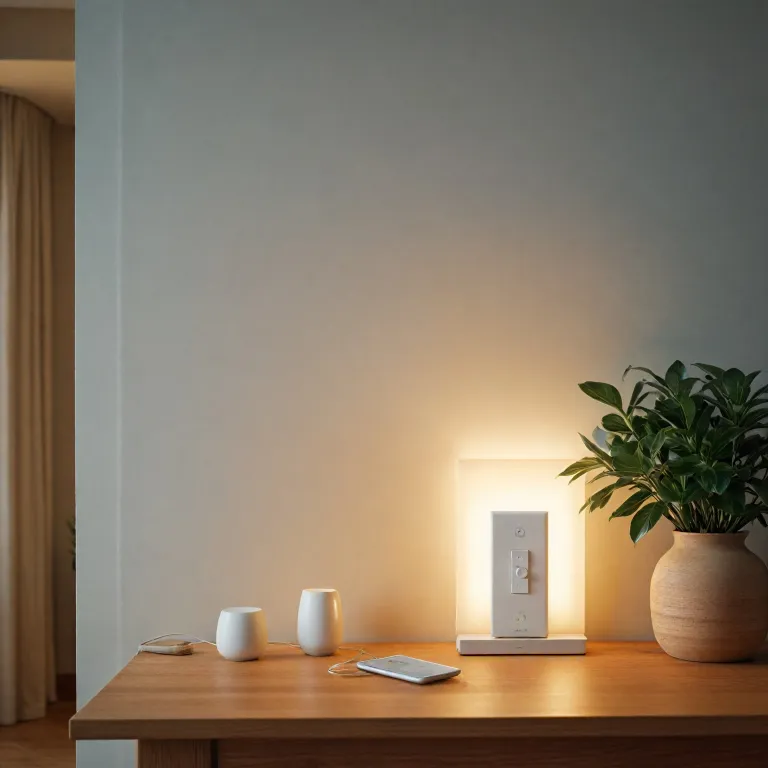
Understanding what a kit dimmer really does for smart lighting
A modern kit dimmer turns a basic light switch into a flexible smart control point. Instead of simply turning a light on or off, the smart dimmer lets you adjust brightness, schedule scenes, and coordinate several switches in one room. This transforms a standard wall light into a responsive lighting system that adapts to your daily rhythm.
Most people first meet a smart dimmer through a starter switch kit that includes a wireless dimmer and a compatible smart hub. In many cases the kit includes a bridge that links the dimmer switch to your router, enabling app control and voice commands through assistants. When a hub is required, the smart hub manages communication between multiple dimmer switches, smart plug units, and other wireless products spread across the home.
Brands such as Lutron Caseta and Decora Smart have popularized the idea that a dimmer kit should be simple to install and pleasant to use. A typical dimmer kit includes a main smart switch, one or more remote wall controls, and sometimes remotes pedestals for placing controls on tables. These products are designed to work with LED bulbs, but each product has its own list of compatible light types and maximum wattage.
From a technical perspective, a wireless dimmer replaces or complements the original smart light switch already on the wall. Some dimmer switches need a neutral wire in the electrical box, while others are engineered to work without one in older homes. Understanding whether your existing light switch location has a neutral wire is essential before choosing between different smart switch and dimmer kit options.
Key components of a smart dimmer kit and how they interact
A complete kit dimmer package usually combines three elements ; a smart dimmer, a communication hub, and one or more remotes. The smart dimmer or dimmer switch sits in the wall box and directly controls the flow of power to the light fixture. The hub or smart hub then coordinates multiple switches and smart lighting products so they behave as a single system.
In a Lutron Caseta smart dimmer kit, the hub required is a compact bridge that connects to your router with an Ethernet cable. This Caseta smart hub allows the wireless dimmer and remote wall controls to communicate reliably even when Wi-Fi is congested. Other brands rely on a Decora Smart hub or a multi protocol smart hub that also manages Zigbee and Z Wave devices, which can be helpful when you expand beyond a single dimmer kit.
The switch kit often includes a primary smart switch and one or more remote switches that can be mounted on the wall without new wiring. These remote wall units act like traditional switches but talk wirelessly to the main dimmer switch controlling the load. This design lets you create three way or multi way smart switch layouts without running extra cables through the wall.
For readers interested in mesh networking and interoperability, an in depth guide to Zigbee smart lighting ecosystems explains how hubs manage many devices. Whether you choose a Lutron Caseta kit, a Decora Smart dimmer kit, or another brand, the principle remains the same. The smart hub, smart dimmer, and wireless remotes form a coordinated network that keeps your smart lighting responsive, even when your phone or voice assistant is offline.
Installation basics, wiring constraints, and safety considerations
Installing a kit dimmer is within reach for many homeowners, but preparation matters. Before touching any wall light or dimmer switch, you must cut power at the breaker and confirm with a tester that the circuit is dead. This simple step protects you from electric shock and prevents damage to the smart dimmer or other products.
The most important technical question is whether your existing light switch box contains a neutral wire. Many older homes only have line and load conductors, which limits the choice of smart switch and dimmer kit models. Some Lutron Caseta smart dimmer switches are designed to work without a neutral wire, while many Decora Smart and other smart switch products require one for stable LED performance.
A typical single pole installation replaces one traditional light switch that controls a single fixture from one location. In this scenario, the smart dimmer or wireless dimmer becomes the only control point, and any remote wall units communicate wirelessly. When you need multi way control, a switch kit that includes remote switches or remotes pedestals can simulate three way wiring without pulling new cables.
After wiring the dimmer kit, you pair the smart dimmer with the smart hub and any smart plug accessories. Many kits include clear pairing steps in the app, guiding you through adding switches, assigning rooms, and testing wireless control. For readers comparing connectivity options, this overview of a Bluetooth enabled LED lamp highlights how different wireless standards affect range, latency, and reliability in smart lighting.
Everyday use cases where a kit dimmer adds real value
Once installed, a kit dimmer quickly changes how you interact with light in daily life. Instead of harsh on off transitions, the smart dimmer lets you fade lights up in the morning and dim them gently at night. This smoother control can reduce eye strain and make LED lighting feel more natural in living spaces.
In a living room, a Lutron Caseta smart dimmer kit can coordinate ceiling fixtures, floor lamps on a smart plug, and accent lights on remote switches. You might set one scene for movie nights with low warm light and another for reading with brighter illumination. Because the smart hub manages all devices, a single tap on a remote wall control or a voice command can adjust every connected product at once.
In kitchens and hallways, a Decora Smart dimmer switch paired with wireless dimmer remotes can solve awkward switch locations. A single pole circuit can effectively become a multi way layout by adding remote switches where they are most convenient. Families often mount remotes pedestals on counters or bedside tables, turning them into portable light switch alternatives that still feel familiar.
For children’s rooms or night time safety, dimmer switches allow very low brightness levels that traditional switches cannot provide. You can schedule the smart lighting to dim gradually in the evening and turn off after a set time. If you want broader ideas on how subtle illumination changes affect comfort, this article on transforming your home lighting experience with night lights offers practical scenarios that pair well with a flexible dimmer kit.
Choosing between brands, prices, and technical specifications
Selecting the right kit dimmer involves balancing price, compatibility, and long term flexibility. Entry level products may offer a single smart dimmer and basic wireless control, while premium kits include multiple switches, remotes, and a robust smart hub. When comparing price points, consider not only the initial kit but also the cost of adding extra dimmer switches or smart plug units later.
Lutron Caseta smart dimmer kits are known for reliability and broad LED compatibility, even on circuits without a neutral wire. Decora Smart dimmer kit options often integrate tightly with existing Decora style wall plates, which many homeowners prefer for a consistent white wall finish. Some users prioritize a particular ecosystem because it works smoothly with their chosen voice assistant or existing smart lighting products.
Look closely at whether a hub is required for the features you care about, such as remote access, advanced schedules, or integration with other smart switch brands. A switch kit that works without a smart hub may rely on Wi-Fi, which can be convenient but may not scale as well as a dedicated smart hub. For larger homes, a hub based system often provides more stable wireless dimmer performance and better coordination between multiple dimmer switches.
Also check the rated load, supported bulb types, and whether the dimmer switch is designed for single pole or multi way configurations. Some original smart kits are optimized for LED and CFL loads, while others handle mixed incandescent and LED lighting. By matching the technical specifications of each product to your wiring, fixtures, and future expansion plans, you avoid flicker, dropout, and other common smart lighting frustrations.
Future proofing your smart lighting with flexible dimmer kits
A well chosen kit dimmer can serve as the backbone of a scalable smart lighting strategy. Starting with a single smart dimmer and smart hub, you can gradually add more switches, remote wall controls, and smart plug modules as your needs evolve. This incremental approach keeps upfront price manageable while preserving the option to expand into every room.
When evaluating long term value, consider how easily the dimmer kit integrates with other smart products such as sensors, thermostats, and security systems. A Caseta smart hub or Decora Smart hub that supports multiple protocols can bridge different brands of smart switch and dimmer switches. This interoperability ensures that your original smart investment in a single dimmer switch does not lock you into one narrow ecosystem.
Pay attention to firmware update policies, app quality, and the manufacturer’s track record of supporting older products. A smart dimmer that receives regular updates can gain new features such as improved LED compatibility, enhanced voice control, or better automation rules. Over time, these updates can make a wireless dimmer kit feel more capable than when you first installed it in the wall.
Finally, think about aesthetics and usability, including the feel of the buttons, the clarity of indicator LEDs, and how the white wall plates match your décor. A thoughtfully designed dimmer kit encourages everyone in the household to use smart lighting features instead of bypassing them with manual switches. By aligning technical capabilities, user experience, and long term support, a modern kit dimmer becomes a stable, adaptable foundation for comfortable and efficient lighting at home.
Key statistics about smart dimmer adoption and performance
- Global smart lighting installations in homes have grown by double digit percentages in recent market reports.
- Studies consistently show that dimming LED lighting can reduce energy consumption by significant margins, depending on usage patterns.
- Surveys of homeowners indicate that multi room smart dimmer kits are among the most requested upgrades after basic smart bulbs.
- Field tests reveal that hub based smart dimmer systems often maintain more stable connections than purely Wi-Fi based switches in larger homes.
- Consumer research highlights that ease of installation and compatibility with existing wiring strongly influence satisfaction with dimmer kits.
Common questions about kit dimmers and smart lighting
How does a kit dimmer differ from a regular dimmer switch ?
A kit dimmer combines a smart dimmer switch with a hub or wireless remotes, enabling app control, automation, and integration with other devices. A regular dimmer switch only adjusts brightness locally at the wall. With a smart dimmer kit, you gain scheduling, scenes, and remote access that traditional dimmers cannot provide.
Do I always need a smart hub for a dimmer kit to work ?
Some dimmer kits operate over Wi-Fi without a dedicated smart hub, while others, such as many Lutron Caseta packages, rely on a hub for full functionality. A hub required system often offers better reliability and easier expansion to many switches. If you plan a large smart lighting setup, a hub based kit dimmer is usually the safer choice.
Can a smart dimmer work with any LED light bulb ?
Not every LED bulb is compatible with every smart dimmer, even within the same brand. Manufacturers publish compatibility lists that specify which LED products perform best with each dimmer switch. Checking these lists before buying bulbs and a dimmer kit helps avoid flicker, buzzing, or limited dimming range.
What is the difference between single pole and three way smart switches ?
A single pole smart switch or dimmer controls one light from a single location, which is the most common configuration. Three way or multi way setups allow control from two or more locations, such as at both ends of a hallway. Many modern switch kit packages simulate three way control with wireless dimmer remotes instead of traditional traveler wires.
Is it safe to install a kit dimmer myself, or should I hire an electrician ?
Many homeowners can safely install a kit dimmer if they are comfortable turning off power, identifying wires, and following instructions carefully. However, if your wiring lacks a neutral wire, appears damaged, or does not match diagrams, hiring a licensed electrician is the prudent option. Professional installation ensures that the smart dimmer, smart hub, and connected products operate safely and reliably over time.
References : Philips Hue support center ; Lutron Caseta documentation ; U.S. Department of Energy lighting facts.
