Summary
Editor's rating
Price vs what you get: handy but not cheap
Tiny boxes, tight spaces: design is smart, installation can be awkward
Power, bridge, and what you need to keep in mind (no, there’s no battery)
Built to be forgotten in the wall – feels sturdy enough
Latency, reliability and daily use: does it actually feel “normal”?
What you actually get in this twin pack + bridge combo
Pros
- Lets you keep using your existing wall switches while your Hue lights stay powered and controllable
- Fast, reliable response with good integration into the Hue app and major voice assistants
- Can assign scenes and more advanced behavior to a normal-looking switch, making everyday use simple for family/guests
Cons
- Installation can be tricky in shallow or crowded wall boxes and requires comfort with mains wiring
- Requires a Philips Hue Bridge and Hue ecosystem, which increases overall cost and locks you in

Specifications
View full product page →| Brand | Philips Hue |
Smart lights are great… until someone hits the wall switch
I’ve been using Philips Hue bulbs for a while, and the main pain point has always been the same: someone hits the wall switch, power cuts to the bulb, and all the “smart” stuff is gone. Voice control, automations, motion sensors – all dead because the switch is off. So I picked up this Philips Hue Smart Wall Switch Module Twin Pack with the bridge to see if it actually fixes that daily annoyance.
I installed the modules behind two standard wall switches that control ceiling lights, and used the bridge to hook everything into the Hue app, Alexa and Apple Home. My goal was simple: keep using the physical switches like a normal person, but still have the lights always powered and controllable from the app and voice. No fancy light shows, just basic sanity.
After a couple of weeks of use, I can say it mostly does what it promises, but it’s not plug-and-play if you’re not comfortable with wiring. You’re messing with mains voltage, in tight wall boxes, and the documentation is clear but a bit dry. I ended up watching a couple of YouTube videos before feeling confident enough to finish the job.
So this review is from the angle of a regular user who already has Hue stuff at home. I’m not an electrician, not a smart home geek with a server rack. I just wanted to stop yelling “don’t touch that switch!” at my family. It works, but there are a few things you should know before buying, especially about installation, cost, and how the switches behave afterwards.
Price vs what you get: handy but not cheap
Let’s talk money, because that’s where opinions will differ. Philips Hue stuff is rarely cheap, and these wall switch modules plus the bridge follow that trend. You’re paying for brand, ecosystem, and reliability more than raw hardware. If you compare the price to generic Wi‑Fi smart switches from random brands, this setup costs more. But you also get tighter integration with Hue bulbs, better app support, and proper HomeKit/Alexa/Google compatibility without fiddling.
For me, the value clicked when I looked at the actual problem it solved: no more smart bulbs turned dumb by someone flicking the switch, and full scene control from a switch that looks and feels like the rest of the house. If you’ve already invested a good amount in Hue bulbs and sensors, spending a bit more to make the switches behave properly is easier to justify. If you only have one or two bulbs, honestly, it’s probably not worth it – just use a Hue remote or live with the occasional switch issue.
One thing I do find a bit annoying is that you pretty much need the bridge. It’s not optional. If this is your first Hue product, that’s an extra cost on top of the modules, and you haven’t even bought bulbs yet. So as a starter kit, this is a pricey way to get into smart lighting. As an add-on for an existing Hue setup, it makes more sense, especially if you buy the twin pack and use both modules.
Overall, I’d say the value is decent if you’re already in the Hue world and want a clean, reliable way to keep your existing switches. It’s not a bargain, but it does what it’s supposed to without fuss once installed. If you’re on a tight budget or don’t care about using your old switches, there are cheaper options like standalone Hue remotes or other ecosystems. For people who want the house to stay “normal” for guests and family while still being smart under the hood, the price is easier to swallow.
Tiny boxes, tight spaces: design is smart, installation can be awkward
The design of the modules is clearly focused on one thing: being as small as possible to fit behind a standard wall switch. They’re compact black plastic blocks with plug-in terminals on one side and a small button/LED for pairing. No fancy look – you never see them once they’re installed. The bridge is the standard Hue design: white plastic square, three LEDs on the front, Ethernet and power on the back. It just sits next to your router and does its thing.
Where the design shows both strengths and limits is during installation. The module is small, but wall boxes in older houses are often even smaller, or filled with thick, stiff wires. In my case, one switch box had plenty of room, the other was a tight squeeze. I had to carefully bend wires and reposition the module a couple of times to get the faceplate to close properly without forcing it. If your boxes are shallow, expect a bit of swearing.
On the positive side, the connectors are clearly labeled and the plug-in terminals and short cables they give you help a lot. I liked that I didn’t need extra Wago connectors or random bits; everything needed for the basic wiring was in the box. The module clips the wires securely and once in place it feels solid. It doesn’t rattle or move when you remount the switch.
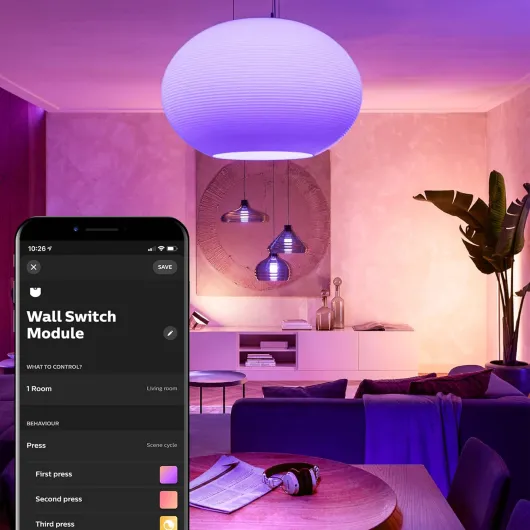
From a usability standpoint, the clever part of the design is that your wall switch still behaves like a normal switch to the hand, but logically it’s just sending commands. You can also configure in the Hue app what each switch position does, including setting different scenes or making a press toggle through multiple scenes. So the physical design is boring but practical, and the “smart” design is mostly in the software. Just be aware that the hardware size versus your wall box depth can be the main physical challenge.
Power, bridge, and what you need to keep in mind (no, there’s no battery)
This product doesn’t run on a battery like a remote or motion sensor, but it’s still worth talking about power and dependencies. The wall switch modules are wired directly into your mains circuit, so as long as your house has electricity, the modules and bulbs are powered. There’s no battery to replace inside the module, which is good because you really don’t want to open your wall every year to swap anything.
The Hue Bridge, on the other hand, is a small powered device that needs to stay plugged into both power and your router via Ethernet. It doesn’t have a battery backup. If power goes out, everything is off anyway, so not a big deal. But if your router dies, or you unplug the bridge, you lose app and voice control. Interestingly, in my tests, even when the internet was down but the local network was fine, the system still worked inside the house. The bridge doesn’t need constant internet to talk to the modules and bulbs; it mostly needs it for remote access and voice assistants.
In practical terms, your “battery life” concern here is more about network stability and where you place the bridge. Zigbee range is usually decent, but if your bridge is stuck in a metal cabinet next to the router, range can suffer. I had mine on a shelf next to the router and had no connectivity issues with the two modules, but my house isn’t huge. If you have a big place or thick walls, you’ll want other Hue bulbs or devices in between to act as repeaters.
So no, you don’t have to worry about charging anything, but you do rely on a small chain of devices: mains power → bridge → Zigbee network. It’s more complex than a simple wall switch, but that’s the price of smart stuff. For me it’s an acceptable compromise, and so far I haven’t had any situation where the power or network issues made the system unusable for more than a minute or two.
Built to be forgotten in the wall – feels sturdy enough
Durability is always a bit of a guess with products you screw into a wall and never see again, but there are a few clues. The module casing feels solid, not flimsy. The connectors grab the wires firmly, and I didn’t feel any play once they were locked in. Considering it’s from Philips Hue and uses metal contacts and a mechanical switch type, I’m not too worried about it falling apart in a year.
In terms of heat, after leaving the lights on for several hours, I took off the switch plate on one of the modules to check. The unit was slightly warm, but nothing alarming. Certainly cooler than some cheap dimmers I’ve used in the past. Since it’s a low-power control device and not actually driving big loads directly, there’s not much reason for it to run hot anyway. That’s reassuring for something that lives inside your wall.
What will probably matter more long-term is software support and ecosystem stability. The hardware might last 10 years, but if Philips decides to drop support for older bridges or changes how modules work with new apps, that’s where you might get annoyed. Looking at Hue’s track record, they’ve generally kept older gear working for a long time, but you never know. For now, the modules integrate cleanly with the current Hue app and the main voice assistants.
After a couple of weeks, I obviously can’t claim long-term testing, but compared to cheaper no-name smart switches I’ve seen, this feels better built and more carefully engineered. The fact that the brand is actually stated as Philips Hue in the specs, even if the listing title says “Unknown brand”, reassures me a bit. I’d be surprised if these fail quickly, and if they do, replacing them is annoying but not impossible – just another reason to keep your wiring tidy when you first install them.
Latency, reliability and daily use: does it actually feel “normal”?
Once everything was wired and paired, I focused on how it feels in daily use. The big question for me was: does the light react fast enough when you hit the switch, or does it feel like a smart gadget with a delay? In my setup, the response time is basically instant. There might technically be a few tens of milliseconds, but you don’t notice it. You flip the switch, the light goes on or off like a regular circuit. That was my main worry, and it turned out fine.
Over two weeks, I didn’t have any serious dropouts. The lights always responded, and the switch still worked even if my phone was off or Wi‑Fi was acting up, because the module talks to the bulbs via Zigbee and the bridge handles the logic. The only time I had a hiccup was after a router reboot; the bridge took a minute to reconnect, and during that time the app couldn’t control anything, but the wall switch still worked. So from a reliability point of view, it’s pretty solid.
What’s nice is that you can assign scenes to the switch. For example, I set one room so that a quick toggle gives me a bright white scene for working, and another toggle cycles to a warmer scene for the evening. This is where it actually feels smarter than a dumb switch, not just “the same but app-controlled”. Family members who don’t care about smart homes just use the switch as usual and don’t complain, which is honestly the biggest compliment.
On the downside, if the Hue system is down (bridge unplugged, or major network issue), you don’t have a “real” physical cut anymore – the bulbs stay powered and the switch is basically a dead button. That’s the trade-off: you gain smart control but lose the absolute simplicity of a pure mechanical cut. For me, that’s acceptable, but it’s something to keep in mind. Overall, in normal conditions, performance is fast, consistent, and feels natural enough that you forget there’s a smart module in the wall.
What you actually get in this twin pack + bridge combo
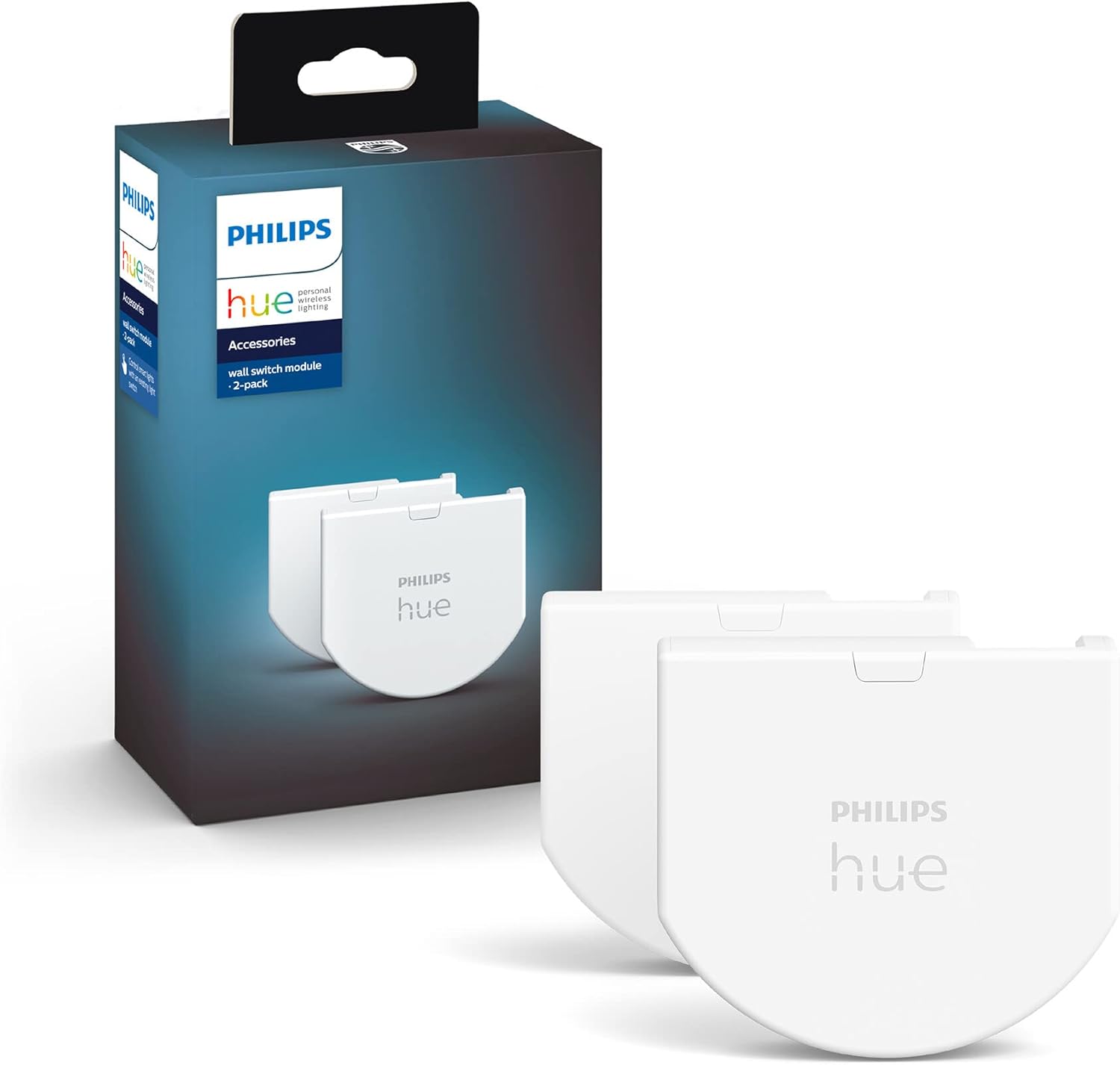
The pack I got basically includes two wall switch modules and the Philips Hue Bridge. Each module is a small black plastic box that hides behind your existing wall switch. In the box for the modules you get: 2 modules, 4 small cables, and 2 plug-in terminals. No tools, no screws, no wall plates – you reuse your existing switch and faceplate. The bridge is the usual white square puck with a power adapter and an Ethernet cable to connect it to your router.
The idea is simple on paper: the wall switch module makes your existing mechanical switch act like a smart button instead of cutting power. The bulbs stay powered all the time, and flipping the switch just sends a signal to Hue via Zigbee. With the bridge in the middle, you can then control everything from the Hue app, Alexa, Google Assistant or Apple HomeKit. The product description repeats this three times, but it’s accurate: you absolutely need the bridge for these modules to be useful.
One thing that’s a bit confusing in the product listing is all the stuff about an outdoor motion sensor and IP54. That’s clearly text reused from another Hue product. The modules themselves go inside the wall and don’t need weather resistance. So ignore the outdoor bits; what matters here is Zigbee connectivity, bridge compatibility and the fact it’s meant for 1-way circuits with a normally open contact.
In practice, this pack is aimed at people who already have or plan to have a bunch of Hue bulbs and want to bring their existing wall switches into the system. If you only have a couple of smart bulbs and are fine using the app or a Hue Dimmer Switch, this is probably overkill. But if your whole house is running on Hue and you’re tired of dumb switches ruining automations, this is exactly the kind of accessory you end up needing.
Pros
- Lets you keep using your existing wall switches while your Hue lights stay powered and controllable
- Fast, reliable response with good integration into the Hue app and major voice assistants
- Can assign scenes and more advanced behavior to a normal-looking switch, making everyday use simple for family/guests
Cons
- Installation can be tricky in shallow or crowded wall boxes and requires comfort with mains wiring
- Requires a Philips Hue Bridge and Hue ecosystem, which increases overall cost and locks you in
Conclusion
Editor's rating
After living with the Philips Hue Smart Wall Switch Module Twin Pack and bridge for a couple of weeks, my overall feeling is that it does exactly what a Hue-heavy household needs: it stops dumb wall switches from killing your smart lights. The response is fast, reliability has been solid, and once it’s in the wall, everyone in the house just uses the switch like they always have. That’s kind of the whole point.
It’s not perfect. Installation isn’t for total beginners – you’re working with mains wiring in tight spaces, and if your wall boxes are shallow, expect some fiddling. You also have to accept the Hue ecosystem tax: you need the bridge, Hue bulbs, and you’re locked into their way of doing things. For people already invested in Hue, that’s fine. For someone starting from scratch, the total cost might feel high compared to other smart lighting options.
I’d recommend this mainly to: people who already have several Hue bulbs, want proper app/voice control, but also want everyone to keep using the wall switches without breaking automations. If you’re renting, uncomfortable with wiring, or only have one or two smart bulbs, I’d skip it and go for a wireless Hue remote instead. In short: solid solution to a real everyday annoyance, but best suited to those already committed to the Hue ecosystem and willing to deal with a bit of installation work.