Summary
Editor's rating
Value for money: buy it on sale or don’t bother
Design: thin, discreet, and slightly boring
Build, durability, and long-term support
Performance: gets the job done, but feels sluggish for the price
What the Echo Hub actually is (and what it isn’t)
Effectiveness as a smart home hub: handy, but far from perfect
Pros
- Convenient wall-mounted control for Alexa smart homes with a useful proximity-wake screen
- Supports Wi‑Fi, Zigbee, Matter, Thread and works with thousands of compatible devices
- Simple, discreet hardware with mic off button and no camera, plus PoE option for cleaner installs
Cons
- Software feels limited and glitchy with poor customization and few widgets
- High price at RRP compared to tablets or other hubs; only really makes sense on sale
- UI gets cluttered with redundant device tiles, and some obvious features (e.g. better heating and doorbell handling) are missing

Specifications
View full product page →| Brand | Amazon |
A wall controller for people tired of shouting 'Alexa' all day
I picked up the Echo Hub because I was tired of grabbing my phone or yelling at Alexa every time I wanted to dim a light or check a camera. On paper, this thing looked exactly like what I wanted: an 8" wall panel, always on, just for smart home control. No pretending to be a tablet, no random apps, just a fixed dashboard for the house.
In practice, it mostly does that job, but with a lot of caveats. After a couple of weeks using it in a hallway as the "central brain" for lights, heating, and cameras, I’d sum it up like this: the hardware is pretty solid for a thin wall panel, the software feels half-baked, and the price only makes sense if you grab it on a heavy discount and you’re already deep into Alexa.
Day to day, I used it to control lights (groups and individual bulbs), check my Ring cameras, tweak thermostats, and run routines. It’s clearly better than fumbling with the phone every time, and the proximity sensor that wakes the screen when you walk by is genuinely useful. But the more devices you have, the more you notice the rough edges: weird UI choices, limited widgets, and some stuff that just makes you wonder if the people who designed it actually live in a smart home.
So if you’re expecting a slick, fully polished smart home dashboard, you’re going to be a bit disappointed. If you just want a simple fixed panel for an Alexa-heavy house and you catch it around £100, it’s easier to accept its limits. At full price, I’d think twice and maybe wait for the next gen or a big software update.
Value for money: buy it on sale or don’t bother
This is where things get tricky. At full price (around £160+), the Echo Hub is hard to justify. When you compare it to a cheap Fire tablet plus a stand, or even a Google Nest Hub, you’re basically paying extra for the wall-mount form factor, the proximity sensor, and the dedicated dashboard UI. The problem is that a £60 kids Fire tablet is actually more capable in a lot of ways, and some users even said it feels more responsive than this panel.
People who grabbed it on sale around £99 seem much happier. At that price, it starts to feel like a reasonable trade-off: you get a dedicated, always-there controller with better integration into the Alexa app, and you don’t have to hack together your own dashboard solution. If you already own several Echo devices, Ring gear, and a bunch of Alexa-compatible lights and plugs, the convenience can justify a sale price. But at full RRP, you’re paying premium money for software that doesn’t feel premium.
To be blunt, if you’re not heavily invested in Alexa, this product doesn’t make much sense. It doesn’t replace a tablet, it doesn’t replace a TV, and it doesn’t bring anything revolutionary to a mixed ecosystem setup. For people deep in the Amazon world, it’s a nice quality-of-life upgrade when discounted. For everyone else, it’s an expensive wall screen that you could easily replicate with a cheaper tablet running the Alexa app or Home Assistant on a stand.
So in terms of value, my view is: good enough if you catch a strong promo and know exactly what you’re getting, weak if you pay full price expecting a polished, flexible smart home brain. If you’re on the fence, I’d honestly wait for either a major software update that fixes the obvious gaps, or the next generation that hopefully learns from all the current complaints.
Design: thin, discreet, and slightly boring
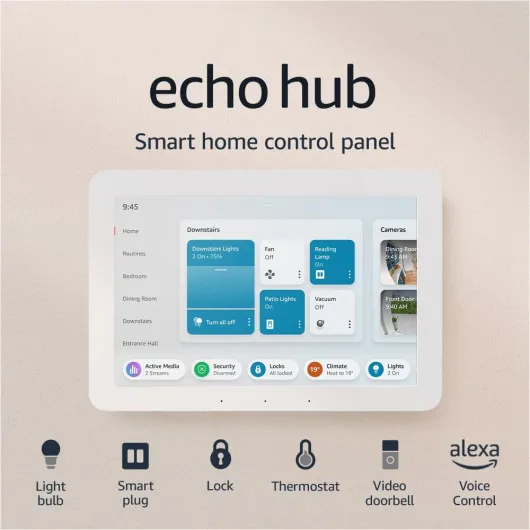
Physically, the Echo Hub is pretty simple: a thin 8" panel (202 x 137 x 15 mm, about 365 g) that looks like a stripped-down Echo Show without the chunky speaker. It’s clearly meant to disappear into a wall rather than be a centerpiece. If you like minimal, you’ll be fine with it. If you were hoping for something that looks high-end or fancy, it’s more on the “functional plastic” side.
The 8" screen at 1280 x 800 is okay. It’s not super sharp by today’s tablet standards, but for tapping tiles and checking camera feeds, it’s good enough. Viewing angles are fine in a hallway or kitchen. The ambient light sensor adjusts brightness so it doesn’t blind you at night, which I appreciated. The PIR sensor that wakes the screen when you walk near it is also handy; you don’t need to poke it every time, it just lights up as you pass.
My main gripe with the design is the mounting situation. The back plate is almost the right size for a standard wall back box, but not quite. It’s off by about a centimeter, which is just enough to be annoying. That feels like a missed chance: being able to screw it straight into a back box would have made cable management way easier. Instead you’re dealing with wall plugs, screws, and figuring out how to hide the cable or paying extra for PoE and a USB‑C converter.
The physical buttons are minimal. You get a mic off button to kill Alexa, which is good for privacy. Speakers are hidden, top-ported, and there’s no camera, so it doesn’t feel like a device spying on you visually. Overall I’d call the design practical but bland. It looks fine in a hallway or by the front door, blends in and doesn’t scream for attention, but it also doesn’t feel premium for the asking price. It’s the kind of thing you forget is there until you need it—which is both the point and a bit underwhelming for the cost.
Build, durability, and long-term support
Physically, the Echo Hub feels light but not flimsy. It’s plastic, but once it’s on the wall, you’re not really handling it much anyway, so it doesn’t need to be built like a tank. The mounting plate and screws included are standard fare. As long as you install it properly—wall plugs in solid plaster or brick, or a suitable anchor in drywall—it should stay put without issues. Since it’s not meant to be moved around, there’s not much mechanical stress on it.
Amazon leans on the sustainability angle a bit: 27% recycled materials in the device and 98% of the packaging from wood-fibre-based materials. That’s nice, but in practice what matters more is whether the thing keeps getting updates. They promise software security updates for at least four years after it’s last sold as new. So you’re probably looking at a decent support window, though feature updates are never guaranteed. Given the current state of the software, you’ll want those updates badly.
There’s a 1‑year limited warranty, which is standard for Amazon hardware. It’s fine, but not generous. If this is going in a busy hallway or kitchen where it might get bumped or splashed, I’d just make sure it’s mounted out of direct line of fire from kids and pets. There’s no IP rating, so don’t treat it like a rugged device. It’s more like a thin screen that expects a normal indoor environment.
From a longevity point of view, the main risk isn’t the plastic shell; it’s whether Amazon actually keeps improving the software. The hardware is simple and should last if left alone. But if they abandon or slow-roll features, you could end up with a basic light switch panel that cost you well over £100. So in terms of physical durability, I’m not worried. In terms of “will this still feel like a modern hub in three years,” I’m more cautious. Right now, I’d say it’s fine as long as you accept that you’re buying into an evolving product, not a fully finished one.

Performance: gets the job done, but feels sluggish for the price
In day-to-day use, performance is a mixed bag. For basic stuff like turning lights on and off, adjusting brightness, or running a routine, it works fine. Tap a tile, the light responds in a second or so, which is acceptable. The MediaTek MT 8169 A chip is clearly not a powerhouse, but for a control panel it doesn’t need to be. The issue is that the UI sometimes feels slower and more glitchy than it should, especially compared to other Amazon devices.
A few things stood out. Swiping between screens or opening certain menus occasionally stutters or lags. Not all the time, but enough that you notice. Some users even said it’s the least responsive Echo device they own, which lines up with my feeling that the software is not fully optimized yet. It’s like the hardware is just enough, and the software is still catching up. I didn’t have constant crashes, but I did see little bugs and delays that you don’t expect on a device at this price.
On the connectivity side, when your Wi‑Fi is solid, it’s fine. When your Wi‑Fi is average, the delays show quickly, especially when you’re trying to control a bunch of devices in a row or load multiple camera feeds. This is not unique to the Echo Hub, but because it’s supposed to be the central control point, you feel it more. People with a lot of smart gear mentioned that you really need a decent network for it to feel smooth when toggling devices.
Audio performance is basic. The built-in speakers are okay for Alexa responses and quick voice feedback, but they’re not great for music. Several users just set a better Echo as the preferred speaker in the same room, and I’d do the same. It supports A2DP and AVRCP, so you can stream audio out to another Bluetooth speaker if you want. Overall, I’d rate performance as usable but underwhelming: it does what it’s supposed to do, but if you’ve used a half-decent tablet or a newer Echo Show, you’ll notice the difference in smoothness and flexibility.
What the Echo Hub actually is (and what it isn’t)
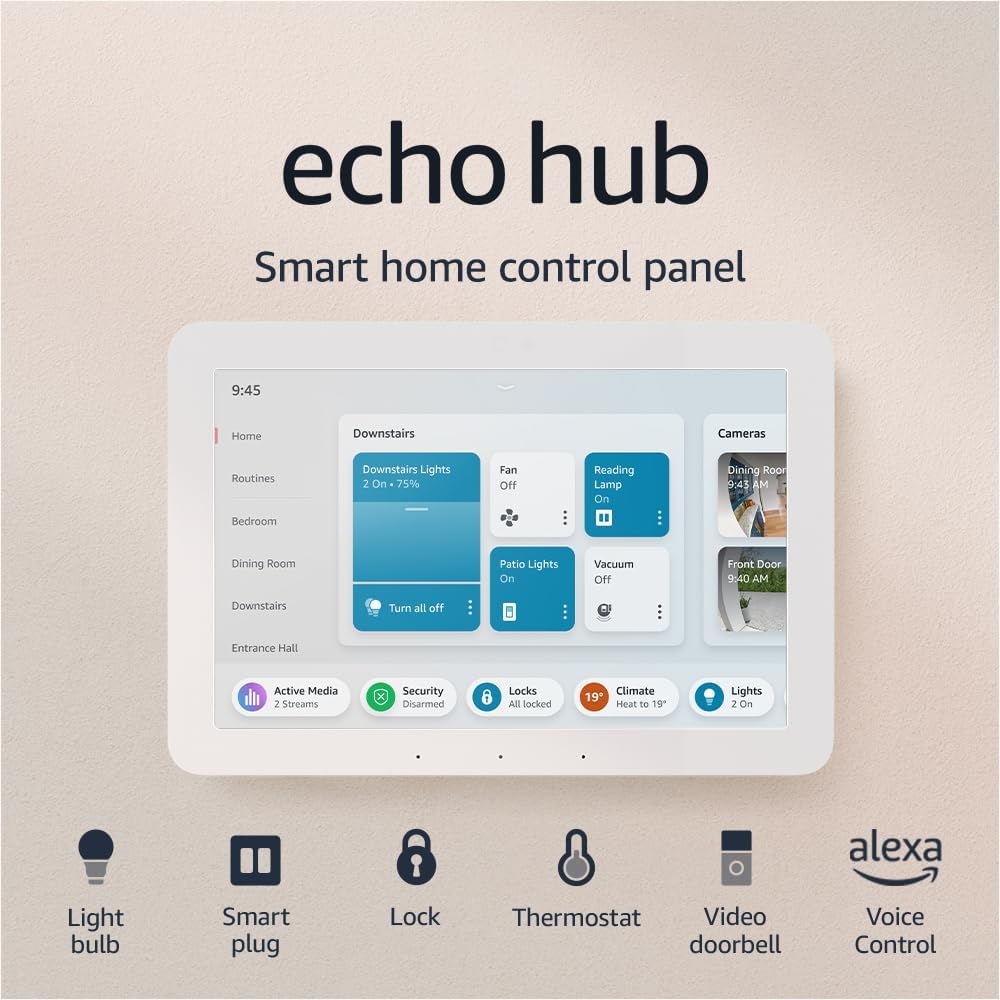
The Echo Hub is basically an 8" touchscreen stuck on the wall that talks to your Alexa ecosystem. It’s not a full Echo Show replacement, and it’s not a tablet. Think of it as a dedicated remote for your smart home that happens to have Alexa built in. You can tap the screen to control lights, plugs, thermostats, cameras, and run routines, or just talk to Alexa like any other Echo device.
Under the hood you’ve got Wi‑Fi, Bluetooth, Zigbee, Thread, and Matter support, so it can talk to a lot of gear: bulbs, switches, locks, thermostats, sensors, etc. If you’re already using Alexa as your main smart home hub, it plugs in nicely. If you’re more into Home Assistant or other ecosystems, it can still work, but you’ll probably end up doing what one reviewer did: expose only certain devices through Home Assistant and ignore the built‑in Zigbee to keep things under control.
The screen runs a dashboard-style interface with tiles and widgets. You can customize it a bit: reorder tiles, choose what rooms or devices show, pin routines, that kind of thing. But don’t expect deep customization. A lot of choices feel forced, like how it insists on showing individual bulbs as well as the group, which clutters the screen. This is where expectations vs reality bite: it’s marketed as a smart home “hub”, but in daily use it’s more like a slightly smarter wall remote with Alexa voice.
Also worth noting: this thing is clearly designed to be fixed in place. It’s not meant to be handheld or carried around, and Amazon even says that in the specs. You either wall-mount it (drill required) or put it on a stand you buy separately. So if you’re after something that works as both a home panel and a casual tablet, this is not it. Compared to a cheap Fire tablet with a stand, you’re paying mainly for the built‑in sensors, always-on wall use, and the dashboard UI.
Effectiveness as a smart home hub: handy, but far from perfect
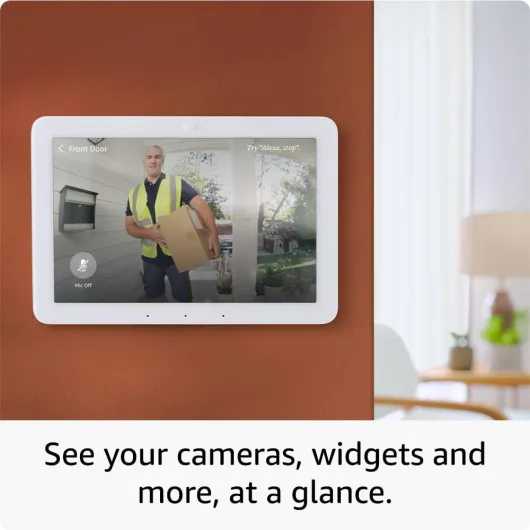
As a pure smart home controller, the Echo Hub is useful but clearly limited by its software. When you keep things simple—like a few rooms of lights, a thermostat, and some cameras—it feels pretty good. You walk past, the screen wakes up, you tap a couple of tiles, and you’re done. It’s definitely more convenient than digging out your phone or shouting voice commands for every small adjustment.
The problem starts when your setup gets more complex. The interface isn’t very smart about how it displays devices. For example, if you have a light group (like “Kitchen Light”) that contains three bulbs, the Hub shows the group slider and then still lists each bulb separately. That means your screen gets filled with redundant controls—Kitchen Light, Kitchen Light 1, 2, 3—pushing more important stuff off the page. And there’s no way to tell it, “just show me the group, not the individual bulbs.” This is exactly the kind of thing a hub should handle better.
Widget support is also pretty weak right now. There are only a handful of smart home widgets available, and some obvious use cases are missing. One user with Tado smart heating pointed out that you can’t even turn heating on in a room from the Hub if it’s currently off due to the schedule. You can only adjust it if it’s already on. You also can’t do a simple “boost all rooms” from the panel, which is something the phone app handles easily. That kind of limitation makes the Hub feel like a companion, not a real central brain.
Even with Ring, which is Amazon’s own system, there are gaps. You can arm and disarm your compatible alarm from the Hub, which is nice and lets you skip a separate keypad. But the fact that the doorbell camera doesn’t automatically pop up when someone rings is just odd, especially when TVs with Fire OS can do that. These little misses add up. So yes, the Echo Hub is effective for basic control and quick access, but if you’re expecting deep, polished integration across everything, it feels like version 1.0 software that still needs a lot of updates.
Pros
- Convenient wall-mounted control for Alexa smart homes with a useful proximity-wake screen
- Supports Wi‑Fi, Zigbee, Matter, Thread and works with thousands of compatible devices
- Simple, discreet hardware with mic off button and no camera, plus PoE option for cleaner installs
Cons
- Software feels limited and glitchy with poor customization and few widgets
- High price at RRP compared to tablets or other hubs; only really makes sense on sale
- UI gets cluttered with redundant device tiles, and some obvious features (e.g. better heating and doorbell handling) are missing
Conclusion
Editor's rating
The Echo Hub does what it says on the tin: it puts smart home controls on a wall so you don’t have to keep reaching for your phone or shouting at Alexa. For simple setups and Alexa-heavy homes, it’s genuinely handy. The screen wakes when you walk by, you tap a few tiles, and your lights, plugs, or routines react. The hardware is thin, discreet, and the connectivity options (Wi‑Fi, Zigbee, Matter, Thread) mean it should handle a wide range of devices.
The downside is that it feels like version 1. The UI is cluttered in places, customization is limited, widgets are scarce, and some obvious features (like better doorbell handling or smarter grouping of lights) are just missing. Performance is acceptable but not snappy, and it’s hard to ignore that a much cheaper Fire tablet can feel more responsive and more versatile. At full price, it’s a tough sell unless you are really committed to the Alexa ecosystem and want a fixed, always-ready controller in a key spot like a hallway or near the front door.
If you’re deeply invested in Alexa, have lots of compatible devices, and can grab this around £100, it’s a decent quality-of-life upgrade that gets the job done despite its quirks. If you’re price-sensitive, not locked into Alexa, or expecting a fully polished smart home dashboard, I’d skip it for now, use a tablet or an Echo Show, and wait to see what Amazon does with the next generation or major software updates.