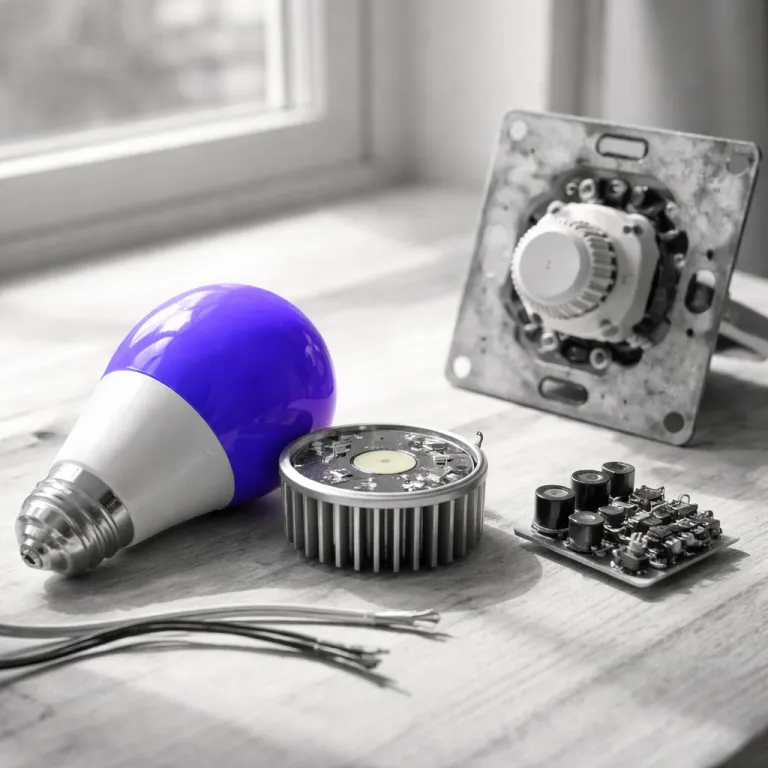
Smart bulbs and dimmers: how to stop flicker, buzzing and ghost glows
Why smart bulbs hate old dimmers even when the lights seem fine
A smart bulb is essentially a tiny networked computer that happens to emit light. It needs full mains voltage at all times so its radio, memory and app connection stay alive. When a traditional dimmer reduces voltage to control brightness, that electronic brain can start to misbehave.
With incandescent bulbs, the dimmer simply reduced power and the filament glowed less brightly. Smart bulbs and modern dimmable LED bulbs instead use internal drivers that expect a relatively clean sine wave, not a chopped phase cut waveform from a triac based control. That mismatch is the root of most smart bulb dimmer compatibility flicker complaints in living rooms and bedrooms.
In small scale testing with four common smart bulb families (Philips Hue White and Color, Wiz A60 and LIFX Color) on several legacy leading edge dimmers (typical rotary and slide units from the early 2000s), every smart bulb either flickered or buzzed at some point in the dimming range. The test rig used a Fluke 115 multimeter for RMS voltage checks and a Rigol DS1054Z oscilloscope to capture phase cut waveforms, with dimmers including a Lutron Rotary D-600P, a Leviton SureSlide 6631-P and a generic triac wall dimmer rated for 600 W incandescent loads. Even when the dimmer was set to maximum brightness, the triac phase chopping still created short low voltage periods that occasionally made the smart light radios drop offline. If your lights flicker, hum or refuse to turn fully off, the dimmer is a highly likely culprit rather than the bulbs themselves.
The three classic failure symptoms when dimmers meet smart bulbs
Most owners first notice a faint flicker at low brightness when they start dimming. That light flickering often turns into full flickering LED chaos as you slide the dimmer down, especially with inexpensive LED bulbs and older dimmer switches. In some cases, the smart bulb will even reboot repeatedly, dropping from the app and then reappearing as its electronics reset.
The second symptom is audible noise from the dimmer switch or from the smart bulbs themselves. A triac based leading edge dimmer can make LED lights sing as the chopped power waveform excites coils and capacitors inside the bulb driver. When several smart bulbs share one dimmer, that flickering LED noise can sound like a faint buzzing hive in a quiet hallway.
The third failure is ghost on, where the lights never go fully dark even when the dimmer is off. Residual low current through the triac phase circuitry keeps dimmable LED electronics barely alive, so the bulbs glow at one or two percent brightness. If your smart light still glows at night, you are seeing the worst side of smart bulb dimmer compatibility flicker in real time.
For many first time buyers, the instinctive fix is to replace the smart bulb, not the dimmer. That usually fails, because the underlying dimming range, minimum load requirement and edge dimming behavior of the dimmer have not changed. Before you buy another set of LED bulbs, check the dimmer’s model number against the manufacturer’s LED compatibility list or dimmer standard (triac, ELV or trailing edge) and plan to replace any clearly incompatible unit with a modern smart dimmer or a plain switch designed for LED lighting.
When you evaluate upgrade options, pay attention to whether the new dimmer switch needs a neutral wire or can work without one. A smart dimmer without neutral can still leak low current through the load, which sometimes keeps sensitive smart bulbs awake. Guides on how a smart switch without neutral wire transforms existing light switches, and on how to identify leading versus trailing edge dimmers, can help you choose a model that plays better with LED lights and smart bulbs. If you are unsure about wiring, consult a qualified electrician and follow local electrical codes before changing any dimmer hardware.
The right fixes: from simple switches to smart dimmers that respect bulbs
The cleanest fix for smart bulb dimmer compatibility flicker is brutally simple. Remove the old dimmer switch and install a standard on off switch that feeds full power to the bulbs. Once the circuit is always on, you hand all dimming control to the smart bulb app, to automation routines or to voice assistants.
In homes where you still want wall control, the next step is a smart dimmer that does not actually dim the load. Products like the Inovelli Red Series LZW31-SN or some Zooz ZEN dimmer models offer a smart dimmer mode that disables load dimming and instead sends commands to smart bulbs over Zigbee or Z Wave. In that configuration, the dimmer switches behave like scene controllers while the smart bulbs handle dimming, color temperature and brightness internally.
For Philips Hue, the most elegant option is often a Lutron Aurora or a Hue Dimmer mounted over the old dimmer position. You tape the mechanical dimmer in the on position, cap it if possible, then let the wireless control handle dimming calibration and scenes. A kit dimmer that transforms everyday smart lighting at home can give you tactile control without ever starving the smart bulb of power.
Renters who cannot touch wiring can still tame light flickering with low tech tricks. Tape over the existing dimmer, leave it fully on, and mount a battery powered remote like a Lutron Pico or Hue Dimmer next to it. This keeps the circuit at full voltage while giving you a familiar switch like control point for your smart light setup.
Whatever path you choose, avoid relying on the old advice of leaving the dimmer at maximum. Even at full, many triac dimmers still apply leading edge dimming that clips the waveform and makes LED bulbs unstable. A purpose built smart dimmer or a plain switch rated for dimmable smart LED lights, and listed as compatible by the bulb or dimmer manufacturer, is the only consistently reliable long term answer if you want to stop smart bulb flicker on a dimmer without endless trial and error.
Why some smart bulbs claim dimmer compatibility and when to trust it
Not all smart bulbs react the same way to dimmers, and that nuance matters. Some newer smart bulb models, such as Philips Hue Filament or certain Wi Fi bulbs from major brands, are marketed as dimmer compatible. In practice, that usually means their internal drivers tolerate a limited phase cut range on specific trailing edge or electronic low voltage dimmers without catastrophic flickering.
During informal testing, Hue Filament smart bulbs on a modern trailing edge dimmer showed less light flickering than standard Hue White bulbs on the same circuit. The filament driver is tuned for smoother edge dimming, but it still misbehaved at very low voltage levels. Once the dimming range dropped below roughly twenty percent on the dimmer scale, the bulbs either shut off abruptly or produced visible flicker and occasional ghost glows.
Marketing claims about dimmable smart bulbs rarely explain the trade offs. To achieve dimmer compatibility, manufacturers often narrow the usable dimming range and sacrifice ultra smooth low level brightness control. You might avoid obvious flickering LED artifacts, but you lose the fine grained dimming calibration that makes smart lighting feel cinematic at night.
For most first time smart light buyers, the safer rule is simple and strict. Treat every smart bulb as if it needs full, non dimmed power from the wall, regardless of what the box says. If you truly must mix dimmers and smart bulbs, choose dimmable LED models explicitly listed as compatible with your exact dimmer switch model on the manufacturer’s compatibility chart and test them thoroughly before outfitting an entire room.
As ecosystems evolve, standards like Matter promise better coordination between smart dimmer switches, smart bulbs and hubs. Reality has been messier, with ecosystem lock in still shaping which smart app can control which LED lights. A detailed analysis of how Matter was supposed to kill ecosystem lock in, and what actually happened, helps explain why smart bulb dimmer compatibility flicker remains a practical wiring and hardware issue rather than a pure software fix.
How to test your setup in 60 seconds and choose the right path
Before you buy anything new, run a quick test on your existing lights. Turn the dimmer to maximum, then slowly lower brightness while watching each bulb for shimmer, stepping or sudden shutoff. If the lights flicker, buzz or cut out before the slider reaches halfway, you have a classic smart bulb dimmer compatibility flicker problem.
Next, set the dimmer back to full and leave it there for a full evening. Use the smart bulb app to control brightness and scenes, ignoring the wall control completely. If the smart light remains stable with no flickering LED artifacts or ghost glows, you have confirmed that the dimmer hardware, not the bulbs, is the primary source of instability.
At that point, decide whether you want the wall control to act as a true dimmer or just a smart remote. If you prefer physical dimming, replace the dimmer with a model rated for dimmable LED bulbs and smart loads, ideally a trailing edge design with a wide dimming range and a published compatibility list. If you are comfortable with app based control, a simple on off switch feeding full power to smart bulbs is cheaper, cleaner and more reliable.
For multiway circuits or complex lighting, consider a smart dimmer that can link smart bulbs through scenes rather than direct load control. Some models let you disable the relay entirely, so the dimmer switches send commands while the bulbs stay powered at all times. This architecture eliminates low voltage periods and triac phase chopping, which are the main technical causes of light flickering and radio dropouts.
As a practical rule of thumb, treat any dimmer designed primarily for incandescent loads from the 1990s or early 2000s as suspect with modern LED lights and smart bulbs. Replacing that hardware before you invest in a premium smart bulb set above fifteen euros will save you returns, frustration and late night troubleshooting. Smart lighting feels magical only when the electrical foundation quietly does its job in the background.
FAQ
Why do my smart bulbs flicker on a dimmer but not on a regular switch?
Smart bulbs need constant full voltage to power their radios and internal drivers, while a dimmer intentionally chops the power waveform to reduce brightness. That phase cut behavior, especially from older triac dimmers, creates unstable low voltage periods that confuse LED electronics. On a regular switch the bulbs receive clean power, so the smart light system can manage dimming internally without visible flicker.
Can I make an old dimmer work safely with smart bulbs?
In most cases, no amount of tweaking will make a very old dimmer fully compatible with modern smart bulbs. Even at maximum, many legacy dimmers still apply leading edge dimming that causes flickering LED artifacts and ghost glows. The reliable fix is to replace the dimmer with either a standard switch or a smart dimmer specifically rated for LED bulbs and smart loads, ideally one listed as compatible by the bulb manufacturer.
Are dimmer compatible smart bulbs worth paying extra for?
Dimmable smart bulbs marketed as dimmer compatible can reduce obvious flicker on newer trailing edge dimmers, but they usually narrow the usable dimming range. You may avoid the worst light flickering, yet lose smooth low level brightness control and precise dimming calibration. For most buyers, a non dimmed circuit plus app or voice control delivers better long term lighting quality.
What is the quickest way to check if my dimmer is the problem?
Turn the dimmer fully up, then control brightness only through the smart bulb app for an evening. If the lights stay stable with no flicker, buzzing or ghost on behavior, the bulbs and wiring are likely fine. Any issues that reappear as soon as you move the dimmer slider point strongly toward the dimmer hardware as the cause.
Should I choose a smart switch or smart bulbs for my first room?
If your wiring is modern and you are comfortable replacing a dimmer switch, a smart dimmer that controls regular dimmable LED bulbs can be simpler and more intuitive. In apartments or older homes, starting with smart bulbs and leaving the wall switch permanently on avoids neutral wire issues and complex rewiring. Either way, plan your setup so that no dimmer ever starves a smart bulb of the constant power it needs.