Summary
Editor's rating
Is it worth the money compared to other smart options?
Looks good on the wall, but that LED indicator can be annoying
Build quality, heat, and long-term worries
How it actually behaves day to day (dimming, app, voice control)
What the LP21MK2 actually does (and what you need for it to work)
Does it actually make your lighting smarter in a useful way?
Pros
- Looks like a normal stainless steel switch and feels solid on the wall
- Works well with Alexa, Google Assistant and HomeKit once paired with the Link Plus hub
- Keeps your existing dimmable bulbs and fittings, no need for smart bulbs
Cons
- Requires an expensive separate hub for smart features, making the first switch costly
- Status LED (red/blue) is quite bright and can be annoying in dark bedrooms
- Needs careful bulb choice and proper installation to avoid flicker or overheating

Specifications
View full product page →| Brand | Lightwave |
Smart switch that looks “normal” on the wall
I picked up the Lightwave LP21MK2 because I wanted smart lighting without filling the house with random plastic gadgets and weird-looking remotes. I already had a couple of smart bulbs and honestly got tired of people turning the wall switch off and killing the smart features. So the idea of a smart wall dimmer that looks like a normal switch sounded pretty good. I’ve been using it for several weeks in my living room, with dimmable LED bulbs.
In day-to-day use, it behaves like a standard dimmer for anyone who doesn’t care about smart stuff: you press the button to turn on/off, hold to dim up or down. Behind the scenes, it connects to the Lightwave Link Plus hub (that you have to buy separately) and then you can control it from the app or by voice with Alexa, Google Assistant or HomeKit. So it’s not a standalone Wi‑Fi switch; it’s part of a whole system.
My main expectation was simple: I wanted it to be reliable and safe. No random disconnects, no weird flickering, and definitely no overheating. I also wanted the manual dimming to feel smooth enough that my partner didn’t complain about it being “too techy”. On that front it mostly delivers, but there are a few annoyances that are worth knowing before you start swapping your whole house over.
Overall, after living with it for a bit, I’d say it’s a decent choice if you’re serious about building a Lightwave-based smart home and you accept the cost and the hub requirement. If you just want one or two smart switches for cheap, or you’re not comfortable fiddling with calibration and bulb compatibility, there are probably simpler options.
Is it worth the money compared to other smart options?
This is where things get a bit tricky. The LP21MK2 is not cheap, and you also need the Link Plus hub if you want any smart features. So your first switch ends up costing quite a bit once you factor the hub in. After that, additional switches don’t feel as painful, but the initial buy-in is definitely higher than grabbing a couple of random Wi‑Fi dimmers off Amazon. If you’re on a tight budget and only want one or two smart switches, the price will sting.
Compared to something like Philips Hue, the cost is more competitive when you look at a whole house. With Hue, you’re buying smart bulbs for every fitting, and you still have the problem of people turning the wall switch off. With Lightwave, you’re paying more per switch but keeping your normal bulbs, which can work out better long-term, especially if you have lots of fittings per room. Also, the look is nicer than most cheap plastic Wi‑Fi switches, so you’re paying partly for aesthetics and the more “normal” appearance.
Where the value drops a bit is the hidden hassle costs: you need compatible dimmable bulbs, backboxes deep enough (or you accept spacers), time to calibrate and set everything up, and a bit of tolerance for occasional app quirks. If you enjoy tinkering with smart home stuff, that’s fine. If you just want to screw something in and never touch it again, the price plus setup effort might feel too much.
So in my view, the LP21MK2 is decent value if you’re committing to the Lightwave ecosystem across several rooms and you care about how your switches look. As a one-off purchase for a single lamp, it’s hard to justify. There are cheaper ways to get basic smart control, even if they don’t look or integrate quite as nicely.
Looks good on the wall, but that LED indicator can be annoying
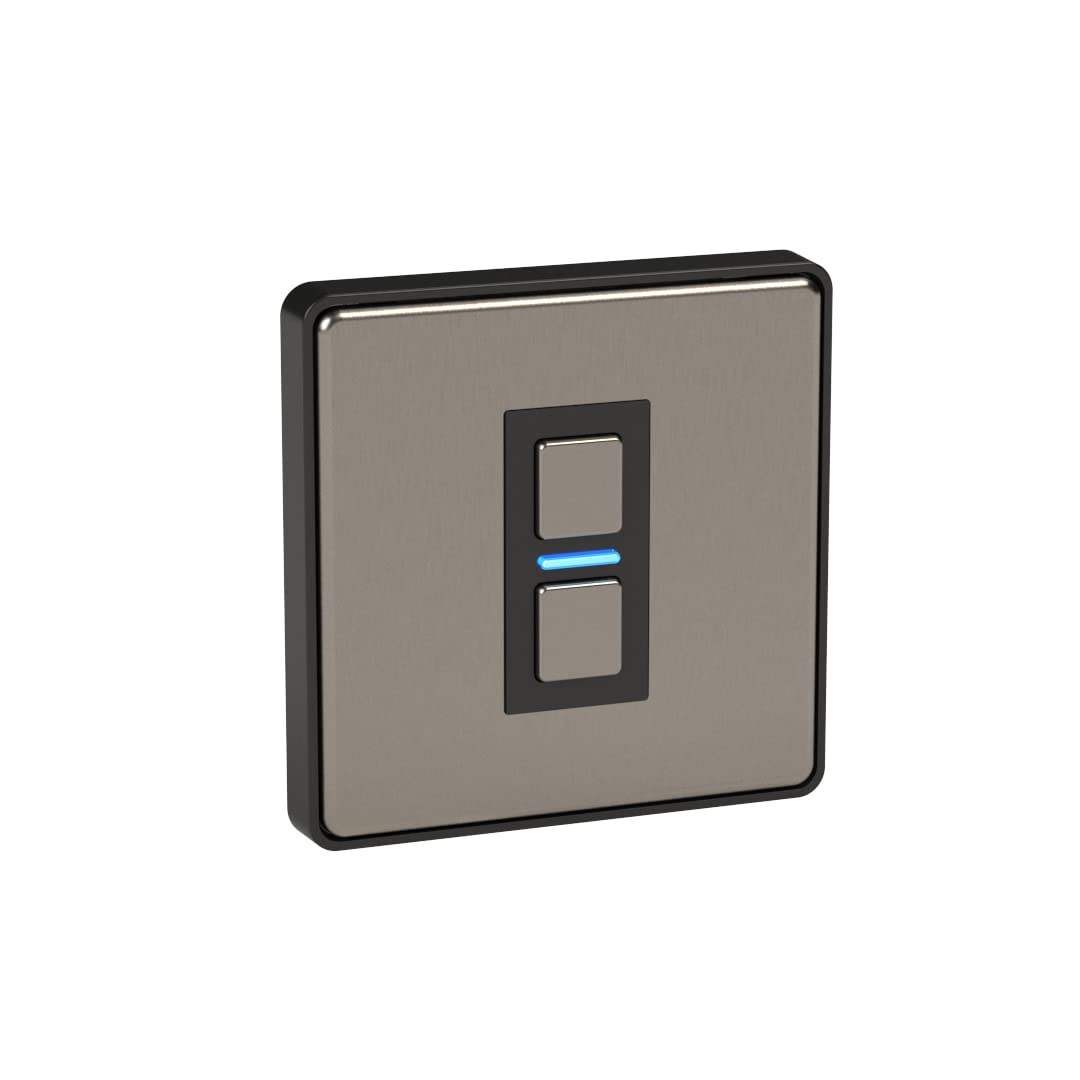
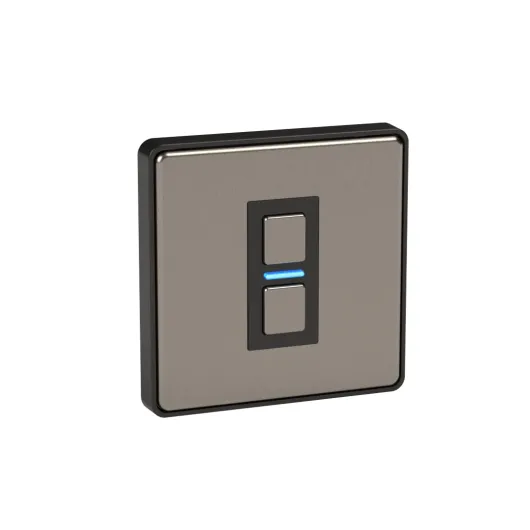
In terms of looks, this is one of the reasons I went for Lightwave. The stainless steel front feels pretty solid, and once it’s on the wall it doesn’t scream “smart gadget”. It just looks like a modern brushed metal switch. There’s a central rocker area with a small LED between the up and down sections. The feel of the button is decent: you get a clear click when you press, and holding it to dim feels natural after a day or two. Guests use it without asking questions, which is exactly what I wanted.
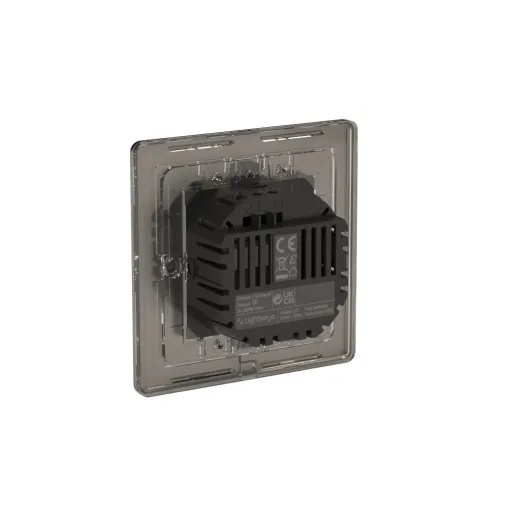
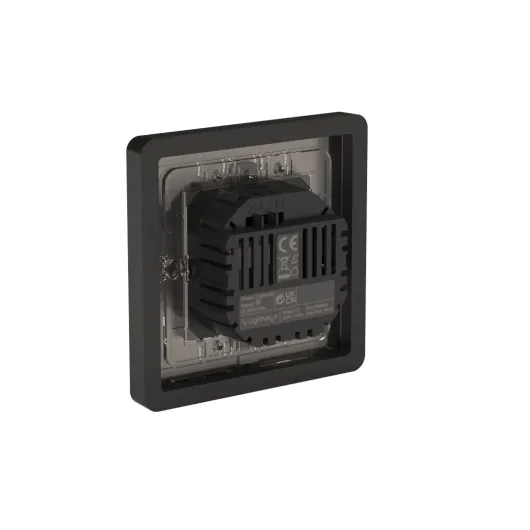
One small catch: if your backbox is shallow, you’ll probably need the included 10 mm spacer. That makes the switch stick out from the wall more than a regular plate. It’s not ugly, but it does look a bit more chunky. In one room with a 25 mm box, I had no chance of getting it flush without the spacer. If you’re fussy about everything being flat and aligned, you’ll either be changing backboxes or putting up with that extra step. Also, actually clipping the front plate into the spacer took more force than I expected; I had to really press the corners to get it to snap in.
The LED status light is where opinions will split. When the light is on, the LED glows blue. When the light is off, it glows red. In a hallway or living room, it’s handy because you can see the switch in the dark. In a bedroom, it can be annoying if you’re sensitive to light; it’s not a tiny dot, it’s clearly visible in a dark room. There’s no simple hardware way to disable it. You can cover it with a bit of tape if it really bothers you, but that’s a bit of a hack for a not-so-cheap product.
Overall, I like the design: it looks neat and doesn’t cheapen the room. But between the spacer, the stiff clipping of the plate, and the bright LED, it’s not completely “fit and forget”. If you’re doing a whole house, I’d test one in a bedroom first before committing, just to see if the red LED at night drives you mad.
Build quality, heat, and long-term worries
In the hand, the LP21MK2 feels solid enough. The stainless steel front doesn’t flex, and the buttons don’t feel wobbly. The back is mostly plastic, which is standard for this type of device. It’s rated for 5–35°C and IP00, so it’s clearly meant for indoor, dry locations only. No bathroom zones, no outdoor nonsense. I’ve had mine running daily for several weeks with plenty of on/off cycles and dimming, and there’s no sign of mechanical wear or looseness so far.
The main durability concern people have with smart dimmers is heat and electronics. This one does get warm when driving a decent load of LEDs close to its max, but in my setup it stays in the “warm metal” zone, not “burn your fingers”. Still, I can understand the 1‑star review where someone reported it getting very hot and misbehaving. That kind of thing can come from several causes: overloaded circuit, incompatible bulbs, poor ventilation in a tiny backbox, or a bad unit. Personally, I’d keep it well under the 280W limit and make sure the backbox isn’t packed with extra wiring.
On the software side, Lightwave seems pretty active with firmware updates. That’s good for bug fixes, but it also means you’re depending on their cloud and app for years. If they ever stop supporting the platform, the worst case is you’re left with a local dimmer that still works from the wall but loses remote features. That’s not ideal, but it’s better than some cloud-only devices that become bricks. They also offer a 2‑year manufacturer warranty, which is okay but not huge considering the price.
Overall, I’d say durability is fine but not bulletproof. The hardware feels decent, but like any smart switch full of electronics, it’s not going to be as indestructible as a £5 mechanical switch. If you install it properly, stay within ratings, and use compatible bulbs, I don’t see an obvious reason it would fail quickly. But if you want something you can forget about for 20 years, a basic manual dimmer will always be less risky.
How it actually behaves day to day (dimming, app, voice control)
In daily use, the LP21MK2 is mostly reliable and predictable, which is what you want from a light switch. Press on, lights come on. Press off, they go off. Hold the top or bottom, and it dims smoothly enough. With my set of decent dimmable LEDs, I get a usable range from about 10% to 100%. Below that, the bulbs either flicker or just cut out, which is fairly normal for LED dimmers. The auto-calibration in the app helps set those limits, but you still need bulbs that play nicely with electronic dimming. Cheap random LEDs are a gamble.
Through the app, response time is fine. On my Wi‑Fi, commands from the Lightwave app to the dimmer take maybe a fraction of a second. Voice control via Alexa and HomeKit is the same: I say “living room lights 30%” and they move to that level quickly. The nice bit is the two-way feedback – if someone uses the wall switch, the app updates the state pretty much instantly, so your routines and scenes don’t get confused. That’s one advantage over some cheaper Wi‑Fi switches that occasionally go out of sync.
I did run into one minor annoyance: every now and then, the dimmer would show as offline in the app for a few seconds even though it still worked from the wall. This seems more related to the hub or network than the switch itself, but it’s part of the overall experience. I never had it completely drop off and refuse to reconnect like that 1‑star review, but I can see how a bad hub or poor Wi‑Fi could make the whole setup feel flaky. Heat-wise, the front plate gets warm but not scary hot when the lights are at high brightness for a while. Warmer than a basic manual switch, yes, but that’s normal for an electronic dimmer. If it’s getting very hot, that’s either overloading, poor ventilation, or something wrong and I’d get it checked.
For routines, the system is handy: I’ve set scenes like “Movie” at 20% brightness and “Cleaning” at 90%, and they trigger fine from the app or voice. The multi-way wireless linking also works, but remember it’s entirely virtual; if the hub or network is down, only the directly wired dimmer will work. So in performance terms, the core dimming and switching is solid, but the smart part is only as strong as your hub and network setup.
What the LP21MK2 actually does (and what you need for it to work)
On paper, this switch ticks a lot of boxes. It’s a 1‑gang smart dimmer rated up to 280W, works with standard 230V wiring, and doesn’t need a neutral wire, which is handy in older UK homes. You can use it as a normal dimmer on the wall, but the real point is remote control and automations. For that you need the Lightwave Link Plus hub (L2). Without that hub, it’s basically just a fancy standalone dimmer with a status LED.
Setup is a two-step job: first the physical installation, then adding it in the Lightwave app and running the auto-calibration. The app calibration is important; if you skip it, you’re more likely to see flickering or weird dimming ranges, especially with LEDs. In my case, with decent dimmable LED bulbs, the auto-calibration got things about 90% right. I still had to tweak the minimum brightness a bit to stop the bulbs from glowing faintly when “off”.
Once it’s in the app and linked to the hub, you can put it into rooms, create scenes, and set schedules. For example, I’ve got mine set so the living room lights come on at 40% around sunset and shut off at midnight. You can also do multi-way setups (two- or three-way switching) but it’s not done by wiring like traditional two-way switches; you link the dimmers together in the app so they talk wirelessly through the hub. That works, but it’s not as intuitive as old-school wiring and obviously depends on the hub staying online.
So in practice, this dimmer makes more sense if you’re planning a whole-house system or at least several rooms. Buying one dimmer plus a hub just for a single light is hard to justify. But if you are going all in, the fact it integrates with Alexa, Google Assistant and HomeKit means you can stick with whatever voice assistant you already use. I had it working with Alexa and HomeKit without anything fancy, just the usual skill/home setup.
Does it actually make your lighting smarter in a useful way?
For me, the real test was whether this switch actually changed how I use the lights, or if it just became another gadget I forget about. After a couple of weeks, I did notice I was using automations more than I expected. The schedule to simulate occupancy when I’m out is handy: lights come on and off at different times in the evening, and I don’t have to touch anything. It’s not security-grade, but for basic peace of mind it gets the job done.
The dimmer is also pretty good for mood lighting. Being able to quickly drop the brightness from the sofa via voice is genuinely useful when you’re watching TV or have people over. Compared to using smart bulbs, the nice part is that anyone can still use the wall switch without breaking everything. With Hue or similar, if someone turns the switch off, your fancy scenes stop working. Here, the switch is the smart device, so that problem goes away. You also keep full freedom over what bulbs and fixtures you buy, as long as they’re dimmable and compatible.
On the energy monitoring side, it’s there, but it’s not life-changing. You can see roughly how much power the lights are using and track usage over time in the app. It’s interesting the first week, then it mostly just confirms what you already know: dimmed lights use less, LEDs don’t use much anyway. I wouldn’t buy this model purely for energy data, but since it’s included, it’s a small bonus if you’re into that sort of thing.
So in terms of effectiveness, it does make lighting more flexible and convenient, especially if you lean into routines and scenes. It’s not magic: you still have to spend time in the app setting things up, and you need to choose your bulbs carefully. But once that’s done, it genuinely simplifies some everyday stuff, like coming home to a lit house or dimming the room without getting off the sofa. If you never touch scenes or schedules, then you’re basically paying a premium for a remote-controllable dimmer you rarely use remotely.
Pros
- Looks like a normal stainless steel switch and feels solid on the wall
- Works well with Alexa, Google Assistant and HomeKit once paired with the Link Plus hub
- Keeps your existing dimmable bulbs and fittings, no need for smart bulbs
Cons
- Requires an expensive separate hub for smart features, making the first switch costly
- Status LED (red/blue) is quite bright and can be annoying in dark bedrooms
- Needs careful bulb choice and proper installation to avoid flicker or overheating
Conclusion
Editor's rating
After living with the Lightwave LP21MK2 for a while, I’d sum it up like this: it’s a pretty solid smart dimmer for people who are serious about building a Lightwave-based smart home, but it’s not the simplest or cheapest way to dip your toe into smart lighting. The hardware feels decent, the stainless steel finish looks good on the wall, and day-to-day operation is reliable as long as you use compatible dimmable bulbs and actually run the calibration in the app. Voice control and app control work as expected, and the two-way feedback so the app always knows the real state of the switch is handy.
On the downside, the overall cost (especially with the required hub) is high if you only want one or two switches. The bright red/blue status LED can be annoying in bedrooms, and installation isn’t always plug-and-play if your backboxes are shallow. Heat-wise, mine only gets moderately warm, but the fact that some users report serious overheating means you should respect the 280W limit, give it some space, and not cheap out on bulbs. If you’re happy to spend a bit of time setting things up and you’re planning multiple switches across the house, it’s a good fit. If you just want something cheap and dead simple, or you’re nervous about smart gear depending on a hub, you’re probably better off with a basic dimmer or a simpler Wi‑Fi switch.