Why phone based smart light control fails in real homes
Smart light automation without phone control sounds like a niche request at first. After a few weeks of living with connected bulbs, though, you realise that any routine that depends on unlocking a screen and opening an app dies quickly because daily life is messy and people are impatient. A reliable smart lighting setup must let you turn lights on and off faster than a traditional wall switch or nobody in the room will tolerate it for long.
Quick starter checklist (one room, 30–60 minutes): pick a hub that runs automations locally, add one smart bulb or smart plug, pair a wireless dimmer or smart wall switch, create separate day and night scenes, then test that lights still respond instantly with your phone in another room. If any step feels slower than a normal switch, fix that before expanding.
Most first time buyers start with a single smart bulb and the default app, then ask why the magic fades after a few days. You unlock your phone, find the smart lighting app, wait for the bulb to respond over Wi‑Fi, and by the time the light turns on you could have flipped a physical switch twice already. That half‑second here and two seconds there add up to real friction, which kills even the best smart bulbs because family members fall back to the wall switch and cut power, breaking every automation you carefully set.
To build connected lights that feel invisible, you need automations that run locally and do not care where your phone is. That means pairing smart light bulbs or smart plugs with physical triggers and schedules that live on a hub, whether that hub is a Philips Hue Bridge, an Apple HomePod, a Google Nest Hub or another always‑on smart devices controller. When the hub required for your setup keeps the logic close to the light bulbs instead of in a distant cloud, the system reacts in under a second, scenes change smoothly, and your smart lights finally feel like an upgrade instead of a party trick.
The three physical triggers that make smart lighting stick
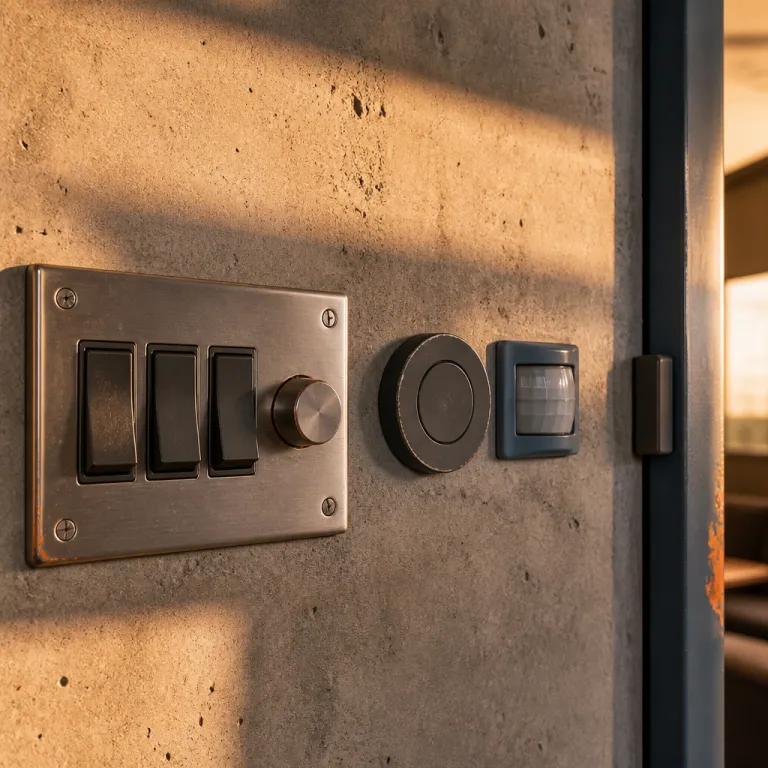
For smart light automation without phone interaction to work, you need physical ways to control light that everyone understands instantly. The three triggers that consistently pass the family test are smart wall buttons, motion sensors and contact sensors on doors, and each one solves a different lighting problem in a room. When you combine them thoughtfully, you can turn lights on, dim them or change color temperature without ever saying a voice command or touching an app.
Smart wall buttons from ecosystems like Philips Hue, IKEA Tradfri or Lutron Caséta replace or sit next to existing switches and keep power flowing to every smart bulb in the circuit. In a living room with multiple light bulbs in one fixture, a smart switch is usually the best smart option because one press can turn lights on to a warm white hue scene, while a long press can set a low brightness movie mode. If your wiring has no neutral wire or uses three‑way switches, you may need a battery powered keypad or a no‑neutral compatible dimmer instead of a standard in‑wall module, so always check the wiring diagram and the manufacturer’s compatibility list before you start.
For lamps and accent lighting, a battery powered button paired with a smart plug or a single smart bulb gives you granular control without rewiring, and you can still add voice control through Alexa, Google or Google Assistant later if you want. A simple layout is one tap for full brightness, double tap for a relaxed evening scene and long press to dim, which keeps the control scheme obvious even for guests who have never seen the app.
Motion and contact sensors handle the spaces where your hands are full or you only pass through briefly, such as hallways, pantries and garages. A door contact sensor can turn light on the moment you open the door, while a motion sensor can turn lights off after a set number of minutes to save energy without nagging anyone. If you want a deeper dive into how sensors interact with cameras and security, a guide on enhancing a smart lighting system with a Z Wave camera shows how layered triggers can protect a home while keeping lighting comfortable.
Time based routines and motion for real security lighting
Security focused smart light automation without phone involvement relies on two pillars, which are predictable schedules and responsive sensors. Time based routines make a house look occupied by turning lights on and off in different rooms, while motion based triggers react instantly when someone actually approaches a door, a window or a driveway. When you combine both, you get smart lights that feel natural from inside and unsettlingly attentive to anyone outside.
Start with simple schedules that follow sunrise and sunset so exterior light bulbs and porch fixtures turn light on at dusk and off near bedtime. In a typical single family home, I recommend at least one indoor smart bulb or smart plug controlled lamp in a front facing room that turns lights on shortly after sunset, then shifts color temperature warmer later in the evening to mimic real use. Vary the exact times by a few minutes each day so the pattern does not scream automation, which most modern hubs and smart lighting platforms can handle automatically.
Next, layer motion sensors in key zones such as the front path, back door and main hallway to trigger brighter scenes when movement is detected. A Z Wave motion sensor guide explains how pairing sensors with local hubs improves reliability, which matters when you want a light bulb to respond instantly to unexpected motion. For platform compatibility and resilience, I favour systems where the hub required for automation runs scenes locally, so even if the internet or a cloud app fails, your smart lights still turn lights on when someone walks past a sensor.
Avoiding conflicting routines and the one room starter kit
Once you chase smart light automation without phone dependence seriously, the next failure mode is conflicting routines. You set a motion rule to turn lights on bright during the day, then another schedule to dim the same light bulb in the evening, and suddenly the room flickers between scenes as both automations fight for control. This is the overlapping routines trap that frustrates many new smart lighting users and makes a system feel haunted instead of helpful.
The fix is boring but effective, which is to name scenes and zones clearly and keep each trigger responsible for one job. For example, in a bedroom you might have a "Bedroom Day" scene that sets cool color temperature and higher brightness, and a "Bedroom Night" scene that uses warmer color and lower output, then you assign the wall button to toggle between them while motion only turns lights off after inactivity. By isolating each room and defining which smart devices can change which parameters, you avoid a motion sensor turning a day scene back on just after a time based evening routine runs.
When routines misbehave, debug them in layers: first confirm the sensor or button is actually firing in the app, then check which scene it calls, and finally review any time conditions or presence rules that might override it. Disable all but one automation for that light, test again, and then re‑enable rules one by one until the conflict appears, which quickly reveals the culprit without wiping your whole setup.
For a one room starter setup that you can configure in under thirty minutes, I usually recommend a Philips Hue White and Color Ambiance bulb, a Hue Bridge hub and a Hue Dimmer Switch. That combination gives you reliable local control, rich color changing scenes, and a physical remote that anyone can use without learning an app or a voice assistant. A simple 30 minute checklist is: plug in the Bridge and connect it to your router, add the bulb in the Hue app, pair the Dimmer Switch, create two scenes for day and night, then assign the top button to on, the bottom to off and the middle buttons to cycle scenes so the room feels finished from the first evening.
If you are curious about how Matter and other standards affect platform compatibility and ecosystem lock in, a detailed analysis of how Matter changed smart home ecosystems shows why local hubs like Philips Hue still matter for stability.
When automation makes rooms worse and how to design around people
Not every space benefits from aggressive smart light automation without phone access, and some rooms become actively annoying if you automate them poorly. Guest bathrooms, nurseries and shared bedrooms are classic examples where motion based smart lights can wake people up or confuse visitors who just want a simple light switch. The goal is to use smart bulbs, smart plugs and sensors to support human habits, not to show off every automation trick your hub can run.
In a guest bathroom, I prefer a basic occupancy sensor that turns lights on softly and then off after a generous timeout, with no color changing scenes or dramatic brightness jumps. That way, visitors experience the room as simply responsive lighting rather than a puzzle that requires an app, a voice command or guessing which button to press. In a nursery, I often disable motion at night and rely on a dimmable wall button or a smart plug controlled lamp so parents can turn light on at a very low level without triggering a full wake up.
Voice control through Alexa, Google Assistant or other voice platforms is still useful, but it should be a bonus layer rather than the primary way to turn lights on. Smart light automation without phone use works best when the default action is a physical button, a predictable schedule or a quiet sensor, and voice is there for edge cases like "turn lights on in the kitchen" when your hands are full. When you design around how the room feels at nine in the evening rather than how impressive the spec sheet looks, your smart lighting finally becomes something the whole household keeps using for years.
FAQ
Can I automate smart lights without using any phone app after setup ?
Yes, you can run smart light automation without phone interaction once the initial setup is complete. Use a hub such as a Philips Hue Bridge, a smart speaker or another always on controller to store routines locally. After that, wall buttons, motion sensors and schedules can turn light bulbs on and off without needing to open an app again.
Are smart bulbs or smart switches better for hands free lighting ?
Smart switches are usually better for ceiling fixtures and rooms with many light bulbs on one circuit. Smart bulbs shine in lamps and accent lighting where you want color changing effects or fine control of color temperature. Many homes end up using both smart bulb and smart switch solutions, depending on the room and wiring.
Do I need a hub for reliable smart light automation without phone ?
A dedicated hub is not always required, but it often improves reliability and speed. Systems like Philips Hue, Apple Home with a home hub, or some Matter compatible platforms keep automations local so they still run if the internet or a cloud app fails. Wi‑Fi only smart bulbs can work, yet they tend to be more fragile when your network is busy or your router restarts.
How can I stop motion sensors from turning lights on at the wrong time ?
The key is to limit each motion sensor to a specific scene and time window. For example, you can set a hallway sensor to trigger bright lighting only between morning and evening, then a very dim night light scene overnight. Many hubs also let you add conditions, such as only turning lights on if ambient light is below a certain level.
Will smart light automation still work if my internet goes down ?
If your smart lighting platform runs automations locally on a hub, most routines will keep working during an internet outage. Philips Hue, some Matter based systems and local first controllers like Home Assistant are designed this way. Cloud dependent smart bulbs that rely on remote servers may lose both app control and some automations until the connection returns.