Summary
Editor's rating
Value for money: good kit, painful price
Design: discreet bulbs, chunky bridge, simple button
Build quality and durability: how long will this stuff last?
Performance: colours, brightness and real-life behaviour
What you actually get in the box (and what it’s good for)
Effectiveness in daily life: automations, app and voice control
Pros
- Very stable and responsive system with reliable app and voice control
- Good colour range and decent brightness for typical living rooms or bedrooms
- Bridge Pro offers room for a large setup (150+ lights, 50+ accessories) and multiple ecosystems (Matter, Zigbee, SmartThings)
Cons
- High price compared to other smart GU10 bulbs, especially if you only need a small setup
- Some Pro features (like replacing multiple old bridges) are still not fully available and feel unfinished

Specifications
View full product page →| Brand | Philips Hue |
Smart lights that are cool… and cost a small fortune
I’ve been using Philips Hue stuff on and off for a few years, so when this Starter Kit with the new Bridge Pro, 3 GU10 spots and the button popped up, I decided to give it a go in a small living room setup. I swapped out three basic GU10 LEDs in the ceiling for these and used the button as a quick remote near the sofa. I also linked everything to Google Assistant and tried a bit of the sync/automation side.
First impression: it’s classic Philips Hue. The app is clean, the setup is straightforward, and the lights react quickly. You don’t get that cheap smart-bulb feeling where things desync or lag. On the other hand, the price hits hard. For three spotlights and a hub, you really feel it on your bank account, especially if you’re just starting in smart home and need several rooms done.
In daily use over a couple of weeks, I mainly used three modes: bright cold white for working, warm dim light for evenings, and some colours when watching films or playing games. The kit handled all that without drama. No random disconnects, no bulbs dropping offline. I also tried the motion-aware features and basic automations to see if the Bridge Pro really brings something more than the old bridge I already knew.
Overall, it’s a solid kit if you already like the Hue ecosystem or want something stable and polished. But it’s definitely not the cheapest way to put smart lights in a ceiling, and a few advertised “Pro” promises still feel half-baked or “coming soon”. I’ll break down where it shines and where it’s a bit meh for the price.
Value for money: good kit, painful price
Let’s talk about the price, because that’s the main sticking point. This kit often sits around the mid‑hundreds depending on offers, which is steep for three bulbs, a hub and a button. You can easily find Wi‑Fi GU10 RGB bulbs for a fraction of the price, and they’ll also change colours and work with Alexa or Google. If your only goal is "I want coloured spots in my ceiling", then honestly, those cheaper options might be enough.
Where the Philips Hue kit justifies its cost is reliability, ecosystem and future expansion. The Bridge Pro can handle a big house full of lights and accessories. You get Matter and Zigbee, decent app support, and generally solid firmware. If you plan to gradually convert your whole place to smart lighting, the initial investment in a Pro bridge plus a good starter kit makes more sense. You’re spreading the hub cost over dozens of bulbs later on.
On the other hand, some users bought the Pro specifically to merge multiple old bridges, and that’s apparently still not working yet, just "coming soon". That’s a bit of a joke for a product sold as Pro. It makes the kit feel slightly like a way to move stock of bulbs plus a new bridge that’s not fully delivering all its promises yet. If you already have a working V2 bridge and only need a few extra bulbs, I’m not convinced the upgrade to Pro is worth it today.
So in terms of value, I’d rate it as good but not cheap. It’s a sensible buy if: you want stable, mature smart lighting, you’re okay with paying extra for that, and you plan to add more Hue gear later. If you’re just dabbling in smart home or only need a couple of colourful spots, it’s probably overkill and you’re paying a premium for features you won’t really use.
Design: discreet bulbs, chunky bridge, simple button
Design-wise, Philips sticks to its usual style: clean, functional, not flashy. The GU10 bulbs look like regular spotlights. If you look closely you can tell they’re smart bulbs, but once they’re in the ceiling you don’t really notice anything special. They fit fine in my existing GU10 fixtures, no weird length or diameter issues. The beam angle is listed as 300°, which in reality just means they spread light pretty widely for spots – good for general room lighting, less good if you want a tight, focused beam.
The Bridge Pro is a small white square box with rounded corners. It’s not something you’ll stare at every day, it just sits near your router with an Ethernet cable. It’s slightly bulkier than I’d like considering it just sits there, but at least it’s light and doesn’t heat up much. There are status LEDs on the front so you can quickly see if it’s connected. In day-to-day use, I basically forgot it existed, which is exactly what I want from a hub.
The Smart Button is the part you actually touch. It’s a small round puck with a single central button. The magnet on the back is handy: you can stick it to a fridge or to the supplied wall plate. The click feels decent, not mushy. It’s not some luxury object, but it feels solid enough to survive daily presses. I didn’t take it into a bathroom or kitchen with lots of steam, but it’s clearly meant for indoor dry areas anyway.
Overall, the design is simple and neutral. It blends into a modern home without drawing attention. If you’re into flashy RGB gaming aesthetics, this isn’t that – the colours are in the light, not the hardware. Personally I liked that. My only small complaint: the bridge plus another router plus other hubs (if you have them) does make the TV cabinet look a bit like a network closet, but that’s more a smart home problem than a Philips-specific one.
Build quality and durability: how long will this stuff last?
I can’t magically test 25,000 hours of lifespan, but I do have some background with Hue: I’ve had older Hue bulbs running for several years, many hours a day, with only one failure in that time. Based on that, I’m reasonably confident these GU10s will hold up. They don’t run overly hot, and there’s no buzzing or flickering even at low brightness, which is usually a good sign for electronics and LEDs. During my test period, obviously nothing broke or acted weird.
The Bridge Pro feels like a typical network box: light plastic shell, nothing fancy. It’s meant to sit still on a shelf, so I don’t really worry about it. The only durability question is long‑term software support, not physical wear. Philips Hue (Signify) has a decent track record of keeping older bridges running for years, though they did eventually drop the very first bridge. With this one having 8 GB of storage and being branded “Pro”, I’d expect it to be supported for quite a while, but that’s still an assumption.
The Smart Button is the only part getting regular physical abuse. The click is firm, and the plastic doesn’t creak when pressed hard. The magnet and wall mount feel secure enough; you’d have to intentionally yank it off to break anything. It’s powered by a coin cell battery, which usually lasts many months on Hue accessories. I didn’t keep it long enough to drain the battery, but based on similar Hue remotes I’ve used, you’re looking at replacing it maybe once a year or so, depending on usage.
So in terms of durability, I’d say it’s pretty solid. The bulbs should last years if you don’t abuse them with constant power cuts at the wall switch. The bridge should just sit there and work. And the button feels robust enough for daily use. The only real caveat is that you’re tied to the Philips ecosystem. If in a few years they decide to push everyone to a new platform, you might have to upgrade again. That’s the reality with any smart home gear, not just Hue, but it’s worth keeping in mind when you’re paying this kind of price.
Performance: colours, brightness and real-life behaviour
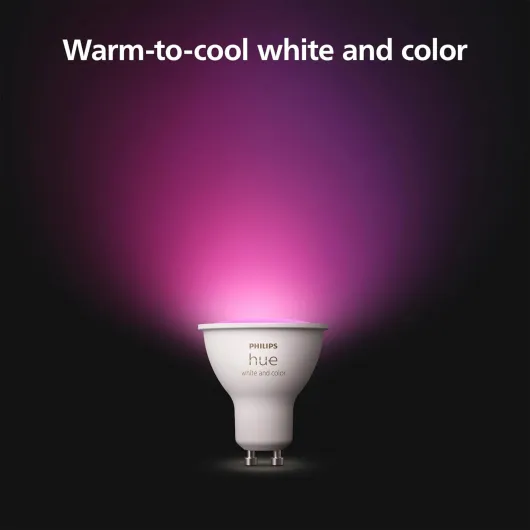
In terms of pure performance, the kit does the job well. The bulbs go from warm white to cool white, plus all the RGB colours. The colour range is wide enough for normal home use: deep reds, blues, greens, and all the in‑between shades. They’re not as punchy as big light strips or higher-lumen bulbs, but for GU10 spots in a living room or bedroom, it’s more than enough. I used them in a small living room and never felt they were too dim, even in daylight when set to cool white at full brightness.
Response time is good. From the app or from the smart button, the lights react pretty much instantly. With Google Assistant, there’s the usual voice processing delay, but once the command hits, the bulbs change colour or brightness without lag. I also tried grouping them with other Hue bulbs I already had; scenes applied in sync, no obvious delay between lamps. Compared to cheap Wi‑Fi bulbs I’ve tried before, it’s clearly more stable and consistent in daily use.
On the Hue Sync / gaming side, I paired them with a PC using Razer Chroma. It works, but don’t expect a cinema room experience with just three spots. The colours matched the game scenes decently, and the timing was okay, but the effect is more of a nice extra than something that completely changes the room vibe. Where I found them more useful was simple stuff: dimming automatically at night, changing to warm light after sunset, or turning on a soft scene when I came home.
I also played with the Hue MotionAware feature. With enough Hue devices, you can get motion-based lighting without a separate sensor. In practice, this is still a bit limited and not as straightforward as using a dedicated motion sensor, but for simple "lights on when I’m around" behaviour it did what I expected. No random flickering or false triggers in my tests. Overall, performance is solid, especially if reliability matters to you. The only real downside is that 400 lumens per bulb might be a bit low if you have high ceilings or want very bright task lighting; in that case you’d probably need more fixtures or brighter bulbs in other sockets.
What you actually get in the box (and what it’s good for)
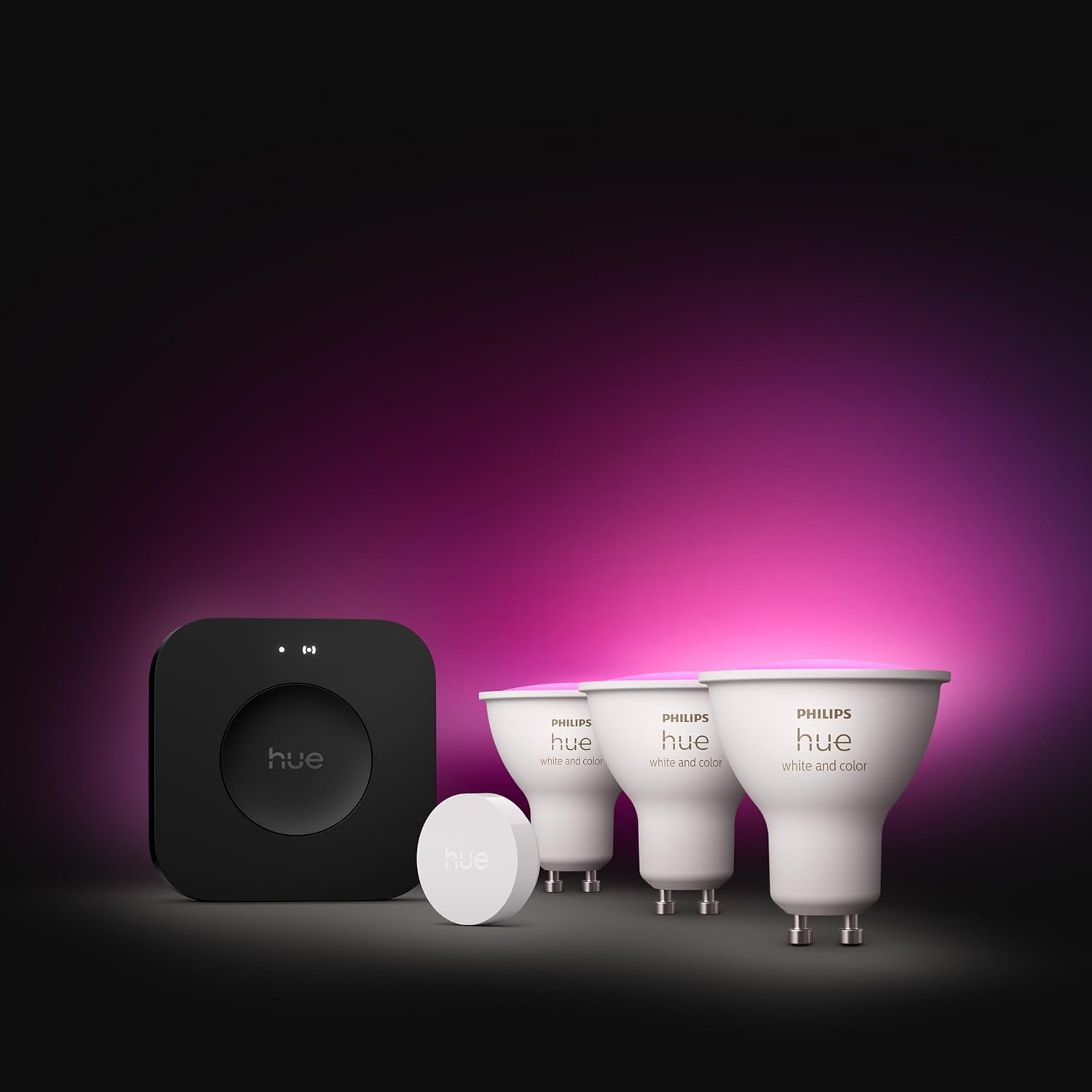
Inside the box you get one Philips Hue Bridge Pro, three GU10 White & Colour Ambiance bulbs, and one Hue Smart Button. So basically everything you need to turn a small room into a smart lighting zone: hub, lights, and a physical control. The bulbs are GU10 PAR16, 5W LEDs, around 400 lumens each, which is roughly equivalent to a 50W halogen, at least on paper. They’re rated for up to 25,000 hours, which is in line with other Hue bulbs I’ve had that basically never died on me.
The Bridge Pro is the big new thing here. It supports Matter, Zigbee, SmartThings, and can apparently handle 150+ lights and 50+ accessories, with 8 GB of storage for scenes and automations. In practice, I used it with the Hue app, Google Assistant and a bit of Razer Chroma sync on a PC. Everything paired without hassle. The bridge connects via Ethernet to your router and then all control goes through the app or voice assistants. No Wi‑Fi bulbs here; it’s a Zigbee/Matter setup with the bridge as the brain.
The Smart Button is basically a small wireless switch you can stick anywhere. One press, long press, double press – you can assign different scenes or brightness to each gesture in the app. I set it so a single press toggled my evening warm scene, long press turned everything off, and double press set a bright white working light. No lag, and it’s much nicer than always yelling at a voice assistant.
So in terms of contents, it’s a complete starter kit: nothing extra needed except a router and a phone. The downside is that it clearly targets people who plan to go deeper into the Hue ecosystem. If you only want three coloured spots and nothing else, there are cheaper Wi‑Fi options that don’t require a bridge. Here, you’re paying both for the bulbs and for that hub that’s meant to run your whole smart lighting setup long term.
Effectiveness in daily life: automations, app and voice control
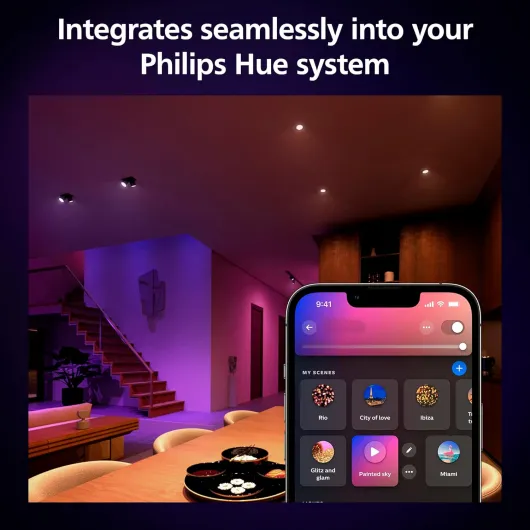
Where this kit really proves itself is daily convenience. The Hue app is still one of the better ones in the smart home world. Setting up rooms, zones and scenes is straightforward. I had the bridge, bulbs and button all added and working in under 20 minutes, including a firmware update. From there, I created a few routines: wake-up light in the morning, automatic dimming at night, and a "leaving home" action that turns everything off.
The Smart Button ended up being more useful than I expected. I placed it near the sofa and barely touched the wall switch afterwards. One press for my evening warm scene, long press to turn everything off when going to bed, double press for bright white cleaning light. It’s simple, but it’s exactly the kind of thing that makes smart lighting feel actually smart rather than just “I can change colours with my phone”. It also helps keep other people in the house from getting annoyed with voice commands or the app.
Voice control via Google Assistant worked fine. Commands like “set living room lights to 20%” or “turn the spots blue” were understood and applied correctly. I also tested integration with an existing setup that already had other Hue bulbs and a couple of sensors. The Bridge Pro handled everything without hiccups. I didn’t hit any device limit, but that’s where the Pro should shine with support for way more lights and accessories compared to older hardware.
Is it more effective than cheaper smart bulbs? Yes, mainly on reliability and ecosystem. I didn’t run into random offline devices, scenes that fail, or automations that trigger late. For me that’s a big deal, because when lights misbehave everyone in the house gets annoyed quickly. On the downside, some “Pro” promises like combining multiple old bridges into one are still “coming soon” according to other users, which feels a bit half-finished. So it’s effective right now as a solid Hue hub and lighting kit, but some of the selling points are still future potential rather than something you can enjoy on day one.
Pros
- Very stable and responsive system with reliable app and voice control
- Good colour range and decent brightness for typical living rooms or bedrooms
- Bridge Pro offers room for a large setup (150+ lights, 50+ accessories) and multiple ecosystems (Matter, Zigbee, SmartThings)
Cons
- High price compared to other smart GU10 bulbs, especially if you only need a small setup
- Some Pro features (like replacing multiple old bridges) are still not fully available and feel unfinished
Conclusion
Editor's rating
After living with this Philips Hue Starter Kit (Bridge Pro + 3 GU10 + Button) for a bit, my conclusion is pretty straightforward: it works very well, but you pay for it. The lights are bright enough for normal rooms, colours are solid, and the app is still one of the best in the smart lighting space. The Smart Button is simple but genuinely handy, and the Bridge Pro handled everything I threw at it without random disconnects or weird bugs.
This kit makes sense if you want a reliable, centralised smart lighting system and you’re already leaning towards the Hue ecosystem. It’s suitable for people who plan to expand gradually: add more rooms, more scenes, maybe some sensors and switches. In that scenario, the higher upfront cost is easier to swallow because the bridge will serve as the backbone of a larger setup. You also benefit from integrations with Apple Home, Alexa, Google Assistant and SmartThings without fiddling too much.
If you’re on a tight budget, just want a couple of coloured spots, or don’t care about having a dedicated hub, I’d skip this and look at cheaper Wi‑Fi bulbs. Also, if your main reason to buy the Pro bridge is to merge multiple old bridges, I’d wait until Philips actually delivers that feature properly. Overall, I’d give this kit a solid score: not perfect, not cheap, but a pretty dependable smart lighting starter pack if you’re serious about building out a Hue-based home.


![L510E Smart Bulb, Smart WiFi LED Light, E27, Works with Amazon Alexa(Echo and Echo Dot), Google Home, Dimmable Soft Warm White, No Hub Required [Energy Class F] 1 Pack](https://www.smart-light-guru.com/storage/939180/conversions/71WGq8rBN-L._AC_SL1500_-medium.webp)