Summary
Editor's rating
Is it worth the price?
Design and installation: nothing fancy, but it fits in
Smart Button and power aspects
Build quality and long-term feel
Brightness, colours, and daily use
What you actually get in the box
Smart features that actually get used
Pros
- Very stable system with reliable app, routines, and voice control
- Good colour range and pleasant white light for everyday use
- Smart Button adds simple, practical control without needing the phone
Cons
- High price compared to lesser-known smart bulb brands
- Brightness (around 350–400 lumens per bulb) can feel a bit low for large rooms

Specifications
View full product page →| Brand | Philips Hue |
Smart lights that actually make sense day to day
I’ve been using Philips Hue stuff on and off for a few years, but this is the first time I tried a full GU10 starter kit with 3 spotlights and the Smart Button. I installed them in my living room ceiling spots and used them every day for a couple of weeks, both via the app and with voice (Alexa) and the button. So this is not a spec sheet recap, it’s really how it feels to live with them.
The short version: the kit works well, the colours are fun, and the automations are genuinely useful. But you pay for it. If you’re just looking for cheap smart bulbs, this is probably not what you want. If you want something stable, polished and hassle-free, this kit is closer to that, as long as you accept the price.
In everyday use, what I noticed most is the convenience: being able to check from my phone if I left the lights on, coming home to a lit room, and dimming everything for a film without getting off the sofa. None of that is essential, but once it’s set up, you do get used to it fast. On the other hand, the brightness (around 350–400 lumens per bulb) is not crazy. For a big room, you’ll need several spots or you’ll feel it’s a bit weak.
So I’ll go through the main points: how the kit is presented, design and installation, daily performance, the Smart Button, durability/quality feeling, and finally whether I think the price is justified. Spoiler: technically it’s pretty solid, but the value really depends on how much you care about the Hue ecosystem and smart home in general.
Is it worth the price?
This is where it hurts a bit. The kit is clearly on the expensive side for three spotlights and a small button, even with the bridge included. When you read the review saying “with the same money you can buy four times as many unknown-brand bulbs”, that’s not wrong. If your priority is just to get a lot of smart lights for cheap, Hue is not the right choice. You pay for the ecosystem, the app, the stability, and the overall polish.
In terms of value, I’d say it depends heavily on your situation. If you already have other Hue products, this kit plugs in perfectly and you benefit from everything you’ve already set up: rooms, scenes, integration with other sensors, etc. In that case, paying more for consistency and reliability can make sense. If you’re starting from zero and you’re not sure you’ll enjoy smart lighting, the bill is harder to swallow. You might be better off starting with a cheaper brand to see if you actually use the features, then upgrading later if you really want the Hue experience.
What makes the price slightly easier to accept, in my opinion, is the daily comfort: routines that work, no random disconnections, a clean app, and accessories that feel thought out. It’s the difference between something you constantly have to fiddle with and something you forget about because it just does its job. But you have to be honest: a normal non-smart LED bulb also lights your room for a fraction of the cost. You’re paying for convenience and fun, not necessity.
So, value for money? I’d call it good but not spectacular, especially given the constant price increases people mention. If you’re on a tight budget or just curious about smart lights, I’d look elsewhere first. If you want a stable, long-term system and you’re okay investing in a brand that you’ll probably stick with for years, this kit is a decent entry point, but definitely not a bargain.
Design and installation: nothing fancy, but it fits in
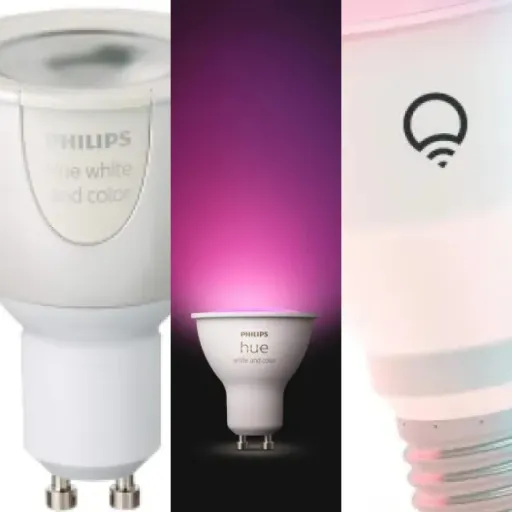
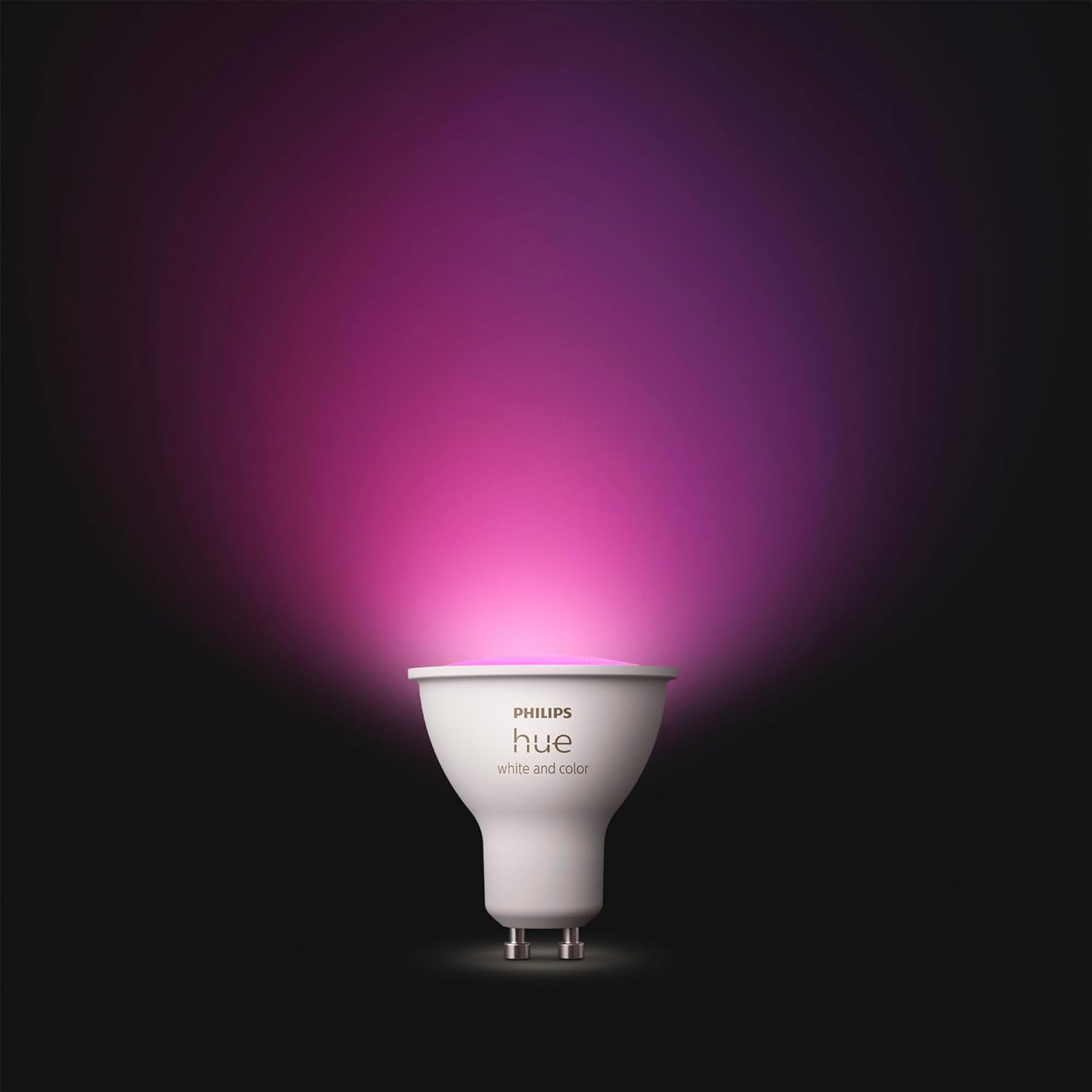
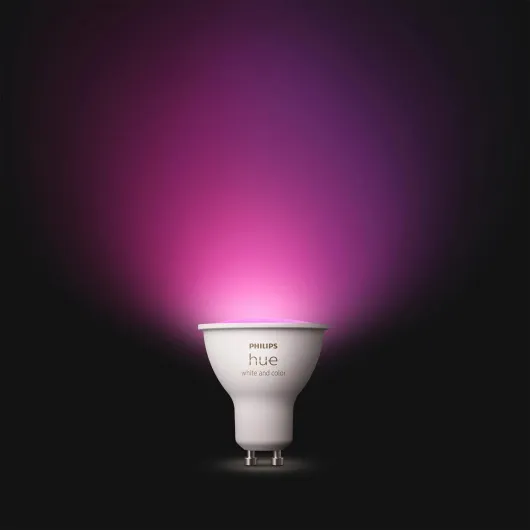
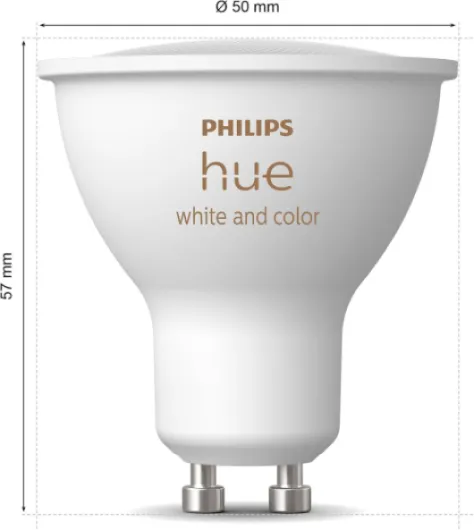
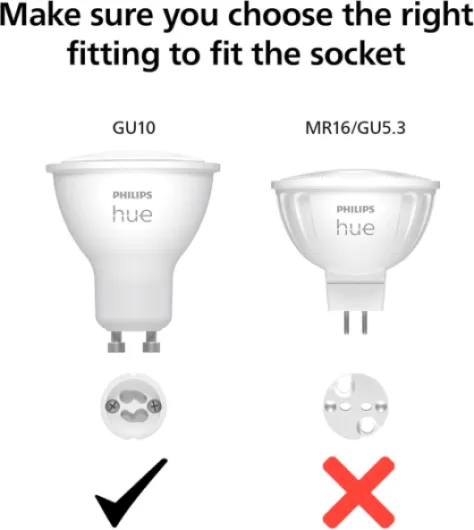
On the design side, the GU10 bulbs themselves look like standard Philips spotlights. No weird shapes, no clownish plastic. They’re a bit heavier than cheap GU10 LEDs, but once they’re in the ceiling you don’t see them anyway. The lens is clear, the body is white, and if you already have white fittings they blend in easily. The bridge is a small white square box, very neutral; you just dump it near your router and forget about it.
Installation is as simple as any GU10 bulb: push in, twist, done. Where it gets a bit more technical is with the bridge and the app. You need a free Ethernet port on your router and a power socket. If your router is in a cupboard or far away, you might have to run a cable or be a bit creative. Once it’s plugged in, you follow the app instructions. Nothing complex, but there are a few update steps and waiting times. For someone not comfortable with tech, you may need to be patient or ask a more techy friend to help.
The Smart Button is small and discreet. It comes with a magnetic plate you can stick on the wall or on furniture. The magnet is strong enough that the button doesn’t fall off when you press it. Design is minimal: a simple round white button, that’s it. In a living room, it doesn’t scream “gadget”, it just looks like a tiny wireless switch. Personally I stuck it near the sofa, and it was nice to be able to click it once to turn lights on/off without shouting at Alexa.
Overall, I’d say the design is practical and neutral. It’s not going to impress anyone visually, but it doesn’t need to. The main thing is that it doesn’t clash with existing fixtures and doesn’t look cheap. For me, that’s enough. If you were hoping for some design object to show off, this isn’t that. It’s more “invisible tool” than decorative piece, which is fine for ceiling spots.
Smart Button and power aspects
The bulbs themselves are mains powered, so no battery there, but the Smart Button runs on a small coin cell battery. I obviously couldn’t test multi-year battery life in a few weeks, but based on other Hue accessories I’ve used, they usually last over a year, often closer to two, with regular daily use. During my test, the button never glitched, no missed presses, no lag. You press, the lights react immediately. It feels more like a normal wired switch than a cheap wireless remote.
What I liked is that you can configure what a short press does (for example: toggle on/off or cycle scenes) and sometimes even actions on long press depending on the app version. So you’re not forced to use your phone or voice all the time. In my case, I set a short press to turn the living room lights on at a warm 70% and another press to turn them off. Very simple, but effective enough that visitors could use it without any explanation. That’s important, because not everyone wants to talk to a voice assistant or open an app to turn on a light.
On the energy side, the bulbs are around 4.2–4.4 W each, which is low compared to old halogens, even if the energy label is E (the EU scale changed and is more strict now). If you often leave them on for ambiance, at least they’re not killing your bill. I left them at low brightness in the evening for hours and didn’t feel guilty about it. Obviously, if you replace a whole house with Hue, the cost is more in the hardware than in the electricity consumption.
Only small downside: when there’s a power cut or if you cut power at the wall switch, the bulbs default back to on when power returns (unless you tweak the power-on behaviour in the app, which is possible on newer generations). So if you still use the old wall switches a lot, it can get a bit messy. To really get the most out of the kit, you basically leave the wall switches on permanently and rely on the app, voice, or Smart Button, which is a change of habit.
Build quality and long-term feel
On paper, Philips announces around 25,000 hours of life for these bulbs. Obviously, I didn’t run them for years to check, but based on other Hue bulbs I’ve had for over 4 years now, that number doesn’t seem unrealistic. None of my older Hue bulbs have died yet, while I’ve had quite a few cheap no-name smart bulbs die or start flickering after a year or two. So even if I can’t prove it with this exact kit, the brand’s track record is reassuring.
In the hand, the bulbs feel solid: the glass and body don’t creak, and they don’t look like they’re going to fall apart when you push them into the fitting. Heat management seems okay too. After a couple of hours at full brightness, they’re warm but not burning hot like old halogens. That usually helps with lifespan. The bridge is a plastic box, but you don’t really touch it after setup, and it doesn’t heat up in a worrying way either.
The Smart Button is small but feels decently built. The click is clear, not mushy, and the magnet on the back is strong. I’ve had similar Hue switches on the wall for years; they sometimes get a bit scuffed but still work fine. I’d be surprised if this one died quickly, unless you drop it in water or really abuse it. Changing the battery is a simple operation with a small screwdriver or coin, nothing dramatic.
So in terms of durability, my feeling is: you’re paying partly for that. Compared to the reviewer who said you can buy four times as many unknown-brand bulbs for the same price, they’re right. On pure quantity and short-term value, Philips Hue loses. But if you factor in the fact that many cheap bulbs end up in the bin sooner or have buggy firmware, the gap narrows. It still doesn’t make Hue cheap, but at least you’re not buying something disposable. If you plan to stay in the same home for a while and keep the setup, it makes more sense.
Brightness, colours, and daily use
Let’s talk about how it actually lights the room. Each bulb is around 350–400 lumens. In a small to medium living room with three spots, you get a decent general light, but it’s not blinding. Compared to my old non-smart GU10s (around 400–450 lumens), I felt it was slightly softer at full power, but not by a huge margin. If you have a big open-plan space, you’ll clearly need more than three bulbs or it will feel a bit dim, especially for tasks like cooking or reading.
The colour part is where Hue is still ahead of the random cheap brands I’ve tried from Amazon. The whites go from quite warm (cozy, yellowish) to pretty cool (almost office-style) without weird tints. Colours like red, blue, and green are clean, not washed out. Some mid tones (like certain purples) are less punchy, but that’s pretty standard on most RGB bulbs. For film nights, I used a dim warm white or a slightly orange scene and it worked well. For cleaning or working, I pushed to a cooler white at higher brightness and it did the job.
In terms of responsiveness, with the bridge the lights react very quickly to commands. From the app or Alexa, the delay is maybe half a second, not more. Scenes switch smoothly, and dimming is gradual, not jerky. I set up a simple routine: lights turning on at sunset at 60% warm white, and turning off automatically at midnight. It triggered reliably every day. Compared to some Wi‑Fi bulbs I had before that often dropped connection or desynced, this felt more stable. I didn’t have any bulb go offline during the test weeks.
The only performance downside for me is that these are not super bright work lights. They’re clearly designed more for ambiance and everyday comfort than for a workshop or a kitchen where you need intense light. Also, the CRI is around 80, so colour rendering on objects is fine but not exceptional; if you’re into photography or need very accurate colours, this won’t be your reference light. For normal home use though, it’s perfectly fine and more pleasant than many harsh cheap LEDs.
What you actually get in the box
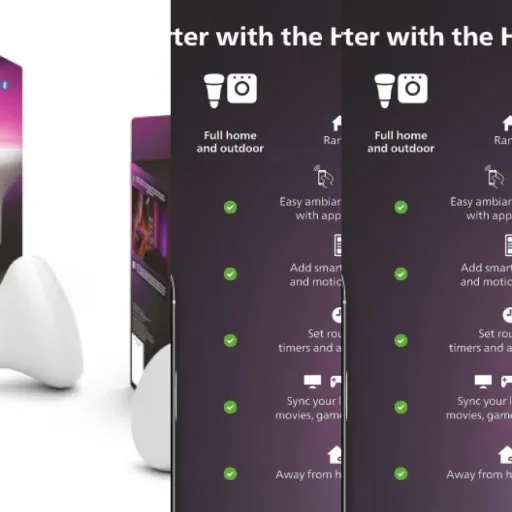
Out of the box, the kit is pretty straightforward: you get 3 GU10 colour spotlights, the Philips Hue Bridge, a Smart Button with its little mounting plate, and the usual cables and paperwork. Everything is clearly labelled, no mystery parts. It feels like a proper starter set, not a bag of random pieces. You plug the bridge into your router with the Ethernet cable provided, power it up, then screw in the bulbs like normal GU10s.
The setup through the Philips Hue app is quite guided. The app detects the bridge, updates it (that part takes a bit of time), then finds the bulbs. In my case, all three bulbs were picked up in one go. I quickly created a “Living Room” zone and grouped them. From there, you can start playing with colours, brightness, and scenes. The Smart Button is added separately: you hold it near the bridge, press it, and the app pairs it. It took me maybe 15–20 minutes from opening the box to having working scenes and a basic automation.
In practice, the main thing you need to know is this: this kit is designed to be the base of a whole Hue setup. It’s not just three bulbs. The bridge is what lets you control everything from outside your home, set routines, and integrate with Alexa/Google/Apple HomeKit in a more reliable way than just Bluetooth. If you already have a Hue bridge, this is slightly redundant, and a simple bulb pack might make more sense. If you’re starting from scratch, this gives you the full experience right away.
One small detail I appreciated: the documentation is clear without being a novel. A quick start leaflet shows the basic steps with drawings, so you don’t get lost. But be aware: if you hate smartphone apps and Wi‑Fi stuff, you’re going to have to push through that first setup. Once it’s done, daily use gets simple, especially with the Smart Button, but the initial presentation is still very “connected gadget”, not plug-and-play in the old-school sense.
Smart features that actually get used
For me, the real interest of this kit is not just that the bulbs change colour, but how effective the smart stuff is day to day. I used three main things: remote control when I was outside, routines (home/away and schedules), and voice control through Alexa. All three worked as advertised, with no weird bugs during the test period.
The home/away function is simple but handy. When I left home with my phone, the app detected it after a few minutes and turned off the lights if I had forgotten. Same when I came back after dark: the lights turned on automatically. It’s not instant (there’s always a few minutes lag because of geolocation), but in practice it meant I didn’t come back to a dark flat. Also, being able to quickly check in the app from work “did I leave the living room lights on?” and just switch them off is the kind of small thing you appreciate more than you expect.
Voice control via Alexa was solid. Commands like “Alexa, turn on the living room lights”, “set living room to 30%” or “set living room to blue” were understood and executed consistently. Once the skill is linked, you mostly forget the app and just talk. Compared to some cheaper bulbs I had (Tuya-based stuff), the big difference is stability over time. With those, every few days something would desync, or a bulb would stop answering. With Hue and the bridge, everything stayed in sync, scenes applied properly to all three bulbs, and I didn’t have to reset anything.
In terms of pure effectiveness, the kit does exactly what it’s supposed to do: easy dimming, colour changes, automations, and remote control. It’s not magic, but it’s reliable. If you just want a light that turns on and off with a wall switch, this is overkill, obviously. But if you want to tweak ambiance without fiddling with individual switches and you like the idea of routines, it’s a pretty efficient solution. The only thing I’d add is that you need to be ready to live with yet another app and a bridge plugged into your router. If that annoys you, the effectiveness of the system might feel less impressive.
Pros
- Very stable system with reliable app, routines, and voice control
- Good colour range and pleasant white light for everyday use
- Smart Button adds simple, practical control without needing the phone
Cons
- High price compared to lesser-known smart bulb brands
- Brightness (around 350–400 lumens per bulb) can feel a bit low for large rooms
Conclusion
Editor's rating
After using the Philips Hue GU10 Starter Kit daily, my conclusion is pretty clear: technically, it’s a solid piece of kit, but you have to accept the price. The bulbs light well enough for a living room or small kitchen, colours are clean, and the whole system (bridge, app, voice control, Smart Button) works together smoothly. No random disconnects, no scenes that fail half the time. It just does what you ask, which is exactly what you want from this kind of product.
Who is it for? People who like the idea of a stable, long-term smart lighting setup, and who don’t mind paying extra to avoid headaches. If you already use Alexa, Google Assistant or HomeKit and want lights that integrate nicely and respond quickly, this fits the bill. It also suits anyone who wants to play with ambiance – film nights, cosy evenings, early-morning soft light – without messing around with multiple lamps and dimmers.
Who should skip it? If you just want cheap bulbs that you might replace in a year, or if you’re not sure you’ll use the smart features beyond “on/off from the phone”, the cost is hard to justify. There are plenty of cheaper options that will do 70% of what Hue does. In short: great experience, steep price. If you value reliability and a mature ecosystem, it’s a good choice. If your priority is saving money, look elsewhere.


![L510E Smart Bulb, Smart WiFi LED Light, E27, Works with Amazon Alexa(Echo and Echo Dot), Google Home, Dimmable Soft Warm White, No Hub Required [Energy Class F] 1 Pack](https://www.smart-light-guru.com/storage/939180/conversions/71WGq8rBN-L._AC_SL1500_-medium.webp)