Summary
Editor's rating
Is it worth the money or are you just paying for the logo?
Looks: very neutral, which is good and boring at the same time
Build quality and long-term feel
Daily use: stable, responsive, but not mind-blowing
What you actually get in the box
Does it actually make your lighting smarter, or just more complicated?
Pros
- Stable and responsive control thanks to the bridge and dimmer
- Good white range (2200K–6500K) plus colors for scenes and mood lighting
- Works with Alexa, Google Assistant, Samsung SmartThings, and Apple Home
Cons
- Higher price than many Wi‑Fi smart bulb alternatives
- Requires a separate bridge and app setup, not as simple as standalone bulbs

Specifications
View full product page →| Brand | Philips Hue Essential |
Smart spots without overthinking it
I’ve been using this Philips Hue Essential starter kit (bridge + 3 GU10 color bulbs + dimmer) for a few weeks in my living room and kitchen. I already had a couple of cheap Wi‑Fi bulbs from random brands, so I was curious to see if a more "serious" setup with a bridge actually changed anything in day‑to‑day use. Short version: it works well, feels more stable, but it’s not magic and it’s not cheap either.
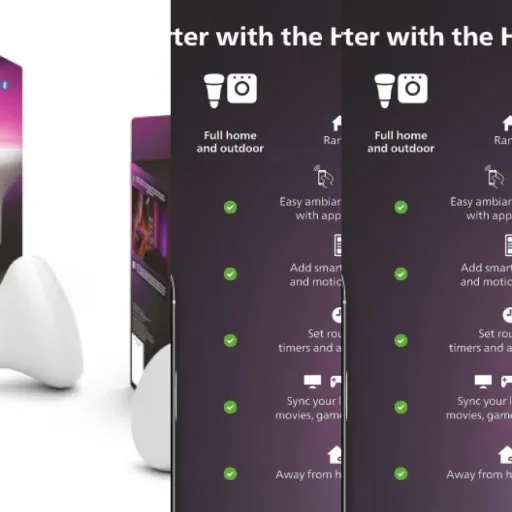
The first thing to know is this kit is clearly aimed at people who want to go beyond a single smart bulb. You get a proper bridge that plugs into your router, three GU10 spot bulbs, and a wireless dimmer switch. So it’s more of a small ecosystem than a single gadget. If you’re just testing smart lights for the first time, it might feel like a lot of gear for “just” turning lights on and off.
In daily use, what stood out for me was the reliability. With my older Wi‑Fi bulbs, sometimes a light wouldn’t respond, or the app would lag. Here, between the bridge and the dimmer, everything reacts pretty fast and pretty consistently. No drama when the internet drops either: the dimmer still works because it talks directly to the bulbs through the bridge. That’s the kind of boring but important detail you only notice after a few days.
It’s not perfect though. The setup is a bit more involved than a simple Bluetooth bulb, and if you hate installing apps and creating accounts, you won’t enjoy the first 30–40 minutes. Also, this is Philips Hue, so prices are on the higher side. Overall, I’d say it’s a solid starter kit if you already know you want a smart lighting system, not just one or two novelty bulbs to play with.
Is it worth the money or are you just paying for the logo?
On value, this kit sits in that annoying middle: not outrageously overpriced, but clearly not budget. You can easily find GU10 smart bulbs from unknown brands for much less per bulb, often without a bridge. But from my experience, those cheaper Wi‑Fi bulbs tend to be less reliable, slower, and sometimes abandoned by their apps after a year or two. Here, you’re paying for a more stable ecosystem and compatibility with big platforms like Alexa, Google, Samsung SmartThings, and Apple Home.
If you already have a Hue Bridge, this specific kit makes less sense, because you’re basically paying again for another bridge. But if you’re starting from scratch and you know you want smart spots in several rooms, the bundle is more logical. You get three bulbs, a bridge, and a dimmer, which is enough to cover one or two key areas in your home (kitchen, living room corner, hallway). The fact that the dimmer is included is a real plus because it avoids the classic "everyone hates the app" problem.
Where I’m a bit less convinced is the price compared to the "non-essential" Hue bulbs or to just buying separate components on sale. Sometimes, regular Hue kits with similar stuff go on promo and land around the same price, but with slightly better bulbs. So if you’re patient and watch deals, this exact Essential kit might not always be the smartest purchase. It depends a lot on local pricing when you buy.
Overall, I’d say value is decent but not amazing. You’re paying for stability, a mature app, and broad compatibility, not for the absolute cheapest way to get colored lights. If you just want one or two fun bulbs, go cheaper. If you plan to build a proper smart lighting setup over time and prefer to avoid headaches, this kit is a reasonable entry point, as long as you accept the brand tax.
Looks: very neutral, which is good and boring at the same time
Design-wise, Philips stuck to their usual style: clean, white, and very neutral. The GU10 bulbs look like regular spots with a slightly more polished finish. Once they’re in the ceiling, you don’t really see a difference compared to standard halogen GU10s, which I actually like. It doesn’t scream "tech gadget" in the middle of your living room. If you want something visually flashy, this is not it, but for a ceiling spot it’s fine.
The bridge is a small square box, also white, with a couple of LEDs on the front. It’s the kind of device you hide near your router and then forget about. It doesn’t take much space, but you do have to sacrifice one Ethernet port and one power socket. On my router shelf, it blends in with the usual mess of cables. I wouldn’t call it pretty or ugly; it’s just there, doing its job quietly.
The dimmer switch is probably the part you’ll see and touch the most. It’s a thin white rectangle with four buttons: on, off, and two for brightness or scene changes. It snaps magnetically onto a base you can stick or screw to the wall. In practice, the magnet is strong enough that the remote doesn’t fall when you press it, but light enough that you can pull it off to use as a handheld remote. I stuck mine next to the kitchen entrance and it looks like a basic light switch, just a bit more plasticky.
Overall, the design is functional and discreet. Nothing stylish, nothing ugly. It fits easily into a normal home without drawing attention. If you’re looking for something that adds character to the room, this isn’t that. But if you just want your smart lights to look like normal lights and not clutter the decor, it gets the job done.
Build quality and long-term feel
It’s hard to judge durability after only a few weeks, but there are a few clues. The bulbs themselves feel solid enough when you handle them. The plastic and metal parts don’t creak, the GU10 connectors fit firmly into the socket, and I didn’t feel like I was going to break anything when twisting them in. They do get a bit warm after a few hours on full brightness, but nothing alarming – about what I expect from LED spots.
The dimmer switch is where you notice the "Essential" positioning a bit. The plastic is light and doesn’t give a premium vibe, but the buttons have a clear click and don’t wobble. I’ve pressed them a lot over these weeks and haven’t noticed any wear or fading symbols. The magnetic base still holds fine on the wall, and the remote doesn’t fall if you slam the door or brush past it. I did drop the remote once on tile from about 1.5 meters, and it survived without any marks or issues.
The bridge just sits there and doesn’t move, so there’s not much to say. It doesn’t get hot, only slightly warm. The Ethernet port and power connector feel secure. Given Philips Hue’s general reputation, I’d expect the bridge to last for years unless there’s a power surge or something similar. The main risk for "durability" here is more about software support over time than physical breakage.
So, from a build standpoint, everything seems built to last for regular home use. It’s not luxury hardware, but it doesn’t feel cheap or fragile either. The real test will be after a couple of years of daily on/off cycles. Based on how it feels now and my past experience with Hue gear, I’m reasonably confident it will hold up, but of course, for the price, I would have liked an even sturdier dimmer.
Daily use: stable, responsive, but not mind-blowing
On the performance side, this kit is pretty solid. Once everything is set up, the bulbs respond quickly to commands from the app, the dimmer, and voice assistants. From my phone, there’s a tiny delay (maybe half a second) between tapping and the lights reacting, which is totally fine. With the dimmer, it feels almost instant. Compared to my old random Wi‑Fi bulbs that sometimes froze or went offline, this is clearly more reliable.
The brightness is decent for GU10 spots. I don’t have the exact lumen number in the data provided, but in practice, three bulbs in my small kitchen are enough for daily tasks: cooking, cleaning, etc. In the living room, three spots felt a bit tight, so I kept them focused on the couch area. If you’re expecting them to light up a big open space alone, you’ll probably need more bulbs. Dimming is smooth, without flickering, and going from warm to cool white is gradual, not jumpy.
Color performance is okay. Reds and blues look good, greens are a bit washed out, which is pretty standard for most RGB bulbs I’ve tried. I used color scenes a bit at the beginning (movie nights with dim blue/amber, for example), but in daily life I mostly stuck to warm white around 2700–3000K in the evening and cooler white around 4000–5000K during the day. The app scenes are handy, but you need to spend some time tweaking them to get something you really like.
Where this kit really stands out is stability. In three weeks, I had one moment where a bulb didn’t respond the first time, but it worked on the second try. That’s it. With my older Wi‑Fi bulbs, I had to reset them every couple of weeks. Also, when my internet went down for an hour, the dimmer switch still worked fine because it talks to the bulbs through the bridge locally. So if you’re tired of flaky cheap bulbs, this is a clear upgrade in terms of consistency, even if it doesn’t do anything magical beyond that.
What you actually get in the box
Let’s start with what’s inside. This starter kit includes three GU10 white and color ambiance bulbs, one Hue Bridge, and one Hue dimmer switch. The whole package weight is listed around 879 grams, which matches what you feel in hand: it’s not super heavy, but you can tell there’s more than just a few bulbs in there. The GU10 format is the typical spot bulb you see in ceiling rails and recessed spots, so if you have E27 or E14 lamps, this is not the right kit for you.
The bulbs cover 2200K to 6500K for white, so you can go from warm yellowish light (like a cozy evening) to cold white (office style). On top of that, they handle color, so you can throw in blues, reds, greens, and all the usual RGB stuff. I used them mostly between 2700K and 4000K, and sometimes some soft colored scenes in the evening. The color part is fun but, if I’m honest, after the first week the novelty fades and you end up using white most of the time.
The bridge is a small white box that plugs into your router with an Ethernet cable and into the wall with a power adapter. Nothing fancy, but it’s the brain of the whole system. Without it, these "Essential" bulbs don’t reach their full potential: the bridge is what lets you control them reliably from outside the home, link to Alexa, Google Assistant, Samsung SmartThings, and Apple Home, and group them properly. If you don’t want yet another little box near your router, this might annoy you.
The dimmer switch is a simple plastic remote with on/off and dimming buttons, plus a button to cycle scenes. It sticks to the wall with adhesive or can be used handheld. I ended up using it way more than the app, especially for guests who don’t care about smart stuff and just want a normal switch. Overall, the kit is pretty complete: you can start controlling lights physically, via app, and via voice, right away. But the trade‑off is a slightly more complex setup and more hardware lying around.
Does it actually make your lighting smarter, or just more complicated?
In terms of effectiveness, I judge it on one main thing: does it really make my life easier, or is it just a tech toy? After a few weeks, I’d say it does simplify some things, but only if you take the time to set it up properly. The combination of bridge + dimmer + app gives you several ways to control the lights, so you’re not stuck pulling out your phone every time, which was my main fear.
The routines and automations are where it starts to feel useful. I set up a schedule where the kitchen spots turn on at a low warm level early in the morning, so I don’t get blinded when I go for coffee at 6:30. In the evening, they automatically dim and warm up around 9 pm. That part works reliably. You can also tie it to presence (lights turning off when everyone leaves), but that depends on your phone’s location, and in my case it was a bit hit‑and‑miss, so I didn’t keep that on.
Voice control through Alexa and Google Assistant is straightforward once linked: “turn off kitchen spots”, “set living room to warm white”, etc. It’s handy when your hands are full or you’re on the couch. That said, you don’t need voice for this kit to be effective; the dimmer already covers 80% of normal use. If you live with people who hate talking to gadgets, they can just use the physical switch and ignore all the smart stuff.
Overall, I’d say the kit is effective, but not magic. It makes lighting more flexible and a bit more comfortable day to day. If you just want lights that turn on and off, this is overkill. If you like the idea of scenes, schedules, and being able to tweak everything without walking around the house, then it does what it’s supposed to do, as long as you’re ready to spend some time in the app at the beginning.
Pros
- Stable and responsive control thanks to the bridge and dimmer
- Good white range (2200K–6500K) plus colors for scenes and mood lighting
- Works with Alexa, Google Assistant, Samsung SmartThings, and Apple Home
Cons
- Higher price than many Wi‑Fi smart bulb alternatives
- Requires a separate bridge and app setup, not as simple as standalone bulbs
Conclusion
Editor's rating
After living with this Philips Hue Essential GU10 starter kit for a few weeks, my feeling is pretty clear: it’s a solid, no-drama smart lighting setup, but you need to be the kind of person who actually uses the extra features. The bridge + bulbs + dimmer combo gives you stable control, smooth dimming, decent brightness for typical GU10 use, and easy integration with Alexa, Google Assistant, Samsung SmartThings, and Apple Home. Once it’s set up, it just works, and that’s honestly what you want from lights.
It’s not all positive though. The initial setup is a bit more involved than plug-and-play Wi‑Fi bulbs, and the price is higher than many alternatives. The design is very neutral, almost bland, and the dimmer plastic feels a bit basic for the cost. Also, if you only want one or two smart bulbs as a test, this whole kit is overkill. You’re really paying for the ecosystem and the bridge, not just the light output.
I’d recommend this kit to people who: already know they want a smart lighting system across several rooms, care about reliability, and like using routines, scenes, and voice control. If you’re in that group, this is a pretty solid starting point and you’ll likely be satisfied. If you’re just curious about smart lights, on a tight budget, or hate installing hubs and apps, I’d skip this and grab a couple of cheaper standalone bulbs instead.


![L510E Smart Bulb, Smart WiFi LED Light, E27, Works with Amazon Alexa(Echo and Echo Dot), Google Home, Dimmable Soft Warm White, No Hub Required [Energy Class F] 1 Pack](https://www.smart-light-guru.com/storage/939180/conversions/71WGq8rBN-L._AC_SL1500_-medium.webp)