Summary
Editor's rating
Is it worth the price, or are you paying for the logo?
Design: looks boring, works well
Smart button battery: the weak spot
Packaging and what can be wrong right from day one
Bulb lifespan vs. packaging and QC
Brightness, colors, and everyday use
What you actually get in the box (and what can go wrong)
Pros
- Bright 1100-lumen bulbs with both white and full color, good for real room lighting
- Stable Zigbee connection via the included Hue Bridge, supports up to 50 devices
- Strong ecosystem with a mature app, scenes, automations, and voice assistant support
Cons
- Smart button is unreliable out of the box for some users, often due to weak or dead battery
- Packaging and quality control seem inconsistent (reports of opened boxes or missing button)
- Price is high compared to basic smart bulb options, especially if you don’t need colors or advanced features

Specifications
View full product page →| Brand | Philips Hue |
Smart lights that finally feel “finished”… mostly
I’ve been slowly turning my place into a smart home, and lighting was the next step. I picked up this Philips Hue Smart Light Starter Kit with the bridge, smart button, and three 75W equivalent color bulbs. I used it as my main setup in the living room and bedroom for a couple of weeks to see if it actually changes anything in day-to-day life, or if it’s just another tech toy that ends up ignored after a week.
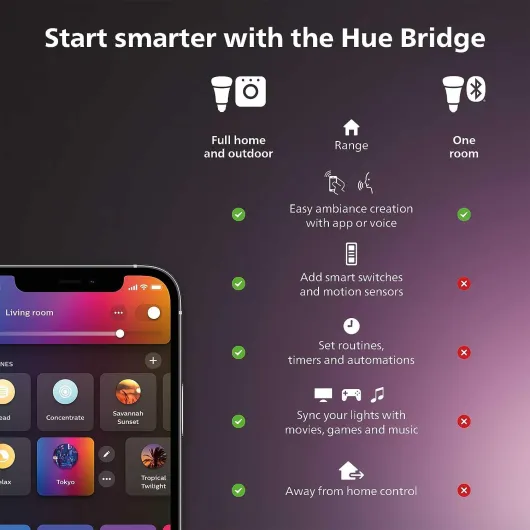
In practice, this kit really is a full starter pack: three bright bulbs, the Hue Bridge, and that little smart button you can stick almost anywhere. You screw in the bulbs, plug the bridge into your router, install the app, and you’re off. The first night I set it up, I went from boring warm white to some pretty wild color scenes in a few minutes. So from a pure "does it work and is it simple" point of view, it’s pretty solid.
But it’s not perfect. The bridge is yet another box near the router, the app has a learning curve, and the smart button in this kit feels like the weak link. I also noticed some complaints online about missing buttons or dead batteries, and my experience with the button wasn’t exactly flawless either. So while the bulbs and bridge gave me a good impression, the accessories and packaging quality control are a bit hit-or-miss.
Overall, after a couple of weeks, I’d say this kit is for someone who’s serious about smart lighting, not just curious. It’s not cheap, and you feel that both in the good (solid ecosystem, lots of options) and the bad (extra hardware, some quirks, and a button that doesn’t always behave). If you want something plug-and-play and never think about it again, this might feel like overkill. If you like to tweak things and set up routines, it starts to make sense.
Is it worth the price, or are you paying for the logo?
Let’s talk money, because that’s where Philips Hue always sparks debate. This starter kit is not cheap, especially compared to random Wi‑Fi bulbs you can find online. But you do get three bright 1100-lumen color bulbs, a bridge that can handle up to 50 devices, and a smart button. If you break it down, individual Hue color bulbs alone already cost a fair bit, so in that sense the kit makes some financial sense if you plan to stick with the Hue ecosystem.
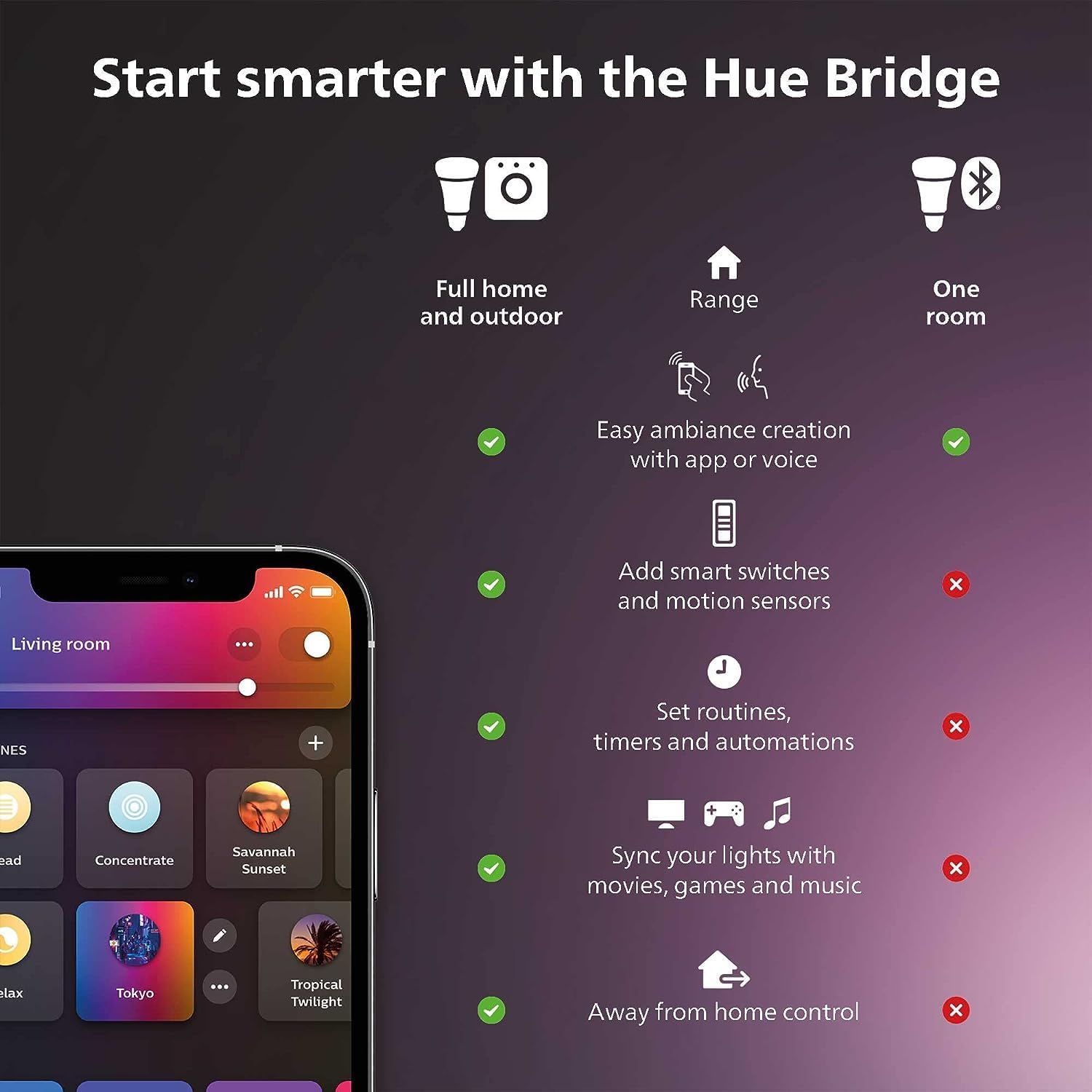
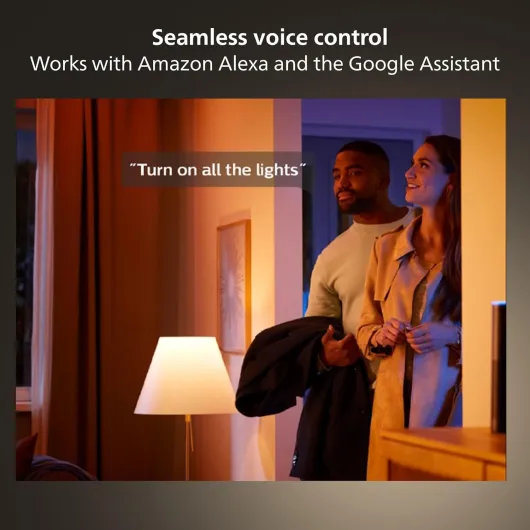
In daily use, you’re paying for a few things: reliability, ecosystem, and flexibility. The Zigbee connection via the bridge is more stable than the cheap Wi‑Fi bulbs I’ve tried. The app is more mature, you get proper scenes and automations, and integration with Alexa, Google Assistant, and Apple HomeKit is pretty smooth. Being able to control lights when you’re away, group them by rooms and zones, and set timers and routines is genuinely useful once you set it up.
On the downside, there are some rough edges for a product at this price: the smart button battery issue, occasional connection quirks with the button, and the packaging/box mismatch stories. Also, if you just want basic white smart bulbs and don’t care about colors or advanced automations, there are cheaper options that will get the job done. For someone who just wants to turn lights on and off with their phone, this kit is probably overkill.
So in my opinion, the value is decent but not mind-blowing. It makes sense if: you want to commit to Philips Hue long term, you care about stable performance and a strong ecosystem, and you actually plan to use routines, colors, and voice control. If you’re just curious about smart lights and not sure you’ll stick with them, I’d say start with a cheaper white-only kit or a couple of individual bulbs first. This kit shines more for people who know they want Hue throughout the house, not for someone just dabbling.
Design: looks boring, works well
Design-wise, Philips Hue sticks to a pretty safe, neutral look. The bulbs are standard A19 shape with an E26 base, so they fit in pretty much any regular lamp or ceiling fixture. They’re a bit bulkier than old incandescent bulbs, but nothing extreme. Once they’re in a lampshade, you don’t really notice anything special about them, which is honestly fine for me. I’d rather the tech disappear than scream “I’m smart lighting” from across the room.
The Hue Bridge is a small white square with rounded corners and a couple of LEDs on the front. It sits next to your router and doesn’t draw attention. It’s not pretty or ugly—it’s just a white box. You plug in power and an Ethernet cable, and that’s it. After a few days, I basically forgot it was there. If you’re tight on space around your router, it’s one more box and one more cable, but it’s small enough that it didn’t bother me.
The smart button is actually the nicest-looking part of the kit. It’s a small round white button with a simple, clean design. It comes with a magnetic mini mount and a mounting plate. I stuck mine near the entrance, and I liked being able to pop it off and use it as a remote. The magnet is strong enough that it doesn’t fall off when you tap it, but you can still remove it with one hand. It feels light but not toy-like. The click is soft but clear—you know you pressed it.
Overall, the design is very “background”. No flashy colors, no weird shapes. It’s all white plastic and smooth surfaces. If you’re looking for something that adds visual style, this isn’t it. But if you just want smart lighting that blends into a normal home, it gets the job done. Personally, I prefer this approach: basic look, focus on function. The only part that slightly annoyed me is the bridge needing a visible spot near the router; I’d love a slimmer or wall-mount option, but that’s nitpicking.
Smart button battery: the weak spot
The bulbs themselves don’t use batteries, obviously, but the smart button does, and that’s where things get a bit annoying. Out of the box, my button worked fine for a few days and then started getting flaky. Sometimes I had to press twice, sometimes it didn’t trigger anything. At first I thought it was a connection issue, but after reading some reviews mentioning dead-on-arrival batteries, I decided to swap the battery. After that, it behaved better, which makes me think the included battery just isn’t very good or maybe sits in storage too long.
The button uses a standard coin cell (CR2032 type), so it’s not hard to replace, but it’s still a bit lame to have to do that right after buying a premium kit. When you pay this kind of price, you expect everything to work out of the box for at least a few months. The fact that several people report the same problem—button not staying connected, battery dead, or box looking previously opened—makes me think this isn’t just bad luck.
Once I put in a fresh battery, the battery life over a couple of weeks was fine. I didn’t notice any drop in responsiveness. Philips claims these buttons last many months under normal use, and I can believe that with a decent battery. But you should plan on having a spare coin cell around, just in case yours shows up weak. It’s not a deal-breaker, but it’s one of those small hassles that makes the kit feel less polished than it should.
If you don’t care much about the button, this whole battery story won’t matter to you. You can control everything from the app or via Alexa/Google Assistant, and those work off mains power or your phone battery. But if you were excited about having a physical button near the door and you’re not into fiddling with batteries and pairing, this part might frustrate you more than it should for a product at this price.
Packaging and what can be wrong right from day one
The packaging looks like your typical Philips Hue box: clean design, photo of the bulbs, bridge, and smart button on the front, and a bunch of specs and compatibility logos on the back (Alexa, Google Assistant, Apple HomeKit, Matter, etc.). On the shelf, it looks like a premium product. Inside, everything has its own compartment: bulbs in cardboard slots, bridge in a separate section, and the button plus mounts in small plastic bags. So the layout is organized, and nothing was rattling around in my box.
That said, user reviews clearly show that not all boxes arrive in the same condition. Some people reported getting a box that was already opened, or a version of the kit that didn’t even show the smart button on the cover, even though they ordered the version with the button. One person said they ordered a kit with four bulbs and got the three-bulb version instead. That sounds more like a retailer or warehouse issue than Philips itself, but from a buyer’s point of view, you don’t really care whose fault it is—you just get a product that doesn’t match the listing.
In my case, the seal looked untouched, but given how many people mention opened boxes and missing parts, I’d strongly recommend you check everything the moment it arrives. Count the bulbs (3), make sure the bridge is there, and look for the smart button plus its mounts. Also, test the button right away to see if the battery is actually alive. If anything is missing or dead, return it immediately rather than trying to live with a half-functional kit.
Overall, the physical packaging design is fine and protects the gear well, but the consistency of what’s inside seems hit-or-miss depending on the seller. If you buy directly from a reputable source, you’re probably safer. If you buy from a marketplace seller, pay extra attention. For the price of this kit, you expect a clean, complete box every time. Right now, it feels like the packaging and logistics side doesn’t always match the quality of the actual hardware.
Bulb lifespan vs. packaging and QC
In terms of actual hardware durability, Philips Hue bulbs have a decent reputation. I’ve used older Hue bulbs for years without any burning out early, and these 1100-lumen ones feel similar. They don’t get super hot, and the plastic housing seems solid. Over the few weeks I tested this kit, there were no flickers, no weird buzzing, and no signs of overheating, even when I left them on for long stretches. So from a pure bulb-lifespan angle, I’m not worried. LEDs like this generally last years if you don’t abuse them.
The bridge is also pretty simple tech: a small box that just sits there. No moving parts, low power usage, and it doesn’t run hot. I’ve had Hue bridges in the past that worked for years without any issues, and I’d expect the same here. Once it’s plugged in and connected, you mostly forget it exists. So the overall system durability, once installed, feels solid. The Zigbee connection is stable, and even if your power cuts out, the bridge remembers your settings.
Where durability takes a hit is more on the packaging and quality control side. The fact that some people are getting boxes that look previously opened, missing the smart button, or with a dead battery, isn’t a great sign. It suggests some sloppy handling in the supply chain. In my case, the box was intact, but the button battery clearly wasn’t fresh. And for a kit that’s supposed to be a premium introduction to Hue, that first impression matters.
So I’d split it like this: long-term durability of the bulbs and bridge: good. I trust these to last several years. Durability and reliability of the smart button and packaging: average. The button itself is fine once the battery is good, but the out-of-box experience can be rough. If you’re okay with possibly exchanging the kit if something’s missing or swapping a battery early, you’ll be fine. If you expect flawless QC at this price, you might be disappointed by these small but annoying issues.
Brightness, colors, and everyday use
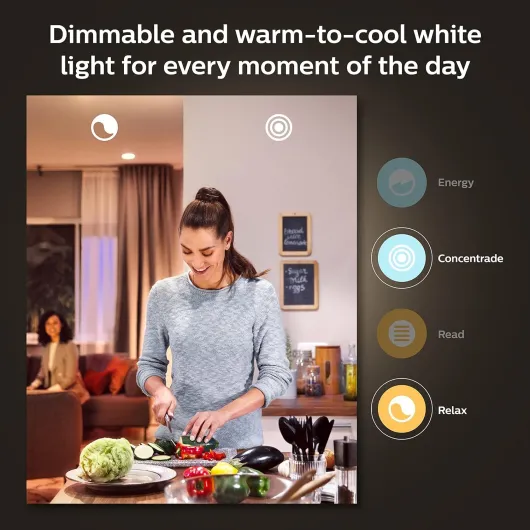
On the performance side, this kit is pretty solid. Each bulb is rated at 1100 lumens, which matches a 75W incandescent equivalent. In real life, that’s bright enough for a living room or bedroom with a single overhead fixture. I tested one bulb in a floor lamp and two in a ceiling fixture, and I never felt like I needed more light. At full brightness, the white light is strong and clean. For tasks like reading or working on a laptop, the cooler white settings are genuinely useful.
Color-wise, you get the full Hue treatment: millions of colors, plus warm-to-cool white. Do I need millions? No. But having a handful of presets like warm orange for evenings, softer pink/purple for background light, and cool white for cleaning actually changed how I use lights. I found myself using the warm dimmed white the most, and then some color scenes for movie nights or music. The colors are not as intense as dedicated RGB light strips, but they’re good enough for mood lighting.
Responsiveness is where Hue still does well. With the bridge, the lights respond quickly to commands from the app or voice assistants. I rarely saw lag. When I turned everything off from the app, all bulbs reacted within a second. Same thing with dimming: it’s smooth, no flickering, and you can go very low for late-night trips without waking yourself up. Compared to cheaper Wi‑Fi bulbs I’ve tried, the stability is clearly better. I didn’t get random disconnects or bulbs going offline.
The only annoying part performance-wise was the smart button. Sometimes it worked perfectly: one press to toggle lights, long press to dim, no problem. Other times it just didn’t trigger anything for a few seconds, or the connection dropped and I had to re-pair it. That lines up with user reviews saying the button doesn’t stay connected or ships with a dead battery. So while the bulbs and bridge perform well, the button feels like the unreliable friend of the group. If you rely mostly on the app or voice control, you’ll be happy. If you want a rock-solid physical button, this one is just okay.
What you actually get in the box (and what can go wrong)
This kit is supposed to be straightforward: you get three A19 E26 bulbs (75W equivalent, 1100 lumens), one Hue Bridge, and one Hue Smart Button. On paper, that’s everything you need to light up a medium room or a small apartment and control it from your phone or voice assistant. The bulbs handle both white and color, and you can do warm-to-cool white plus millions of colors. In daily use, that basically means you can go from bright white for work to a dim orange for movie night without swapping anything.
The bridge is the little white square that plugs into your router via Ethernet. That’s the brain. It talks to the bulbs over Zigbee and to your phone over your home network. Once it’s set up, you can control up to 50 lights and accessories. I only had the three bulbs from the kit plus a couple of older Hue bulbs, and everything joined the bridge without drama. The nice thing is the lights still respond even if your Wi‑Fi is being weird, because they’re not directly on Wi‑Fi.
Now, let’s talk about the smart button and the packaging, because that’s where some issues pop up. Several buyers mention missing smart buttons or previously opened boxes. One review even said they ordered a kit with a button and got the older kit without one. In my case, the kit was sealed, but the button battery was weak out of the box, and I had to replace it after a few days because the connection became flaky. That lines up a bit too well with some of the reviews mentioning dead batteries and connection issues.
So in practice: the core of the kit (bulbs + bridge) feels reliable and well thought out, while the smart button and the way these kits are packed and shipped feels a bit sloppy. If you buy this, I’d say check the box contents immediately: make sure the button is there, and test it right away. The bulbs and bridge are the real value here; the button is nice to have, but I wouldn’t buy the kit just for that accessory given the mixed experiences.
Pros
- Bright 1100-lumen bulbs with both white and full color, good for real room lighting
- Stable Zigbee connection via the included Hue Bridge, supports up to 50 devices
- Strong ecosystem with a mature app, scenes, automations, and voice assistant support
Cons
- Smart button is unreliable out of the box for some users, often due to weak or dead battery
- Packaging and quality control seem inconsistent (reports of opened boxes or missing button)
- Price is high compared to basic smart bulb options, especially if you don’t need colors or advanced features
Conclusion
Editor's rating
After using the Philips Hue Smart Light Starter Kit for a couple of weeks, my feeling is pretty clear: the bulbs and bridge are solid, the ecosystem is strong, but the smart button and packaging issues drag the overall experience down a notch. If you mainly care about bright, reliable, color-capable bulbs that integrate nicely with Alexa/Google/HomeKit, this kit delivers. The lights are bright enough for real everyday use, not just mood lighting, and the app gives you a lot of control once you get used to it.
Where it stumbles is in the details. The button in my kit needed a battery swap way too soon, and user reviews about missing buttons or previously opened boxes are not reassuring. For a product in this price range, you expect fewer small headaches. That said, once everything is set up properly, the system runs smoothly and is genuinely convenient. Automations, scenes, and remote control all work as advertised, and the bridge-based setup is more stable than cheap Wi‑Fi bulbs.
I’d recommend this kit to people who are ready to commit to Philips Hue long term, want a reliable base (bridge + bulbs), and don’t mind paying a premium for a mature ecosystem. If you’re just curious about smart lighting, on a tight budget, or easily annoyed by small QC issues like weak batteries and questionable packaging, I’d look at cheaper or simpler alternatives first. Overall, it’s a good kit with a couple of avoidable flaws rather than a perfect product.
![NEW White and Colour Ambiance Smart Light Bulb Starter Kit, 75W - 1100 Lumen [E27 Edison Screw] 2 Bulbs + Smart Button - With Bluetooth - Works with Alexa, Google Assistant and Apple Homekit E27 2 Pack Starter Kit + Button](https://www.smart-light-guru.com/storage/1015385/conversions/71yJIPbE0LL._AC_SL1500_-medium.webp)