Summary
Editor's rating
Is the Tapo L510B good value for money?
Design: looks like a normal bulb, behaves like a smart one
Build quality and reliability over time
Brightness, dimming and app control in real life
What you actually get with the Tapo L510B
Setup, Alexa/Google, and the slightly annoying bits
Pros
- Good brightness and smooth dimming for a 60 W-equivalent warm white bulb
- No hub required, works directly with Wi‑Fi, Alexa, and Google Assistant
- Solid value for money, especially if you already use the Tapo ecosystem
Cons
- Warm white only, no colour or adjustable colour temperature
- Setup can be a bit fiddly at first, especially with Google Home and Wi‑Fi changes

Specifications
View full product page →| Brand | Tapo |
A cheap way to make a dumb lamp feel smart
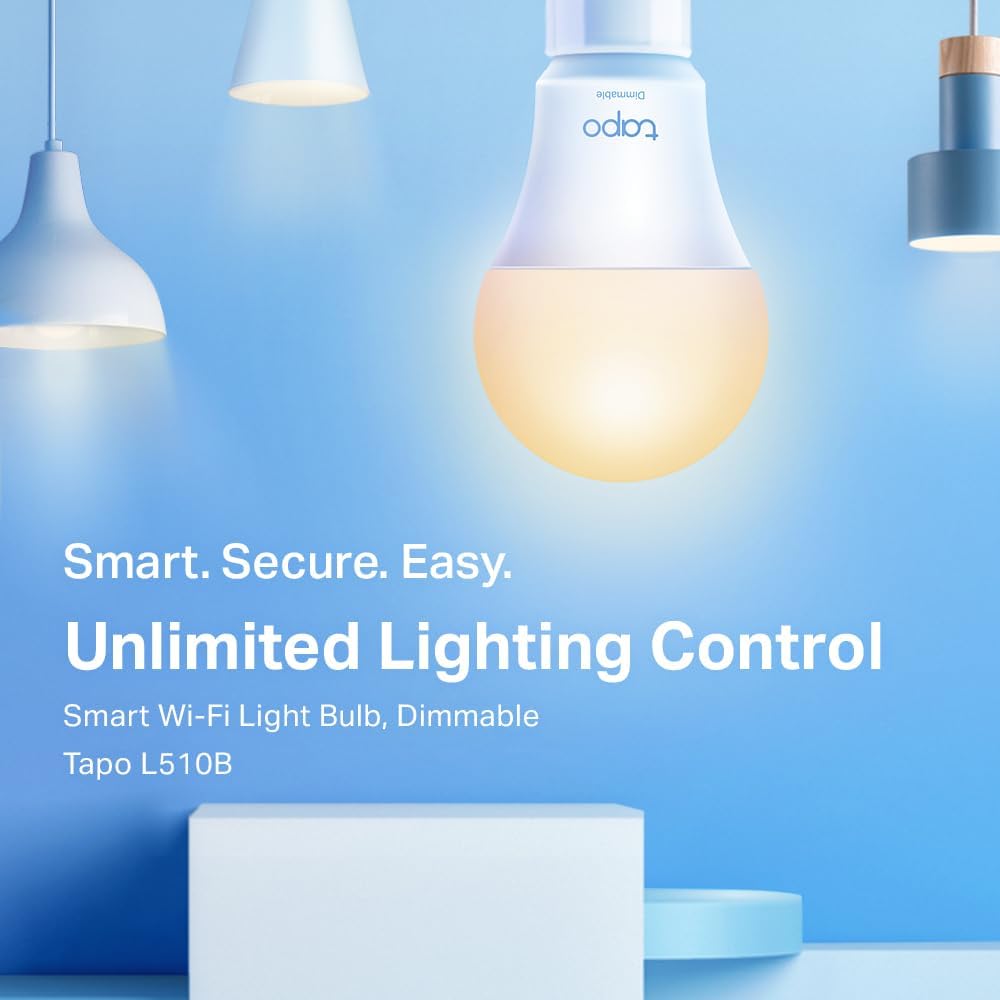
I’ve been using the Tapo L510B WiFi smart bulb in a regular B22 ceiling fitting for a few weeks now. I already had a couple of smart plugs and bulbs from other brands, so I wasn’t exactly blown away by the idea. I just wanted something simple: turn the light on and off from my phone, dim it a bit at night, and hook it up to Alexa. Nothing fancy, no disco colours, just a normal warm white bulb with Wi‑Fi.
In that sense, the Tapo L510B delivers what it promises. It screws in like any other B22 bulb, connects directly to Wi‑Fi (no hub), and after a bit of app setup it behaves like a normal light that you can boss around with your phone or voice. It’s 8.3–8.7 W and roughly the same brightness as a 60 W incandescent, so it’s fine for a bedroom, hallway, or small living room. The light is 2700K warm white, so think cosy rather than hospital lighting.
Where it gets interesting is the day‑to‑day stuff: schedules, timers, away mode, and how stable the connection is. That’s usually where cheap smart bulbs fall apart. With this one, I’ve had a mostly smooth run. It has dropped off Wi‑Fi once or twice, but nothing that needed more than a quick reconnect in the app. Compared to some no‑name smart bulbs I’ve tried off Amazon, it’s definitely more stable and feels more thought-through.
It’s not perfect though. The setup is a bit fiddly if it’s your first Tapo device, the app nags you for location access, and if someone kills the wall switch, the whole “smart” part is gone until they flip it back. So you need a bit of discipline at home. Overall, it’s a pretty solid budget option if you just want a warm white smart bulb and don’t care about colours or super advanced scenes.
Is the Tapo L510B good value for money?
Price-wise, the Tapo L510B usually sits in that lower mid-range bracket. It’s cheaper than big ecosystems like Philips Hue (especially once you factor in the hub for Hue), but a bit more than the total no-name bulbs that flood Amazon. For what you get – Wi‑Fi, app control, dimming, Alexa/Google support, and a 2-year warranty – I’d say it’s good value for money, as long as you’re fine with warm white only.
Where it really makes sense is if you’re already in the Tapo ecosystem. If you have Tapo smart plugs, cameras, or light strips, this bulb just drops into the same app and you can control everything from one place. That makes the whole setup feel more coherent, and you’re not juggling three different apps. In that context, paying a bit more than a random no-brand bulb is worth it, because you’re buying into a system that actually gets updates and has support.
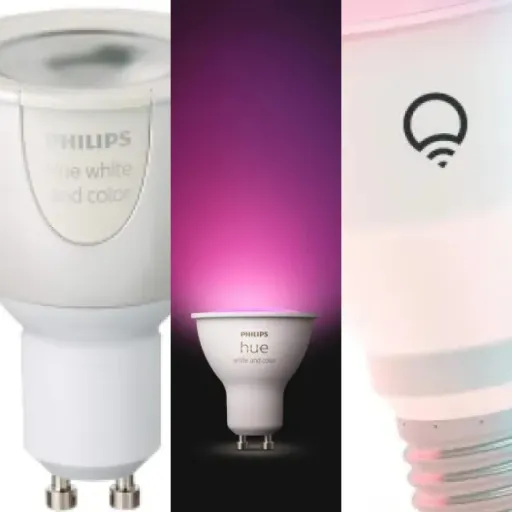
Compared to Philips Hue: Hue is nicer if you want multi-room setups, colour scenes, and rock-solid reliability, but it’s a lot more expensive once you add the hub and multiple bulbs. For a single room or two, and if you just want on/off, dimming, and some basic schedules, the Tapo L510B gets you 80% of the convenience for a fraction of the cost. On the other hand, if you’re the type who hates any kind of setup hassle, Hue is smoother, but you’ll pay for it.
If you’re on a tight budget and only need one or two smart bulbs, this is a sensible pick. You avoid the really cheap junk that dies in six months, but you don’t sink a fortune into a full ecosystem either. The only real downside in terms of value is that if you later decide you want colour or tunable white, you’ll have to replace this bulb entirely. So think about that before buying a bunch of them. For a straight warm white smart bulb, though, the price-to-features ratio is hard to complain about.
Design: looks like a normal bulb, behaves like a smart one
Design-wise, the Tapo L510B is very boring in a good way. It looks like a standard A19 LED bulb with a white plastic body and a glass/plastic dome. If you screw it into a ceiling fitting, nobody will notice it’s a smart bulb unless they see you talking to Alexa. There’s no weird oversized base or chunky antenna sticking out, so it fits into regular shades and small table lamps just fine.
The dimensions are about 6 cm wide and 11.5 cm tall, which is basically standard for this type of bulb. I didn’t have any trouble fitting it into a fairly tight lampshade. The B22 bayonet cap locks in like any other bulb, so if you’re used to UK fittings, it’s business as usual. No wobble, no weird weight imbalance. It weighs around 70g, so lighter than some older smart bulbs that feel like you’re hanging a brick off the socket.
From a usability angle, the key design quirk is that the wall switch has to stay on. Once this is in, your wall switch is basically just a master power cut. If someone flicks it off, the bulb goes offline and neither the app nor Alexa can do anything. That’s normal for Wi‑Fi bulbs, but it’s something to keep in mind if you live with people who love turning switches off out of habit. In my case, I had to explain to family: “Leave that switch on, use your phone or voice to turn the light off.” After a few days, everyone got used to it.
There are no physical buttons on the bulb itself, so all the control is through the app or voice. Resetting it is done via power cycling (turning it off and on several times), which is a bit clumsy but standard for these things. Overall, the design is simple, neutral, and very much “blend into the background”, which is exactly what I want from a light bulb. It doesn’t try to be fancy, it just looks like a regular bulb that happens to be smart.
Build quality and reliability over time
I obviously haven’t hit the claimed 25,000-hour lifespan yet, but I can comment on build and short-term reliability. The bulb feels reasonably solid in the hand. The base and body don’t creak or feel loose, and the weight is low enough that it doesn’t put strain on the fitting. Compared to super cheap unbranded bulbs I’ve used that get hot or start buzzing, this one runs fairly cool and completely silent. No humming, no flicker that I can see with the naked eye.
In terms of reliability, over a few weeks of daily use (on and off several times a day, plus dimming), I haven’t seen any weird behaviour like random power cycles or the bulb forgetting its settings. It remembers the last brightness level, so if you had it at 30% and turn it off in the app, it comes back at 30% next time. That’s important if you use it as a dim night light and don’t want to be blinded every time you switch it back on.
Connection-wise, it’s been mostly stable. I had one disconnect where the bulb stopped responding to both the app and Alexa. Turning the wall switch off and on again brought it back, and it auto-reconnected to Wi‑Fi after a short moment. That’s acceptable for me, but if you absolutely need 100% uptime (for example, for accessibility reasons), it’s something to keep in mind. That said, one of the Amazon reviewers mentioned using it with a bedridden partner and said it almost never disconnects, so overall user feedback is pretty positive on that front.
The 2-year manufacturer warranty is reassuring. It doesn’t magically make the bulb indestructible, but at least if it dies early, you’re not stuck. For the price, I’d say the durability and reliability are pretty solid so far. It feels more trustworthy than the random £5 Wi‑Fi bulbs I’ve tried, even if it’s not at the same level as high-end ecosystems like Hue that cost several times more.
Brightness, dimming and app control in real life
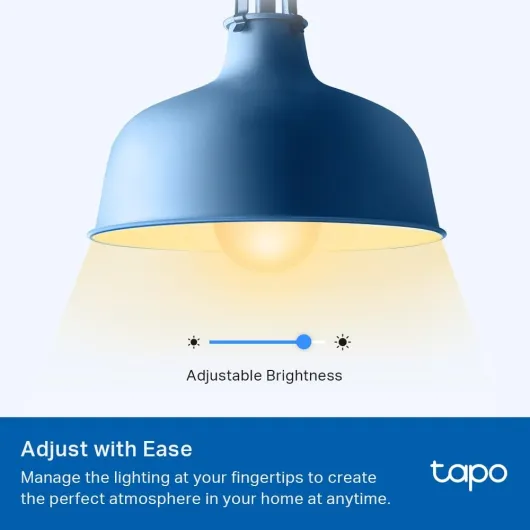
In daily use, the Tapo L510B does the basics well. At full brightness, it’s roughly on par with other 60 W equivalent LEDs I have at home. In a medium-sized bedroom, I usually run it at around 70–80% brightness for general use, and drop to 20–30% at night. The dimming is smooth through the app: you get a slider from 1 to 100%, and there are no obvious flickers or weird jumps. At the very lowest levels (1–5%), it’s pretty faint but still usable as a night light.
The light colour is fixed at 2700K, which is a warm white. If you’re used to cool white office-style lighting, this will feel softer and more yellow. Personally, I like it for living spaces and bedrooms. It’s not the brightest bulb I’ve ever used, but for an 8.x W LED, it’s absolutely fine. If you need to light a big living room or kitchen with one bulb, it might feel a bit underpowered; in that case, I’d use two of them or go for a brighter model.
On the smart side, the response time is decent. When I tap the switch in the Tapo app or ask Alexa to turn it on, it usually responds within a second or two. I’ve had maybe one or two moments where there was a 3–4 second delay, but that could just as easily be my Wi‑Fi. Over a few weeks, I only had one random disconnect, and reconnecting through the app was straightforward. Compared to cheap generic Wi‑Fi bulbs I tried before (that would drop off every few days), this is much more stable.
The scheduling and timer features work as advertised. I set a schedule to dim it to 10% at 11:30 pm and turn off at midnight, and it’s been sticking to that without failing so far. Away mode, which randomly turns the light on and off to pretend someone’s home, also works, but I see it more as a security gimmick than a daily feature. Overall, for a single warm white bulb, the performance is solid: no big surprises, but it gets the job done reliably enough for the price.
What you actually get with the Tapo L510B
Out of the box, you’re getting the basics: one Tapo L510B bulb and a small user manual. That’s it. No hub, no extra plastic, no fancy inserts. The bulb is a standard A19 shape with a B22 bayonet base, so it fits most UK ceiling pendants and table lamps. It’s rated at around 8.3–8.7 W, with about 800–870 lumens of brightness, which lines up with what you’d expect from a 60 W equivalent LED. In real life, it lights a 3x3m bedroom just fine on its own.
The bulb connects directly to 2.4 GHz Wi‑Fi, no bridge needed. You control it through the Tapo app, which is the same app used for their plugs, cameras, and light strips. That’s handy if you already have Tapo stuff, because everything shows up in one place. You can dim it from 1–100%, set schedules and timers, enable an away/random mode, and of course hook it into Alexa or Google Assistant for voice control.
The key point: this bulb is warm white only. No RGB colours, no tunable white temperature. It’s locked at 2700K, which is that classic yellowish warm light. If you’re expecting fancy colour scenes, this is not the one. Think of it as a normal warm LED bulb that just happens to have Wi‑Fi and dimming built in. For a lot of rooms (bedroom, hallway, living room if you like warm light), that’s more than enough.
From a feature standpoint, the most useful things for me have been: simple on/off scheduling, the dimming slider in the app, and being able to say “Alexa, lights off” when I’m already in bed. All the other stuff like away mode is nice to have, but it’s more of a bonus than something I use daily. If you want a straightforward smart bulb without getting into ecosystems like Hue with hubs and all that, this is a decent middle ground.
Setup, Alexa/Google, and the slightly annoying bits
Setting up the Tapo L510B is fairly straightforward once you know the steps, but it’s not completely idiot-proof, especially if it’s your first smart device. You need to download the Tapo app, create an account, and then add the bulb. The app asks for location access, which is a bit annoying but seems to be required for pairing. Once I accepted that, the bulb showed up, connected to my 2.4 GHz Wi‑Fi, and I could control it within a few minutes.
Alexa integration was smooth. The Tapo app basically hands you off to the Alexa skill, and the bulb appears in the Alexa app almost immediately. After that, voice commands like “Alexa, turn bedroom light on” or “Alexa, dim bedroom light to 30%” just work. I didn’t have to fight with it. With Google Home, it can be a bit more fiddly. Based on my own test and what other users say, you sometimes have to add the device in Tapo, then go into Google Home and add/link it again there before it properly shows up. Not the end of the world, but a bit of extra faff.
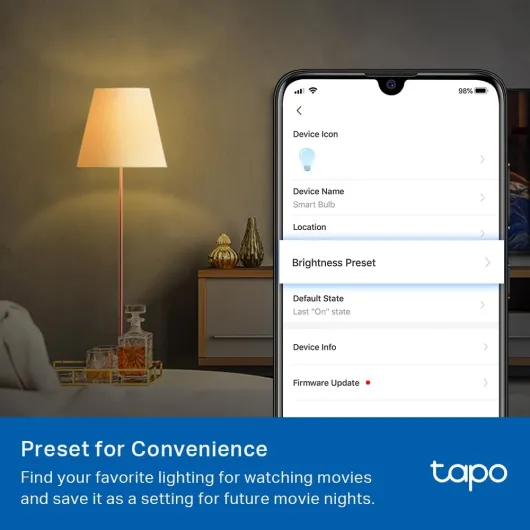
The Tapo app itself is decent. The interface is clear, and you can create schedules, timers, and presets (like a specific brightness level you use a lot). The learning curve isn’t huge, but it’s not as polished as Philips Hue’s app, for example. One thing I don’t love is that if you change your Wi‑Fi network or router, you have to go through re-adding each bulb or device. It’s not unique to Tapo, but it’s still a pain if you have several of them. The reset process (turning the bulb off and on in a specific pattern) also feels a bit silly, especially in older houses where the wiring can make timing weird, but it does work once you get the hang of it.
Overall, setup is fine but not flawless. If you’re even mildly comfortable with smartphone apps, you’ll manage. If you hate fiddling with Wi‑Fi settings and accounts, you might find the first 10–15 minutes a bit tedious. Once it’s done though, daily use is easy: open the app, tap the light, or just use voice commands and forget the app exists most of the time.
Pros
- Good brightness and smooth dimming for a 60 W-equivalent warm white bulb
- No hub required, works directly with Wi‑Fi, Alexa, and Google Assistant
- Solid value for money, especially if you already use the Tapo ecosystem
Cons
- Warm white only, no colour or adjustable colour temperature
- Setup can be a bit fiddly at first, especially with Google Home and Wi‑Fi changes
Conclusion
Editor's rating
The Tapo L510B is basically a normal warm white LED bulb that learned a few smart tricks. It’s bright enough for most small to medium rooms, the warm 2700K light is comfortable, and the dimming works well from 1–100%. The Wi‑Fi connection is reasonably stable, and once you get through the initial setup, controlling it via the Tapo app or with Alexa/Google is simple. No hub required, which keeps costs and clutter down.
It’s not flawless. The first setup can be a bit fiddly, especially if you’re new to smart home stuff or using Google Home. The bulb needs the wall switch to stay on, which means changing habits at home. And it’s warm white only – no colour, no changing colour temperature – so if you’re after fancy scenes or party lighting, this isn’t it. But if you just want to turn a basic lamp into something you can control from bed or when you’re away, it does the job without too much drama.
I’d recommend the Tapo L510B to anyone who wants a cheap, simple entry into smart lighting, especially if you already use other Tapo products. It’s also a solid option for accessibility needs, like being able to control a light by voice from bed. If you’re building a big, complex smart lighting setup or you’re picky about colour temperatures and effects, you’ll probably be happier spending more on something like Hue or a full RGB range. For straightforward, warm white smart lighting on a budget, though, this is a sensible, no-frills choice.
![NEW White and Colour Ambiance Smart Light Bulb Starter Kit, 75W - 1100 Lumen [E27 Edison Screw] 2 Bulbs + Smart Button - With Bluetooth - Works with Alexa, Google Assistant and Apple Homekit E27 2 Pack Starter Kit + Button](https://www.smart-light-guru.com/storage/1015385/conversions/71yJIPbE0LL._AC_SL1500_-medium.webp)