Summary
Editor's rating
Value: cool toy, pricey decoration
Design: big, flat hexagons that actually look decent on the wall
Durability and build: light but not cheap-feeling
Performance: bright, reactive, but setup and connection can be picky
Installation: easy on paper, a bit fiddly in real life
What you actually get with this 15-panel kit
Pros
- Strong brightness and clean colours, good for mood lighting
- Highly customizable layouts and lots of effects (music, touch, screen mirror)
- Works with Alexa, Google Assistant, and Apple HomeKit once set up
Cons
- High price for what is essentially decorative lighting
- App and Wi‑Fi setup can be finicky, especially with 5 GHz networks
- Adhesive mounting can risk paint damage if you move panels often

Specifications
View full product page →| Brand | Nanoleaf |
Smart wall lights that look cool… when they behave
I’ve had this Nanoleaf Shapes Hexagon 15-panel starter kit on my wall for a few weeks now, and I’ll be straight: it looks very cool when it’s on, but it’s also the kind of product you need a bit of patience for. This isn’t like screwing in a normal bulb. You’re basically building a light puzzle on your wall, and then hoping your Wi‑Fi and the app are in a good mood. If you like gadgets and don’t mind fiddling with settings, you’ll probably enjoy it. If you hate setup issues, you might swear a bit.
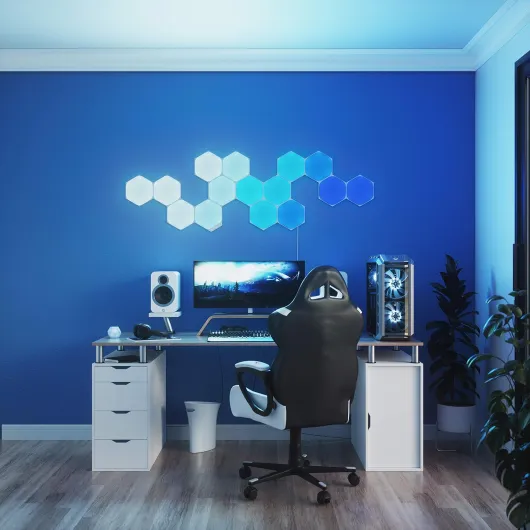
I put mine in a gaming / office corner behind my desk, roughly where YouTubers tend to throw theirs. Out of the box, I was actually surprised by how light the panels are and how big each hexagon is. I expected something closer to cheap LED tiles I’ve tried before, but these are larger and feel less toy-like. Once powered on, the brightness is strong enough to light the wall and give the room a clear mood shift, especially in the evening.
On the first days, I played a lot with the effects: music reactive stuff, screen mirroring when watching movies, and a few static colour scenes for working. That’s where you really see the difference compared to no-name LED kits. The colours are even, transitions are smooth, and the responsiveness to music and touch is actually fun, not just a gimmick you try once and forget. My kids, for example, kept poking them just to see the colours move around.
That said, it’s not perfect. The app setup gave me a bit of trouble at the start, especially on 5 GHz Wi‑Fi. Once it’s set, it’s mostly fine, but it’s not as plug-and-play as the box kind of suggests. In short: if you’re looking for mood lighting that doubles as a decorative piece and you don’t mind paying a premium and spending some time setting it up, this kit does the job very well. If you want simple, cheap lights you just turn on and forget, this is probably overkill.
Value: cool toy, pricey decoration
Let’s talk money because that’s the main sticking point. This 15-panel starter kit is not cheap, especially compared to generic RGB strips or basic smart bulbs. You’re paying for the modular design, the brand, and all the smart features (music sync, screen mirror, touch, HomeKit/Alexa/Google support). If you just want some colour behind your TV, you can do it for a fraction of the price with a simple LED strip. So this is clearly aimed at people who care about the visual impact and the gadget side, not just the light itself.
In terms of what you get for the price, I’d say it’s decent but not a bargain. The quality is clearly better than the cheap alternatives I’ve tried: brighter, more even colours, more stable effects, and a much better app. The fact that you can add more shapes later and keep expanding the setup is also a plus. Compared to that, cheaper copies usually have clunky apps, weaker adhesion, and very basic effects. So if you compare within the “modular wall light” category, Nanoleaf sits on the higher end but also delivers more.
The question is: do you personally need that? If you’re building a gaming setup, streaming background, or a very styled bedroom, then it kind of makes sense – it becomes a central piece of the room, not just a small accessory. In that case, the price is easier to swallow because you see it every day and it really changes the look of the space. If you’re just curious and don’t really care that much about decor, you might regret spending this much on what is basically fancy wall lights.
For me, I’d rate the value as “good but not mind-blowing”. You get solid quality, a lot of features, and a product that feels thought through. On the downside, you’re paying a premium and still have to deal with occasional connection quirks. If the budget is tight, I’d say start with a smaller kit or a cheaper solution. If you have the money and you really like the idea of a customizable light wall, then the price is high but understandable.
Design: big, flat hexagons that actually look decent on the wall
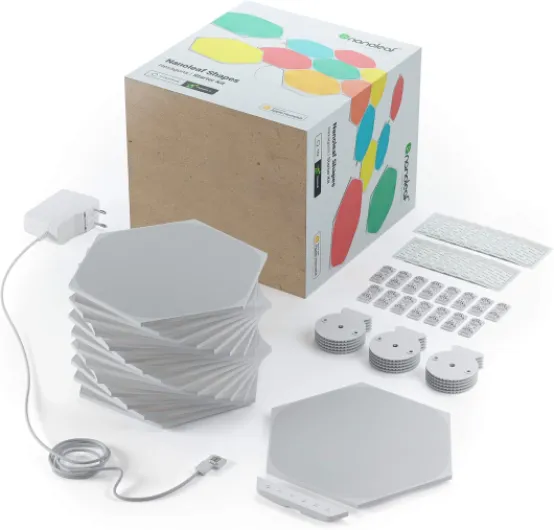
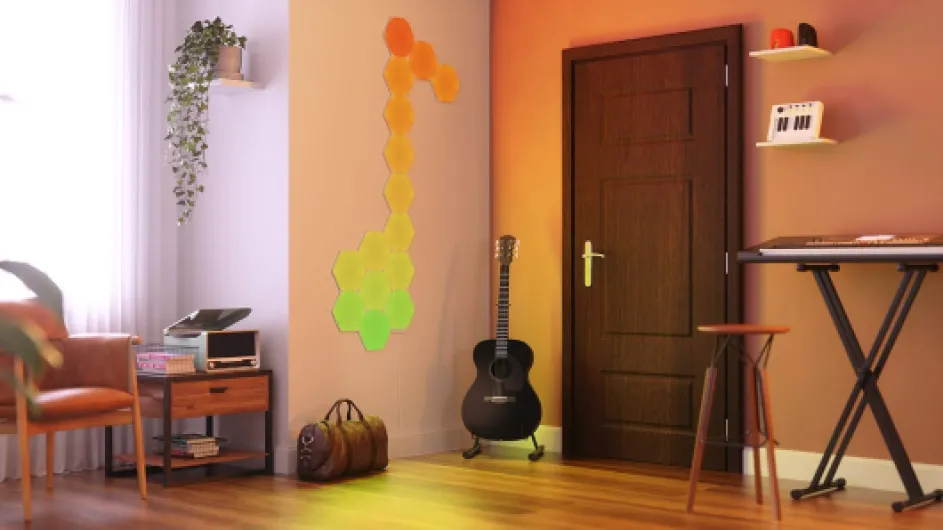
The design is pretty straightforward: flat white hexagons, slim profile, no visible screws once they’re on the wall. I liked that the panels are bigger than most cheap knock-offs. One panel alone doesn’t look great, but once you put 10–15 together, it starts to look like a proper wall piece instead of random plastic tiles. Off, they’re just matte white shapes; on, they fill in nicely with colour with no weird bright spots or patchy areas. The light spreads evenly across each panel.
What I really liked is how flexible the layout is. Because each side can connect to another panel, you can build all kinds of patterns: honeycomb clusters, diagonal waves, or just a simple arc above a monitor. I changed my layout twice in the first week because it’s pretty easy to detach and re-stick if you’re careful. Just keep in mind that the adhesive pads are strong, so if your wall paint is fragile, you might peel some off if you move them too often. I’d think twice before putting them on delicate paint or wallpaper.
Another thing: the control module is a small extra piece that attaches to one panel. It’s not ugly, but it does slightly break the clean look of the shape. You can at least choose where to place it so it’s less visible – I tucked mine near the bottom corner. The power cable is white and fairly visible if you don’t plan ahead, so you might want to hide it along the wall or behind furniture. It’s not the end of the world, but it does reduce the “clean” look a bit if the cable is dangling in the middle.
In day-to-day use, the design feels thought through: touch response is consistent across the surface, and the panels sit close enough to the wall that they don’t look bulky. It’s still clearly a tech object, not art, but for a gaming room, bedroom, or desk setup, it fits in nicely. If you’re going for a very minimalist or classic living room style, it might look a bit out of place, but in a modern or techy environment, it works well.
Durability and build: light but not cheap-feeling
Build quality is pretty solid for what it is: mostly plastic and acrylic, very light, but it doesn’t feel like it’s going to fall apart in your hands. The panels click together firmly with the linkers, and once they’re on the wall, there’s no wobbling or sagging. I’ve taken a couple off and put them back on to test different layouts, and the connectors still feel tight. You can tell this is designed to be reconfigured a few times without breaking.
Over a few weeks of use, I haven’t seen any flickering, random colour shifts, or overheating. The panels get slightly warm at full brightness but nothing concerning. I’ve left them on for several hours at a time during gaming sessions and movie nights and they behaved fine. Given that they’re LED and low wattage, I’d expect them to last years, but obviously that’s something you only really know after long-term use. The 2-year warranty from the brand at least gives some backup if something dies early.
One possible weak point is the adhesive mounting. The panels themselves are fine, but if you stick and unstick them too often, the pads will eventually lose grip and you’ll need new ones. Also, if your wall surface is dusty or slightly textured, you’ll want to clean it first. I had one corner slightly peel off after a few days because the wall wasn’t perfectly clean. After wiping and reapplying with a fresh pad, it stayed put. So the durability here is as much about your wall and how you install them as the product itself.
So far, I’d say the durability is reassuring for a decorative tech product. It doesn’t feel like something that will snap if you touch it or that will yellow in a month. But it’s also not industrial gear – it’s indoor-only, not water-resistant, and clearly meant to stay on a wall and not be handled daily. If you treat it like a permanent fixture and don’t mess around with it constantly, it should hold up well. If you plan to move it from room to room every weekend, you’ll probably wear out the mounting system faster than expected.
Performance: bright, reactive, but setup and connection can be picky
On the performance side, the lights themselves are solid. Brightness is more than enough for mood lighting; at full power in a medium-sized bedroom, the wall is clearly lit and the whole room gets a coloured glow, especially at night. I usually keep them at around 40–60% brightness because 100% feels a bit too strong if you’re just chilling or gaming. Dimming is smooth, and colours look clean – whites are decent, and the colours don’t look washed out like cheap RGB strips often do.
The fun part is the interactive stuff. The music mode actually reacts in time with the beat, not half a second late. I tried it with electronic music, rock, and some calmer playlists, and it picked up changes in rhythm pretty well. The touch sensitivity also works as advertised: you tap or swipe across panels and you see the effect spreading. It’s not life-changing, but it does make the panels feel less like static decor and more like a gadget you can play with. Screen mirroring from the PC is cool for movies or games – colours roughly follow what’s happening on screen. It’s not pixel-perfect, but as ambient lighting it does the job.
Where things get a bit annoying is the connection side. The first pairing with the app took a few tries. Just like one of the Amazon reviews mentioned, I had to temporarily disable 5 GHz Wi‑Fi and stick to 2.4 GHz to get it to register. Once connected, it stayed mostly stable, but I had one or two times where HomeKit didn’t see the panels until I restarted the app. Not constant, but enough to be noticeable. Using the physical controller or touch on the panels always worked, so the problem is more the smart home part than the lights themselves.
In daily use, I’d say performance is good but not flawless. When it works, it’s very satisfying: quick reactions, smooth effects, and no lag with voice commands. When it doesn’t, you end up opening the app, waiting, and sometimes rebooting the controller, which is a bit annoying on a product that costs this much. If you’re patient with tech and used to smart home quirks, you’ll shrug it off. If you expect it to behave like a normal light switch every time, you might get frustrated.
Installation: easy on paper, a bit fiddly in real life
Installing the panels is one of those things that looks simple in the manual but takes a bit of thinking when you actually stand in front of your wall. Physically, it’s not hard: you stick the adhesive pads on the back of each panel, click the linkers between panels, and press them onto the wall. What takes time is deciding on the layout and getting everything straight. I highly recommend laying them out on the floor first, then lightly marking your wall with tape or pencil so you don’t end up with a crooked cluster halfway through.
As for the app setup, that’s where it can get annoying depending on your Wi‑Fi and phone. In my case, the Nanoleaf app initially wouldn’t find the panels. I had to do what another reviewer did: turn off 5 GHz on my router and stick to 2.4 GHz, reset the controller, and then it finally paired. Once it was done, I switched everything back and it stayed connected, but that first 30 minutes felt a bit too much for what should be a simple pairing. If you’re on iOS and using HomeKit, there’s also the HomeKit code to scan, which worked fine for me but I can see someone less techy getting lost.
One thing to keep in mind: the adhesive is strong. That’s good for keeping the panels in place, but bad if you change your mind or misalign a panel. When I removed one, it came off without damage, but I could feel that if I pulled harder or on a weaker wall, the paint might have come with it. If you’re renting or have walls that chip easily, that’s something to think about. Nanoleaf says they’re removable, and they are, but “removable” doesn’t mean “no risk”.
Overall, I’d rate the installation as “doable if you’re patient”. You don’t need tools, drilling, or DIY skills, but you do need to take your time and not rush. If you’re the kind of person who gets annoyed when a Bluetooth speaker doesn’t pair immediately, this process might push your buttons. If you’re used to setting up Wi‑Fi bulbs and smart plugs, you’ll manage fine, just expect a bit of trial and error.
What you actually get with this 15-panel kit
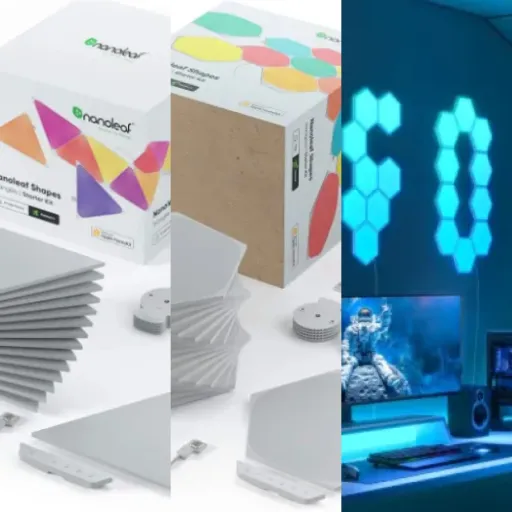
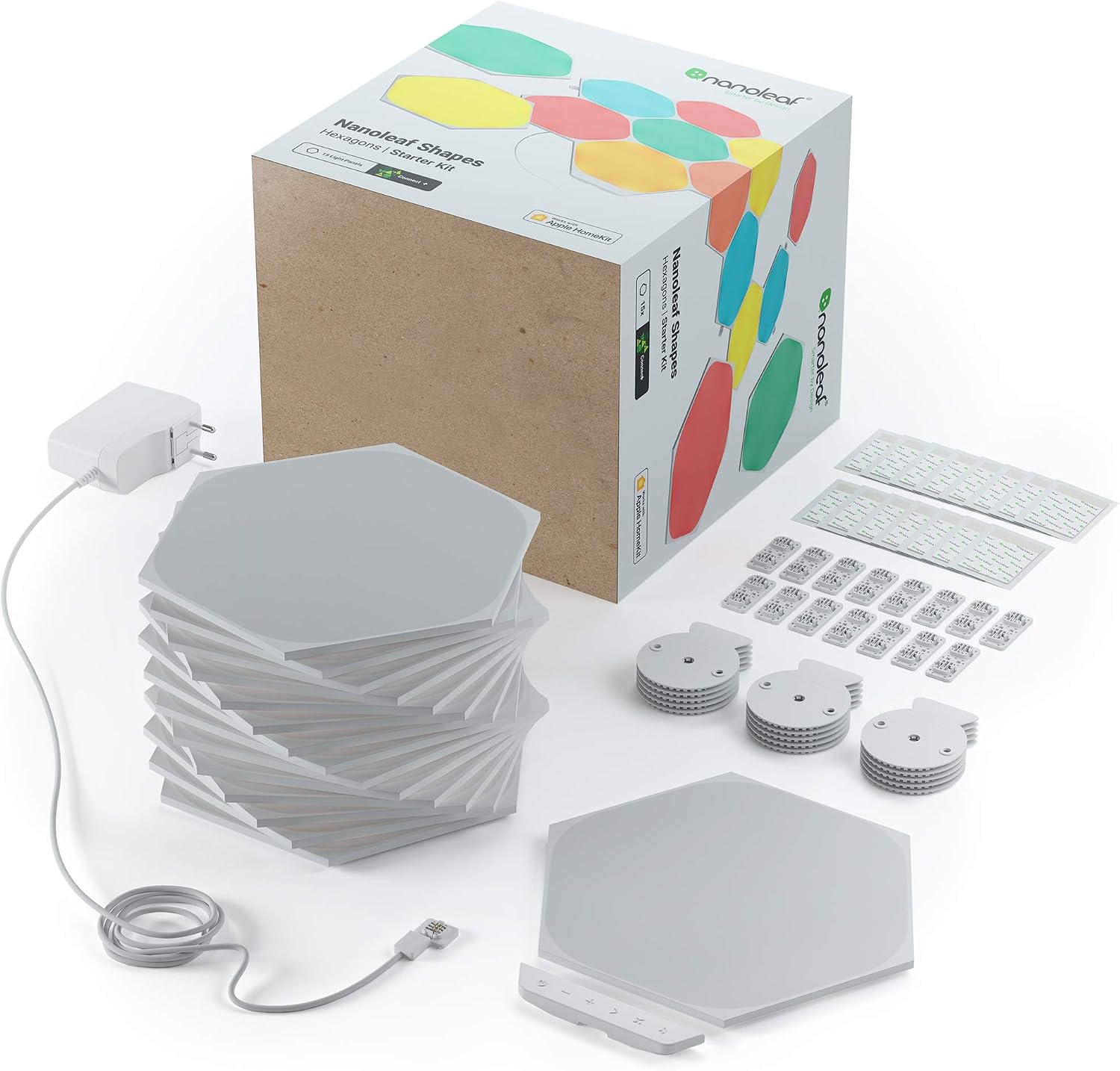
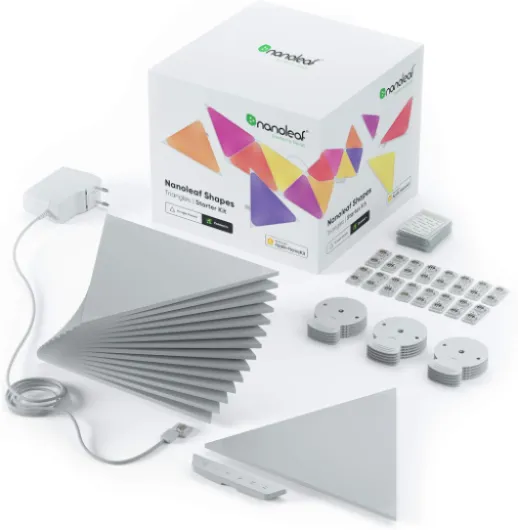
This 15er starter pack is basically the full experience in one box: you get 15 hexagon LED panels, the controller, the power supply, the linkers to connect them, and adhesive pads for mounting. No need to buy extra stuff just to turn it on, which is good because the price is already on the high side. Each panel is a flat hexagon, about the size of a small dinner plate, and they’re all identical, so you can arrange them however you want: line, cluster, random shape, whatever fits your wall space.
In terms of features, it’s loaded: Wi‑Fi control, works with Alexa, Google Assistant, and Apple HomeKit, touch controls directly on the panels, music reactive mode, and a screen mirror function for your PC. Basically, it’s not just “lights that change colour” – it’s a whole toybox of effects. Out of the box, there are already a bunch of pre-made scenes, and through the app you can download more or create your own. The 1500 lumens are spread across all panels, so it’s more mood lighting than full room lighting, but it’s bright enough that you’ll notice if it’s on.
During setup, you connect everything with the small plastic linkers, plug in the power supply, and then pair it with the Nanoleaf app over Wi‑Fi. I had to force my router to use 2.4 GHz for the first connection, similar to what some Amazon reviewers mentioned. Once it was paired, I could turn 5 GHz back on and it stayed connected. It’s not hard, but it’s a bit finicky if you’re not used to smart home stuff. Voice control works fine after that – I used HomeKit for automations and it reacted without much delay.
Overall, in terms of what’s promised vs what you get, I’d say it’s pretty honest. You get a modular light system that’s very customizable and clearly designed to be expanded later with more Shapes. But you should see it as a decorative tech gadget first and a practical light source second. If you buy it expecting a normal lamp, you’ll think it’s overcomplicated. If you buy it as a wall feature you can play with, then the feature list makes more sense.
Pros
- Strong brightness and clean colours, good for mood lighting
- Highly customizable layouts and lots of effects (music, touch, screen mirror)
- Works with Alexa, Google Assistant, and Apple HomeKit once set up
Cons
- High price for what is essentially decorative lighting
- App and Wi‑Fi setup can be finicky, especially with 5 GHz networks
- Adhesive mounting can risk paint damage if you move panels often
Conclusion
Editor's rating
After living with the Nanoleaf Shapes Hexagon 15-panel kit for a while, my opinion is pretty clear: it looks great and works well most of the time, but it’s a premium toy. The light quality, brightness, and effects are all solid. The music and touch features are fun, and screen mirroring adds a nice touch for gaming and movies. As a decorative piece, it really changes the mood of a room and makes a gaming setup or bedroom look much more intentional. You can tell it’s not a random cheap gadget.
On the flip side, you pay a lot for that effect, and the setup can be more annoying than it should be. The Wi‑Fi pairing and HomeKit integration worked in the end, but I had to play with my router and reset the device a couple of times. It’s not a disaster, but at this price I’d expect something closer to plug-and-play. Also, this is not a main light source – it’s mood lighting. If you expect it to light an entire living room on its own, you’ll be disappointed.
I’d recommend this kit to people who like tech, care about how their room looks, and don’t mind tinkering with apps and layouts. Great for gamers, streamers, teenagers’ rooms, or anyone building a modern media corner. If you just want simple lighting or you’re very sensitive to setup hassles and Wi‑Fi quirks, I’d skip it or go for something simpler and cheaper. In short: very cool result, decent quality, but clearly a luxury decor item rather than a basic household light.
![NEW White and Colour Ambiance Smart Light Bulb Starter Kit, 75W - 1100 Lumen [E27 Edison Screw] 2 Bulbs + Smart Button - With Bluetooth - Works with Alexa, Google Assistant and Apple Homekit E27 2 Pack Starter Kit + Button](https://www.smart-light-guru.com/storage/1015385/conversions/71yJIPbE0LL._AC_SL1500_-medium.webp)