Summary
Editor's rating
Price and value: cool kit, but you pay for the brand and the app
Design and looks: cool on the wall, less cool up close
Build quality and materials: solid enough, still clearly plastic
Packaging and setup experience: clean, clear, but a bit fiddly
Durability and long-term use: feels stable, but not made for constant changes
Brightness, colours and effects: this is where it earns its keep
What you actually get in the box and how it all works
Pros
- Strong brightness and good colour effects with RGBIC, including smooth gradients and animated scenes
- Govee Home app is very complete and easy to use, with lots of scenes and reliable Wi-Fi control
- Adhesion and overall build feel stable once installed, with no flickering or major connectivity issues
Cons
- High price for a decorative product, especially at full RRP
- Black borders and visible plastic make it look less premium than marketing photos suggest when turned off
- Installation is fiddly and not friendly to frequent repositioning or layout changes

Specifications
View full product page →| Brand | Govee |
RGB wall art that’s more toy than “serious” light – in a good way
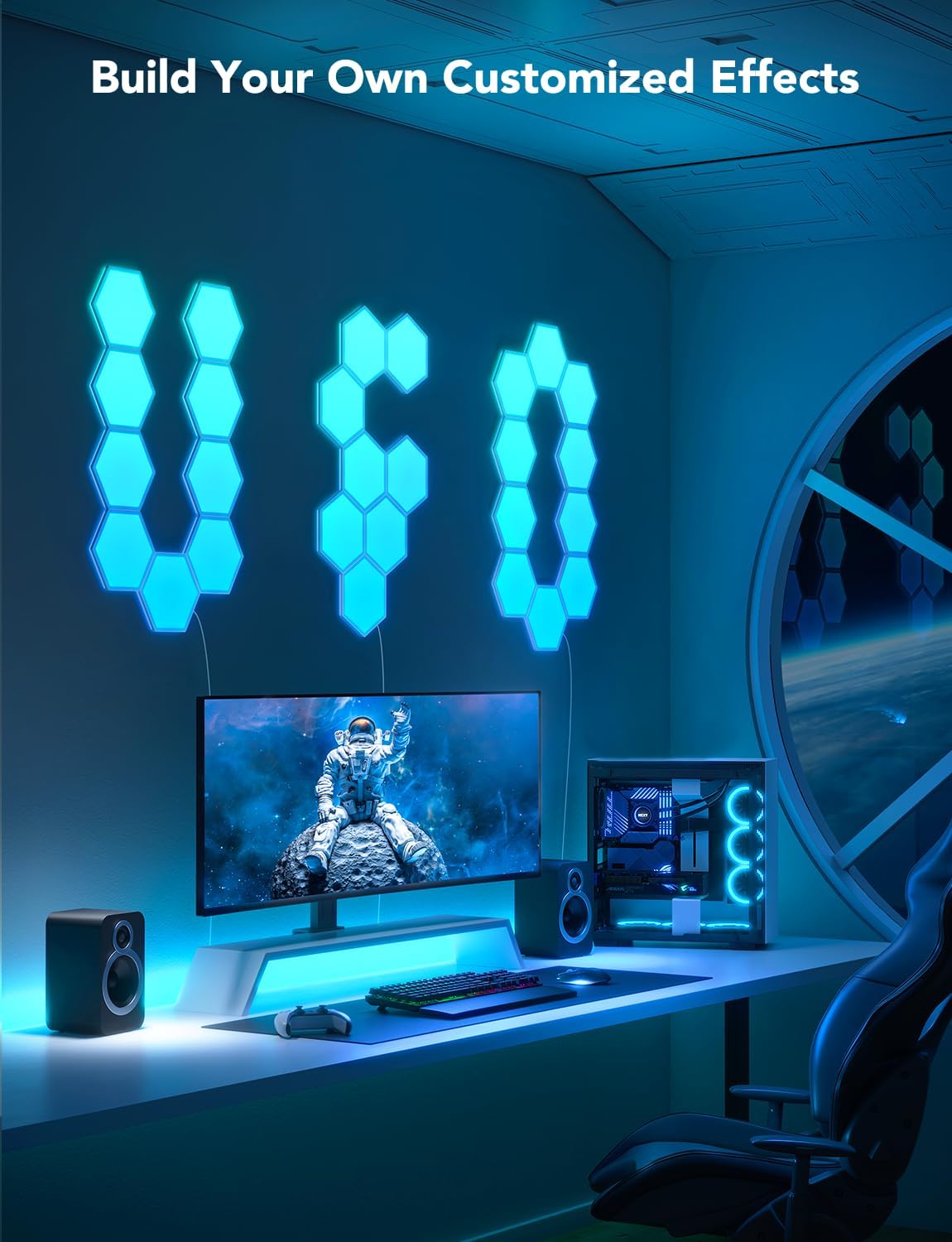
I’ve been using the Govee Glide Hexa Panels (10-pack) on the wall behind my desk for a few weeks, mainly for gaming sessions and as a backdrop for video calls. If you’re expecting a serious lighting solution to brighten your whole room, that’s not really what this is. It’s more like a decorative light toy that happens to be smart, bright, and pretty flexible. For that job, it does things pretty well, but there are a few details that annoyed me along the way.
Out of the box, you feel straight away this isn’t some bargain-bin AliExpress kit. The packaging is tidy, everything is clearly separated, and the panels don’t feel flimsy. At the same time, once you start installing them, you realise it’s still just plastic hexagons with sticky pads and cables on the back. So yes, it looks premium on a desk setup photo, but in your hands it’s still a plastic light kit from China. That’s not a complaint, just setting expectations.
My use case: I wanted something behind my monitor that could run ambient scenes, react a bit to music, and look good on camera without blinding me or turning the room into a nightclub. I’ve used cheaper LED strips and some generic panels before, so I roughly knew what I wanted: decent brightness, a reliable app, and effects that don’t look like a 90s screensaver. The Govee kit ticks most of these boxes, but it doesn’t feel cheap, and the app is clearly where a big part of the price goes.
If you’re thinking about buying this, the main questions are: is the light quality good enough, is the app solid, and does it feel worth the price once it’s on your wall? Short version: the lighting and effects are pretty solid, the app is one of the best I’ve tried in this category, but the cost is high for what is basically decorative lighting. Whether it’s worth it depends on how much you care about RGB aesthetics and how much time you’ll actually spend in that room.
Price and value: cool kit, but you pay for the brand and the app
Let’s talk money, because that’s where opinions will split. These panels are not cheap, especially if you buy them at full price. For what is basically decorative lighting, the cost is on the higher side. You can definitely find cheaper hexagon or panel lights online, and if you just want colourful shapes on a wall, those might be enough. Where Govee justifies some of the price is with better software, more reliable connectivity, and nicer effects thanks to the RGBIC tech.
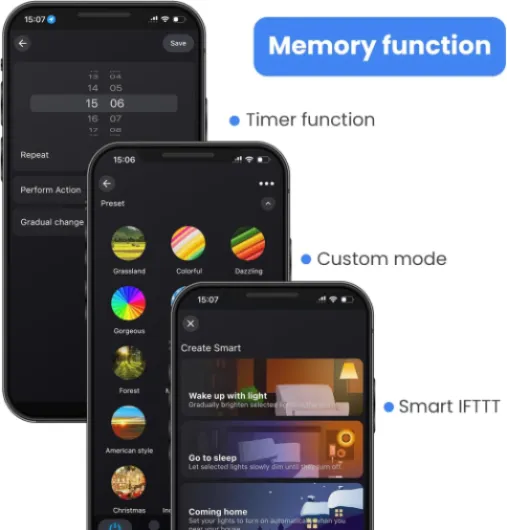
In day-to-day use, the thing that makes me feel a bit better about the price is the app experience. The Govee Home app is one of the more polished ones I’ve used. It has tons of scenes, granular control, music modes, schedules, and even a community section where people share their own effects. It’s not perfect, but it’s miles ahead of the clunky apps that come with cheap generic lights. If you like tweaking and playing with effects, you’ll actually use those features, and that does add value over time.
Still, you have to be honest: it’s a decorative product. It doesn’t replace real room lighting, and it doesn’t do anything “essential”. It’s there to look nice, make your gaming setup or office more fun, and maybe make your background look better on streams or calls. From that angle, the value depends entirely on how much you care about that look. If you sit in that room hours every day and enjoy a bit of RGB atmosphere, then paying a premium for something that works well and is reliable makes some sense.
If you can grab it on discount, I think the value becomes much easier to swallow. At sale prices, it feels like a solid buy for people into this kind of aesthetic. At full price, it’s more of a treat-yourself item. There’s definitely better pure lighting you can buy for the same money, but if your goal is “cool wall lights that are easy to control”, then this set does the job well and feels more polished than cheaper alternatives.
Design and looks: cool on the wall, less cool up close
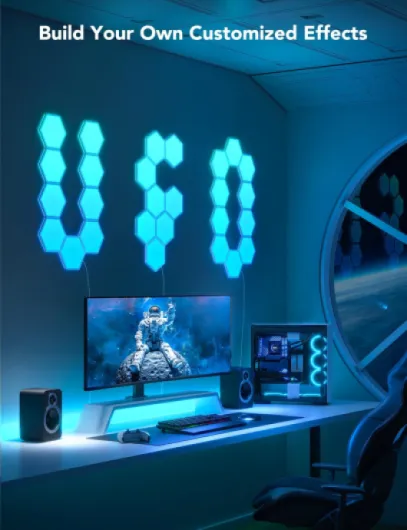
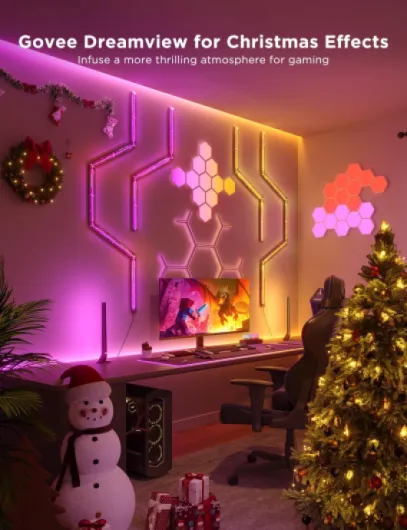
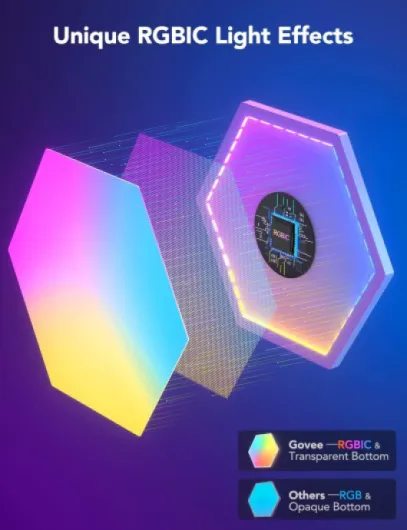
Visually, once they’re on and running, the panels look pretty cool. The RGBIC tech basically means each panel can show multiple colours at the same time, so you can get gradients and moving patterns instead of just one solid colour per tile. In use, it really does make a difference compared to basic RGB panels. Scenes like flowing gradients or slow colour shifts look smooth, and the transitions don’t feel cheap or choppy. If you’re into clean desk setups or gaming rooms, it fits that style very naturally.
Up close though, a few design choices are a bit disappointing. There’s a noticeable black border around each hexagon. When they’re lit, you don’t stare at it much, but in daylight or with the lights off, it’s clearly visible and looks less sleek than the marketing photos suggest. The product photos make it look like pure glowing tiles; in reality, you very much see the frame. It doesn’t ruin the product, but for the price, I expected something a bit more polished visually when turned off.
One thing I did like is the translucent back shell. Light spills onto the wall around the tiles, which adds a halo effect and makes the setup feel bigger than it actually is. This works best on a plain, light-coloured wall. On my white wall, the back glow helps blend the tiles a bit and softens the look. If your wall is dark or heavily textured, you’ll lose some of that effect. The panels are also fairly thick, so they sit off the wall a bit more than you might imagine, which actually helps that back glow but does make them look more “gadget” than “built-in lighting”.
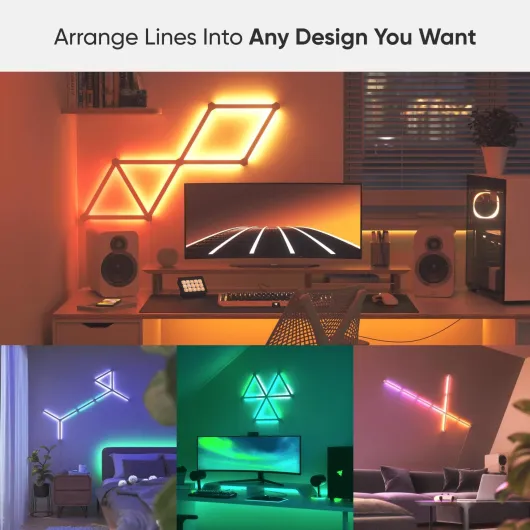
In terms of layout options, 10 hexagons give you enough freedom to build a few nice shapes, but you’re still limited. Govee’s app shows a bunch of layout ideas, and some are clearly made with more than one kit. If you’re picky about symmetry or have a large wall, you might find yourself wanting extra panels. Overall, I’d say the design is visually effective once lit, but not exactly premium when you look closely. Good enough for a gaming room, office, or bedroom, but it’s not the kind of thing I’d put in a very “grown-up” living room.
Build quality and materials: solid enough, still clearly plastic
Let’s be clear: this is all plastic. The panels, the base, the controller, everything. It doesn’t feel fragile, but it also doesn’t feel like some high-end piece of hardware. When you hold a tile in your hand, it has a bit of weight and the shell doesn’t flex easily, which is good. Nothing rattles, and the finish is clean with no sharp edges or weird seams on my unit. So it’s not cheap in the sense of “it’s going to break in your hands”, but you are paying a good amount for what is, in the end, a plastic shell with LEDs inside.
The adhesive pads are decent. I stuck mine on a painted plaster wall that’s pretty smooth, and after a few weeks, none of the tiles have fallen off. I did press them quite firmly for a while when installing, and I let them sit before messing with the cables too much. I wouldn’t trust these to survive repeated repositioning though. If you change your mind about the layout, you’ll probably end up needing new pads or risk pulling paint off the wall. So, treat the adhesive as semi-permanent, not something you’ll casually adjust every weekend.
The cables that link the panels together are functional but not pretty. They’re flat-ish, flexible, and long enough to give you some layout freedom, but if you have any gaps or misalignment, you’ll see those cables peeking out from behind the tiles. Once the lights are on, you don’t pay too much attention to them, but if you’re picky about cable visibility, you’ll need to be careful with your layout and routing. Personally, I managed to hide most of them, but one or two are visible if you look from the side.
Overall, the materials and build are fine for indoor decorative lighting. They don’t feel like they’re going to fall apart, but this is not something you want to be constantly taking on and off the wall. It’s also not waterproof, so it’s clearly meant for bedrooms, offices, and gaming rooms, not bathrooms or outdoor setups. I’d say the physical quality matches the brand’s reputation: not luxury, but clearly above the no-name stuff you see for half the price.
Packaging and setup experience: clean, clear, but a bit fiddly
The packaging is exactly what you’d expect from a mid-to-high price tech product. The box is compact, branded, and everything inside has its own cut-out or little compartment. Each hexagon panel is individually wrapped and grouped in protective stacks, so nothing was scratched or bent when I opened it. You also get the cables, power adapter, adhesive pads, and paperwork all neatly arranged. It’s not luxurious, but it’s organised and practical, which is what matters here.
Setup is where things are mostly good, with a few minor annoyances. The manual itself is short but clear enough, and the Govee Home app actually does a better job guiding you than the paper. The app walks you through adding the device, connecting to Wi-Fi, and even lets you design or select a layout. That part is pretty straightforward. Pairing worked first try for me using Bluetooth then Wi-Fi, and the panels showed up in the app within a minute or two.
The fiddly part is the physical installation. You have to decide on a layout, plug the small link cables between panels in the right directions, and only then stick them on the wall. The problem is that it’s easy to get turned around and plug one cable the wrong way or flip a panel, especially if you’re doing a more complex shape. The connectors aren’t really idiot-proofed; they can technically fit in multiple orientations, and the “right way up” isn’t instantly obvious when you’re standing on a chair trying to follow your sketch.
Once the panels are stuck, redoing things is annoying. The adhesive is strong enough that removing a tile risks damaging the pad or your paint. My advice: dry-lay the tiles on a table, connect all the cables, and test it on the floor before committing to the wall. That’s what I ended up doing after messing up one connection. So, packaging is good, and the app support during setup is very helpful, but the physical install still requires some patience and a bit of planning if you don’t want to swear at it.
Durability and long-term use: feels stable, but not made for constant changes
I haven’t had these for years obviously, but after a few weeks of daily use, I can at least comment on how they behave in normal conditions. Mine are mounted on a plasterboard wall in a home office that gets used every day. They’re on for a few hours most evenings and some afternoons, usually at around 30–60% brightness. So far, there’s been no flickering, no random disconnects, and the colours look the same as day one. The power brick doesn’t get more than mildly warm, and the panels themselves only get slightly warm to the touch.
The adhesion has been better than I expected. Once stuck, they haven’t sagged or peeled off at the corners. I do have a pretty smooth wall though; if your wall is textured or dusty, your experience might be different. The weak point for long-term durability is clearly the adhesive pads and the fact that this setup is not meant to be constantly moved. If you’re the type who likes to rearrange your room every few months, this kit will annoy you, because it’s not designed to be taken off and put back up repeatedly.
On the electronic side, Govee has a decent track record with LED products, and nothing about this kit feels fragile. The connectors click in firmly, the cables don’t feel like they’ll break from normal handling, and the control box sits quietly doing its job. As long as you’re not yanking on the cables or bending them sharply, I don’t see a reason it wouldn’t last a good while. There are no moving parts, and LEDs generally last a long time if they’re not pushed too hard.
So in terms of durability, I’d say: solid enough for a fixed installation that you plan to keep in place for years. Just don’t buy this if your plan is to constantly change layouts, move it between rooms, or take it down for every paint job. Treat it more like a semi-permanent wall feature, and it should hold up fine.
Brightness, colours and effects: this is where it earns its keep
On the performance side, this is where the Govee Glide Hexa Panels actually feel worth it. The brightness is strong enough that at full power in a small to medium room, it easily becomes the main visual focus. I usually keep it at around 30–40% brightness when I’m working, otherwise it’s too distracting behind the monitor. For movies or gaming, I bump it up and use slower scenes, and it sets a nice background without frying my eyes. If you want a very soft, barely-there glow, you can also dim them down a lot; the dimming curve feels smooth and usable.
The colour reproduction is pretty solid for this type of product. Reds and blues are punchy, greens are decent, and whites can go from cool to warm depending on the scene you pick, but it’s still more a decorative white than a proper room light white. Where it really stands out is the animated scenes and RGBIC effects. You can have several colours on a single tile at once, and the gradients and animations are fairly smooth. Some scenes are a bit over the top and feel like a nightclub, but there are calmer, slower ones that work well for everyday use.
The music sync feature is fun but not perfect. There are several modes, and they do react to beats and volume changes quite well, but like most of these things, it can feel a bit chaotic if you leave it on for too long. I used it for a few house gatherings and it did the job: people noticed it, it reacted to the music, and it made the wall look more interesting. For daily use, I mostly stick to static or slow animated scenes because the constant flashing gets old pretty fast.
In terms of responsiveness, changing scenes or colours from the app is quick. There’s a tiny delay, but nothing that bothered me. Voice control through Alexa also worked reliably: turning the panels on/off, changing brightness, and switching to basic colours was fine. For more advanced scenes, you still end up back in the app. Overall, from a pure performance point of view (brightness, colour, effects, and control), it does a pretty solid job and clearly feels a step above cheap generic panels.
What you actually get in the box and how it all works
In the box, you get 10 hexagon LED panels, the power adapter, the controller, the link cables, and adhesive pads for each panel. No surprises there. There’s also a small manual and a QR code that sends you to the Govee Home app, which you absolutely need if you want to do more than just turn them on and off. There is support for Alexa and Google Assistant, but all the interesting stuff happens in the app.
Each panel is about 10.6 cm across and a few centimetres thick. They’re not tiny, but they’re not huge either. With 10 panels, you can cover a decent patch of wall behind a desk or above a bed, but don’t expect a full accent wall. I went for a simple staggered line shape behind my monitor, and it fills the camera frame nicely during calls. If you want something very big, you’ll probably end up buying a second set, which starts to get pricey fast.
The way it works is simple: you connect the panels together using the little link cables, stick them to the wall with the pads, connect the main cable to one of the panels and then to the power brick, and pair it through Wi-Fi/Bluetooth in the app. Once that’s done, you can control colours, brightness, scenes, music sync, and schedules from your phone. It’s all Wi-Fi based, but it also uses Bluetooth for initial pairing, which made setup pretty quick for me.
Overall, the “system” feels well thought out but still a bit fiddly in practice. The cables between panels are flexible but not very pretty if you mess up your layout. Also, if you realise you want to flip a panel or change the order after sticking them, it’s annoying because you have to peel it off and hope the adhesive survives. So the kit is fairly complete and functional, but you do need to plan your layout properly before you start sticking things to the wall, otherwise you’re going to swear a bit.
Pros
- Strong brightness and good colour effects with RGBIC, including smooth gradients and animated scenes
- Govee Home app is very complete and easy to use, with lots of scenes and reliable Wi-Fi control
- Adhesion and overall build feel stable once installed, with no flickering or major connectivity issues
Cons
- High price for a decorative product, especially at full RRP
- Black borders and visible plastic make it look less premium than marketing photos suggest when turned off
- Installation is fiddly and not friendly to frequent repositioning or layout changes
Conclusion
Editor's rating
After using the Govee Glide Hexa Panels for a while, my overall feeling is that they’re a pretty solid decorative lighting kit with a very good app and strong visual impact, but the price is on the high side for what they actually do. If you’re into RGB setups, streaming, gaming, or just like having a more interesting wall behind your desk or bed, you’ll probably enjoy them a lot. The brightness is more than enough, the colours and effects look clean, and the app is genuinely one of the better ones in this space. Once installed, they’re stable, responsive, and just work in the background without much fuss.
On the downside, the physical design is less sleek than the promo photos suggest. The black borders are visible, everything is clearly plastic, and installation can be a bit fiddly if you’re not patient. It’s also not cheap, especially at full price, and you’re paying mainly for aesthetics and software, not for raw lighting power. If you just want light in a room, your money is better spent elsewhere. But if you care about having a good-looking wall feature with lots of customisation and reliable smart control, this kit does the job well and is more polished than many cheaper options.
I’d recommend these to people who spend a lot of time at their desk or gaming setup, care about how their space looks on camera, or just really like playing with lighting scenes and music effects. If you’re on a tight budget, or you hate the idea of carefully planning and sticking things to a wall, I’d skip it or wait for a solid discount. In short: good product, fun to use, but definitely a “nice-to-have” rather than something essential.