Summary
Editor's rating
Is it worth the money compared to other options?
Design: looks good on the wall, but it’s not tiny
Build quality and how long it feels like it will last
Daily performance, speed and reliability
What this Lightwave dimmer actually does (and what you need with it)
Does it actually control your lights properly?
Pros
- Clean stainless steel 3‑gang design with solid physical buttons and instant local response
- Works well with Alexa, Google Assistant and HomeKit once paired to the Link Plus hub
- Good ecosystem features like app locking, scenes and basic energy monitoring per channel
Cons
- High overall cost once you factor in the hub and multiple switches
- Picky with LED bulbs, you really need to stick to the compatibility list to avoid flicker or glow
- Setup and pairing can be confusing for non‑technical users, and documentation is a bit light

Specifications
View full product page →| Brand | Lightwave |
Smart lighting without smart bulbs?
I put this Lightwave LP23MK2 3-gang dimmer in my living room to see if I could tidy up the mess of separate smart bulbs, remotes and apps. The idea is simple: keep your normal dimmable bulbs, swap the wall switch, and then manage everything from your phone or voice. On paper, that’s exactly what I wanted – one clean stainless steel plate instead of random gadgets stuck around the room.
In practice, it’s a bit of a mixed bag. The core idea works: you can dim, schedule and control three separate circuits from one smart switch. But you do need the Lightwave Link Plus hub to get the “smart” part, and that’s an extra cost people often forget when they first look at this. Without the hub, it’s basically just a fancy electronic dimmer with buttons.
I’ve been using it for a few weeks with a mix of GU10 spots and a pendant fitting. I also tried tying it into Alexa and Apple HomeKit, because I already use both. The switch itself feels like a proper installed device, not a toy, and it’s much nicer than juggling smart bulbs that lose power when someone flicks the wall switch. But it also has some annoying limits, especially around bulb compatibility and the overall price once you add multiple rooms.
If you’re expecting a plug-and-play experience like screwing in a cheap Wi‑Fi bulb, this isn’t that. It’s more of a small home-automation project. Once it’s in and configured, it does the job reliably, but you need to be ready to read compatibility lists, maybe talk to support, and accept that making the whole house “smart” this way will cost a fair bit.
Is it worth the money compared to other options?
Let’s be honest: this thing is not cheap, especially once you realise you also need the Lightwave Link Plus hub if you don’t already own it. Then add the fact that you may have to replace some bulbs with ones from the compatibility list. By the time you’ve done a full room or two, the cost jumps quite a bit compared to just buying a couple of smart bulbs or a basic smart switch from a budget brand.
Where the value starts to make sense is if you’re planning to gradually kit out the whole house and you care about a clean, built‑in look. One Lightwave user review pretty much nailed it: it’s expensive, but it hasn’t let them down, and they like the app locking feature so people can’t override settings. If you spread purchases over time – a switch here, a socket there – it’s easier to swallow. And compared to cheap Wi‑Fi switches that feel flimsy or have sketchy apps, this feels more like a proper long‑term install.
Compared with something like just using Philips Hue or other smart bulbs, the trade‑off is clear: Hue bulbs are easier to start with and don’t need an electrician, but you end up paying per bulb and fighting people turning the wall switch off. With this Lightwave dimmer, the wall switch stays the main control, which is more natural, and you can use cheaper compatible dimmable bulbs instead of £40 smart bulbs everywhere. Over a full house, that can balance the cost a bit.
Overall, I’d call the value decent if you’re committed to the ecosystem and want proper wall switches, but poor if you just want to dabble with smart lighting in one room. If you hate messing with wiring, or you’re on a tight budget, I’d look at smart bulbs or a simpler, cheaper smart switch first. If you like the idea of centralised control, scenes, locking, and a consistent look across the house, then the price starts to feel more justified.
Design: looks good on the wall, but it’s not tiny
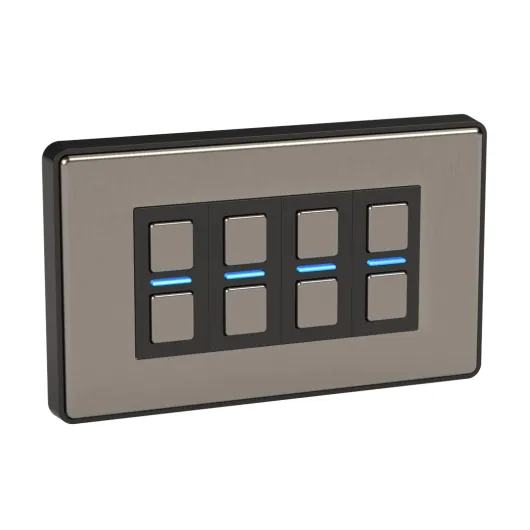
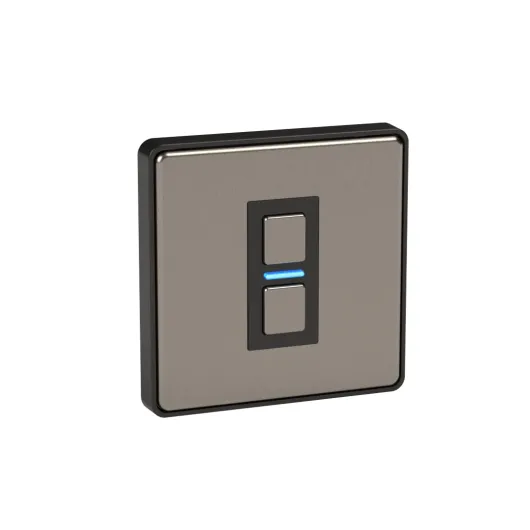
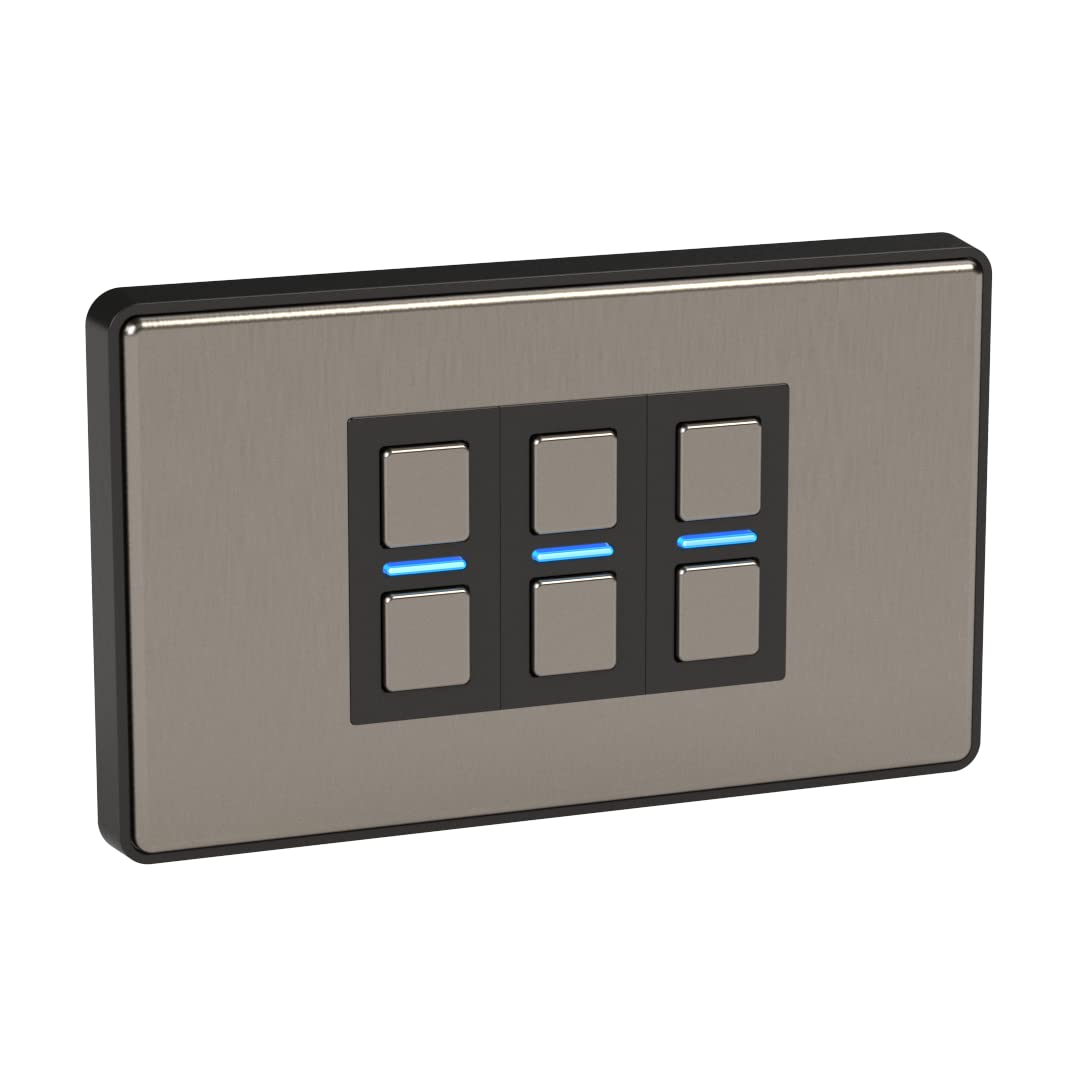
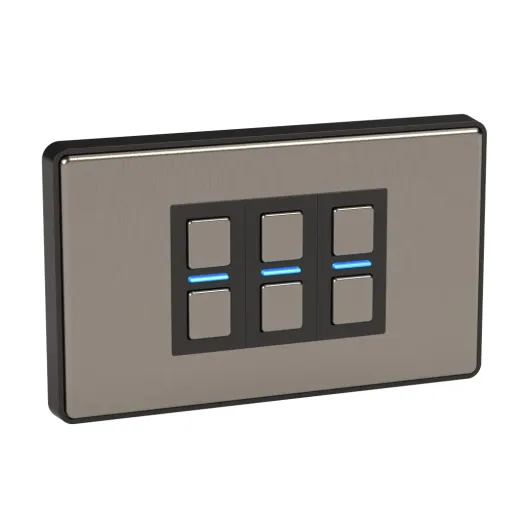
On the wall, the LP23MK2 actually looks pretty solid. The stainless steel front feels more like a proper electrical accessory than a plastic smart gadget. The three buttons are lined up neatly and have a click you can feel, so you’re not guessing whether you pressed them or just brushed them. If you’re replacing cheap white plastic, this will instantly look more premium, especially in a living room or hallway where you see it all the time.
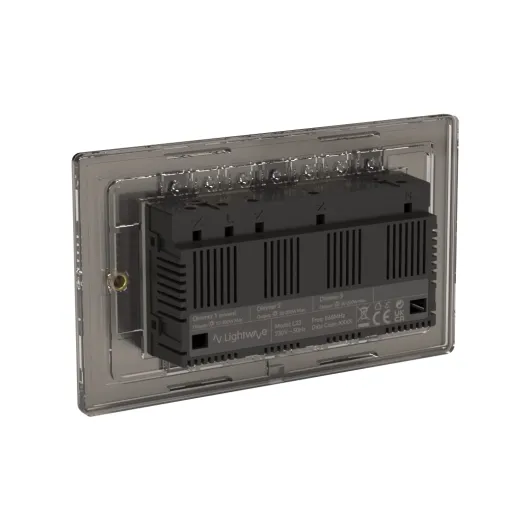
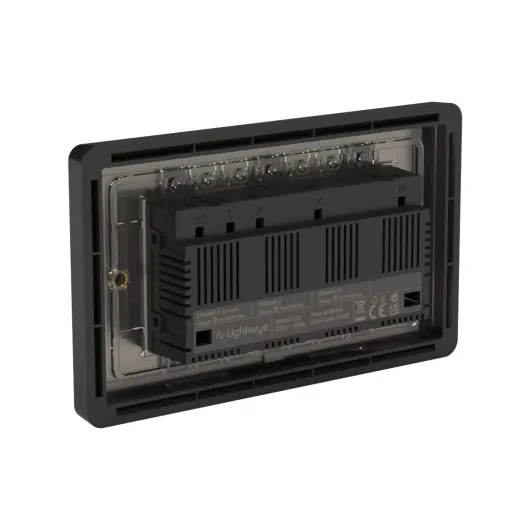
The downside is the physical size and depth. The item dimensions listed (30 x 15 x 8.8 cm) are clearly the box, not the plate, but the electronics on the back are still quite chunky compared to a basic mechanical switch. Lightwave includes a 10 mm spacer in the box for shallower back boxes. In my case, I had a standard 25 mm metal box in the wall, and I could just about make it work without the spacer, but the wiring was tight. If your boxes are old and shallow, expect to either use the spacer (which makes it sit a bit proud) or get an electrician to swap the box.
The stainless finish itself is decent. It’s not a mirror, more of a brushed look, so it doesn’t show every fingerprint, but you’ll still see smudges if you have kids constantly poking it. The LEDs on each gang are small and not too bright, which I liked – they’re visible enough to find the switch at night but don’t light up the whole room in blue like some cheap smart gear. You can tweak some behaviour in the app, but it’s not massively customisable visually.
Overall, from a design point of view, I’d say it’s clean and practical rather than flashy. It fits in well with other stainless sockets and switches. If you’re doing a renovation and matching everything, it looks coherent. Just keep in mind the physical bulk on the back and the fact that, once it’s installed, you’re unlikely to want to move it, so choose the location carefully.
Build quality and how long it feels like it will last
In terms of build, the LP23MK2 feels like a proper electrical product, not cheap gadget plastic. The metal front plate is rigid, doesn’t flex, and the edges are clean. The buttons have a consistent click and don’t wobble, which usually means they’ll survive a lot of presses. It’s rated for normal indoor use (IP00, so no moisture protection), and the operating temperature range (5–35°C) is basically any standard UK room. I wouldn’t put it in a bathroom or anywhere damp, but that’s true for most standard switches too.
The back of the unit is where you see the more delicate side: there’s a decent amount of electronics crammed in there. The screw terminals are solid enough, but if you’re heavy-handed or constantly rewiring, you could stress things. For a normal “install once and leave it for years” scenario, it should be fine. The fact that Lightwave gives a 2‑year manufacturer warranty is reassuring, and a lot of reviewers mention running multiple Lightwave switches and sockets for years without failures, which lines up with what I’ve seen from their earlier models.
The one durability concern I have is more about the platform lifecycle than the physical box. Because this relies on the Lightwave Link Plus hub and their Cloud/service, you’re tied to their ecosystem. If they ever pulled the plug or stopped updating the app, the local dimmer would still work, but you’d lose the “smart” part. That’s a general smart home risk, not unique to this brand, but it’s worth mentioning. At least they’ve been around for a while and still support older kit, which is a good sign.
After a few weeks, there’s no sign of wear: no rattling, no random disconnections, and no heat build-up beyond what you’d expect. The stainless finish hasn’t scratched easily, though I wouldn’t go at it with metal keys. If you treat it like a normal light switch and don’t constantly take it off the wall, it feels like it will last several years without drama. Just be aware that if something does go wrong out of warranty, replacing a 3‑gang smart dimmer is not cheap compared to a normal mechanical switch.
Daily performance, speed and reliability
After a few weeks of daily use, I’d say the LP23MK2 is stable and predictable, which is what matters most for a light switch. The hardware side is quick: presses are registered immediately, and I haven’t had any random reboots or weird flashing. The lights come on every time. That sounds basic, but some cheaper smart switches struggle with that once the Wi‑Fi plays up. Because this uses 868 MHz with a hub, it seems less sensitive to normal Wi‑Fi congestion.
From the app, there’s a tiny delay, but it’s nothing dramatic. On 4G outside the house, I can still turn the living room lights on in around a second or two. Schedules run on time – my evening scene kicks in every day without fail. The energy monitoring isn’t perfect, but it gives me a ballpark per gang, so I can see that the ceiling spots are pulling more than the floor lamp. For people who actually care about power usage, it’s a nice extra, but I wouldn’t buy the switch for that alone.
Voice control performance has been good. Alexa understands the names I gave each circuit, and dimming by voice works (e.g. “set living room spots to 30%”). In HomeKit, it behaves like any other HomeKit light: you can drag the slider in the Home app and it responds in under a second. Automation like “turn on at sunset” or “turn off when I leave home” works fine, as long as your hub and internet are behaving themselves. I didn’t see any specific lag from the Lightwave side compared to my other smart stuff.
One thing worth flagging: if the hub or internet goes down, the wall switch still works locally, which is vital. You just lose app/voice control. That’s the right way round, but if you’re relying on complicated automations or remote access, keep in mind that a flaky router will still mess with your experience. Overall, though, as a daily driver, the performance has been solid enough that I don’t think about it anymore – it just behaves like a normal switch with some extra tricks behind the scenes.
What this Lightwave dimmer actually does (and what you need with it)
The LP23MK2 is a 3‑gang smart dimmer, so you get three separate dimmer channels on one stainless steel faceplate. Each gang is a push button: tap for on/off, hold to dim up or down. It’s meant to replace a standard UK 3‑gang light switch, using the existing live feed. No neutral is needed, which is handy in older houses. The rated load is 200W in total, which is fine for LEDs but not for old-school halogens or big loads.
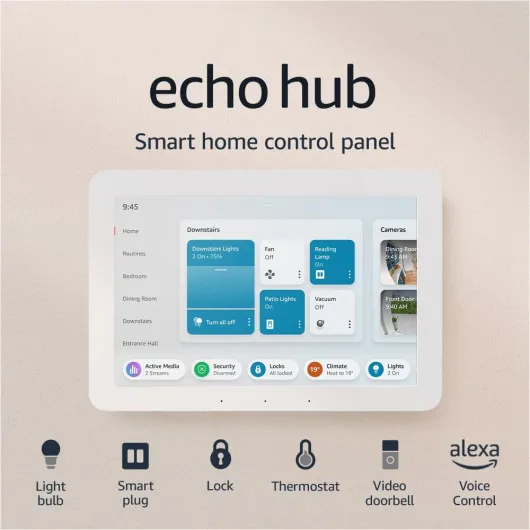
The important bit: to use the app, schedules, voice control or HomeKit, you must also have the Lightwave Link Plus hub. The dimmer itself talks over 868 MHz to that hub, not Wi‑Fi. The hub then connects to your router and exposes everything to the Lightwave app, Alexa, Google Assistant and Apple HomeKit. So if you don’t already own the hub, factor that cost in. Without it, this is just a local dimmer with some extra settings you can tweak during pairing.
The switch supports energy monitoring per channel, which is a nice touch if you’re trying to track what your lighting is actually using. It’s not as detailed as a dedicated energy monitor, but it gives you a rough idea of which circuits are the main power hogs. The app shows usage over time so you can see if your “accent lighting” is actually on all evening and wasting power.
One thing Lightwave pushes is their ecosystem: you can lock switches in the app, create scenes across sockets and switches, and do things like “all lights off” from your phone. This dimmer plays its part in that system quite well. But you need to accept that you’re buying into their platform. If you want everything to be open and hub‑free, this isn’t the right product. It integrates with HomeKit and Alexa nicely once it’s set up, but the brains are still their Link Plus hub.
Does it actually control your lights properly?
Functionally, the LP23MK2 does what it says, but there are some catches. Once wired and paired with the hub, local control is instant. Press the button and the lights respond straight away, no lag, which is exactly what you want from a wall switch. Dimming is smooth enough with compatible bulbs: hold to raise or lower, and it remembers the last level when you turn it back on. For basic day‑to‑day use, it behaves like a normal electronic dimmer, so guests don’t have to understand anything about apps or scenes.
The big headache is bulb compatibility. This is not a “works with anything” dimmer. With some random GU10 LED bulbs I already had, I got flicker at low levels, and in one case the lights never fully turned off and stayed faintly glowing. When I swapped to bulbs from Lightwave’s compatibility list (I went for Aurora dimmable LEDs, which other users mention too), it was a lot better: no buzzing, clean dimming, and off meant actually off. So yes, it works very well, but only if you respect the list. If you’re not willing to change bulbs, you might be in for frustration.
On the smart side, once paired to the Link Plus, app control and voice control worked reliably for me. Alexa could switch each gang individually and dim them. HomeKit integration was also fine: the three circuits show up as three separate lights, and I could add them to scenes like “Evening” or “Movie”. The only real delay is the usual hub/Cloud round trip – maybe half a second, which is normal. The main thing is that it’s consistent; I didn’t have random “device not responding” messages once it was all set.
I did see that some users struggled badly with pairing and weird behaviour (wrong buttons controlling the wrong lights, app not finding the device). I didn’t hit that level of chaos, but I can believe it if the initial setup goes wrong or the wiring isn’t clear. The instructions are a bit thin, and if you’re not confident with electrics and app pairing, this can turn into a time sink. So in terms of pure effectiveness: once you’re past the setup and you’ve got the right bulbs, it works very well. Getting to that point can be smooth or painful depending on your experience.
Pros
- Clean stainless steel 3‑gang design with solid physical buttons and instant local response
- Works well with Alexa, Google Assistant and HomeKit once paired to the Link Plus hub
- Good ecosystem features like app locking, scenes and basic energy monitoring per channel
Cons
- High overall cost once you factor in the hub and multiple switches
- Picky with LED bulbs, you really need to stick to the compatibility list to avoid flicker or glow
- Setup and pairing can be confusing for non‑technical users, and documentation is a bit light
Conclusion
Editor's rating
After living with the Lightwave LP23MK2 3‑gang dimmer for a bit, my view is pretty clear: it’s a solid smart switch for people who are serious about building a proper smart home, but it’s not a casual buy. The hardware feels good, the stainless design looks tidy on the wall, and once you’ve sorted the setup and the right bulbs, it works reliably day to day. Local control is instant, app and voice control are stable, and the energy monitoring is a small but useful bonus.
On the flip side, you need the Lightwave Link Plus hub, you need to respect the bulb compatibility list, and the price adds up fast if you want to cover multiple rooms. Some users clearly had rough experiences with setup and pairing, and I can see how that happens if you’re not comfortable with both wiring and app configuration. This is more of a system you commit to than a plug‑in gadget you play with for an afternoon.
I’d recommend this to someone who’s already using Lightwave or is ready to build a whole‑home system slowly, wants a clean built‑in look, and prefers controlling normal bulbs from a smart wall switch instead of relying on smart bulbs. If you’re just starting out with smart lighting, on a tight budget, or you hate fiddling with compatibility lists, you’ll probably be happier starting with smart bulbs or a cheaper, simpler switch. The LP23MK2 gets the job done well, but you have to accept the cost and the ecosystem lock‑in that come with it.