Summary
Editor's rating
Value for money vs Philips Hue & random cheap strips
Design: thin strip, decent controller, some quirks
Brightness, colours & app: good, with a few annoyances
WiFi, app stability & voice control
Installation & adhesive: plan it once, don’t move it
What you actually get in the box
Pros
- Good brightness and strong colours for ambient/mood lighting
- Reliable app, WiFi connection and Alexa/Google Assistant support
- Much cheaper than Philips Hue strips while still feeling reasonably solid
Cons
- White tones are not very accurate (warm is yellowish, cool is a bit grey/blue)
- Adhesive is strong but not reusable; moving the strip weakens it noticeably
- Voice assistants can’t trigger the more advanced multi-colour scenes, only basic colours/brightness

Specifications
View full product page →| Brand | Govee |
Smart strip that’s more mood than light
I’ve been using this 5m Govee WiFi LED strip for a few weeks around my TV and along the back of a sofa. If you’re expecting it to light up a room like a ceiling lamp, forget it. It’s clearly meant for ambient glow and decoration, and on that part it does a pretty solid job. Think gaming setup, TV backlight, under-bed glow, that kind of thing.
The whole thing is driven by the Govee Home app and can be controlled with Alexa or Google Assistant. Setup is fairly standard smart-home stuff: install the app, connect over Bluetooth/WiFi, then add the Govee skill in Alexa. It’s not instant, but it’s not painful either as long as you read the little leaflet and remember it only likes 2.4 GHz WiFi. Once connected, it stays connected, which is honestly more important to me than fancy effects.
From a day-to-day point of view, I mainly use it in three ways: static colour behind the TV in the evening, a dim warm-ish tone as a night light, and the occasional music-sync mode when people are over. It’s not perfect at any of these, but for the price, it’s quite decent. The colours are strong, the white shades are a bit off, and the music mode is more of a fun gimmick than something you’ll keep on every day.
If you already have Philips Hue strips, this obviously feels cheaper in both build and colour accuracy, but the price difference is huge. My view: it’s a good budget smart strip if you accept that it’s mainly for mood lighting and you’re ready to spend 20–30 minutes planning the install so the adhesive doesn’t fail on you later.
Value for money vs Philips Hue & random cheap strips
Price-wise, this Govee strip sits in that middle zone: much cheaper than Philips Hue, but more expensive than the absolute no-name strips. For me, that’s actually the sweet spot. With Hue, you’re paying a lot for perfect integration, colour accuracy and long-term ecosystem support. With the bargain-basement strips, you usually get a sketchy app, no real smart-home support, and reliability that’s hit or miss. Govee lands somewhere in between: the app is decent, the product feels consistent, and it properly talks to Alexa and Google.
If you compare raw numbers, Hue wants roughly the same price for 2 metres that Govee charges for 5 metres. So if you’re trying to line the underside of a bed, the back of a TV, and maybe a shelf, you’d spend a small fortune going full Hue. With Govee, you can cover that space for a fraction of the price and still keep voice control and scheduling. The trade-off is obvious: whites are less accurate, the hardware feels cheaper, and there’s no integration into higher-end systems beyond basic voice.
Against the really cheap Amazon LED strips, Govee’s value is more about reliability and software. I’ve had generic strips where the remote stopped responding after a month or the colours went weird. With this one, the colours stay consistent, the app is actually maintained, and firmware updates occasionally add features. So you pay a bit more, but you’re not gambling as much.
So is it good value? If you want smart ambient lighting on a budget, yes. If you’re trying to build a super polished, colour-critical home cinema or you’re already deep into a premium ecosystem like Hue and care a lot about colour matching and advanced automations, then this feels like a step down. For normal bedroom, gaming, or lounge setups where you just want a nice glow and voice control, the price-to-result ratio is hard to argue with.
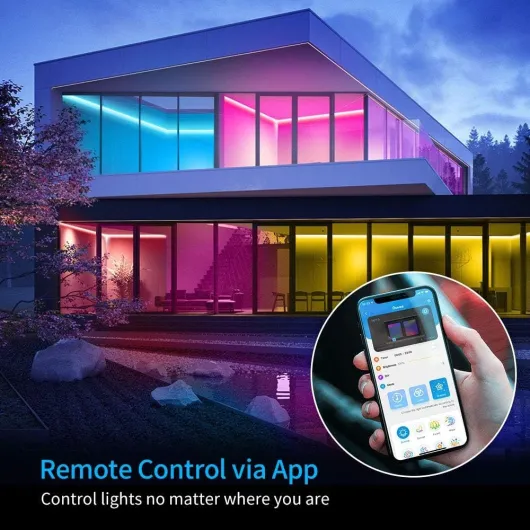
Design: thin strip, decent controller, some quirks
Design-wise, it’s a standard 5m RGB strip on a flexible white ribbon. The strip itself is quite thin and light, which helps with sticking it to TVs, furniture or beams, but you do need to handle it gently when unrolling and sticking it down. I didn’t feel like it was going to snap in my hands, but I also didn’t yank it around. If you’re heavy-handed, you’ll want to slow down, especially around corners.
The little three-button controller is actually one of the better touches. You get a power button, a colour-cycle button, and a music-mode button. That means if your phone’s in another room or the app is being annoying, you can still quickly turn it on, switch colours, or throw on the sound-reactive mode without going into the app. The controller has its own adhesive pad, and sticking it to the side of a TV stand or bed frame works well. Just note the controller has some weight to it; if it dangles from the strip without support, it can slowly pull the strip away from the surface, so I used extra tape to secure it.
The power brick and cables are fairly standard white plastic. Not pretty, not ugly, just generic. Cable length from plug to controller is roughly 1.5m combined, so you really want a socket within about 1.5m of where the strip starts. If your outlet is farther away, you’ll be messing with extension leads or creative routing. This is the part lots of people forget to plan and then complain they can’t hide the cables well.
From a visual point of view, once it’s installed and turned on, the strip itself mostly disappears and you just see the glow, especially if it’s behind a TV or sofa. The LEDs are evenly spaced so you don’t get weird bright spots unless you’re staring directly at the strip from a few centimetres away. No diffuser is included, so if you want a softer, continuous light bar look (for under cabinets for example), you’ll need to add your own channel with a diffuser cover.
Brightness, colours & app: good, with a few annoyances
In terms of performance, this strip is bright enough for accent lighting, but not for main lighting. At 100% brightness behind my TV, the wall glow is strong and fills the area nicely. I actually end up running it around 30–50% most of the time, otherwise it dominates the room in the dark. For under-bed or behind-sofa use, it’s more than enough. If you were hoping to fully light up a kitchen worktop like a proper under-cabinet fixture, you might find it a bit weak, especially in white tones.
The colours themselves are pretty solid. Reds and blues are deep, greens are clear, and mixed colours like purple and cyan look clean. Where it struggles a bit is in the white range. The “warm white” leans more yellow than I’d like, and the “cool white” has a slight grey/blue tint. For mood lighting that’s fine, but if you’re picky about white temperature, you’ll notice it. It’s RGB only (no dedicated white LEDs), so this is expected at this price.
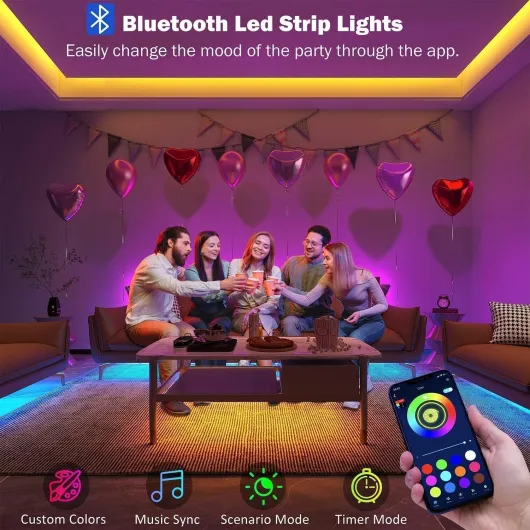
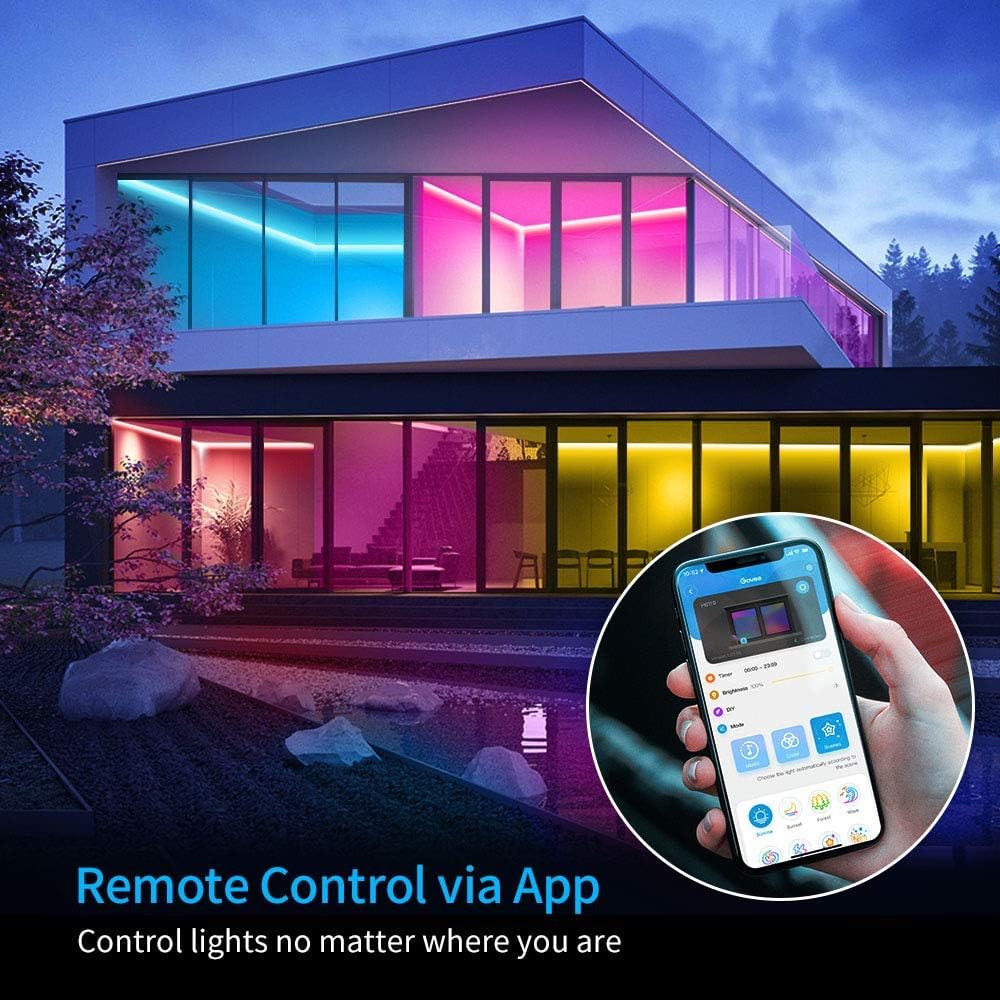
The app is actually one of the strong points. You get a colour wheel, brightness slider, tons of scenes, and a music mode. It connects over WiFi and Bluetooth; Bluetooth gives access to a few more effects and makes initial pairing easier. One slightly annoying thing: on the colour wheel, dragging your finger around doesn’t live-update the strip; you have to tap a colour and then it changes. Not a big deal, but it feels less smooth than it could be. Also, scenes with sound effects (thunderstorm, running water, etc.) are fun for 5 minutes, then you’ll probably never touch them again.
On the smart side, Alexa and Google Assistant control is reliable for basic stuff. You can say things like “Alexa, set TV lights to blue” or “turn off sofa lights”. It handles on/off, brightness and static colours well. What it doesn’t handle via voice is the fancy multi-colour scenes or dynamic effects; those still require the Govee app. For me that’s fine: I mostly use voice for on/off and a few favourite colours, and leave the crazy scenes for rare occasions.
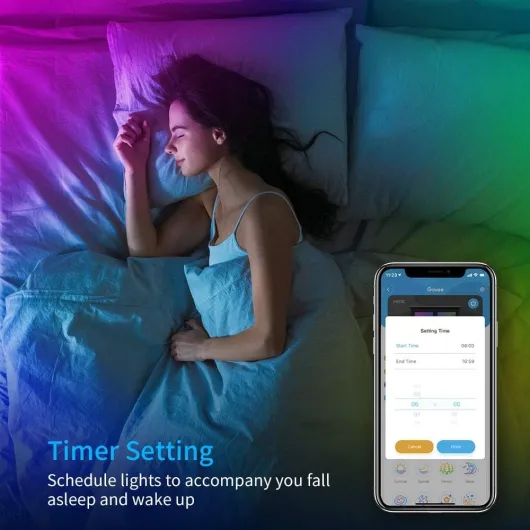
WiFi, app stability & voice control
On the connectivity side, this strip is fairly straightforward but with one important limitation: it only supports 2.4 GHz WiFi. If your router has a combined 2.4/5 GHz network, it usually works fine, but if you’ve split them or disabled 2.4, you’ll need to tweak your setup. Once I got it on my 2.4 GHz network, it stayed there. After power cuts or flipping the wall switch, it reconnects automatically and shows up in the app again within a few seconds.
The Govee app itself is stable. It found the strip over Bluetooth instantly, then guided me through adding it to WiFi. You do have to create an account and give it location permissions, which is standard but still a bit annoying if you’re tired of every device wanting an account. That said, once it was done, I barely had to touch the account stuff again. I also like that you can link multiple strips and sync them using the "Same Device" or group options, which is handy if you’re doing a bigger room setup.
For Alexa/Google, it’s the usual routine: enable the Govee skill, log in with the same account, let it discover devices, then group or rename them. Voice commands work reliably for me. I can say “Alexa, set sofa light to 20%” or “Alexa, set TV strip to red" and it reacts quickly. The only restriction is that Alexa can’t call up Govee’s fancy scenes, just solid colours and brightness. So if you want the “Rainbow” or “Fire” scene, you still have to use the app. Also, phrasing matters a bit: for Govee, the commands tend to work better as “set [device] to blue” rather than the shorter phrases you might use with Hue.
Overall, connectivity is solid for basic smart-home use. It’s not as deeply integrated as something like Philips Hue with its own hub, but I didn’t see random disconnects or lag once it was set up. If you’re already running a bunch of Alexa or Google Assistant devices, this fits in fine as a cheaper add-on strip.
Installation & adhesive: plan it once, don’t move it
Installing this thing is easy if you plan ahead, and annoying if you rush it. The adhesive on the back is strong, but not magic. On a clean, smooth surface (painted wall, wood, metal, back of a TV), it sticks very well. I wiped everything with alcohol wipes first and let it dry. Once pressed down properly, it hasn’t peeled off, even on a slightly textured painted wall. When I had to peel a section back to correct a mistake, it came off, but the adhesive definitely felt weaker the second time.
My advice: do a full dry run first. Unroll the strip loosely around the route you want, mark the corners, check where the controller and power brick will sit, and make sure the cable can actually reach the socket. Then start sticking from the end closest to the power cable and work your way around, peeling off only 5–10 cm of backing at a time. I pressed down with one finger between the LEDs, avoiding the small components. That way you don’t accidentally damage anything or end up with bubbles or kinks.
Corners are where people usually mess up. You can either bend the strip in a gentle L shape (which looks a bit ugly if it’s visible) or use separate corner connectors from a third-party kit. If you go the connector route, remember you have to cut exactly at the marked copper pads. If your strip has solder joins right on those pads, you might need to trim very carefully to get it to slide into the connector. It’s doable, just fiddly. Also, the small clips in the box are helpful for spots where the strip is under tension (like hanging under a cabinet).
Once you’re done, don’t plan on moving it every week. This isn’t a reusable system. If you peel it off a wall, you’ll probably need extra tape or new mounting tape to put it somewhere else. So yes, it’s easy to install once, but not ideal if you’re renting and constantly rearranging things, or if you want a strip you can move from room to room regularly.

What you actually get in the box
Out of the box, Govee keeps it pretty simple. You get: one 5m LED strip already attached to the cable, a power adapter, a small white controller box with three buttons, some adhesive clips, and a basic manual. No separate IR remote, everything is supposed to go through the app or the tiny in-line controller. The manual is short but clear enough; I didn’t need to Google anything to get it going.
The strip comes rolled on a plastic reel. The LEDs are spaced evenly, and you can see the cut points marked with copper pads every few centimetres. That’s where you’re supposed to cut if you want to shorten it or use connectors. One thing I noticed, and other buyers mentioned too, is that some strips are clearly made by soldering smaller segments together. Functionally it’s fine, but when you want to slide those into a third-party corner connector, those solder blobs can get in the way and you end up trimming very carefully with scissors.
Govee includes what I’d call the bare minimum of accessories: a few small clips to help hold the strip where the adhesive might be under strain (corners, hanging bits), and the usual double-sided tape already on the strip and controller. No extra connectors, no splitter, nothing fancy. If you want to run around corners inside cabinets or split the strip in multiple runs, you’ll need to buy a separate kit (like those Redtron connector packs people mention on Amazon). So out of the box, it’s basically: one continuous 5m run, stick it somewhere, plug in, and that’s your setup.
Overall, the presentation is basic but clean. It feels like a consumer product, not a random no-name roll from AliExpress, but it’s not pretending to be premium either. For the price, what’s there makes sense: enough to get a normal person going, but tinkerers will end up buying extra connectors and tape.
Pros
- Good brightness and strong colours for ambient/mood lighting
- Reliable app, WiFi connection and Alexa/Google Assistant support
- Much cheaper than Philips Hue strips while still feeling reasonably solid
Cons
- White tones are not very accurate (warm is yellowish, cool is a bit grey/blue)
- Adhesive is strong but not reusable; moving the strip weakens it noticeably
- Voice assistants can’t trigger the more advanced multi-colour scenes, only basic colours/brightness
Conclusion
Editor's rating
After living with the Govee 5m WiFi LED strip for a while, my opinion is pretty clear: it’s a solid, budget-friendly smart strip for mood lighting, as long as you know its limits. It’s bright enough for behind TVs, beds, sofas or inside cabinets, the colours look good, and the app gives you more effects and options than most people will ever use. The main weak spots are the white tones (a bit off), the one-time nature of the adhesive, and the fact that voice control only really handles the basics (on/off, brightness, solid colours).
Who is it for? People who want an easy way to add coloured glow to a room, already use Alexa or Google Assistant, and don’t want to spend Hue money. If you’re setting up a gaming corner, a kid’s room, or you just want a bit of atmosphere behind the TV, this gets the job done with minimal drama once you’ve planned the installation. Who should skip it? Anyone expecting proper room illumination, very accurate white light, or tight integration into a high-end smart-home system. Also, if you plan to frequently move or reposition the strip, the adhesive design will annoy you.
Overall, I’d call it a good value, mid-range smart strip. Not perfect, not high-end, but very decent for the price. Install it carefully once, hook it up to Alexa or Google, pick a few favourite scenes in the app, and it quietly does its job in the background.