Summary
Editor's rating
Is it worth the money, or just expensive mood lighting?
Looks like normal bulbs, behaves like nerd gear
Box, instructions, and setup experience
Build quality, stability, and how it holds up
Responsiveness, colors, and daily use: how it actually behaves
What you actually get in the box (and what you don’t)
Do the smart features really change anything day to day?
Pros
- Very stable and responsive thanks to the Hue Bridge and Zigbee (few disconnects or delays)
- Good color range and flexible white light from warm to cool for daily use
- Strong ecosystem with support for Alexa, Google Assistant, HomeKit, and expansion up to 50 devices
Cons
- High upfront price for only two bulbs and a Bridge
- No physical Hue switch included, so wall switches can still mess with smart features
- Brightness is decent but not exceptional for larger rooms, you may need more bulbs

Specifications
View full product page →| Brand | Philips Hue |
Smart bulbs that actually listen (for once)
I’ve been playing with smart bulbs for a few years now, mostly the cheap Wi‑Fi ones you find during sales. Honestly, half the time they ignore commands, lose connection, or need to be reset like an old router. So I grabbed this Philips Hue White and Color Ambiance Starter Kit with two A19 bulbs and the Hue Bridge to see if paying more really changes anything. Short version: yes, it does, but it’s not magic either.
I installed the kit in my living room and bedroom and used it daily for a couple of weeks. I hooked it up to Alexa and Apple HomeKit, plus the Hue app on my phone. I used it for normal stuff (on/off, dimming, warm white at night) and also for the fun part (colors, scenes for movies, and automations like lights turning on at sunset). I tried to use it the way a lazy person would: mostly by voice and routines, not by opening the app every five minutes.
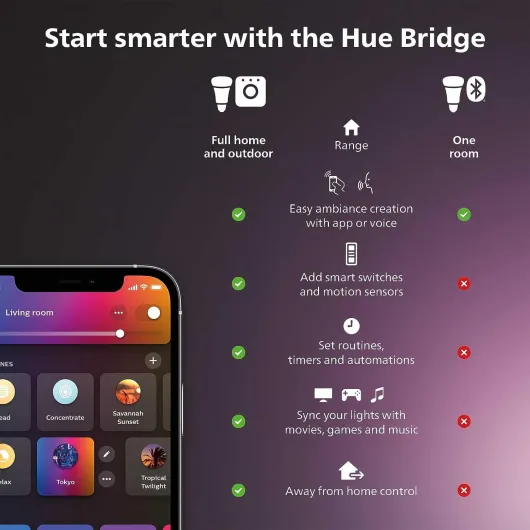
What stood out right away is how stable the whole thing is. The Bridge connects via Ethernet and talks to the bulbs over Zigbee, so even when my Wi‑Fi acted up, the lights still answered. No random disconnections, no weird delays of five seconds before a light turns on. Compared to my old Wi‑Fi bulbs that acted drunk anytime the router was busy, this is a lot cleaner.
It’s not perfect though. The price hurts, and once you buy this kit, you kind of lock yourself into the Hue ecosystem if you want everything to stay simple. The colors are good but not on the level of a TV backlight strip or high‑end RGB gear. Still, if you want smart lighting that behaves like a normal light switch but with extra tricks, this kit does the job well. You just have to accept you’re paying for stability and ecosystem, not raw brightness or cheapness.
Is it worth the money, or just expensive mood lighting?
Let’s talk price, because that’s the main downside. This starter kit is clearly not cheap. For two bulbs and a little hub, you’re paying several times more than basic LED bulbs and noticeably more than most Wi‑Fi smart bulbs. So the question is: are you paying for real benefits or just the brand name? In my experience, you’re mostly paying for reliability and ecosystem. If all you want is one or two color bulbs you control from your phone sometimes, cheaper brands can be enough.
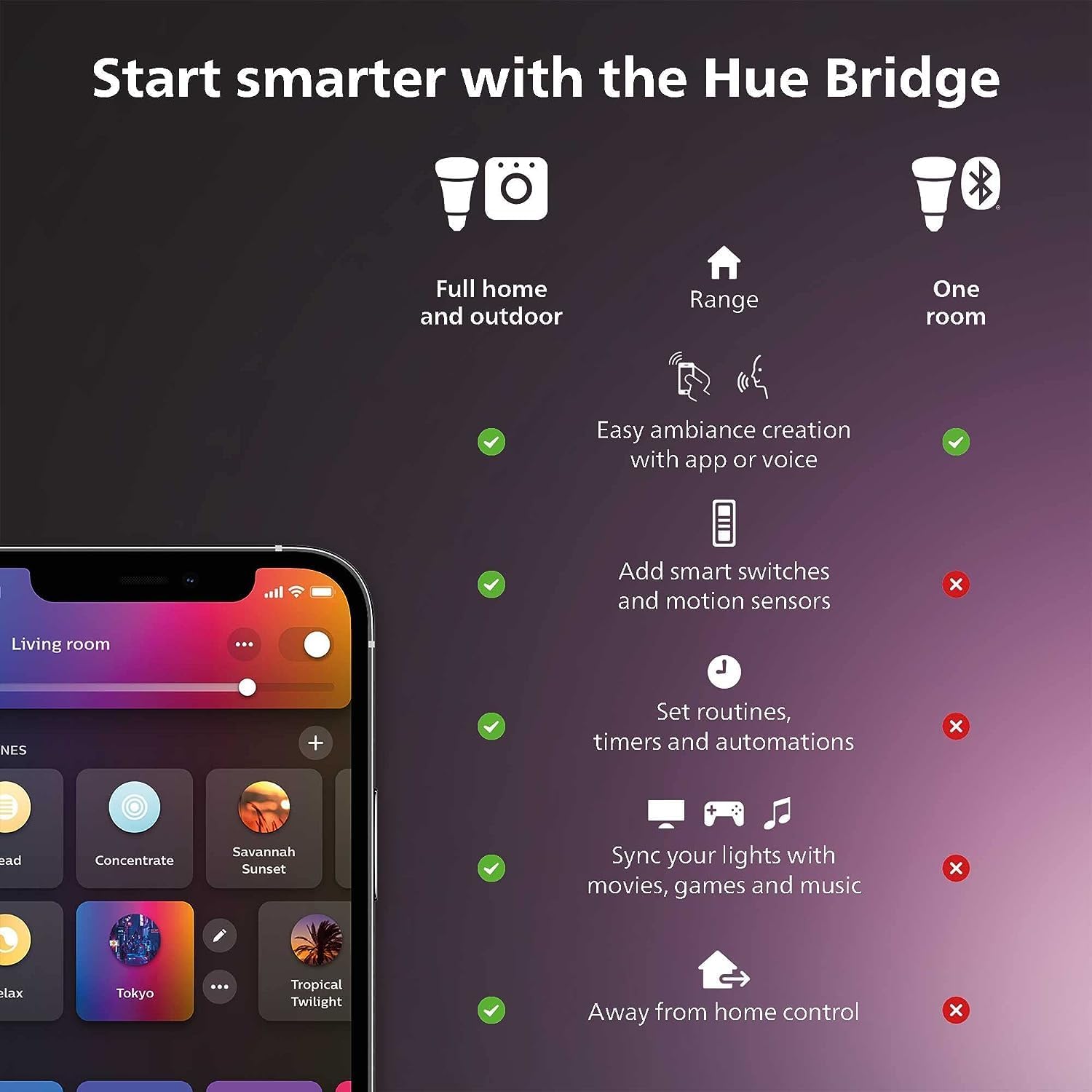
Where Hue starts to make sense is if you plan to build a larger setup or you hate dealing with connection issues. The Bridge lets you control up to 50 devices, and the system stays stable even if your Wi‑Fi or internet is having a bad day. That alone saves a lot of frustration over time. Also, integration with Alexa, Google Assistant, and HomeKit is cleaner than with many budget brands, which often have clunky skills or half‑working features.
In terms of raw specs, you’re getting 800 lumens, full color, and white ambiance in a 9.5W bulb. That’s fine but not mind‑blowing. The value is really in the software and the fact that it just keeps working. If you compare it to constantly replacing annoying Wi‑Fi bulbs that misbehave, the Hue kit starts to look less expensive over the long run. Still, you have to swallow the initial cost, and if you want to cover a full house with Hue, the bill climbs quickly.
So for value for money, I’d say: good if you care about stability and plan to stick with the Hue ecosystem; average if you only want a couple of fun bulbs and don’t mind occasional glitches. There is better value out there in terms of price per bulb, but there’s not much that beats Hue on reliability plus ecosystem at this level.
Looks like normal bulbs, behaves like nerd gear
Design-wise, the bulbs are pretty boring, which for a light bulb is actually a good thing. They’re standard A19 shape with E26 base, white plastic body, and a frosted dome. Once they’re in a lamp, they just look like regular bulbs. No weird shapes, no giant heat sinks, nothing that makes your fixture look off. If you’re putting them in open fixtures where the bulb is visible, they blend in fine. They don’t scream "tech gadget".
The Hue Bridge is a small white square with rounded corners, about the size of a drink coaster. There are a few LEDs on the front for power and connection status. It’s light but doesn’t feel cheap. You plug power in one side and Ethernet on the other. It’s something you’ll probably hide behind your router or on a shelf and forget about. It doesn’t heat up much, even after being on all day.
In terms of user-facing design, the more important part is the Hue app. The app is not the prettiest thing ever, but it’s clear enough. Rooms, zones, and scenes are easy to see. The color picker is simple: a big color wheel for colors and a slider for brightness. You can rename bulbs, put them into rooms, group them, and tweak scenes without going through a maze of menus. Compared to some random Wi‑Fi bulb apps I’ve used, this one feels more thought‑out and less buggy.
One thing I liked is that when you power the bulbs back on from a wall switch, they come back in a predictable state. By default, they turn on in a standard white, but you can change that in the settings so they remember the last state or a custom scene. That avoids the usual "why is my bedroom suddenly bright blue at 7 a.m." problem. Overall, the design is practical and low‑key. Nothing flashy, but it fits into a normal home without looking odd.
Box, instructions, and setup experience
The packaging is pretty standard for Philips Hue: a compact cardboard box with pictures of the bulbs, the Bridge, and some marketing about colors and smart features. Inside, everything is well protected in cardboard inserts – no loose parts, no rattling. The bulbs come in separate slots, and the Bridge is in its own spot with the power adapter and Ethernet cable tucked underneath. Nothing fancy, but it feels organized and secure enough that you’re not worried about damage in transit.
The quick start guide is simple and straight to the point. There’s a small leaflet with a few diagrams: plug in the Bridge, connect Ethernet to the router, screw in the bulbs, download the Hue app, follow the instructions. Even if you’re not into tech, it’s easy to follow. The app then handles the rest of the setup with on‑screen prompts. I didn’t have to Google anything or watch videos to make it work, which is nice.
Setup time from opening the box to having working smart lights was around 15–20 minutes for me, including creating or logging into a Hue account. Most of that time is just waiting for the app to search for devices and do firmware updates. Once that’s done, you’re basically ready to go. No weird pairing rituals like turning the bulb on and off ten times, which I’ve had to do with some cheap brands. Here, the bulbs were detected right away by the Bridge.
One small detail I liked: the included Ethernet cable and power adapter are long enough to give you some flexibility in where you place the Bridge near your router. It’s not a huge thing, but it avoids having the hub dangling in mid‑air. Overall, the packaging and setup experience are clean and practical. Nothing special, but it gets the job done without making you swear at the instructions, which is already a win in the smart home world.
Build quality, stability, and how it holds up
I obviously haven’t used these bulbs for years yet, but based on a couple of weeks and what I’ve seen from other Hue products at friends’ places, build quality seems solid. The bulbs don’t feel flimsy when you screw them in; no creaking plastic or loose base. They don’t get overly hot, even after being at full brightness for hours. Warm, yes, but nothing worrying. That’s pretty standard for LEDs.
The bigger point with this kit is system durability, meaning: does it stay configured, or do you have to reset things every month? Here, Hue is clearly better than random Wi‑Fi bulbs. I restarted my router, unplugged the Bridge, and even cut power to the bulbs multiple times. Each time, everything came back up without needing to re‑pair devices or redo automations. The Zigbee plus Bridge approach seems more stable over time than each bulb talking directly to Wi‑Fi.
Another plus is that the Bridge can handle up to 50 lights and accessories. So if you start with this kit and later add more Hue bulbs, motion sensors, or switches, you don’t need a new hub every time. That’s good from a future‑proof angle. Also, the fact that it supports Matter means it should stay compatible with current and future smart home platforms for a while, instead of becoming outdated too fast.
Of course, the real test is several years of use, but Philips Hue has been around for a long time, and I’ve seen older Hue bulbs still running fine after 4–5 years at friends’ homes. That gives me more confidence than no‑name brands that disappear after one app update. So while I can’t speak to long‑term lifespan personally yet, the combo of brand history, solid connectivity, and how stable it’s been in daily use makes me think these will last longer than the cheaper stuff I’ve tried before.
Responsiveness, colors, and daily use: how it actually behaves
On the performance side, this kit is where I saw the biggest difference compared to cheap Wi‑Fi bulbs. The responsiveness is solid. When I say "Alexa, turn off the living room", the lights go off almost immediately, with maybe a half‑second delay at most. Same with the Hue app or HomeKit. No random lag spikes, no "device not responding" errors every other day. Over a couple of weeks, I had maybe one moment where a command took two or three seconds, and that was it.
The brightness is decent for a 60W equivalent. At 800 lumens, one bulb is fine for a bedside lamp or a small room. For a living room or office, I’d say you want at least two or more lights if you like things bright. They’re not floodlights, but for normal home use, they’re fine. Dimming is smooth, from a very low night‑light level up to full brightness, without flicker. I used them a lot in the evening at around 20–40% brightness for a softer vibe, and they handled it well.
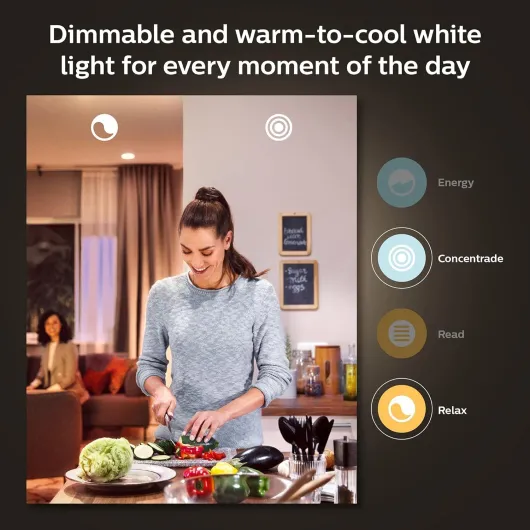
Colors are good but not perfect. Warm colors like red, orange, and yellow look strong. Blues and purples are also nice. Some very specific shades like pure green can look a bit washed out, but that’s common with most RGB bulbs. For mood lighting while watching a movie or listening to music, they do the job easily. Whites are more important for daily use, and those are handled well: you can go from a very warm 2200K type glow up to a cooler white for working. The "natural light" 24‑hour scene tries to mimic sunlight changes, and while it’s not magic, it’s a nice touch if you work from home.
Where these bulbs really stand out is reliability over time. I tried cutting power from the main switch, turning it back on, restarting the router, and even unplugging the internet. The lights still worked locally through the Bridge and the app as long as the Bridge had power. That’s a big plus over Wi‑Fi bulbs that panic every time the internet drops. For daily life, it just feels less annoying. You turn on the light, it works. You ask Alexa to dim to 30%, it does it. No drama. That’s basically all I wanted from smart lights.
What you actually get in the box (and what you don’t)
The kit is pretty straightforward: you get two A19 E26 smart bulbs rated at 60W equivalent (about 800 lumens each), plus the Hue Bridge and its power adapter and Ethernet cable. That’s it. No remote, no dimmer switch, no fancy extras. The bulbs are standard size, so they fit in most table lamps and ceiling fixtures without any drama. They’re 9.5W LEDs, so they’re efficient enough for everyday use without roasting your power bill.
Setup is simple but you do need to plug the Bridge into your router with the included cable. There’s no Wi‑Fi on the Bridge itself, which is both good and annoying. Good because the connection is very stable and doesn’t clog your Wi‑Fi with every bulb. Annoying if your router is in a weird spot and you don’t want a little white box sitting there. Once the Bridge is connected, you install the Hue app, let it find the Bridge, then screw in the bulbs and search for them. Mine were found in less than a minute.
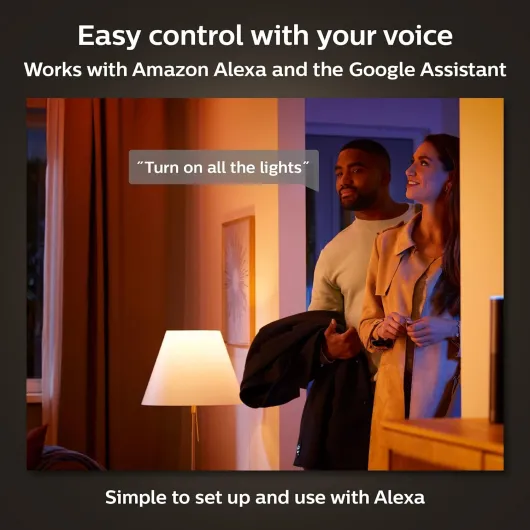
Out of the box, you get full color and white ambiance: warm to cool white, plus millions of colors. The app comes with preset scenes like Relax, Read, Concentrate, Energize, and a bunch of color scenes. You can also set routines like wake‑up lights, sunset, or geolocation to turn lights on when you come home. If you use Alexa, Google Assistant, or Apple HomeKit, integration is pretty painless. I added mine to Alexa and Siri in under 10 minutes, and voice control started working right away.
What you don’t get in the box is just as important: there is no physical Hue switch. So if other people in your home hate apps and voice commands, they’ll probably keep using the wall switch and cutting power to the bulbs. When that happens, no smart features. You can fix this by buying a Hue Dimmer Switch separately, but that’s extra cost. So the kit is a good base, but it’s not a complete solution if you want every family member to be happy without touching phones or settings.
Do the smart features really change anything day to day?
In terms of actual usefulness, I tried to see if this kit changed how I use lights or if it was just a toy. I set up a few automations: one to slowly brighten my bedroom light in the morning instead of a loud alarm, one to turn on the living room lamp at sunset, and one to switch everything to a warm dim scene at 11 p.m. After a few days, I stopped thinking about it – the house just felt more "set up". It’s not life‑changing, but it does make evenings and mornings smoother.
The voice control part is where it shines for laziness. Being able to say "Alexa, goodnight" and have the lights turn off without walking around flipping switches is just comfortable. It’s also handy when your hands are full: coming home with groceries and saying "turn on kitchen" is nicer than fumbling for a switch in the dark. This sounds trivial, but once you get used to it, going back to dumb bulbs feels slightly old‑school.
I also tested some of the scenes and color stuff for movies and music. For example, I set a deep blue/purple scene when watching a sci‑fi movie, and a warmer orange scene for relaxing with a drink. It’s not essential, but it does give the room a different feel. If you have more Hue lights (light strips, light bars, etc.), this would be even more effective, but even with just two bulbs, it’s noticeable in a small room.
Overall, I’d say the kit is effective at making lighting more flexible and slightly more pleasant. It doesn’t solve big problems in your life, but it does remove a bit of friction and adds some small comforts. If you only want light to be "on or off", this might feel overkill. But if you like tweaking your environment, working from home, or using routines, then the smart features actually get used instead of being a gimmick you try once and forget.
Pros
- Very stable and responsive thanks to the Hue Bridge and Zigbee (few disconnects or delays)
- Good color range and flexible white light from warm to cool for daily use
- Strong ecosystem with support for Alexa, Google Assistant, HomeKit, and expansion up to 50 devices
Cons
- High upfront price for only two bulbs and a Bridge
- No physical Hue switch included, so wall switches can still mess with smart features
- Brightness is decent but not exceptional for larger rooms, you may need more bulbs
Conclusion
Editor's rating
After using the Philips Hue White and Color Ambiance Starter Kit for a bit, my take is pretty clear: it’s solid, reliable smart lighting that does what it says, but you pay for that stability. The two bulbs and Hue Bridge combo give you a strong base: fast response, good colors, solid white light for daily use, and automations that actually trigger when they should. Voice control with Alexa, Google Assistant, and HomeKit works smoothly, and the Bridge keeps everything running even when your Wi‑Fi or internet is acting up.
This kit is a good fit if you want to build a serious smart lighting setup over time, or if you’re tired of cheap Wi‑Fi bulbs disconnecting and ignoring commands. It’s also nice if you work from home or spend a lot of time indoors and want more control over light mood, from bright cool white for focus to warm dim light at night. On the other hand, if you just want a couple of fun color bulbs for parties and don’t care about long‑term reliability, this will probably feel too expensive. Also, you’ll likely end up buying extra stuff like Hue switches if you want everyone at home to be comfortable using it without apps.
Overall, I’d rate it as very good but not unbeatable. There are cheaper options that can be "good enough" if your expectations are modest. But if you want something that behaves consistently and you’re okay investing into one ecosystem, this starter kit is a strong choice. Just go in knowing you’re paying for less hassle and better integration, not raw brightness or bargain pricing.
![NEW White and Colour Ambiance Smart Light Bulb Starter Kit, 75W - 1100 Lumen [E27 Edison Screw] 2 Bulbs + Smart Button - With Bluetooth - Works with Alexa, Google Assistant and Apple Homekit E27 2 Pack Starter Kit + Button](https://www.smart-light-guru.com/storage/1015385/conversions/71yJIPbE0LL._AC_SL1500_-medium.webp)