
Understanding what a 3 way smart switch is
What Makes a 3 Way Smart Switch Different?
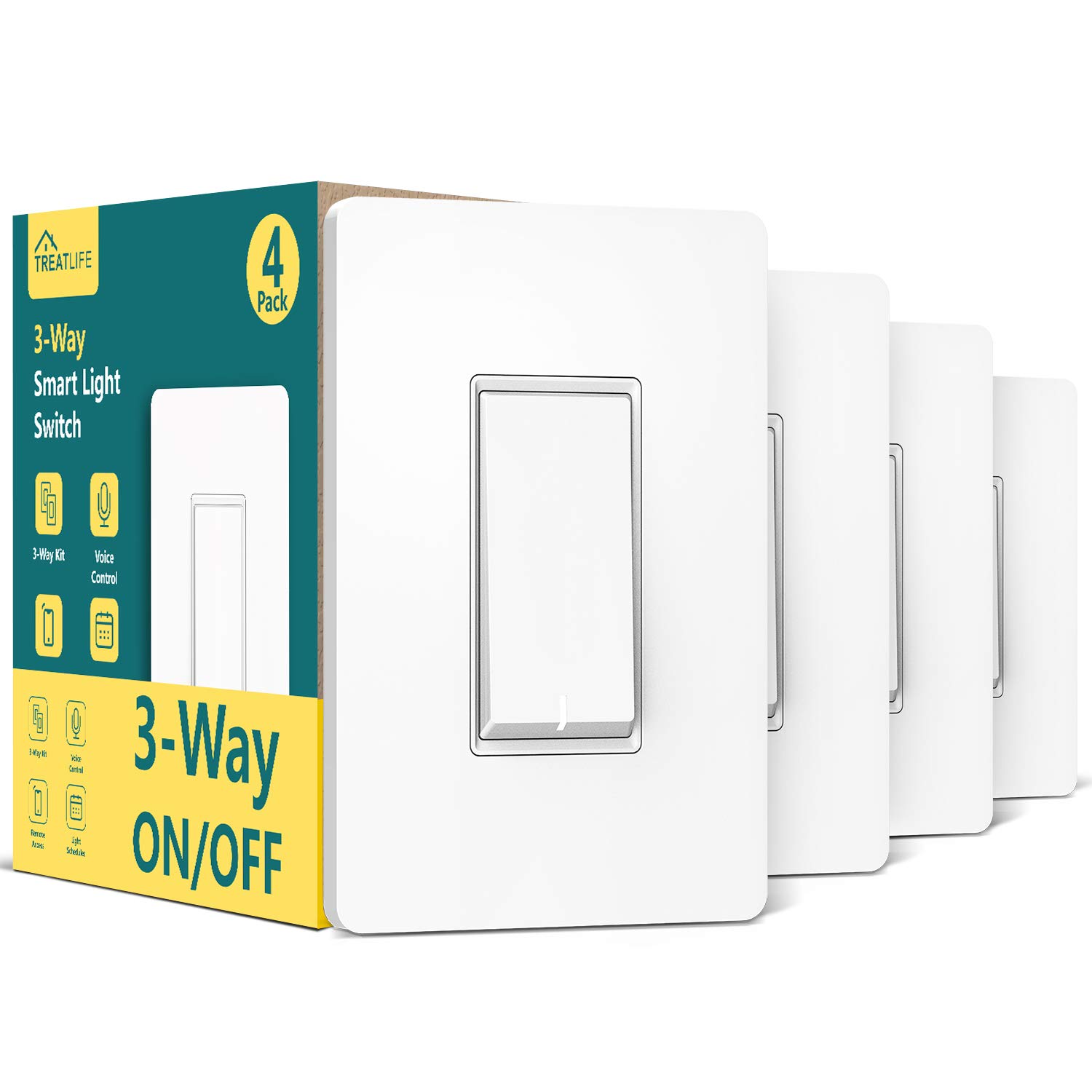
When you want to control lights from two or more locations, a 3 way smart switch is the solution. Unlike a single pole switch, which only manages a light from one spot, a 3 way setup lets you turn your lighting on or off from different points in your home. This is especially useful for hallways, staircases, or large rooms where convenience and flexibility matter.
Modern 3 way smart switches bring advanced features to traditional lighting. With smart control, you can use your phone, voice assistants like Google Assistant, or even a remote to manage your lights. Some smart switches also support dimmable bulbs, letting you adjust brightness for the perfect ambiance. If you’re interested in how a lighted toggle switch can enhance your smart lighting experience, this guide offers more insights.
How Does a 3 Way Smart Switch Work?
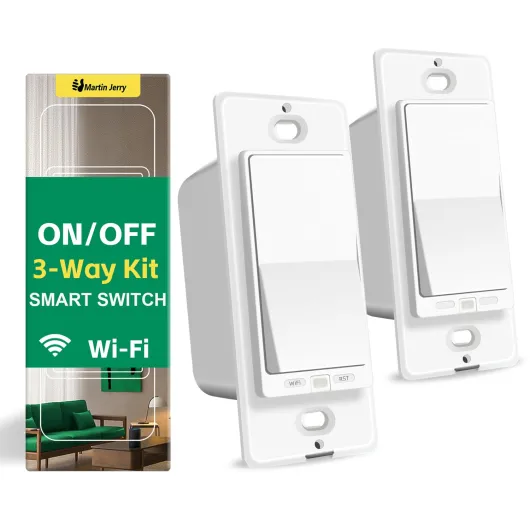
A 3 way smart switch kit typically includes two switches that communicate with each other. When you press the button or push button on one switch, it sends a signal to the other, ensuring your lights respond instantly. Some kits require a neutral wire for installation, while others are designed for homes without one. Always check compatibility with your existing wiring and bulbs, especially if you want to use dimmable or smart bulbs.
- Switches can be installed in various styles, including classic white or modern finishes, to match your home decor.
- Some smart dimmer switches allow you to control both lights and fans, offering more versatility.
- Outdoor and indoor options are available, so you can extend smart lighting to your patio or garden.
Smart switches often work with popular smart hubs, sensors, and platforms. Whether you want to save energy, set schedules, or control lights remotely, a 3 way smart switch can be a key part of your smart home system.

Key benefits of using a 3 way smart switch
Why a 3 Way Smart Switch Makes Life Easier
Adding a 3 way smart switch to your home can transform how you control your lighting. With this type of switch, you can manage the same light from two different locations, which is ideal for hallways, staircases, or large rooms. But the benefits go beyond simple convenience.
- Remote Control: You can control lights from your phone or with voice assistants like Google Assistant. No need to be near the switch to turn lights on or off. For more on remote options, check out how to control your lights remotely with a WiFi-enabled switch.
- Energy Savings: Smart switches and dimmers help you save energy by letting you dim lights or schedule them to turn off automatically. This can lower your electricity bills and extend the life of your bulbs.
- Flexible Lighting Control: Whether you want to adjust brightness with a dimmer switch, use a push button, or set up a switch kit for multiple rooms, smart lighting gives you options. Some kits include a remote or sensors smart enough to detect movement and adjust lighting automatically.
- Style and Compatibility: Many smart switches come in modern styles, such as white or single pole designs, to match your décor. You can find packs that include everything you need, from the switch itself to the necessary neutral wire for installation.
- Integration with Other Devices: Smart switches often work with smart hubs, allowing you to control lights, fans, and even outdoor lighting from one app. This makes it easy to manage all your smart devices together.
Choosing the right smart dimmer or switch kit can also mean you get features like dimmable lighting, compatibility with both lights and fans, and support for switches smart enough to work with your existing home system. Whether you need a single switch or a pack for the whole house, smart lighting puts you in control.
Common challenges when installing a 3 way smart switch
Wiring and Installation Hurdles
Setting up a 3 way smart switch can be more complex than installing a single pole smart switch. Many homes have older wiring that may not include a neutral wire, which is often required for most smart switches. This can lead to confusion during installation and may require additional components or professional help. If you’re unsure about your home’s wiring, it’s a good idea to review the essentials of wiring for LED lighting before starting.
Switch Compatibility and Placement
Another common challenge is making sure your new smart dimmer switch or switch kit is compatible with your existing lights and fans. Not all dimmable bulbs or lighting styles work with every smart switch, especially if you want to control lights and fans from multiple locations. Some switches smart require a specific type of bulb, such as dimmable LEDs, or may not support outdoor lighting or fans. Always check the compatibility details before purchasing a pack or kit.
Connectivity and Smart Home Integration
Connecting your 3 way smart switches to your smart hub or integrating with systems like Google Assistant can sometimes be tricky. Some switches require a hub, while others connect directly to your Wi-Fi. If your home uses both single pole and 3 way switches, make sure your smart lighting system supports both. Also, be aware that some features, like remote control or push button dimming, may only work with certain hubs or sensors smart.
- Neutral wire requirement: Many smart switches need a neutral wire, which older homes may lack.
- Bulb compatibility: Not all smart dimmer switches work with every bulb type.
- Hub required: Some smart switches need a smart hub for full functionality.
- Physical space: Smart switches can be bulkier than standard switches, making installation tight in some switch boxes.
- Outdoor use: Not all switches are rated for outdoor lighting or fans.
By understanding these common challenges, you can better prepare for a smooth installation and enjoy the benefits of smart lighting control throughout your home.
Compatibility with bulbs and home systems
Ensuring Your Smart Switch Works with Your Setup
When choosing a 3 way smart switch, compatibility is a crucial factor. Not every smart switch or smart dimmer will work with all types of bulbs, lighting fixtures, or home automation systems. Here are some key points to consider to make sure your new switch integrates smoothly with your existing setup:
- Bulb Compatibility: Many smart switches support standard LED, incandescent, and CFL bulbs, but not all are compatible with dimmable bulbs. If you want to control dimmable lights, make sure your smart dimmer switch is rated for dimmable bulbs. Some switches may not work well with specialty bulbs or certain low-wattage LEDs, which can cause flickering or buzzing.
- Neutral Wire Requirement: Most modern smart switches and dimmer switches require a neutral wire for installation. Older homes may not have this wire in the switch box, so check your wiring before purchasing. Some brands offer a smart switch kit designed for homes without a neutral wire, but options are limited.
- Home Automation Systems: If you use a smart hub like SmartThings, or voice assistants such as Google Assistant, check that your switch is compatible. Some switches smart require a hub, while others connect directly to Wi-Fi. Look for clear labeling like "hub required" or "works with Google Assistant" on the packaging.
- Multiple Switches and Fans: If you want to control lights and fans from multiple locations, ensure your switch supports 3 way or even 4 way configurations. Some kits include a remote or extra switches for added flexibility, letting you control lights fans from different spots in your home.
- Outdoor and Specialty Use: Not all smart switches are rated for outdoor use or for controlling high-power devices like fans. If you need to control outdoor lighting or ceiling fans, look for switches specifically designed for these applications.
Matching the right smart switch to your bulbs, wiring, and home system will help you avoid common installation headaches and ensure reliable control of your lighting. Always review the product specifications and, if possible, consult with a professional if you’re unsure about compatibility.
Features to look for in a 3 way smart switch
Essential functions for modern lighting control
When choosing a 3 way smart switch, it’s important to focus on features that make your lighting experience both flexible and reliable. Not all smart switches are created equal, and the right set of functions can help you control lights, fans, and even outdoor lighting with ease. Here are some key features to consider:- Compatibility with dimmable bulbs: If you want to adjust brightness, look for a smart dimmer switch or a switch kit that supports dimmable LED or incandescent bulbs. This lets you set the mood and save energy.
- Remote and app control: Many smart switches allow you to control your lights from your phone or with a remote. This is especially useful for hard-to-reach switches or when you want to turn lights on before entering a room.
- Voice assistant integration: Check if the switch works with Google Assistant or other smart hubs. Voice control adds convenience, especially when your hands are full.
- Neutral wire requirement: Some smart switches need a neutral wire for installation. Make sure your home wiring supports this, or look for models that work without a neutral wire.
- Multi-location control: A true 3 way smart switch should let you control the same light from two or more locations. Some kits include a main switch and a companion switch for this purpose.
- Style and finish: Choose a switch white or other finish that matches your home’s style. Some brands offer packs or single pole options to fit different needs.
- Scheduling and automation: Advanced switches smart features let you schedule lights or set up scenes for different times of day. Sensors smart options can automate lighting based on motion or occupancy.
- Outdoor and fan compatibility: If you want to control outdoor lights or ceiling fans, check that the switch is rated for those uses.
Additional considerations for smart lighting
- Hub required or not: Some smart switches need a smart hub to connect with your home network, while others work directly with Wi-Fi. Consider what fits best with your existing smart lighting setup.
- Push button and tactile feedback: Some users prefer a push button or rocker style for easier use. Test different styles if possible to find what feels best.
- Expandability: If you plan to add more smart switches or lights fans in the future, look for a system that supports easy expansion, such as multi-pack options or a switch kit.
Troubleshooting and maintenance tips
Quick fixes for common smart switch issues
Even the best smart switches or dimmer switches can sometimes act up. If your smart light or switch kit isn’t responding, start by checking the basics. Make sure your Wi-Fi connection is stable and that the smart hub, if required, is powered on. For switches smart that control lights fans or outdoor lighting, confirm that the circuit breaker hasn’t tripped. If you’re using a remote or push button, try replacing the batteries.
Maintaining reliable switch control
To keep your smart switches and dimmable lights working smoothly, update the firmware regularly through the app or smart hub. This helps maintain compatibility with systems like Google Assistant and ensures your switch control features stay up to date. Clean the faceplate and button areas gently with a dry cloth to avoid dust buildup, which can affect touch or push button response.
When your lights won’t turn on or off
- Check if the neutral wire is properly connected, especially for single pole or 3 way smart switch setups.
- Verify that your bulbs are dimmable if you’re using a smart dimmer or dimmer switch.
- For smart lighting packs or kits, confirm that all components are paired correctly in the app.
Dealing with flickering or unresponsive lights
Flickering can happen if the bulb isn’t compatible with your switch or dimmer. Make sure you’re using bulbs recommended by the manufacturer. For white or style-specific lighting, check that the wattage matches the switch’s requirements. If you notice issues with outdoor lights or fans, ensure the switch is rated for outdoor use and can handle the load.
When to seek professional help
If you’ve tried these steps and your smart switches still aren’t working, it might be time to consult an electrician. This is especially important if you’re unsure about wiring, such as the neutral wire or single pole configurations. Professional help can also ensure your smart light system is safe and up to code, helping you save time and avoid potential hazards.