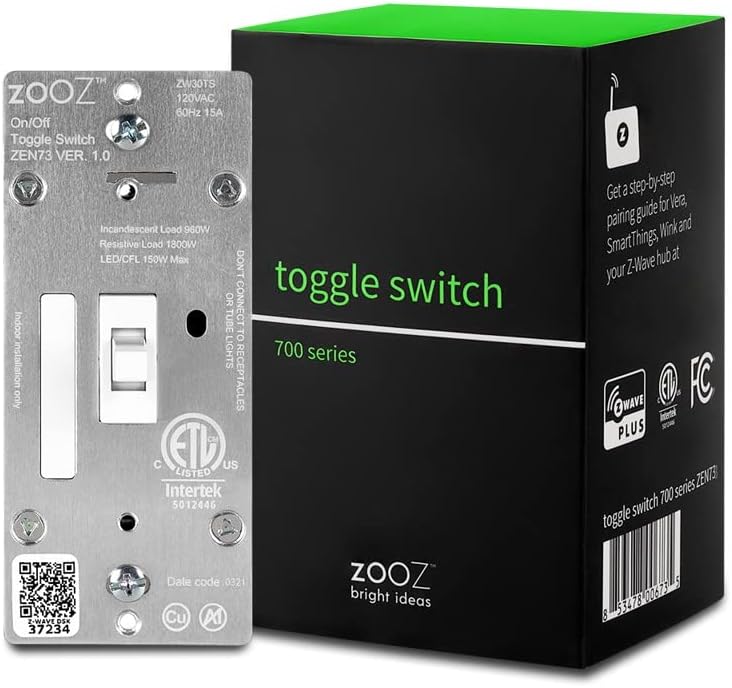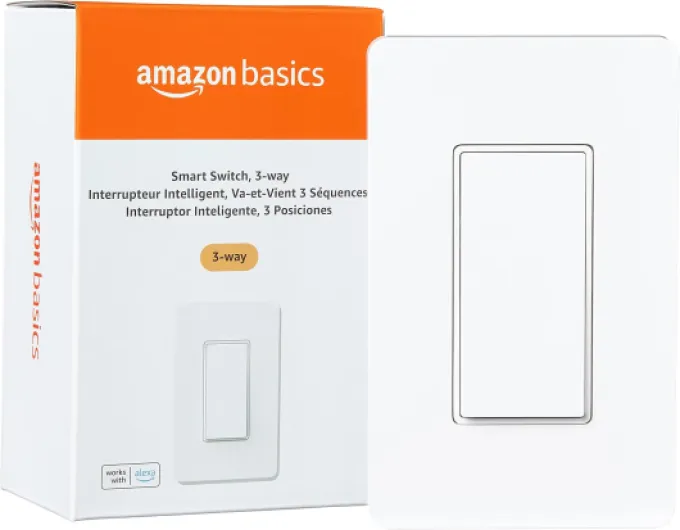

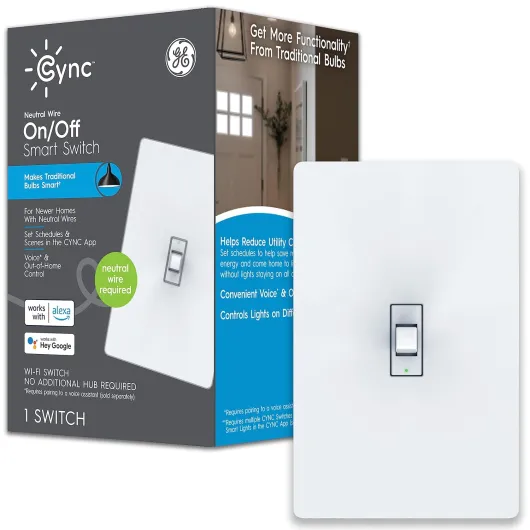
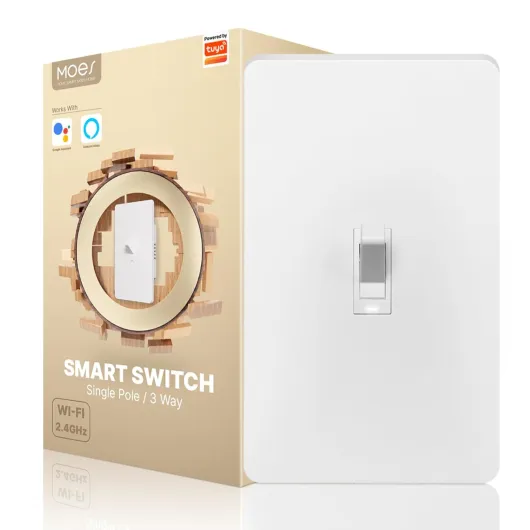
Understanding what a smart toggle switch is
What Makes a Toggle Switch Smart?
A smart toggle switch is a modern upgrade to the classic light switch, designed to give you more control and flexibility over your home lighting. Unlike traditional switches, these smart devices connect to your home Wi-Fi or a hub, allowing you to control your lights remotely using your smartphone, voice assistants like Amazon Alexa or Google Assistant, or even automation routines. The familiar toggle design makes it easy for anyone to use, while the smart features add a new layer of convenience.
How Does a Smart Toggle Switch Work?
Smart toggle switches replace your existing light switch and connect to your home’s electrical wiring. Many models, such as the Leviton Decora Smart or Enbrighten QuickFit SimpleWire, require a neutral wire for installation. Once installed, you can control your lights through an app, voice commands, or by physically toggling the switch. Some products are compatible with Z-Wave hubs, while others work directly with Amazon Echo or Google Home devices. This flexibility means you can find a smart switch that fits your setup, whether you want hub-required options or hub-free solutions.
Benefits of Upgrading to Smart Lighting Controls
- Remote access: Turn lights on or off from anywhere using your phone.
- Voice control: Use commands like "Alexa, turn on the living room light" or "Hey Google, dim the kitchen lights."
- Automation: Set schedules or routines for your lights to match your lifestyle.
- Integration: Many smart toggle switches work with other smart home products, like smart plugs or thermostats.
- Energy savings: Smart lighting can help reduce energy use by ensuring lights are only on when needed.
Some switches, like the Enbrighten Z-Wave Smart Toggle, offer advanced features such as scene control and compatibility with a wide range of smart home hubs. If you’re interested in learning about how dimming technology can further enhance your smart lighting, check out this guide on the benefits of a 0-10 volt dimmer in smart lighting.
Popular Smart Toggle Switch Options
| Product | Works With | Hub Required | Neutral Wire Required | Color | Price Range |
|---|---|---|---|---|---|
| Leviton Decora Smart | Alexa, Google Assistant | No | Yes | White | $$ |
| Enbrighten QuickFit SimpleWire | Z-Wave, Alexa, Google | Yes (Z-Wave Hub) | Yes | White | $$ |
| Amazon Smart Switch | Amazon Alexa | No | Yes | White | $ |
Choosing the right smart toggle switch depends on your existing setup, whether a hub is required, and your preferred voice assistant. In the next section, we’ll look at the key features to consider when selecting a smart switch for your home.

Key features to look for in a smart toggle switch
Essential Functions for Modern Lighting Control
When choosing a smart toggle switch, it’s important to focus on features that truly enhance your lighting experience. The right smart switch can offer more than just basic on and off control. Here are some of the most valuable features to consider:
- Compatibility with Voice Assistants: Many smart toggle switches work with Amazon Alexa, Google Assistant, or both. This allows you to control your lights hands-free using simple voice commands. Look for switches labeled as "works Alexa" or "alexa google" compatible.
- Hub Requirements: Some products require a dedicated hub, like a Z-Wave hub or Amazon Echo, while others connect directly to your Wi-Fi. Check if a hub is required for the switch to function in your setup.
- Neutral Wire Requirement: Not all homes have a neutral wire in the switch box. Many smart switches, including popular brands like Leviton and Enbrighten, require a neutral wire for installation. Always verify if a neutral wire is required before purchasing.
- Physical Design and Finish: Smart toggle switches come in various styles, such as Decora smart or classic toggle. Consider the color (like white) and size to match your existing decor. Some models, like QuickFit SimpleWire, are designed to fit into smaller electrical boxes.
- Wireless Protocols: Options include Wi-Fi, Z-Wave, and Zigbee. Each has its pros and cons for reliability and integration. For more on Zigbee compatibility, see this guide on enhancing your home with Zigbee smart switches.
- App and Remote Control: The ability to control your lighting from your smartphone or tablet is a core benefit. Look for switches that offer robust app support and remote access, whether you’re at home or away.
- Scheduling and Automation: Advanced smart switches allow you to set schedules, timers, or scenes. This can help automate your lighting based on your daily routine or preferences.
- Price and Value: Prices can vary widely. Compare features and reliability before making a decision. Reading product reviews on Amazon or other trusted retailers can help you find the best value for your needs.
Popular brands like Leviton, Enbrighten, and Decora smart offer a range of options that work with Alexa, Google, and other smart home platforms. Some switches, like the QuickFit SimpleWire, are designed for easy installation, while others may require more setup or a compatible hub.
By focusing on these key features, you can find a smart toggle switch that fits seamlessly into your lighting system and smart home ecosystem.
Installation tips and common challenges
Preparing for a Smooth Installation
Before installing a smart toggle switch, it’s essential to understand your home’s wiring. Many smart switches, including popular models like Leviton Decora Smart and Enbrighten QuickFit SimpleWire, require a neutral wire for proper operation. If you’re unsure about your wiring, check out this guide on wiring for LED lighting for more details. Knowing whether a hub is required, or if your product works with Alexa, Google Assistant, or Amazon Echo, can also influence your installation process.
Common Challenges and How to Overcome Them
- Neutral wire required: Many smart toggle switches need a neutral wire. Older homes may not have one, so double-check before purchasing. Some newer products, like certain Enbrighten and Leviton models, offer options for homes without a neutral wire, but always verify compatibility.
- Switch size: Smart switches can be bulkier than standard light switches. If your electrical box is small, look for compact designs like QuickFit SimpleWire to ensure a proper fit.
- Hub compatibility: Some smart switches require a Z-Wave hub or similar device to connect with your smart home ecosystem. Confirm if a hub is required or if the switch works directly with Alexa, Google, or Amazon Alexa for voice control.
- Wiring complexity: If you’re not comfortable working with electrical wiring, consider hiring a professional. Incorrect installation can affect both the switch and your lighting control.
Tips for a Hassle-Free Setup
- Turn off power at the breaker before starting any installation.
- Label wires as you disconnect the old switch to avoid confusion.
- Use the manufacturer’s instructions for your specific product, whether it’s a Decora Smart, Enbrighten, or another brand.
- Test the switch before reassembling the wall plate to ensure it works as expected.
Smart toggle switches can transform your lighting experience, but proper installation is key. Whether you’re looking for a switch compatible with Alexa, Google Assistant, or a wave hub, taking the time to prepare and understand your wiring will help you get the most from your smart light setup.
Integrating a smart toggle switch with your smart home ecosystem
Making Your Smart Toggle Switch Work with Popular Platforms
Once your smart toggle switch is installed, the next step is connecting it to your smart home ecosystem. Compatibility is key. Many switches are designed to work with major platforms like Amazon Alexa, Google Assistant, and sometimes Apple HomeKit. Before purchasing, check if the product is labeled as "works with Alexa" or "works with Google Assistant." This ensures smooth voice control and automation.
Choosing the Right Hub and Connectivity
Some smart switches, especially those using Z-Wave or Zigbee, require a hub. Popular hubs include Amazon Echo with built-in Zigbee, or dedicated Z-Wave hubs. If the product description says "hub required," make sure you have a compatible one. Wi-Fi models often don’t need a hub, but always verify before buying. Brands like Leviton Decora Smart, Enbrighten, and QuickFit SimpleWire offer both hub-required and hub-free options.
Setting Up Voice and App Control
- Download the manufacturer’s app (such as Leviton or Enbrighten) to connect your switch to your home network.
- Link the switch to your preferred voice assistant—Amazon Alexa or Google Assistant—using the app’s integration settings.
- Assign names to your switches for easy voice commands, like "Turn on the kitchen light."
- For advanced control, group your smart switches with other smart lights or plugs for scenes and routines.
Tips for a Seamless Smart Lighting Experience
- Ensure your Wi-Fi signal is strong near the switch location.
- Double-check if a neutral wire is required—many smart toggle switches need one for proper operation.
- Look for switches with "quickfit" or "simplewire" features for easier installation and setup.
- Compare price and features on Amazon to find the best product for your needs and budget.
Integrating a smart toggle switch into your smart home can transform how you control your lighting. With the right setup, you can enjoy hands-free control, scheduling, and energy savings—all from a small, white switch that blends seamlessly into your home.
Troubleshooting and maintenance
Common Issues and How to Fix Them
Even the best smart toggle switches can run into problems. If your smart switch isn’t responding to voice commands from Alexa or Google Assistant, first check your Wi-Fi connection and make sure your hub, if required, is online. Sometimes, a quick reset of the switch or your router can restore control. For switches like Leviton Decora Smart or Enbrighten QuickFit SimpleWire, ensure the neutral wire is properly connected, as many smart products require it to function.
Maintaining Reliable Performance
To keep your smart light switch working smoothly, regularly update the firmware through the manufacturer’s app. This helps maintain compatibility with platforms like Amazon Alexa, Google Assistant, and various hubs. Dust and debris can also affect the physical toggle or button, so gently clean the switch face with a dry cloth. If your switch is part of a larger smart home ecosystem, check that all devices are running the latest software for seamless integration.
When to Seek Support or Replacement
- If your smart switch frequently disconnects or fails to control your lights, verify that your hub (if hub required) is within range and not overloaded with too many devices.
- For persistent issues, consult the product manual or the manufacturer’s support page. Brands like Leviton, Enbrighten, and Decora Smart often provide troubleshooting guides for their compatible switches.
- If the switch is unresponsive after all troubleshooting steps, it may be time to consider a replacement. Check the warranty and price on Amazon or other retailers before purchasing a new product.
Tips for Long-Term Use
- Label your smart switches in the app for easy voice control with Alexa, Google, or Amazon Echo.
- Test your setup after any changes to your home network or smart hub.
- For multi-way lighting setups, ensure all switches are compatible and properly configured—some products like QuickFit SimpleWire and Enbrighten are designed for these scenarios.
Staying proactive with maintenance and troubleshooting ensures your smart toggle switch continues to deliver a convenient, connected lighting experience.
Comparing smart toggle switches with other smart lighting controls
How Smart Toggle Switches Stack Up Against Other Controls
When exploring smart lighting, you’ll find several options for controlling your lights. Smart toggle switches are just one of many choices. Here’s how they compare to other popular smart lighting controls:- Smart Toggle Switch vs. Smart Plug: A smart plug is easy to install and doesn’t require wiring, but it only controls plug-in lamps or devices. A smart toggle switch, on the other hand, replaces your existing wall switch and gives you full control over built-in lighting fixtures. This means you can use your existing light bulbs, whether they’re LED, CFL, or incandescent.
- Smart Toggle Switch vs. Decora Smart Switch: Both types offer smart control, but Decora smart switches often have a paddle design instead of a toggle. Some users prefer the classic look and tactile feel of a toggle switch. Decora models may offer more advanced features, like scene control or multi-way compatibility, but toggles are often simpler and blend in with traditional decor.
- Smart Toggle Switch vs. Smart Bulbs: Smart bulbs offer color and dimming features, but they require you to keep the wall switch on at all times. With a smart toggle switch, you maintain normal wall control and can still use voice assistants like Alexa or Google Assistant. Plus, you don’t need to replace every bulb in your home—just the switch.
- Smart Toggle Switch vs. Remote or App Control: Many smart switches, including toggle models, work with apps or voice control through Amazon Alexa, Google Assistant, or even Amazon Echo. Some require a hub (like a Z-Wave hub), while others connect directly to Wi-Fi. If you want hands-free operation, check for compatibility with your preferred voice assistant.
| Product Type | Installation | Control Options | Hub Required | Price Range |
|---|---|---|---|---|
| Smart Toggle Switch | Wiring required, may need neutral wire | Wall, app, voice (Alexa, Google) | Sometimes | $$ |
| Smart Plug | No wiring, plug-in | App, voice | Rarely | $ |
| Smart Bulb | No wiring, screw-in | App, voice, scenes | Sometimes | $–$$ |
| Decora Smart Switch | Wiring required, may need neutral wire | Wall, app, voice | Sometimes | $$ |
Choosing the Right Smart Lighting Control
When deciding between a smart toggle switch and other options, consider these factors:- Compatibility: Make sure the switch works with your existing wiring (neutral wire required for many models) and your smart home hub, if you have one.
- Voice Assistant Support: If you use Alexa, Google Assistant, or Amazon Echo, check for compatibility. Many switches advertise "works with Alexa" or "works with Google" on their packaging.
- Installation: Some switches, like the Enbrighten QuickFit SimpleWire or Leviton Decora Smart, are designed for easier installation in small or crowded electrical boxes.
- Price: Smart toggle switches are often more affordable than replacing all your bulbs with smart bulbs, especially in rooms with multiple fixtures.
- Control Preferences: If you want to keep the classic toggle look and feel, a smart toggle switch is a solid choice. For more advanced features, like color changing or scene setting, smart bulbs or Decora switches might be better.