
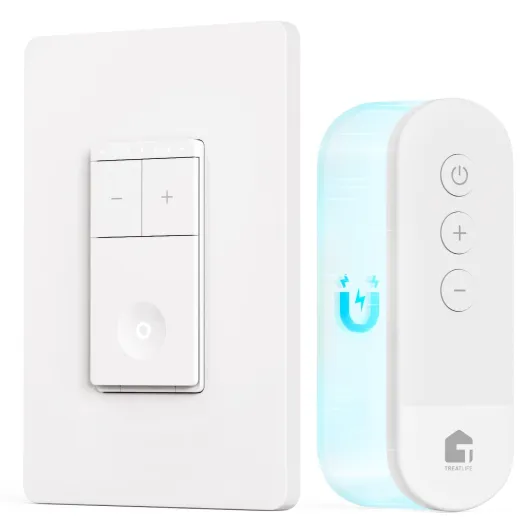

Understanding remote control dimmable light switches
What is a remote control dimmable light switch?
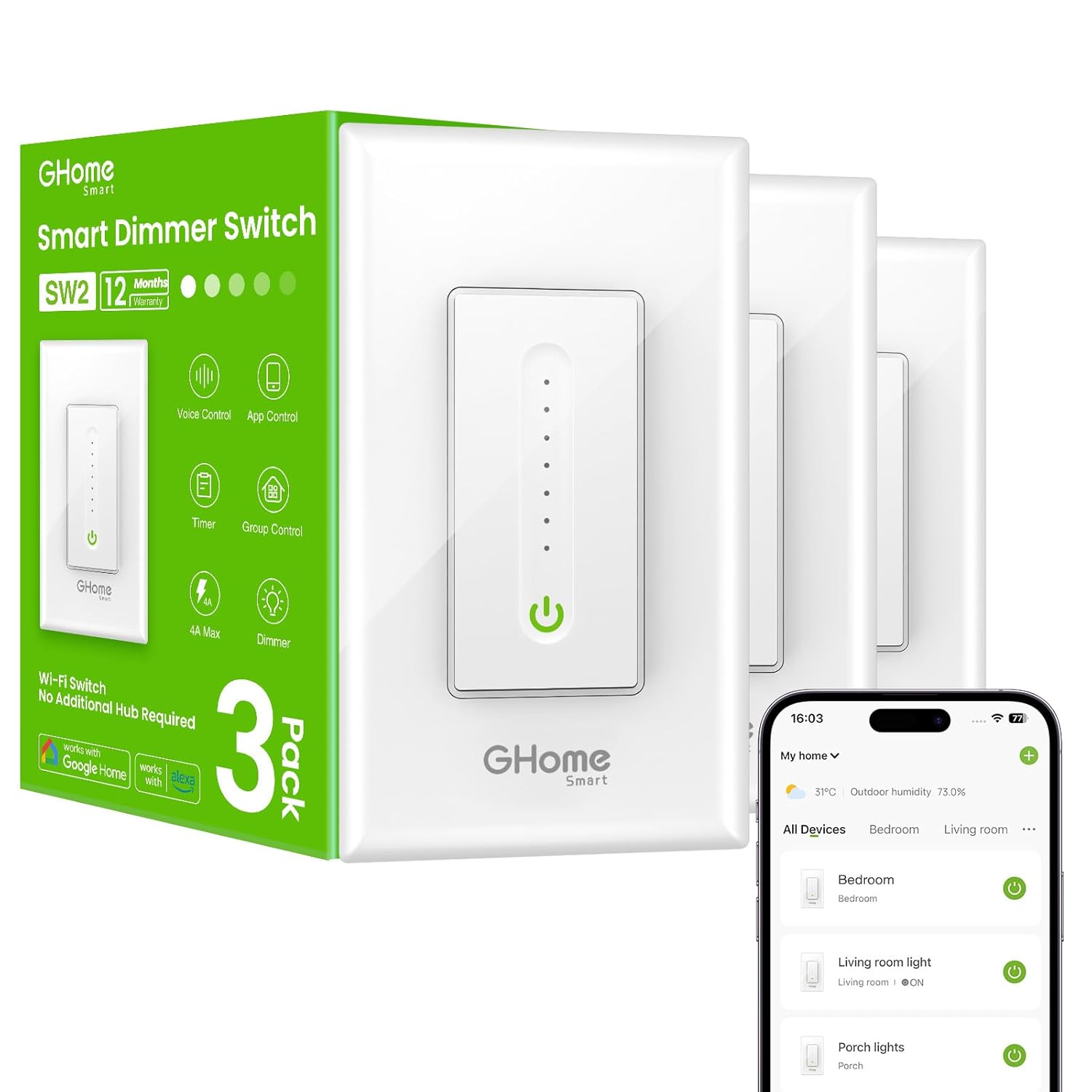
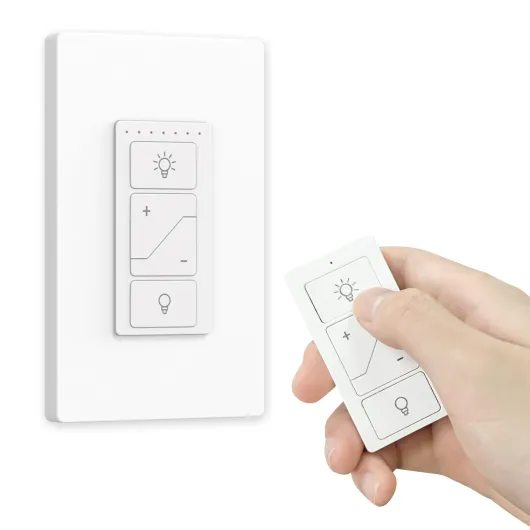
A remote control dimmable light switch is a smart device designed to let you adjust your lighting levels wirelessly. Instead of using a traditional wall switch, you can control your lights with a handheld remote, a wireless wall switch, or even through an app on your smartphone. Some products also support voice assistants like Alexa, making it easy to manage your lights hands-free. These switches are especially popular for their convenience and flexibility, allowing you to set the perfect ambiance in any room.
How do smart dimmer switches work?
Smart dimmer switches replace your existing wall switch and connect to your home’s electrical wiring. Many models require a neutral wire, so it’s important to check your setup before purchasing. Once installed, these switches communicate with a receiver or smart hub, enabling wireless control. Some kits include a remote control, while others offer app-based control or integration with smart home systems. The dimming function lets you fine-tune the brightness of your lights, which is ideal for both energy savings and comfort.
Types of remote control dimmable switches
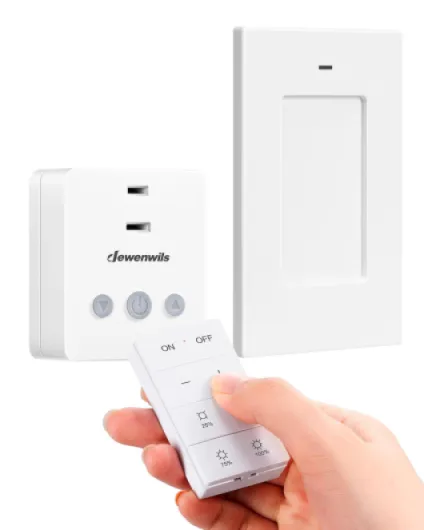
- Wireless dimmer switch kits: These kits often include a smart dimmer switch, a remote, and sometimes a receiver. They are designed for easy installation and use.
- Single pole and multi-way switches: Single pole switches control one light from one location, while multi-way options let you control lights from multiple spots in your home.
- Push button and pico remotes: Some products use push button controls or pico remotes for simple, tactile operation.
- App and voice control: Many smart dimmers offer compatibility with popular apps and voice assistants for seamless integration into your smart lighting setup.
Why choose a smart dimmer switch?
Smart dimmer switches offer more than just convenience. They can help you save energy, extend the life of your bulbs, and create customized lighting scenes. If you’re interested in learning more about the benefits and features of LED dimmer switches, check out this guide to LED dimmer switches for LED lights.

Key features to look for in a smart dimmable switch
What Makes a Smart Dimmer Switch Stand Out?
When shopping for a smart dimmer switch or a remote control dimmable light switch, it’s easy to get overwhelmed by the range of products and features available. Not all switches are created equal, and the right choice depends on your lighting needs, the type of lights you use, and your home’s wiring. Here’s what to keep in mind when comparing options:
- Wireless Control: Many smart switches offer wireless control via a remote, app, or even voice assistants like Alexa. Look for a kit that includes a wireless wall switch or a pico remote for flexible control from anywhere in the room.
- Compatibility: Make sure the dimmer switch is compatible with your existing lights, whether they’re LED, incandescent, or fans. Some products require a neutral wire, while others work with single pole or three-way setups. Double-check compatibility with your smart hub or smart lighting system.
- App Integration: A quality smart dimmer should work seamlessly with a dedicated app, allowing you to schedule, dim, or group your lights for scenes. This is especially useful for those who want to control multiple lights or fans from one place.
- Remote and Kit Options: Some kits include both the dimmer switch and a remote receiver, making installation and control easier. Look for a switch kit that matches your needs, whether you want a push button, wireless dimmer, or a more traditional wall switch.
- Ease of Installation: Products that don’t require a neutral wire or come with clear instructions can save time and frustration. Some original smart dimmers are designed for DIY installation, while others may need professional help.
- Build Quality and Design: Consider the look and feel of the switch. A well-designed smart switch blends into your décor and offers tactile feedback, whether it’s a push button or a touch-sensitive panel.
- Advanced Features: Some smart dimmers offer features like fade-on/fade-off, preset dimming levels, or compatibility with wireless light receivers for expanded control. Check if the product supports integration with other smart products in your home.
For a deeper dive into how a lighted toggle switch can enhance your smart lighting experience, check out this detailed guide.
Choosing the right smart dimmer switch is about balancing features, compatibility, and ease of use. With the right product, you’ll enjoy seamless lighting control and a more comfortable home environment.
Benefits of using a remote control dimmable light switch
Why Remote Control Dimmable Switches Stand Out
Remote control dimmable light switches have become a popular choice for anyone looking to upgrade their home lighting. These smart switches offer more than just basic on and off functions. They bring flexibility, convenience, and energy savings to your daily life. Whether you choose a wireless dimmer, a wall switch, or a kit that includes a remote and receiver, the benefits are clear for both new and existing lighting setups.
Convenience and Flexibility in Lighting Control
- Effortless control: Adjust your lights from anywhere in the room using a remote, app, or even voice commands with Alexa or a smart hub. No need to get up or search for the wall switch.
- Customizable ambiance: Fine-tune brightness for reading, relaxing, or entertaining. Dimming features let you set the perfect mood for any occasion.
- Multiple control options: Many products support both push button and wireless wall controls, making it easy to adapt to your preferences.
Energy Efficiency and Cost Savings
- Lower energy bills: Dimming your lights reduces energy consumption. Over time, this can lead to noticeable savings, especially with LED lights and fans.
- Extended bulb life: Using a dimmer switch can help your bulbs last longer by reducing the strain of full brightness.
Enhanced Home Experience
- Smart home integration: Many smart dimmer switches are compatible with popular systems like Amazon Alexa, Google Home, and other smart hubs. This means you can control your lighting with your voice or automate routines for added comfort.
- Easy upgrades: Wireless dimmer kits and single pole switches often require minimal wiring, sometimes even without a neutral wire. This makes them accessible for most homes, even older ones.
- Versatile applications: Use remote control dimmers for lights, fans, or even outdoor lighting. Some kits include multiple receivers, allowing you to control several lights from one remote.
For a deeper look at how smart lighting transforms spaces and enhances daily life, check out this guide on smart lighting solutions for unique environments.
Installation tips and common challenges
Getting Ready for Installation
Before installing a remote control dimmable light switch, it’s important to check your existing wiring. Many smart dimmer switches, especially those compatible with wireless control or Alexa, require a neutral wire. If your home doesn’t have one, you may need to look for products designed for older wiring or consider professional help. Always turn off the power at the breaker before starting any installation to ensure safety.
Step-by-Step Setup
- Remove the old switch: Carefully unscrew and disconnect your current wall switch. Take note of how the wires are connected.
- Connect the new smart dimmer: Follow the product instructions to attach the wires. Most smart dimmer switches will have clear labels for line, load, ground, and neutral wires.
- Mount the switch: Secure the new switch into the wall box and attach the faceplate. Some kits include a wireless wall remote or pico remote for added convenience.
- Pair with your remote or app: After restoring power, use the included remote control or the recommended app to connect the switch to your smart hub or wireless receiver. Many products offer easy pairing with Alexa or other smart home systems.
Common Challenges and Solutions
- No neutral wire: If your setup lacks a neutral wire, look for a single pole smart dimmer switch designed for two-wire installations. Some brands offer wireless dimmer kits that don’t require a neutral.
- Compatibility issues: Not all dimmer switches work with every type of bulb or lighting fixture. Check the product details to ensure compatibility with your lights and fans.
- Wireless interference: If your remote or app control is unreliable, try moving your smart hub or wireless receiver closer to the switch. Avoid placing large metal objects nearby, as they can block signals.
- Flickering lights: This can happen if the dimmer isn’t compatible with your bulbs. Use dimmable LED or incandescent bulbs as recommended by the switch manufacturer.
Helpful Installation Tips
- Read the product manual thoroughly before starting.
- Label wires during removal to avoid confusion.
- Test the switch control before finalizing installation to confirm proper dimming and remote operation.
- If you’re unsure about wiring, consult a licensed electrician.
Choosing a smart dimmer switch kit that matches your home’s wiring and lighting needs will make installation smoother and ensure reliable control of your lights. Many products on Amazon offer step-by-step guides and customer support, which can be helpful if you run into issues.
Compatibility with smart home systems
Smart Home Integration: What to Know
When choosing a remote control dimmable light switch, it’s important to consider how well it fits into your existing smart home setup. Many smart dimmer switches are designed to work with popular platforms like Alexa, Google Assistant, and Apple HomeKit. This compatibility allows you to control your lighting with voice commands, mobile apps, or even automation routines.
- Smart hub support: Some dimmer switches require a smart hub to connect with other devices. Check if your product needs a hub or if it can connect directly to your Wi-Fi network.
- Wireless protocols: Products may use Zigbee, Z-Wave, or Wi-Fi. Make sure your smart hub or router supports the protocol of your chosen switch kit or dimmer switch.
- App control: Most smart dimmers come with their own app, letting you adjust brightness, set schedules, and monitor energy use. Look for a product with a user-friendly app and regular updates.
- Voice assistant compatibility: If you use Alexa, Google, or Siri, confirm that your dimmer switch is certified to work with your preferred assistant for seamless voice control.
Common Compatibility Challenges
Not all smart lighting products are created equal. Some wireless dimmer switches or wall switches may not support three-way or multi-location setups. Others might require a neutral wire, which isn’t available in every home. Before purchasing, check the product details for requirements like single pole or multi-way support, and whether the kit includes all necessary receivers or push buttons.
For those with ceiling fans or specialty lights, ensure the switch control is rated for both lights and fans. Some wireless wall dimmers are designed only for lighting and may not handle fan loads safely.
Popular Smart Lighting Ecosystems
| Brand | Works With | Key Features |
|---|---|---|
| Amazon Echo | Alexa, Zigbee | Voice control, routines, app integration |
| Lutron Caseta | Pico remote, Apple HomeKit, Alexa, Google | Wireless dimming, remote control, easy installation |
| TP-Link Kasa | Wi-Fi, Alexa, Google | App control, scheduling, no hub required |
Choosing the right smart dimmer or switch kit depends on your current devices and future plans. Always review the compatibility list and consider how the product will work with your other smart home features for a smooth experience.
Troubleshooting and maintenance
Common Issues and Quick Fixes
Even the best smart dimmer switch kits can run into issues. If your remote control or app isn’t responding, first check the batteries in your remote and ensure your wireless dimmer receiver is powered. Sometimes, a simple reset of the smart switch or the smart hub can restore control. For wireless wall switches, make sure the signal isn’t blocked by thick walls or metal objects. If your lights flicker or don’t dim smoothly, confirm that your bulbs are compatible with dimming features and that your dimmer switch supports the type of lighting installed, such as LED or incandescent.
Maintaining Your Smart Lighting System
Regular maintenance helps keep your smart lighting products working efficiently. Update the firmware of your smart dimmer switch and app when prompted. This can fix bugs and add new features. Clean your wall switch and remote control with a dry cloth to avoid dust buildup, which can affect push button response. If your switch kit includes a neutral wire, ensure connections remain secure over time. For wireless light switches, periodically check the battery level and replace as needed.
When to Seek Support
If troubleshooting doesn’t solve the problem, consult the product manual or visit the manufacturer’s support site. Many brands, including those available on Amazon, offer detailed FAQs and customer service. For smart switches that integrate with Alexa or other smart home systems, check compatibility updates or integration guides. If your original smart dimmer or switch kit is still under warranty, consider reaching out for a replacement or repair.
- Check compatibility between your smart dimmer and lights fans or other connected devices.
- Ensure your smart hub is online and connected to your network for app-based control.
- For single pole installations, verify wiring matches the product instructions.
Staying proactive with these steps can help you enjoy seamless switch control and reliable dimming for your smart lighting setup.