
Understanding zwave lock technology
What Makes Z-Wave Locks Unique?
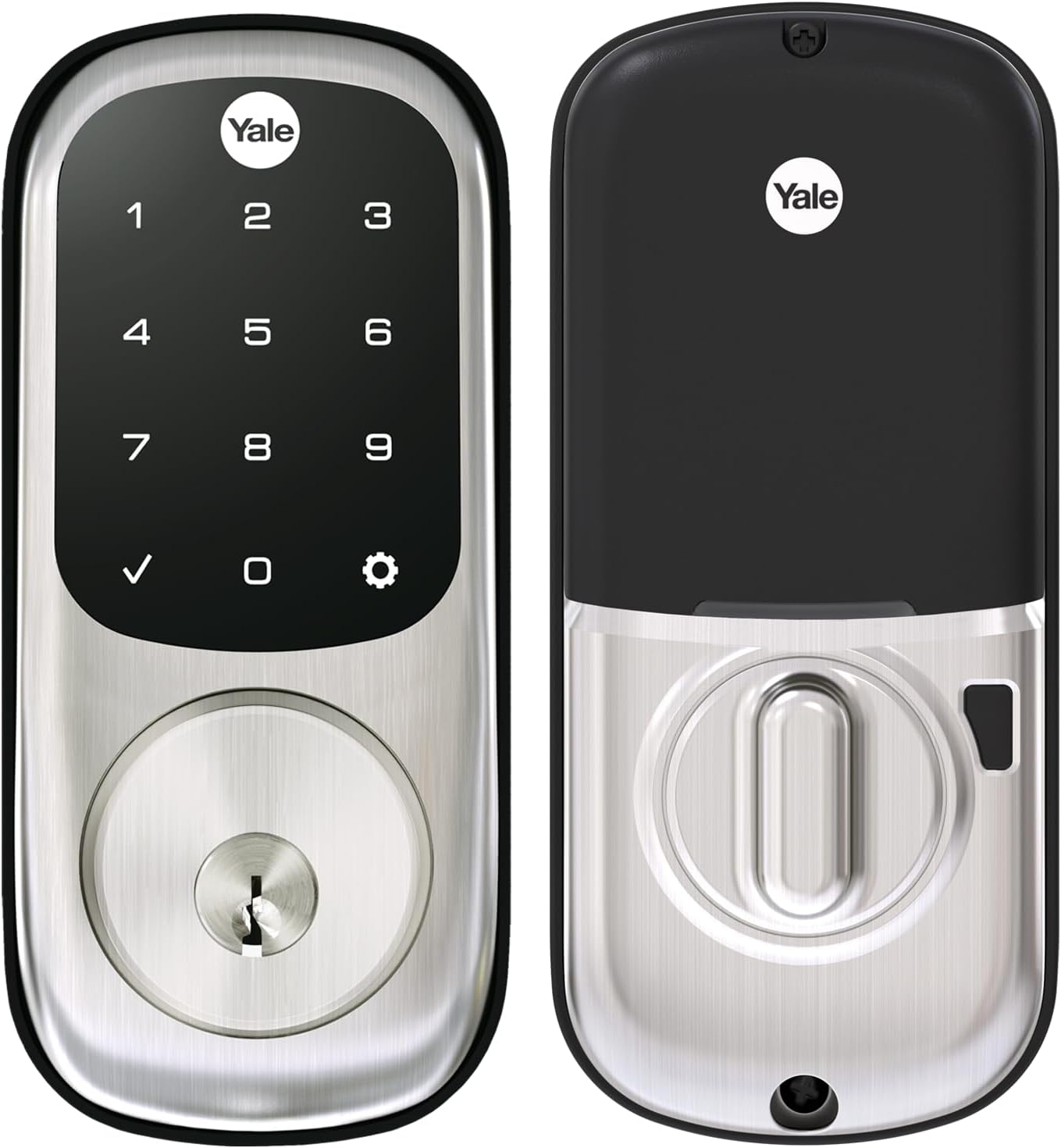
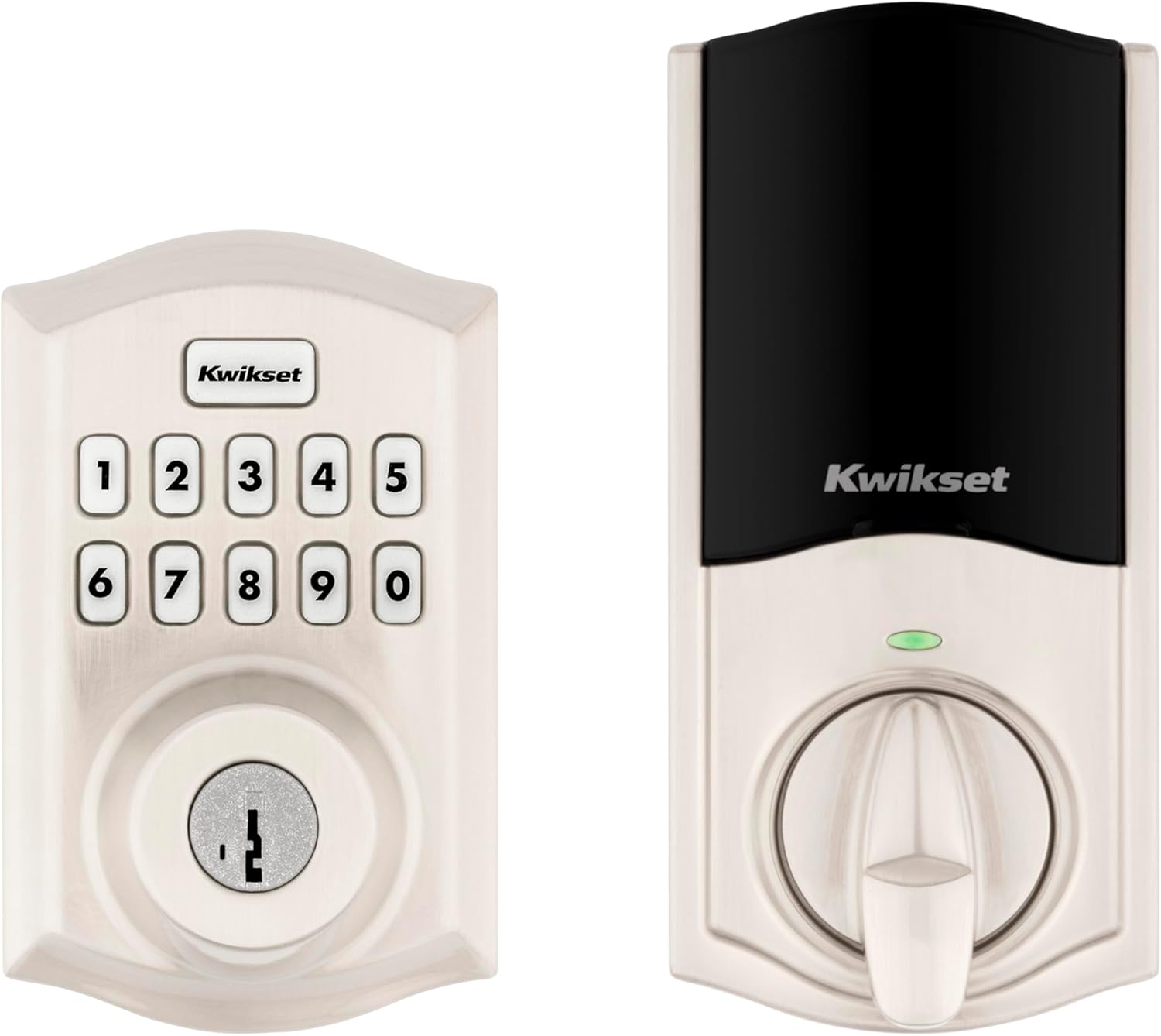
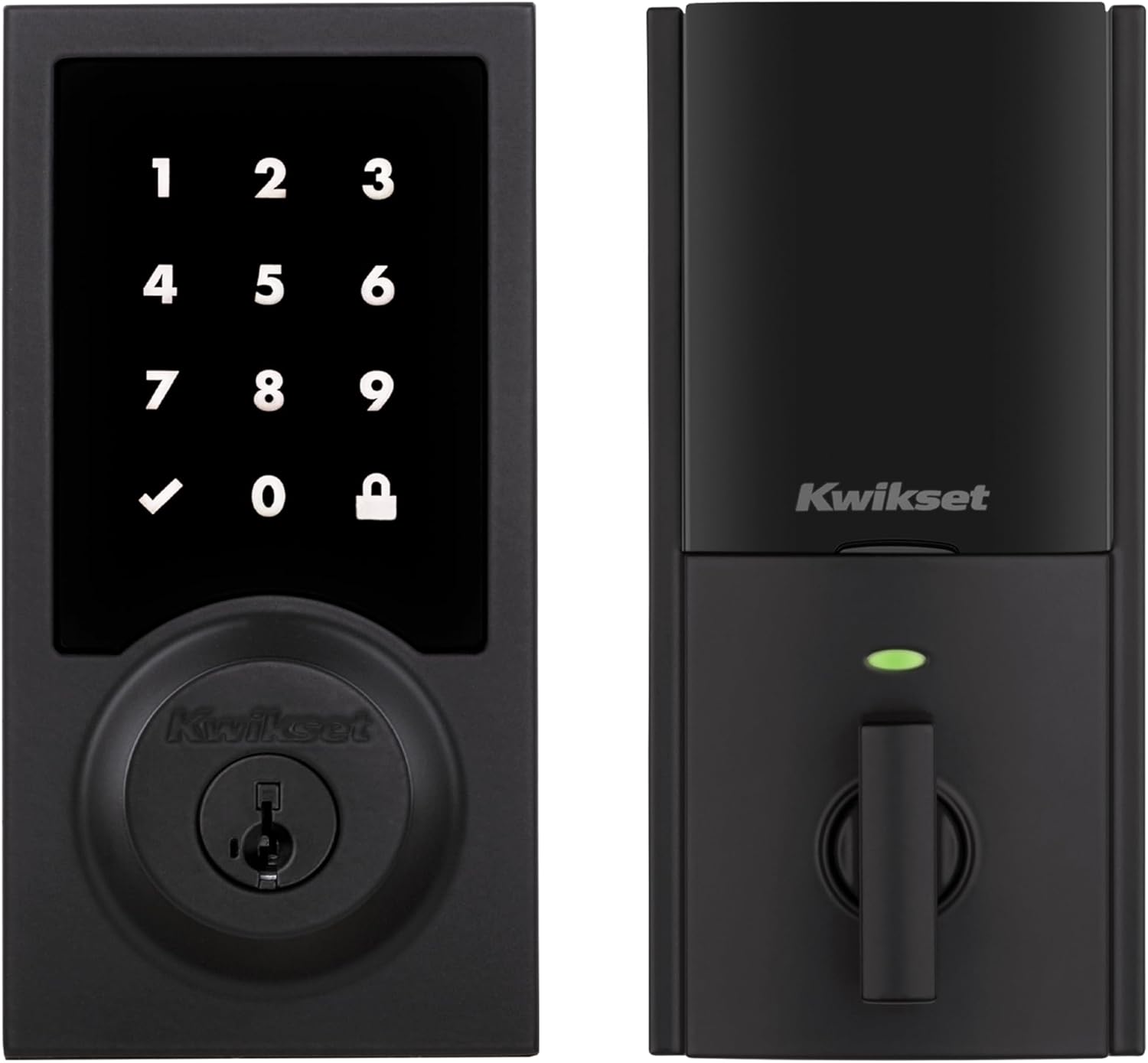
Z-Wave lock technology stands out in the smart home market for its reliable wireless communication and compatibility with a wide range of devices. Unlike traditional locks, a Z-Wave lock uses a low-energy radio frequency to connect with your smart home hub, allowing you to control and monitor your door lock remotely. This technology is found in popular products like the Yale Assure Lock, Schlage smart deadbolts, and other smart locks available in finishes such as satin nickel or black suede.
How Z-Wave Enhances Your Smart Home
Integrating a Z-Wave lock into your home means more than just keyless entry. These locks can work with other smart devices, such as Amazon Echo, Ring Alarm, and smart lighting systems. For example, when you unlock your door, your lights can automatically turn on, or your security system can disarm. The long range of Z-Wave ensures that even locks installed on exterior doors maintain a strong connection to your hub, which is essential for larger homes or those with thick walls.
Key Terms and Features Explained
- Deadbolt Wave: Refers to Z-Wave enabled deadbolts, offering both traditional security and smart features.
- Key Free: Many smart locks, like the Yale Assure, offer keyless entry options, including fingerprint or code access.
- Product Range: Z-Wave locks come in various styles and finishes, such as satin nickel or black, to match your door hardware.
- Hub Compatibility: To use a Z-Wave lock, you’ll need a compatible hub, which acts as the central controller for your smart devices.
Why Choose Z-Wave for Security?
Security is a top concern for any smart lock. Z-Wave technology uses encryption protocols to protect your data and prevent unauthorized access. Brands like Yale and Schlage have built their reputations on robust security features, offering peace of mind whether you’re at home or away. For more insights into how Z-Wave technology can improve your home’s overall security and comfort, check out this guide on the benefits of Z-Wave sensors.

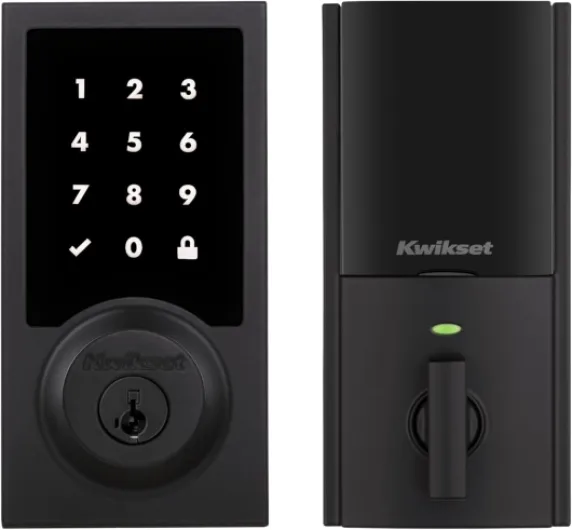
- + Digital Touchscreen for easy access
- + Z-Wave compatibility for smart home integration
- + Includes backup key for secure access
- + Satin Nickel finish for durability and aesthetic appeal
- + Suitable for front or back entry doors

Key features to look for in a zwave lock
Essential Aspects to Evaluate in a Z-Wave Door Lock
When shopping for a Z-Wave lock, it’s important to focus on features that match your smart home needs and security expectations. The market offers a variety of smart locks, including popular models like the Yale Assure Lock and Schlage smart deadbolts, each with unique strengths. Here’s what to look for:
- Security Standards: Look for locks with robust deadbolt mechanisms and certifications. Many Z-Wave smart locks, such as the Yale Assure series, offer keyless entry and key free options, reducing the risk of traditional lock picking.
- Material and Finish: Choose a product that complements your door and home style. Satin nickel and black suede finishes are common, providing both durability and a modern look. Some models, like the Yale Assure Lock in satin nickel, are designed to resist wear and corrosion.
- Connectivity and Range: Z-Wave long range capability ensures your lock stays connected to your smart hub, even if your door is far from the central controller. This is especially useful in larger homes or when integrating with devices like Amazon Echo or Ring Alarm.
- Integration with Other Devices: Consider how the lock works with your existing smart home ecosystem. Many smart locks are compatible with Amazon Alexa, smart lighting, and security systems. The ability to connect smart devices enhances convenience and automation.
- Access Methods: Evaluate if you need fingerprint access, keypad entry, or traditional key backup. Keyless entry is a hallmark of smart locks, but some users prefer a hybrid approach for added flexibility.
- Power and Battery Life: Check the battery requirements and expected lifespan. Some Z-Wave locks alert you when batteries are low, ensuring you’re never locked out unexpectedly.
- Price and Value: Compare price points across brands and models. While premium features like fingerprint sensors or long range connectivity may increase the price, they can offer significant convenience and security benefits.
For a deeper dive into how smart lighting and security technologies are transforming modern infrastructure, you might find this article on illuminating bridges with smart lighting insightful.
Remember, the best Z-Wave lock is the one that fits your door, works seamlessly with your hub, and meets your daily needs for security and convenience.
Compatibility with smart lighting systems
Ensuring Your Zwave Lock Works with Smart Lighting
When selecting a zwave lock for your smart home, it’s important to check how well it integrates with your existing smart lighting systems. Many homeowners want their door lock to trigger lights automatically, or to control everything from a single app or hub. Here’s what to consider for a seamless experience:
- Hub Compatibility: Make sure your zwave lock, such as a Yale Assure Lock or Schlage smart deadbolt, is compatible with your smart hub. Popular hubs like Ring Alarm, Amazon Echo, and SmartThings often support a wide range of zwave products, including smart locks and lighting controls.
- Interoperability: Look for locks that can communicate with your smart lighting. For example, a wave smart lock can trigger your hallway lights when you unlock the door. This is especially useful if you use remote dimmer switches or want to enhance your home’s ambiance and security. For more on this, check out this guide on enhancing your home with a remote dimmer switch for LED lights.
- Product Ecosystem: Some brands, like Yale and Schlage, offer a range of finishes such as satin nickel or black suede, and often have matching smart deadbolts and lighting accessories. This can help you maintain a consistent look throughout your home.
- Long Range and Reliability: Zwave long range is a key feature for larger homes. Make sure your lock and lighting devices can communicate reliably across your property, especially if your door is far from your hub.
- Keyless Entry and Automation: Features like key free or fingerprint entry can be paired with lighting scenes, so your entryway lights up as soon as you unlock the door lock.
Always review the product specifications and user feedback on sites like Amazon to confirm that your chosen smart lock wave product will work smoothly with your smart lighting setup. This ensures you get both convenience and security without compatibility headaches.
Installation tips for zwave locks
Preparing Your Door and Tools
Before installing a zwave smart lock like the Yale Assure Lock or Schlage Connect, check your door’s compatibility. Most wave smart deadbolts are designed for standard doors, but thickness and backset can vary. Make sure your door is properly aligned and the existing deadbolt hole matches the product’s requirements. Have a screwdriver, tape measure, and possibly a drill on hand. Some models, such as the Yale Assure Lock SL in satin nickel or black suede, offer keyless entry and key free options, which can simplify installation.Step-by-Step Installation Process
- Remove your old deadbolt and clean the area.
- Install the new wave deadbolt, ensuring the latch and strike plate fit securely.
- Attach the exterior keypad or fingerprint reader, aligning it with the interior mounting plate.
- Secure the interior assembly, making sure the batteries are installed correctly.
- Test the lock manually before connecting it to your smart hub or Amazon Echo.
Connecting to Your Smart Home Hub
Once the lock is physically installed, it’s time to pair it with your hub. Most zwave locks, including the Yale Assure and Schlage Connect, support long range connections with hubs like Ring Alarm or SmartThings. Follow the manufacturer’s instructions to enter pairing mode, then use your hub’s app to add the device. If you’re using Amazon Echo, ensure it supports zwave or is connected through a compatible hub. This step is crucial for integrating your smart lock with other smart devices, such as smart lighting or thermostats.Tips for a Smooth Setup
- Double-check battery orientation and use fresh batteries for optimal performance.
- Update your hub’s firmware to avoid connectivity issues.
- Position your hub within range—zwave long range models can help if your door is far from the hub.
- Test keyless entry, fingerprint, and app-based controls before finalizing installation.
Common Installation Challenges
Some doors may require minor adjustments, especially if the deadbolt doesn’t slide smoothly. If you encounter resistance, check for misalignment or debris. For metal doors or unique finishes like satin nickel or black suede, use caution to avoid scratching the surface. If you have trouble connecting to your hub, ensure the lock is within the recommended range and that your hub supports the specific zwave protocol used by your product.When to Seek Professional Help
If you’re unsure about drilling or wiring, or if your door requires significant modification, consider hiring a professional. This can help protect your investment, especially for higher price models or advanced features like fingerprint recognition and key free entry. Many smart locks, including the Yale Assure Lock and Schlage Connect, offer detailed video guides and customer support to assist with installation.Security considerations for zwave locks
Protecting Your Home with Zwave Lock Security
When choosing a smart lock, security is a top concern. Zwave technology is known for its encrypted communication, which helps protect your home from unauthorized access. Still, not all products offer the same level of protection. Here are some important points to consider:- Encryption Standards: Look for locks that use the latest Zwave S2 security protocol. This adds an extra layer of encryption, making it harder for hackers to intercept signals between your lock and hub.
- Physical Security: The build quality matters. Deadbolt wave models, like those from Yale Assure and Schlage, often feature reinforced materials such as satin nickel or black suede finishes. These not only look good but also resist tampering and forced entry.
- Keyless Entry and Fingerprint Options: Key free and fingerprint-enabled smart locks reduce the risk of lost or copied keys. However, always check that the fingerprint sensor is reliable and not easily fooled by fake prints.
- Long Range and Hub Compatibility: A lock with long range Zwave connectivity ensures stable communication with your smart hub, whether it’s Ring Alarm, Amazon Echo, or another system. This reduces the risk of signal dropouts that could leave your door lock vulnerable.
- Firmware Updates: Choose a product that supports over-the-air updates. Regular updates from brands like Yale and Schlage help patch security flaws and improve performance.
Comparing Security Features
| Product | Encryption | Physical Strength | Keyless Options | Hub Compatibility |
|---|---|---|---|---|
| Yale Assure Lock (Satin Nickel) | Zwave S2 | Grade 2 Deadbolt | Key Free, Fingerprint | Ring Alarm, Amazon Echo |
| Schlage Connect Smart Deadbolt | Zwave S2 | Grade 1 Deadbolt | Keypad | Ring Alarm, Hubitat |
| Yale Assure Lock (Black Suede) | Zwave S2 | Grade 2 Deadbolt | Key Free | Amazon Echo, SmartThings |
Extra Tips for Secure Use
- Always set strong, unique codes for keyless entry.
- Regularly check for firmware updates via your smart hub.
- Consider disabling remote access if you don’t need it, to reduce exposure to online threats.
- Install your lock correctly, following the manufacturer’s instructions for your specific door and deadbolt type.
Troubleshooting common zwave lock issues
Common Problems and How to Fix Them
Even the best zwave smart locks, like the Yale Assure or Schlage deadbolt, can run into issues after installation. Here are some frequent problems users face and practical ways to resolve them, whether you’re using a satin nickel finish, black suede, or another style.
- Lock Not Responding to Commands: If your wave lock isn’t reacting to your hub or app, check the battery level first. Low batteries are a common cause. Replace them with fresh ones and ensure they’re installed correctly. Also, confirm your smart lock is within the recommended long range of your zwave hub. If your door lock is too far, consider adding a zwave range extender.
- Connectivity Drops: Sometimes, the smart deadbolt loses connection with your smart home system. This can happen if there’s interference from other wireless devices or thick walls. Try relocating your hub or using a zwave repeater. For products like the Yale Assure Lock or Schlage Connect Smart Deadbolt, make sure your firmware is up to date.
- Keyless Entry Not Working: If the keypad or fingerprint sensor isn’t unlocking the door, clean the surface gently. For key free entry, double-check your user codes or fingerprint enrollment. Resetting the lock wave settings and re-adding user credentials can help.
- Integration Issues with Amazon Echo or Ring Alarm: If your wave smart lock isn’t working with Amazon Echo or Ring Alarm, verify that your hub supports the specific product model. Some smart locks require additional modules or updated firmware to connect smart features. Check manufacturer support for compatibility lists.
- Mechanical Jamming: If your deadbolt wave or smart lock is hard to turn, inspect the door alignment. Sometimes, a misaligned door can put pressure on the lock, causing jams. Adjust the strike plate or hinges as needed. Lubricate the deadbolt with a graphite-based product, not oil, to maintain smooth operation.
When to Seek Professional Help
If troubleshooting doesn’t resolve the issue, or if your smart locks show repeated errors, it may be time to contact the manufacturer’s support. For high-security products like the Yale Assure Lock in satin nickel or Schlage Connect, professional installation or service can ensure your security isn’t compromised. Always use authorized service providers to maintain warranty and product integrity.
Maintaining Security and Performance
Regularly update your lock’s firmware and app to benefit from the latest security patches. Monitor your zwave network for any unusual activity, and change access codes periodically. Whether you use a wave black, satin, or nickel finish, these steps help keep your smart home secure and your smart deadbolt working reliably for the long term.