
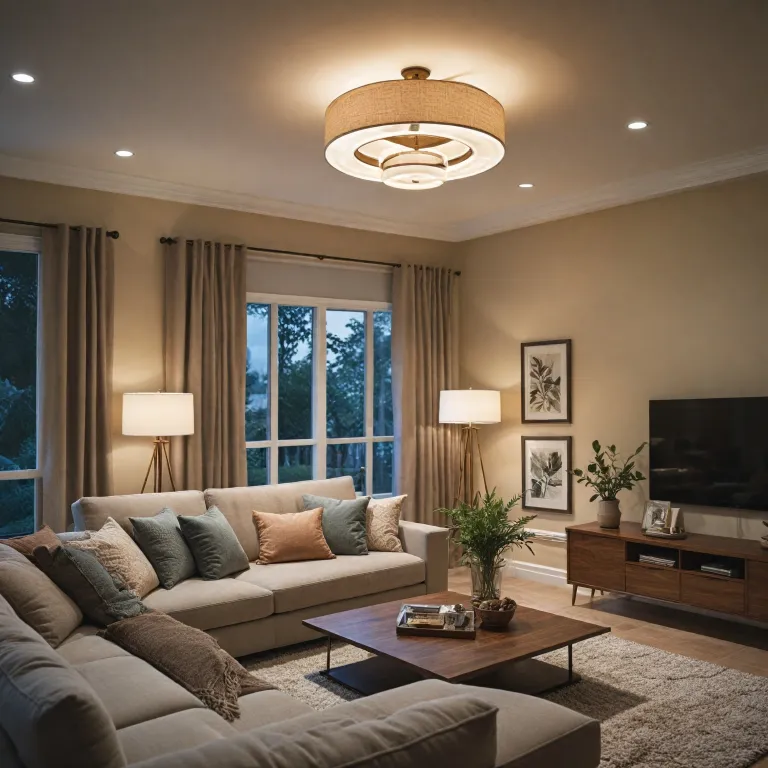
Understanding what a smart timer switch is
What Makes a Timer Switch Smart?
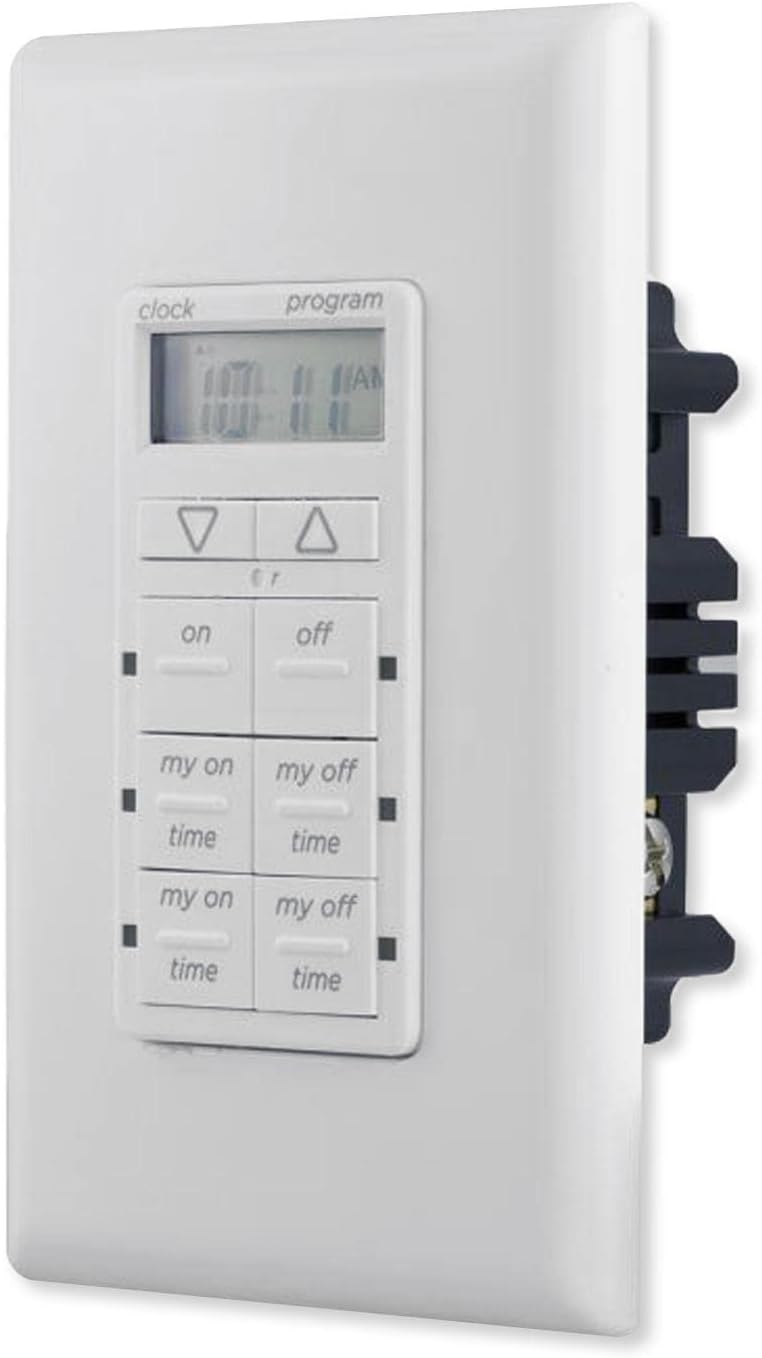
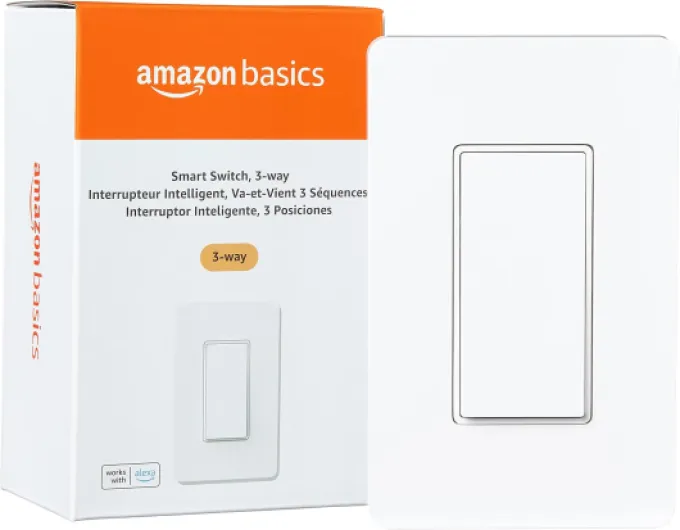
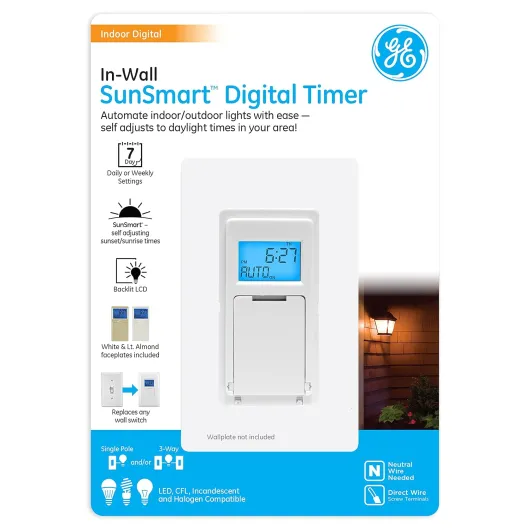
Smart timer switches are a step beyond traditional light switches. They let you automate when your lights or fans turn on and off, using schedules or remote control. Unlike basic wall switches, a smart timer switch connects to your home Wi-Fi or a hub, making it possible to control your lights from your phone, tablet, or even with voice assistants like Alexa or Google.
Most smart timer switches work with standard lights and fans, and some models also function as a smart dimmer switch, allowing you to adjust brightness. Whether you want to control a single pole light or a set of lights fans, these products offer flexibility and convenience. Some switches require a neutral wire for installation, so it’s important to check your home’s wiring before buying. There are also options with a push button or touch interface, and some kits come with everything you need for setup.
How Do Smart Timer Switches Work?
When you install a smart timer switch, you replace your existing wall switch with a device that can be programmed to turn your lights on or off at specific times. Many models offer remote control through an app, letting you manage your lighting from anywhere in Canada or beyond. Some switches are compatible with Alexa or Google, so you can use voice commands to control your lights or fans.
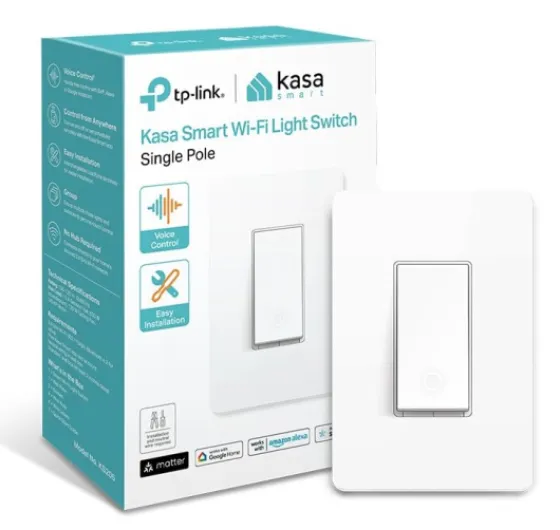
Depending on the product, a hub may be required to connect your smart switch to your home network. Others, like the popular Kasa smart dimmer or timer switch, connect directly to Wi-Fi. The price varies based on features like dimming, remote access, and compatibility with other smart home devices.
- Smart dimmer switch: Adjusts brightness as well as timing
- Remote control: Use your phone or voice assistant to control lights
- Single pole or multi-way: Choose the right switch for your wiring
- Wire required: Some need a neutral wire for installation
For more on how a lighted toggle switch can enhance your smart lighting experience, check out this guide to lighted toggle switches.
Key features to look for in a smart timer switch
Essential Functions for Modern Homes
When choosing a smart timer switch for your lights or fans, it’s important to focus on features that truly make a difference in daily use. Not all switches are created equal, and the right product can offer much more than just basic on-off control.- Remote Control and App Integration: Many smart timer switches allow you to control your lights or fans remotely using a smartphone app. This is especially useful for those who want to manage their home lighting while away or from the comfort of their couch.
- Compatibility: Check if the switch is compatible with popular smart home systems like Alexa, Google Assistant, or even specific brands such as Kasa. Some products require a hub, while others connect directly to your Wi-Fi.
- Dimmer and Push Button Options: A smart dimmer switch lets you adjust brightness levels, not just turn lights on or off. Push button controls can offer a more tactile experience compared to traditional toggles.
- Scheduling and Timer Functions: Look for switches that let you set schedules or countdown timers. This feature is key for automating lights and fans, helping save energy and enhance security.
- Wiring Requirements: Some smart switches require a neutral wire, while others are designed for single pole setups. Always check if additional wiring is required before purchasing, especially in older homes in Canada.
- Wall Plate and Design: The look and feel of the wall switch matter. Some kits include a wall plate, while others may need to be purchased separately. Consider the design and how it fits with your home’s style.
- Price and Value: Compare the price of different products, keeping in mind the features offered. Sometimes, a slightly higher price brings more advanced control or better compatibility.
Smart Features That Stand Out
A few advanced features can really set a smart timer switch apart:- Voice Control: Switches compatible with Alexa or Google Assistant let you control your lights and fans hands-free.
- Scene and Group Control: Some smart switches allow you to group multiple lights or fans together, so you can control them all at once.
- Integration with Other Smart Devices: If you already use smart bulbs, sensors, or a smart hub, look for switches that can link seamlessly with your existing setup.
Choosing the Right Switch for Your Needs
Before making a decision, consider how you want to control your lights and fans—whether through a remote, app, or voice. Also, think about installation requirements, such as whether a neutral wire is required or if the switch is single pole. Reading product reviews and comparing features can help you find the best smart switch for your home.Benefits of using a smart timer switch in your home
Enhancing Convenience and Comfort
Smart timer switches bring a new level of convenience to home lighting. With the ability to schedule your lights and fans, you no longer have to worry about forgetting to turn off a light switch or leaving a fan running. Many smart switches, including popular options like Kasa smart dimmer switches, allow you to set routines that fit your daily habits. Whether you want your hallway lights to turn on at sunset or your bedroom lights to dim gradually at night, a timer switch can automate these tasks for you.Energy Savings and Cost Efficiency
One of the most appealing benefits is the potential for energy savings. By automating when your lights and fans are on, you reduce unnecessary energy use. This can help lower your electricity bills, especially in Canada where long winter nights can mean more lighting hours. Some smart dimmer switches also let you adjust brightness, further reducing power consumption. Over time, the price of investing in a smart timer switch can be offset by these savings.Improved Home Security
A smart timer switch can make your home look occupied even when you’re away. By scheduling your lights to turn on and off at different times, you can deter potential intruders. Some products are compatible with Alexa or Google Assistant, letting you control lights remotely or with your voice. This adds another layer of security and flexibility, especially if you’re traveling.Flexible Control Options
Modern smart switches offer a range of control methods:- Remote control via smartphone apps
- Voice commands with Alexa or Google Assistant
- Physical push button or wall timer options
Integration with Other Smart Home Devices
Many timer switches can link with other smart products, such as thermostats or security systems. For example, integrating your smart timer switch with a Z-Wave thermostat can create a seamless home automation experience. For more on this, see this guide on the benefits of Z-Wave thermostats.Accessibility and Ease of Use
Smart timer switches are designed for everyone, including those with mobility challenges. Remote control and voice command features mean you don’t have to physically reach the wall switch. Some switches, like the Kasa smart dimmer, offer easy installation and user-friendly apps, making them accessible even if you’re new to smart home technology. In summary, a smart timer switch can transform your home lighting by offering convenience, energy savings, security, and flexible control. Whether you’re upgrading a single light or automating your entire home, there’s a product and price point to suit your needs.How to install a smart timer switch
Preparing for Installation: What You Need
Before installing a smart timer switch, it’s important to check a few things. First, confirm if a neutral wire is required for your chosen product. Many smart switches, dimmers, and timer switches need a neutral wire to function properly. If you’re unsure, look behind your existing wall switch or consult an electrician. Also, check if your switch is single pole or three-way, as this affects compatibility. Some smart timer switches, like the Kasa Smart Dimmer, work best with single pole setups. Make sure your home’s Wi-Fi is reliable, as many smart switches connect via Wi-Fi or require a hub for remote control and integration with Alexa or Google Assistant.
Step-by-Step Installation Process
- Turn off power at the circuit breaker to avoid any electrical hazards.
- Remove your old light switch or dimmer switch from the wall. Carefully disconnect the wires.
- Connect the wires to your new smart timer switch. Most products include clear labels for line, load, ground, and neutral wires. Some switches use a push button or screw terminals for wire connections.
- Secure the switch into the wall box, then attach the wall plate.
- Restore power at the breaker and test the switch. The indicator light should turn on, showing the product is ready for setup.
Connecting to Your Smart Home
Once installed, follow the manufacturer’s instructions to link your smart timer switch to your home Wi-Fi or hub if required. Many switches are compatible with Alexa, Google, or other smart home platforms. Use the app to set schedules, timers, or remote control features for your lights and fans. Some products, like the Kasa Smart Dimmer Switch Kit, offer advanced settings for dimming and scene control.
Tips for a Smooth Setup
- Double-check if a hub is required for your specific switch model.
- Ensure your Wi-Fi signal is strong near the installation point.
- Label wires during removal to make reconnection easier.
- Test the switch’s timer and remote functions before finalizing installation.
Smart timer switches are widely available in Canada and other regions, with a range of prices depending on features like dimming, remote control, and compatibility. Always review the product details to confirm it meets your needs for lights, fans, or both.

Creative ways to use a smart timer switch
Automate Your Morning and Evening Routines
A smart timer switch can help you automate daily routines. Set your lights to gradually brighten in the morning, making it easier to wake up. At night, schedule your lights to dim or turn off, creating a relaxing environment before sleep. This is especially useful if you use a smart dimmer or a smart switch compatible with Alexa or Google.Boost Security When You’re Away
Using a timer switch, you can make it look like someone is home even when you’re not. Program your wall timer to turn lights on and off at random intervals. Some smart products let you control lights and fans remotely through an app or hub, which is helpful if you travel often or work late hours.Control Multiple Devices with One Switch
Many smart timer switches can manage both lights and fans. With a single pole or a switch kit, you can control several devices in one room. Some models require a neutral wire, so check your wiring before buying. This feature is convenient for spaces like bathrooms or kitchens, where you want to automate both lighting and ventilation.Energy Savings and Cost Management
By scheduling your lights and fans to run only when needed, you can reduce energy waste and lower your electricity bill. This is especially relevant in Canada, where energy prices can fluctuate. A smart timer switch helps you track usage and optimize your home’s efficiency.Hands-Free Voice Control
If your smart switch is compatible with Alexa or Google, you can use voice commands to control your lights, fans, or dimmer switch. This adds convenience for busy households or anyone with limited mobility. Some switches also offer a push button or remote control for added flexibility.- Set up a "movie night" scene with dimmed lights using your smart dimmer switch
- Link your timer switch to a hub for advanced automation
- Use a wall timer to manage outdoor lights for safety and curb appeal
When choosing a product, consider if a hub is required, if a neutral wire is needed, and the price point. Brands like Kasa Smart offer a range of options, from single pole switches to remote control kits, making it easier to find the right fit for your home.
Troubleshooting common issues with smart timer switches
Common Problems and Practical Solutions
Smart timer switches can make your home lighting much more convenient, but sometimes things don’t work as expected. Here are some typical issues users in Canada and elsewhere might face, along with practical steps to resolve them.- Switch not responding to remote or app control
- Check if your smart switch, dimmer, or timer switch is connected to your Wi-Fi network. Many products require a stable connection, and some need a hub or bridge. If the hub is required, ensure it’s powered and linked correctly.
- Confirm your smart switch is compatible with Alexa, Google, or your chosen smart home system. Sometimes, a quick reset or re-linking the device in the app can restore control.
- Check if your smart switch, dimmer, or timer switch is connected to your Wi-Fi network. Many products require a stable connection, and some need a hub or bridge. If the hub is required, ensure it’s powered and linked correctly.
- Lights flickering or not turning on
- Some smart dimmer switches and timer switches require a neutral wire. If your wall box doesn’t have one, the product may not function properly. Double-check the installation instructions and wiring requirements.
- Make sure your bulbs are compatible with dimmer switches. Not all LED or CFL bulbs work with every dimmer or smart switch.
- Some smart dimmer switches and timer switches require a neutral wire. If your wall box doesn’t have one, the product may not function properly. Double-check the installation instructions and wiring requirements.
- Timer schedules not working
- Review your timer settings in the app. If you’ve set up schedules for lights or fans, ensure the time zone is correct and the device is synced.
- If you’re using a switch kit or wall timer, confirm that the latest firmware is installed. Updates can fix bugs and improve scheduling reliability.
- Review your timer settings in the app. If you’ve set up schedules for lights or fans, ensure the time zone is correct and the device is synced.
- Physical switch issues
- For push button or single pole switches, make sure the wall plate and wires are securely connected. Loose wires can cause intermittent operation.
- If the switch feels hot, turn off the power and check the wire connections. Overheating can indicate an installation problem or an overloaded circuit.
- For push button or single pole switches, make sure the wall plate and wires are securely connected. Loose wires can cause intermittent operation.
- Integration with other devices
- If your smart light or dimmer switch isn’t responding to voice commands via Alexa or Google, try re-enabling the skill or device link in your smart home app.
- Some switches require a specific hub or app to work with other smart products. Check the manufacturer’s compatibility list.
- If your smart light or dimmer switch isn’t responding to voice commands via Alexa or Google, try re-enabling the skill or device link in your smart home app.
When to Seek Professional Help
If you’re unsure about wire required for your smart switch, or if you encounter persistent issues after checking the basics, it’s best to consult a licensed electrician. This is especially important for installations involving fans, multi-way switches, or older homes where wiring may not meet current standards.Helpful Tips for Ongoing Use
- Keep your smart switch firmware up to date for the best performance and security.
- Regularly review your schedules and routines, especially after daylight saving time changes.
- Store product manuals and support links for quick troubleshooting.