
Understanding zwave technology in smart homes
How Z-Wave Connects Your Smart Home Devices
Z-Wave is a wireless communication protocol designed specifically for smart home systems. Unlike Wi-Fi or Bluetooth, Z-Wave operates on a low-frequency radio wave, which helps reduce interference with other household devices. This makes it a reliable choice for connecting smart thermostats, lighting, and security systems throughout your home.
One of the main advantages of Z-Wave is its ability to create a mesh network. Each Z-Wave enabled device, such as a thermostat or smart light, acts as a repeater, passing signals along to other devices. This extends the range and reliability of your smart system, making it easier to control temperature, lighting, and even security from a single app or hub.
Why Z-Wave is Popular for Smart Lighting and Thermostats
- Energy Efficiency: Z-Wave thermostats and smart lights help you manage energy use by allowing programmable schedules and remote control. This can lead to noticeable savings on your energy bill each month.
- Compatibility: Many popular brands, including Honeywell and Gig STZ, offer Z-Wave enabled thermostats and lighting products. These devices often work with major smart home systems like Alexa, Google Assistant, and various mobile apps.
- Security: Z-Wave networks use strong encryption, which is important for smart security systems and controlling devices like thermostats and lights that impact your home's comfort and safety.
- Flexibility: Whether you want a battery powered thermostat, a color touchscreen, or a programmable system, there is a wide list of Z-Wave products at different price points on Amazon and other retailers.
For those new to Z-Wave or looking to expand their system, understanding the basics of how Z-Wave works is key. If you’re considering upgrading your lighting, you might want to explore choosing the best light bulbs for recessed lighting to ensure compatibility with your Z-Wave setup.
What to Expect When Building a Z-Wave Smart Home
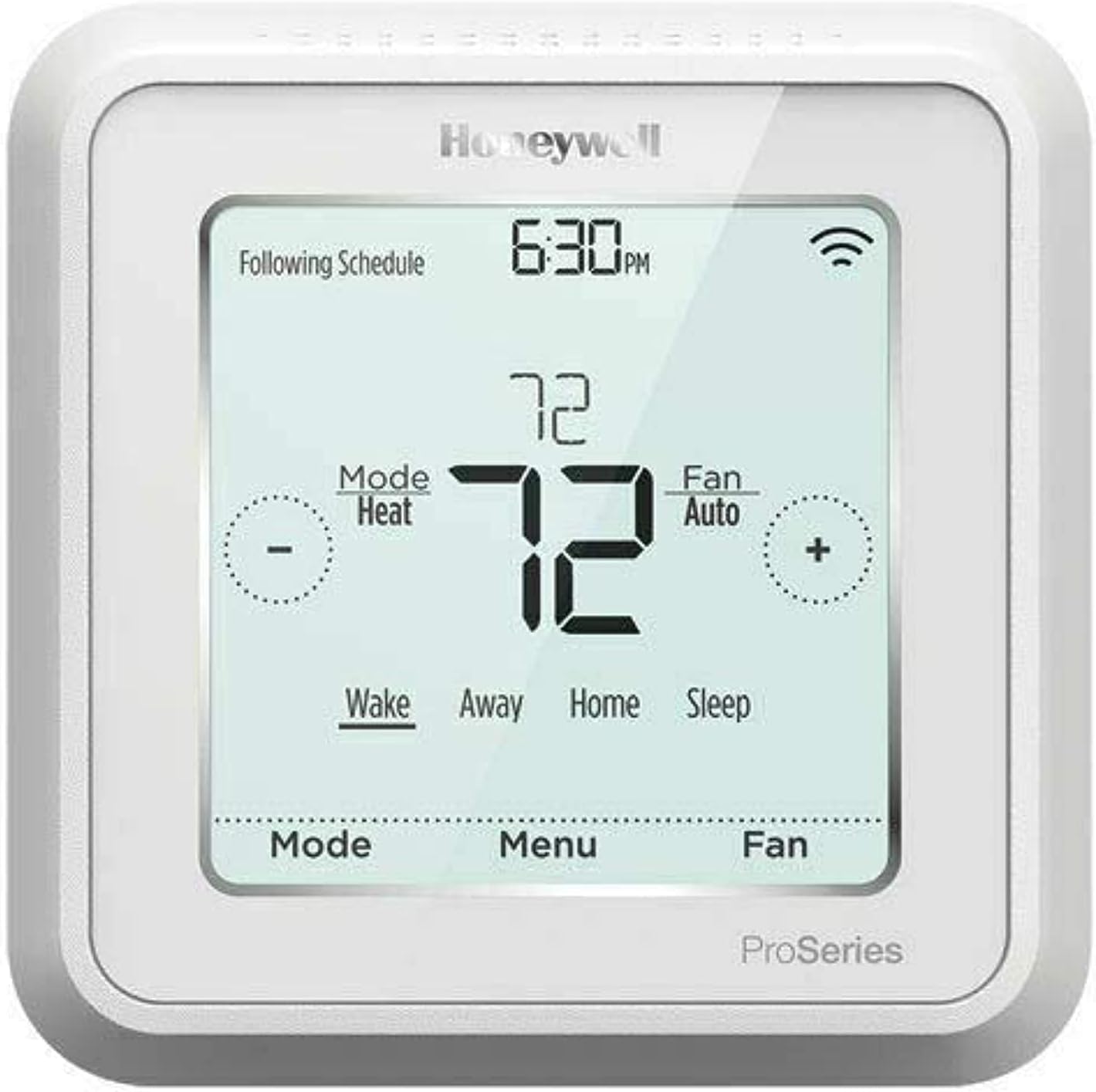
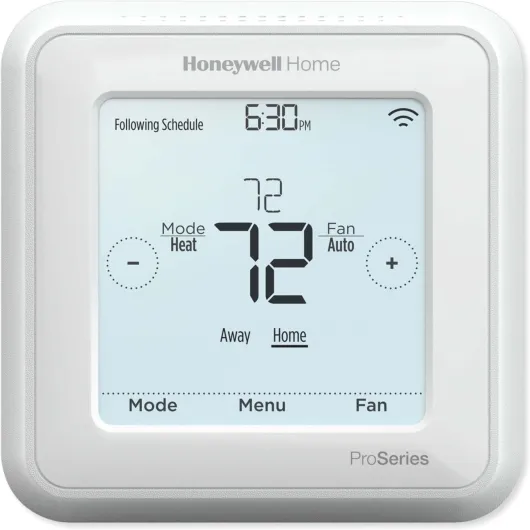
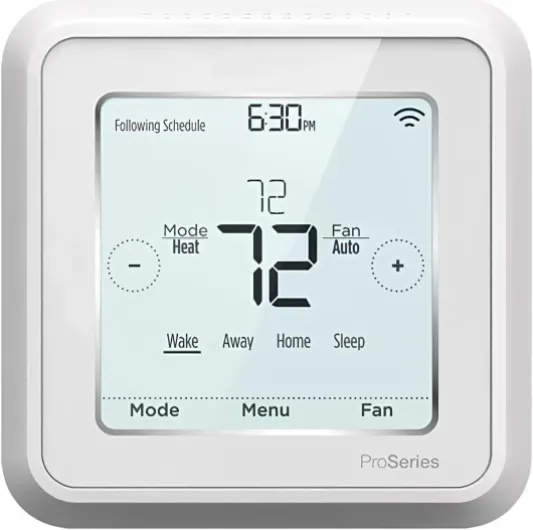
When you start integrating Z-Wave devices, you’ll notice how easily different brands and products can work together. For example, a Honeywell Pro thermostat can be controlled alongside Z-Wave smart bulbs, all from the same app or voice assistant. This unified control makes it simple to adjust temperature, lighting, and even heating cooling systems without juggling multiple remotes or apps.
As you continue reading, you’ll discover how Z-Wave thermostats and smart lighting can work together to improve comfort, energy savings, and convenience in your home.

Benefits of integrating zwave thermostats with smart lighting
Why Combine Thermostats and Smart Lighting?
Integrating a zwave thermostat with your smart lighting system can transform how you manage energy and comfort at home. When these devices work together, you get more than just remote control—you gain a system that adapts to your lifestyle, saves money, and enhances security.
Energy Efficiency and Cost Savings
One of the main reasons people choose a wave thermostat is to reduce energy consumption. By syncing your thermostat with smart lights, you can automate routines that lower heating and cooling when rooms are unoccupied. For example, when the last person leaves, the system can turn off lights and adjust the temperature, helping you save on your monthly energy bill. Many programmable thermostats, like the Honeywell Pro or battery powered models, offer app control to fine-tune settings from anywhere.
Enhanced Comfort and Convenience
Smart thermostats and lighting systems can work together to create the perfect environment. Imagine arriving home on a cold evening: your thermostat heating kicks in and the lights turn on automatically. With app control or voice commands via Alexa or Google, you can adjust temperature and lighting without leaving the couch. Many wave enabled devices, including color touchscreen models, support these features for a seamless experience.
Improved Security and Peace of Mind
Combining smart security systems with your thermostat and lighting adds another layer of protection. When you’re away, your system can simulate occupancy by adjusting lights and temperature, deterring potential intruders. Some wave smart thermostats even integrate with security systems for unified control through a single mobile app.
Compatibility and Integration
It’s important to check that your devices are compatible. Many popular brands, such as Honeywell and Gig STZ, offer wave enabled thermostats that work with a wide range of smart lighting systems. Look for devices that support Alexa, Google, or other app control platforms for the best integration. For a deeper dive into why traditional lighting options still play a role in smart homes, check out why globe incandescent bulbs still matter in a smart lighting world.
- Save energy and reduce monthly costs
- Enjoy hands-free control with voice assistants
- Boost home security with automated routines
- Choose from a list of programmable, touch smart, and battery powered options
By integrating a wave thermostat with your smart lighting, you create a system that’s efficient, convenient, and secure. The right combination of devices can make a noticeable difference in your daily comfort and your energy bill.
Key features to look for in a zwave thermostat
What Makes a Z-Wave Thermostat Stand Out?
When selecting a Z-Wave thermostat for your smart lighting system, it’s important to focus on features that enhance both comfort and efficiency. The right thermostat can help you manage energy use, control temperature, and integrate seamlessly with other smart devices. Here are some key aspects to consider:
- Compatibility with Smart Systems: Ensure the thermostat works with your existing Z-Wave enabled devices and smart security systems. Many models, like the Honeywell Pro series, are designed to connect with a wide range of hubs and platforms, including Alexa and Google Assistant. This allows for voice control and app control, making it easier to adjust settings from anywhere.
- Energy Management: Look for programmable features that let you set schedules for heating and cooling. A smart thermostat with energy-saving modes can help reduce your monthly bills. Some models provide detailed usage reports through a mobile app, so you can track and optimize your energy consumption.
- Ease of Use: User-friendly interfaces, such as a color touchscreen or touch smart controls, make it simple to adjust temperature settings. App control is also essential for remote access, especially if you travel or have a busy schedule.
- Power Options: Consider whether you need a battery powered or hardwired thermostat. Battery powered models offer flexible installation but may require more frequent maintenance.
- Integration with Lighting: Some Z-Wave thermostats work directly with smart lighting systems, allowing you to create scenes that adjust both lighting and temperature based on your preferences or routines. This can be especially useful for energy efficiency and comfort.
- Price and Value: Compare the list price and features of different models. While some advanced thermostats may have a higher upfront cost, their energy-saving capabilities can lead to savings over time. Check for compatibility with popular platforms like Amazon Alexa, and look for reviews on how well the thermostat works with other devices in your system.
| Feature | Why It Matters | Example |
|---|---|---|
| Programmable Schedules | Automates temperature changes for energy savings | 7-day scheduling, vacation mode |
| App Control | Remote access and monitoring | Mobile app for iOS/Android |
| Voice Assistant Integration | Hands-free control via Alexa or Google | "Alexa, set thermostat to 72°F" |
| Touchscreen Display | Easy navigation and settings adjustment | Color touchscreen interface |
| Energy Reports | Track usage and optimize settings | Monthly energy summaries |
As you compare options, remember that the best Z-Wave thermostat is one that fits your home’s needs and integrates smoothly with your smart lighting and security systems. For more on how smart lighting can impact your home’s energy use, check out this resource on how green light bulbs are changing the way we light our homes.
Common challenges when connecting zwave thermostats and smart lights
Compatibility and Connectivity Issues
Many users find that not all wave enabled devices work seamlessly together. For example, a wave thermostat may not always communicate properly with certain smart lighting systems, especially if the devices are from different brands. This can lead to frustration when trying to control temperature and lighting through a single app or hub. Some smart thermostats, like those from Honeywell, offer broad compatibility, but always check the list of supported devices before purchasing.Network Range and Interference
Wave technology relies on a mesh network, but physical barriers or too many connected devices can reduce reliability. If your thermostat is too far from your smart lighting hub, or if there are thick walls in between, you might experience delays or dropped connections. Battery powered devices can also lose connection more easily than wired ones, affecting both heating cooling control and app responsiveness.Integration with Voice Assistants
While many wave smart thermostats advertise compatibility with Alexa Google, the actual integration can be inconsistent. Some features, like temperature adjustment or programmable schedules, might not be fully accessible through voice commands. Always confirm which functions work with your chosen assistant, especially if you want hands-free control of both lighting and thermostat heating.App Control and User Experience
Not all mobile apps offer the same level of control or intuitive design. Some systems require separate apps for lighting and thermostat management, making it harder to create unified routines. Look for a smart thermostat with a color touchscreen and robust app control to simplify your experience. Models like the Honeywell Pro and Gig STZ often receive positive feedback for their user interfaces, but check recent reviews for updates.Price and Ongoing Costs
The list price of a wave thermostat can vary widely, especially for models with advanced features like touch smart displays or integration with smart security systems. Consider not only the upfront price but also potential monthly fees for cloud services or app upgrades. Over time, energy savings from programmable settings can offset the initial investment, but results depend on your usage patterns and local energy costs.Firmware Updates and Support
Keeping your devices updated is crucial for security and performance. Some wave enabled thermostats receive regular firmware updates, while others may be left behind as manufacturers focus on newer models. Before buying, check the manufacturer's support policy and how updates are delivered—especially if you plan to integrate with other smart systems or security devices.- Check compatibility lists before purchase
- Consider network range and placement
- Test voice assistant features with your devices
- Review app ratings for usability
- Factor in both price and potential energy savings
- Stay informed about firmware and support
Step-by-step guide to setting up a zwave thermostat with smart lighting
Preparation: What You Need Before Starting
Before setting up a Z-Wave thermostat with your smart lighting system, make sure you have the right devices and a compatible hub. Many smart thermostats, like Honeywell Pro or Gig STZ, require a Z-Wave enabled hub to connect with other smart home systems. Check the list price and features on platforms like Amazon to compare options. Ensure your thermostat is programmable and supports both heating and cooling modes. Battery powered models offer flexibility in placement, while models with a color touchscreen or touch smart controls provide easier app control.
Connecting Your Z-Wave Thermostat to the Hub
- Install the thermostat according to the manufacturer's instructions. Most Z-Wave thermostats work with standard HVAC systems, but always double-check compatibility with your existing system.
- Power up the thermostat. If it’s battery powered, insert fresh batteries. For wired models, ensure the power is safely connected.
- Put your Z-Wave hub into pairing mode. This step is crucial for the thermostat to join your smart home network.
- Follow the app instructions to add the thermostat. Many hubs offer mobile app control, making it easier to manage devices from your phone.
- Once added, label the thermostat in your app for easy identification, especially if you have multiple enabled devices.
Integrating with Smart Lighting Systems
After connecting your thermostat, link it with your smart lighting system. This integration allows you to automate lighting based on temperature or occupancy. For example, you can set your lights to dim when the thermostat detects you’ve left the room, saving energy and reducing your monthly bill. Some systems work directly with Alexa or Google Assistant for voice control, while others require a dedicated app.
Customizing Scenes and Automations
- Use your app to create scenes that combine lighting and temperature settings. For instance, a “Good Night” scene can lower the temperature and turn off lights at a set time each night.
- Set up routines that adjust lighting and thermostat heating or cooling based on your schedule or occupancy sensors.
- Check if your system supports advanced features like geofencing, which can automatically adjust devices when you arrive or leave home.
Troubleshooting Common Issues
If devices don’t work as expected, check your Z-Wave network strength and ensure all devices are within range. Some Z-Wave smart thermostats may require firmware updates for full compatibility with security systems or app control features. If you use Alexa or Google, confirm that your thermostat and lighting devices are properly linked in their respective apps.
| Step | Key Action | Tip |
|---|---|---|
| 1 | Install thermostat | Check compatibility with your HVAC system |
| 2 | Pair with Z-Wave hub | Use app instructions for seamless setup |
| 3 | Integrate with lighting system | Automate for energy savings |
| 4 | Customize automations | Combine temperature and lighting scenes |
| 5 | Troubleshoot | Check network and device compatibility |
Future trends in zwave thermostats and smart lighting integration
Growing Compatibility and Interoperability
Smart home systems are moving toward greater compatibility. ZWave thermostats are increasingly designed to work seamlessly with a wide range of smart lighting devices, security systems, and voice assistants like Alexa and Google. This trend means users can expect smoother app control and integration with other enabled devices, reducing the need for multiple hubs or apps.Enhanced Energy Management
Energy efficiency remains a top priority. Newer wave thermostat models are focusing on advanced programmable features and temperature automation. These allow for more precise control of heating and cooling, helping users manage energy consumption and potentially lower their monthly bills. Integration with smart lighting systems means that lights and thermostats can work together, adjusting settings based on occupancy or time of day.Improved User Interfaces
Manufacturers are investing in better user experiences. Expect more thermostats with color touchscreen displays, intuitive mobile apps, and touch smart controls. These improvements make it easier to adjust settings, monitor energy use, and create custom schedules for both lighting and temperature.Battery Powered and Flexible Installation
Battery powered options are becoming more common, offering flexibility for renters or those who want to avoid complex wiring. This trend is making it easier to add wave enabled thermostats to existing systems without major renovations.Security and Privacy Focus
With the rise of smart security concerns, new wave smart thermostats are being designed with enhanced security features. Integration with smart security systems is becoming standard, ensuring that your thermostat heating and lighting controls are protected from unauthorized access.Market Expansion and Price Trends
The list price of smart thermostats is gradually becoming more accessible as competition increases. Brands like Honeywell and Honeywell Pro are offering a broader range of options, from entry-level models to advanced systems with app control and gig stz compatibility. Amazon and other retailers are expanding their lists of compatible devices, making it easier to find the right thermostat smart solution for your needs.| Feature | Current Trend | Benefit |
|---|---|---|
| Compatibility | Alexa Google, app control, wave enabled | Unified control across devices |
| Energy Management | Programmable, temperature automation | Lower energy costs |
| User Interface | Color touchscreen, mobile app | Easy setup and control |
| Installation | Battery powered, flexible | Simple upgrades |
| Security | Smart security integration | Better privacy and protection |
| Price | More options, competitive pricing | Affordable choices |