Summary

Editor's rating

☆☆☆☆☆ ★★★★★

Is it worth the price compared to other options?

☆☆☆☆☆ ★★★★★

Old-school look, very practical layout

☆☆☆☆☆ ★★★★★

Battery life and power side of things

☆☆☆☆☆ ★★★★★

Build quality and how it holds up over time

☆☆☆☆☆ ★★★★★

Reliability and dimming: where it actually shines

☆☆☆☆☆ ★★★★★

What you actually get in this kit

☆☆☆☆☆ ★★★★★

Does it actually make your lighting smarter in real life?

☆☆☆☆☆ ★★★★★

Pros

  • Very reliable dimming and on/off control with almost no lag or random disconnects
  • Works without a neutral wire and plays nicely with a wide range of dimmable LED bulbs
  • Hub-based system keeps Wi‑Fi load low and integrates well with Alexa, Google, and Apple Home

Cons

  • Higher price than many Wi‑Fi smart switches, especially as you add more devices
  • Original Caseta design looks a bit dated compared to modern flat paddle switches
Brand Lutron
Product Dimensions 1.13 x 2.93 x 4.69 inches; 1.23 Pounds
Item model number P-BDG-PKG1W-A
Batteries 1 Lithium Metal batteries required. (included)
Date First Available September 5, 2018
Manufacturer Lutron
ASIN B07G5V6M6G
Best Sellers Rank See Top 100 in Tools & Home Improvement

Smart lights without the drama

I’ve been using the Lutron Caseta system (including this exact starter kit with hub + dimmer + Pico remote) in two different homes now. One was an older place with no neutral wires, the other is a newer build with a mix of wiring. So I’ve seen it in the two main scenarios people worry about. Overall, this kit does what it says: it makes dumb lights smart at the switch, and it does it in a pretty straightforward way once you get past the first install.

What stands out right away is that the hub is mandatory if you want app control and integrations. Some people hate that; personally, after dealing with flaky Wi‑Fi switches from other brands, I’ve come to appreciate that Lutron runs on its own wireless system and the hub is wired to the router. It’s not glamorous, but it’s stable. If you want flashy features over reliability, this might feel a bit boring. If you just want the lights to respond every time, this is more up your alley.

I’ve used it daily for schedules (dusk/dawn), voice control with Alexa/Google, and simple dimming from the wall and the Pico remote. In day-to-day use, it’s mostly invisible, which is kind of the point. You press a button, the light does what you expect, and that’s it. No long delays, no random disconnects, no “device offline” nonsense like I had with cheaper Wi‑Fi switches.

It’s not perfect: the hardware isn’t cheap, the app looks okay but not fancy, and the original Caseta style is a bit dated compared to some newer flat-rocker switches. But if you care more about reliability than about having the trendiest look, this kit is pretty solid. Think of it as the Toyota of smart switches: not exciting, but it runs and keeps running.

Is it worth the price compared to other options?

☆☆☆☆☆ ★★★★★

Let’s be blunt: this kit is not cheap, especially once you start expanding beyond the starter set. You’re paying for the hub plus one dimmer plus one Pico remote and bracket. If you look at basic Wi‑Fi smart switches from budget brands, you can often get two or three switches for the price of this one kit. So if you’re just dabbling with one or two lights and you don’t care about long-term reliability, this might feel overpriced.

Where the value starts to make more sense is if you plan to build out a full system over time. One hub can handle a lot of devices, so that cost is a one-time hit. After that, you’re buying individual Caseta dimmers/switches and Picos. Each one is still more expensive than a no-name Wi‑Fi switch, but the trade-off is:

  • Better reliability (in my experience, anyway)
  • No neutral required for this dimmer version
  • Less strain on your Wi‑Fi network
  • Good integration with Alexa, Google, Apple Home, Ring, etc.
If you’ve ever had to re-pair a bunch of cheap Wi‑Fi switches after a router change, you’ll know that your time has a value too. That’s what pushed me toward Lutron for the whole house instead of piecing together a bunch of random brands.

Another value angle: you don’t need smart bulbs. This dimmer makes standard dimmable bulbs “smart” at the switch. That’s cheaper and more flexible long-term than buying smart bulbs for every fixture, especially multi-bulb fixtures. If a bulb dies, you replace it with another dimmable LED, not a pricey smart bulb. Also, guests can still use the wall switch like normal without breaking your automations, which is a common headache with smart bulbs.

So, is it good value? I’d say it’s good value if you care about reliability, want to avoid rewiring for neutrals, and plan to scale up over time. If you just want to play with one smart light and keep costs as low as possible, you can find cheaper options that technically work. You just have to accept more quirks and babysitting. For my use (whole-house install in two different homes), the higher upfront cost has been worth it because I basically stopped thinking about whether the lights would respond—they just do.

71XKxVv6DDL._SL1500_

Old-school look, very practical layout

☆☆☆☆☆ ★★★★★

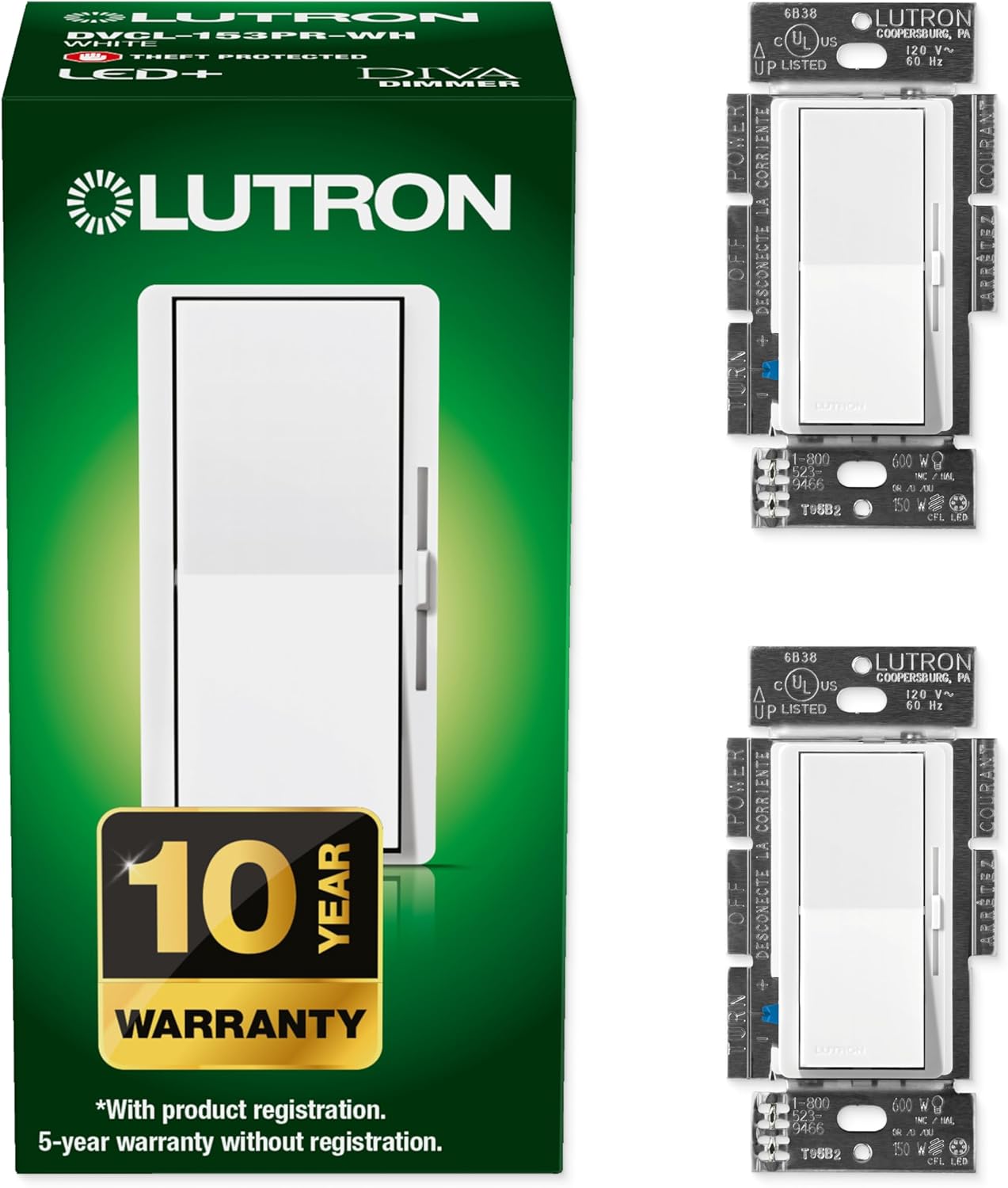
Design-wise, the Caseta Original dimmer is pretty functional and a bit old-school. It’s not ugly, but it doesn’t look like the modern flat paddle switches you see in newer homes either. You get a vertical stack of small buttons: big top button for ON, big bottom button for OFF, and two middle buttons to raise/lower the brightness. On the left side, there’s a column of tiny LEDs showing the current dim level. When the lights are off, one small green LED glows faintly, which actually helps you find the switch in the dark. It’s not bright enough to be annoying, at least in my case.

Personally, I’ve grown to like the layout. It’s very clear: top is on, bottom is off, center adjusts. Guests figure it out quickly. The downside is the aesthetics if you’re picky. Next to standard Decora paddles, the original Caseta style looks a bit busy and dated. If you’re remodeling a place with a super clean, minimal design, this might bother you. In my more basic hallway and living room areas, it just looks like a normal switch with extra buttons.

The Pico remote copies the same design but in a smaller, lighter body. You can leave it on a table, stick it to the wall with the included bracket to fake a 3-way switch, or even keep it on a bedside table. I’ve used one as a “bedside master control” for the room lights: hit the center preset for low evening light, hit off when going to sleep, no need to get up. The plastic feels decent, not premium, but I’ve dropped them a few times and they didn’t crack or rattle.

If you want everything to align perfectly, I’d suggest grabbing Lutron’s screwless wallplates. They clean up the look quite a bit and hide the mounting screws, so the switches blend in better. Out of the box, the design is more about function than style. It’s not the switch you install to impress anyone; it’s the switch you install because you want it to work every day without hassle.

Battery life and power side of things

☆☆☆☆☆ ★★★★★

There are two power angles here: the Pico remote’s battery and the hub/switch power behavior. Starting with the Pico: it uses a small coin cell (CR2032 type). Lutron claims up to 10 years of life. I obviously haven’t had one run that long, but I’ve got Picos installed for 3–4 years that are still on the original battery and work like day one. No noticeable drop in range or weird behavior. So realistically, you’re not going to be swapping batteries every year like a TV remote. For a wall-mounted “fake switch,” that’s important—you don’t want to be opening it constantly.

Replacing the battery, when you eventually need to, is pretty straightforward. The back cover pops off, swap the coin cell, snap it closed. No special tools, just a fingernail or a small flat screwdriver. It’s not something I’ve had to do often, but it’s simple enough that I’m not worried about it. Also, the pairing doesn’t reset when you change the battery, which is nice. Some cheap remotes I’ve used completely forget their settings after a battery swap; these don’t.

The main in-wall dimmer is hardwired and doesn’t use a battery, obviously. One important point: this version doesn’t need a neutral, so it steals a tiny bit of power through the load to run its electronics. In practice, I haven’t had any ghosting or glow on compatible dimmable LEDs, but that can depend on the bulbs. On one old fixture with weird bargain-bin LEDs, I did see a faint glow when “off” until I swapped the bulbs. So if you notice that, try different bulbs first before blaming the switch.

The hub is powered by a small wall wart and connected via Ethernet. It doesn’t have a built-in battery backup. If your power goes out, obviously none of this works, but when power comes back, the system comes right back up without needing to be reconfigured. If your internet goes down but your router and hub are still powered, local control via the app at home still works, and the physical switches and Picos always work. So you’re not totally dead in the water if your ISP has a bad day; you just lose remote control from outside the house and some cloud-based integrations until the internet is back.

815XwCKMEDL._SL1500_

Build quality and how it holds up over time

☆☆☆☆☆ ★★★★★

In terms of durability, I’d say this kit is pretty solid. I’ve had Caseta dimmers installed for several years now in high-traffic areas—kitchen, hallways, living room—and the buttons still click the same as day one. No sticking, no mushy feel, no weird sounds. The plastic hasn’t yellowed or scratched in any obvious way, even in spots that get touched constantly. They feel like typical mid-range electrical hardware, not cheap toy plastic.

The Pico remotes have taken more abuse. I’ve dropped them, kids have mashed the buttons, one even got knocked off a nightstand repeatedly. They still work fine. The printing on the buttons hasn’t rubbed off, which is more than I can say for some other remotes I have. The wall-mount bracket holds the Pico securely; it doesn’t rattle or feel loose when you press it like a normal switch. For something that’s basically a small piece of plastic holding a remote, it does the job without fuss.

The hub is the least exciting part, but it’s also been the most forgettable in a good way. I plugged it in, connected Ethernet, set it up once, and haven’t touched it since except during router swaps. It’s been powered on for years straight with no obvious issues—no overheating, no random reboots that I can see. When I moved houses, I literally unplugged it, packed it, plugged it in at the new place, and reconfigured the network connection. The connected switches needed to be re-added because it was a different home layout, but the hardware itself didn’t show any signs of being fragile.

If I had to nitpick durability-wise, I’d say the only thing to watch is installation. If you overtighten the mounting screws or cram it into a really tight box with stiff wires, you can slightly warp the faceplate alignment, which makes the buttons feel a bit off. That’s more of an install issue than a product flaw, but it’s worth mentioning. Installed properly in a standard box with a decent wallplate, these feel like they’ll easily last a decade plus. Given I’ve had zero failures so far across multiple units, I’m comfortable calling the durability one of the strong points.

Reliability and dimming: where it actually shines

☆☆☆☆☆ ★★★★★

The main thing this kit does well is consistency. I’ve run Caseta dimmers on different circuits, different houses, and a bunch of LED bulbs, and the behavior is boringly stable. Press the button: light turns on or off instantly, no lag. Use the app or voice control: same thing, near-instant response. Compared to random Wi‑Fi switches I tried before (WeMo, some no-name brands), the difference is pretty clear. With those, I’d get delays, or a command just wouldn’t go through sometimes. With Caseta, if something doesn’t respond, it’s usually because the power to the fixture is off or the bulb is dead, not because the system glitched.

Dimming performance is solid. You get smooth ramp up and ramp down, and plenty of steps between full bright and very low. I rarely feel like it “jumps” between levels, which is a common issue with cheaper dimmers. The app lets you set a favorite level (what the Pico’s center button does) and adjust the minimum dim level per switch. On some cheaper LEDs, I had to raise the minimum slightly to avoid flicker at the very bottom, but once tuned, they stayed stable. If you stick to decent dimmable LEDs (and actually read the box for “dimmable”), you’re pretty safe.

Where the hub setup helps is responsiveness under load. I’ve got a bunch of Caseta devices tied to one hub, plus Alexa and Google Home integrations. Even with scenes that hit 6–8 switches at once, they all react within a second or so. No obvious bottleneck. Also, because the hub isn’t on Wi‑Fi, it doesn’t get messed up when I reboot or swap routers. I had a nightmare with Wi‑Fi switches every time I changed SSIDs; with Caseta, the switches talk to the hub, and the hub is wired, so nothing needs to be re-paired when Wi‑Fi changes.

Is it perfect? Not really. The app isn’t the fastest thing in the world to open, and sometimes I feel one extra tap is needed to reach certain settings. Also, integrating with third-party stuff (Ring, Sonos, etc.) works, but some of those options are buried a bit in the menus. But if we’re talking about pure performance—lights turning on/off and dimming when you tell them to—this kit is strong. For me, that’s the main reason I stuck with Lutron and expanded instead of hopping to another ecosystem again.

81f64EwCNwL._SL1500_

What you actually get in this kit

☆☆☆☆☆ ★★★★★

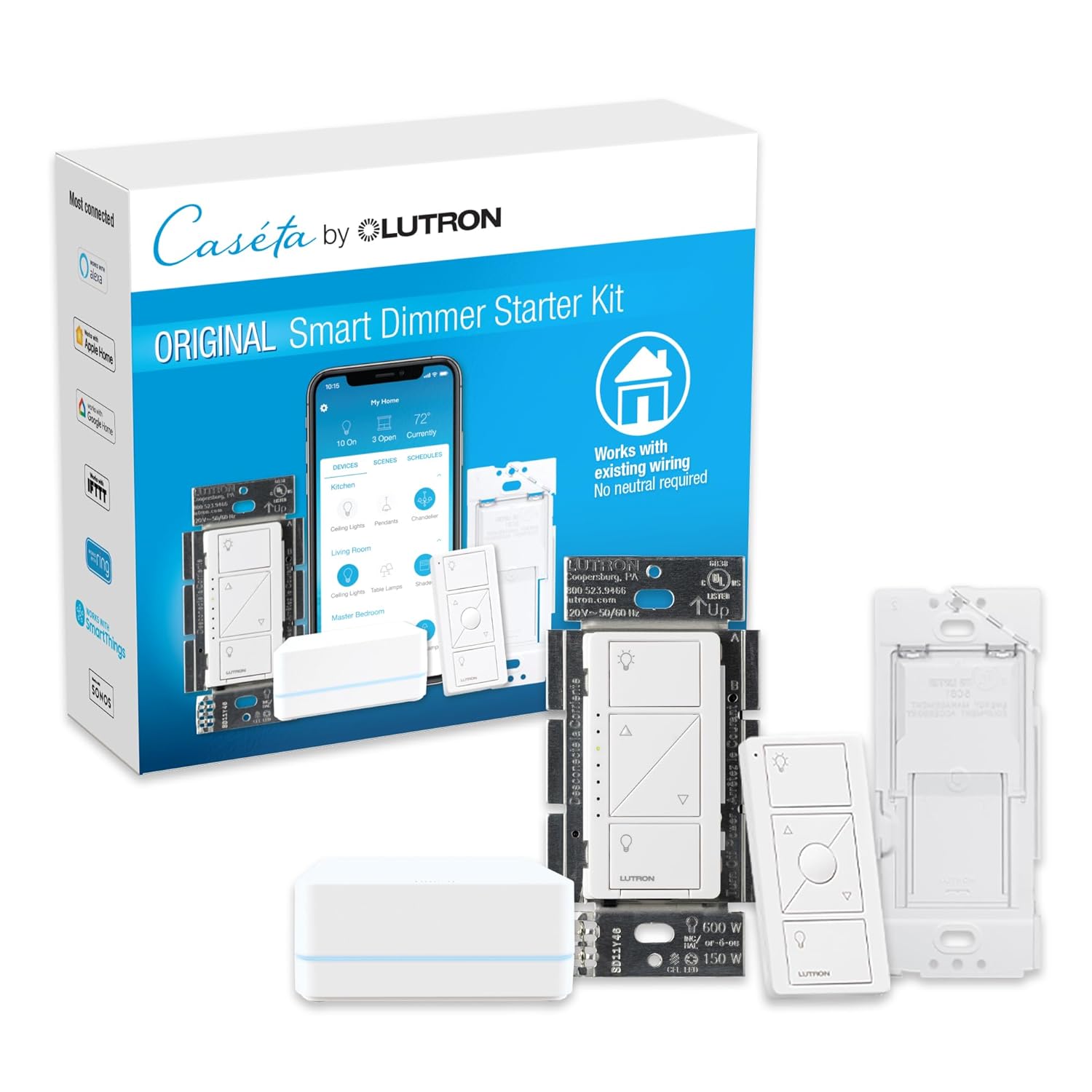
This starter kit is basically Lutron’s entry ticket into their Caseta ecosystem. In the box, you get: one in-wall Caseta dimmer switch, one Pico remote, one wall-mount bracket for the Pico, and the Caseta Smart Hub. No wallplate for the main dimmer, so you either reuse your existing one or buy a Lutron Claro plate separately. That caught me off guard the first time, so budget a few extra bucks if you care about matching the look.

The dimmer itself handles up to 150W of LED or 600W of incandescent/halogen, which is enough for most rooms unless you’re running a crazy number of cans. I’ve used it with a mix of dimmable LEDs: cheap Amazon-brand bulbs, Philips, and some canless recessed fixtures. All of them worked fine, and I didn’t get flicker or buzzing once I dialed the low-end trim in the app. That’s one of the nice things: you can tweak the minimum level so the lights don’t cut off or flicker at the lowest setting.

The Pico remote is basically a small, battery-powered clone of the main controls: on, off, raise, lower, plus a center button that acts like a preset. Lutron claims a 10-year battery life. I haven’t hit 10 years yet, but I have Picos that are past 3–4 years with the original battery still going, so it’s not just marketing noise. Range-wise, it’s been fine through a couple of walls and across a medium-size house. No pairing drama either: you hold a button, follow the app, and it’s done in under a minute.

The hub is small and light, connects via Ethernet (no Wi‑Fi), and just sits by your router with a power adapter. Once it’s set up, you mostly forget it exists. One hub supports a decent number of devices (up to around 75 Caseta devices), so this starter kit is enough to begin and then you just add more dimmers/switches later without needing more hubs. Overall, the kit is a clean way to test the ecosystem without overcommitting, but you should know going in that if you like it, you’ll probably end up buying more switches—and the cost adds up.

Does it actually make your lighting smarter in real life?

☆☆☆☆☆ ★★★★★

From a day-to-day point of view, this kit is effective at doing the simple stuff that actually matters: schedules, remote control, and multi-location switching without new wiring. In my first house (no neutral wires), it solved a real problem: I wanted smart control in the living room and kitchen without tearing into walls. Being able to drop this dimmer in the existing box and then stick a Pico remote on the other side of the room as a second switch was a big time saver. No fishing wires, no patching drywall.

The app side is where the “smart” part really kicks in. You can set:

  • Dusk/dawn schedules based on your location (handy for exterior or hallway lights)
  • Scenes (e.g., “Movie” sets living room to 20%, kitchen off)
  • Geofencing (lights turn on when you arrive, off when you leave)
  • Smart Away (randomizes lights when you’re out of town)
I don’t use every feature, but the ones I do use work reliably. For example, my driveway and porch lights come on around sunset and go off at sunrise without me touching anything. That part just runs in the background.

Voice control with Alexa and Google Home is straightforward. Once you link accounts, you can say “set living room to 30%” or “turn off all lights” and it actually happens. My family uses it constantly. It sounds lazy, but when your hands are full or you’re in bed, it’s just convenient. It also plays well with Apple Home if you’re in that ecosystem. Once a device is added in Lutron, it shows up in Home automatically, which is nice if you don’t want to manage two separate setups for your household.

On the downside, you pay a premium for this level of stability. There are cheaper smart switches that do 80% of this on paper. The difference is they’re more likely to drop off the network, need reconfiguration after a router change, or have clunky apps. If you only want one or two smart switches and you’re okay babysitting them now and then, cheaper brands might be fine. If you plan to scale to a whole-house setup, this kit is a good starting point because the system actually holds up as you add more devices.

Pros

  • Very reliable dimming and on/off control with almost no lag or random disconnects
  • Works without a neutral wire and plays nicely with a wide range of dimmable LED bulbs
  • Hub-based system keeps Wi‑Fi load low and integrates well with Alexa, Google, and Apple Home

Cons

  • Higher price than many Wi‑Fi smart switches, especially as you add more devices
  • Original Caseta design looks a bit dated compared to modern flat paddle switches

Conclusion

Editor's rating

☆☆☆☆☆ ★★★★★

Overall, the Lutron Caseta Original Smart Dimmer Kit with Hub is a solid, no-nonsense way to make your existing lights smart at the switch instead of messing around with a bunch of individual smart bulbs. It’s not flashy, the design is a bit old-school, and the price is on the higher side, but it scores where it matters: reliability, compatibility with different LEDs, and straightforward control from the wall, the remote, the app, and voice assistants. In both an older house with no neutral wires and a newer one, it did the job without me having to constantly fix or reset things.

This kit makes the most sense if you’re planning to build out a smart lighting setup across several rooms, want rock-solid performance, and don’t want to overload your Wi‑Fi with a ton of devices. It’s especially good if your home lacks neutral wires in some boxes, since this dimmer doesn’t require one. On the other hand, if you’re just testing the waters with one or two smart switches and you’re very price-sensitive, you can find cheaper Wi‑Fi switches that will “work” but demand more patience and troubleshooting. Also, if you’re really picky about ultra-modern, minimal switch aesthetics, the original Caseta look might not be your favorite.

For someone who values stability over fancy looks and is okay paying a bit more upfront to avoid headaches later, this kit is a strong choice. For someone who just wants the lowest price or doesn’t care much about reliability and long-term support, there are more budget-friendly routes, but you’re trading away the main strengths that make this setup worthwhile.

See offer Amazon

Sub-ratings

Is it worth the price compared to other options?

☆☆☆☆☆ ★★★★★

Old-school look, very practical layout

☆☆☆☆☆ ★★★★★

Battery life and power side of things

☆☆☆☆☆ ★★★★★

Build quality and how it holds up over time

☆☆☆☆☆ ★★★★★

Reliability and dimming: where it actually shines

☆☆☆☆☆ ★★★★★

What you actually get in this kit

☆☆☆☆☆ ★★★★★

Does it actually make your lighting smarter in real life?

☆☆☆☆☆ ★★★★★
Share this page
Published on   •   Updated on
Share this page

Summarize with

Most popular


Also read


Caseta Original Smart Dimmer Switch Kit w/ Hub, with Pico Remote, Wallmount Bracket, & Smart Hub, Works with Alexa, Apple Home, Google Home, 3 Way, 150W, No Neutral Req, P-BDG-PKG1W-A Original Dimmer Kit w/Hub + Remote
Lutron
Caseta Smart Dimmer Switch Kit
🔥
See offer Amazon
Articles by date