Summary
Editor's rating
Is it worth the money?
Looks and day‑to‑day usability on the door
Battery life: mostly decent, but setup matters
Build quality and how it holds up
Smart features and Z‑Wave behavior in real life
What this lock actually is (and isn’t)
Pros
- Strong integration with Z-Wave hubs like Ring Alarm, SmartThings, Homeseer, and Home Assistant
- SmartKey rekey system lets you match existing Kwikset keys in seconds
- Stable operation and decent battery life (6–12 months) once properly paired and on a solid Z-Wave network
Cons
- Requires a separate Z-Wave hub; not suitable for users who don’t already have or want one
- Pairing can be finicky and the manual doesn’t clearly explain the need to include the lock very close to the controller
- Code management UX is clunky in some apps (e.g., SmartThings hides it in a separate section)

Specifications
View full product page →| Brand | Kwikset |
A smart lock that mostly just does its job
I’ve been using the Kwikset HomeConnect 620 on a main entry door for a while now, and overall it feels like a pretty straightforward smart lock that focuses on doing the basics right. It’s not packed with fancy Wi‑Fi or fingerprint tricks; it’s a Z‑Wave keypad deadbolt meant to plug into systems like Ring Alarm, SmartThings, Home Assistant, or other Z‑Wave hubs. If you don’t already have a hub, this is basically the wrong product for you, because out of the box it’s just a keypad lock until you pair it.
What pushed me to try it was the combo of keypad, Z‑Wave Long Range, and the SmartKey rekey feature. I already had other Kwikset locks in the house, and I wanted to keep one physical key for everything. The idea of being able to rekey it myself in a couple of minutes instead of calling a locksmith was a big plus. Also, I wanted something that works properly with Ring modes and automation, not a half‑baked integration where you can only see status.
In daily use, the lock behaves pretty much like you’d expect: punch in a code, it locks/unlocks, and you can check or control it from your hub’s app. No drama most of the time. But there are a few quirks and some stuff you should know before buying, especially around pairing distance, battery life, and the fact that you absolutely need a Z‑Wave hub. Some users had rough starts with batteries and SmartThings, others had it running smoothly for years, so it’s not a completely uniform experience.
If you’re looking for a simple, keypad‑based smart lock that integrates into an existing Z‑Wave setup, it’s a pretty solid choice. If you want a plug‑and‑play lock with its own Wi‑Fi and app, or you don’t want to think about hubs and Z‑Wave inclusion, there are better fits. I’ll walk through how it actually behaves day to day, the good parts, and the stuff that annoyed me so you can see if it matches your setup.
Is it worth the money?
On the value side, the HomeConnect 620 sits in that middle range of smart locks: not the cheapest keypad out there, but not in the premium Wi‑Fi/fingerprint territory either. What you’re really paying for here is the combination of Z‑Wave 700 Long Range, keypad entry, and the SmartKey rekey system. If you already live in the Ring/SmartThings/Home Assistant world and want a deadbolt that plays nicely with those, the price makes sense. If you don’t have a hub, though, you’re basically overpaying for features you can’t use.
Compared to cheaper non‑connected Kwikset keypad locks, this one’s main advantage is integration. With Ring, you get full control and mode‑based behavior; with SmartThings or Home Assistant, you can build automations like auto‑locking when everyone leaves, or sending notifications on certain codes. If that stuff matters to you, the extra cost is justified. If all you want is to punch in a code and lock the door, I’d say save your money and get a basic electronic deadbolt instead.
The SmartKey rekey feature is honestly a big part of the value for me. Being able to match the lock to my existing Kwikset keys in seconds means I didn’t have to replace the rest of my hardware or carry extra keys. Several reviewers highlighted this as a major plus, and I agree. If you already have Kwikset in the house, that alone makes this model more attractive than some competitors where you’re stuck with whatever keyway they ship.
The downsides for value are mostly around the learning curve and potential headaches: the manual not clearly stating the 12‑inch pairing recommendation, the confusing SmartThings UI for codes, and the fact that if your Z‑Wave setup is weak, you might burn through batteries and start hating it. So I’d say: good value for people who already have or plan to have a solid Z‑Wave hub, and just average value for anyone else. There’s better plug‑and‑play value in Wi‑Fi locks if you don’t want to touch hubs and Z‑Wave at all.
Looks and day‑to‑day usability on the door
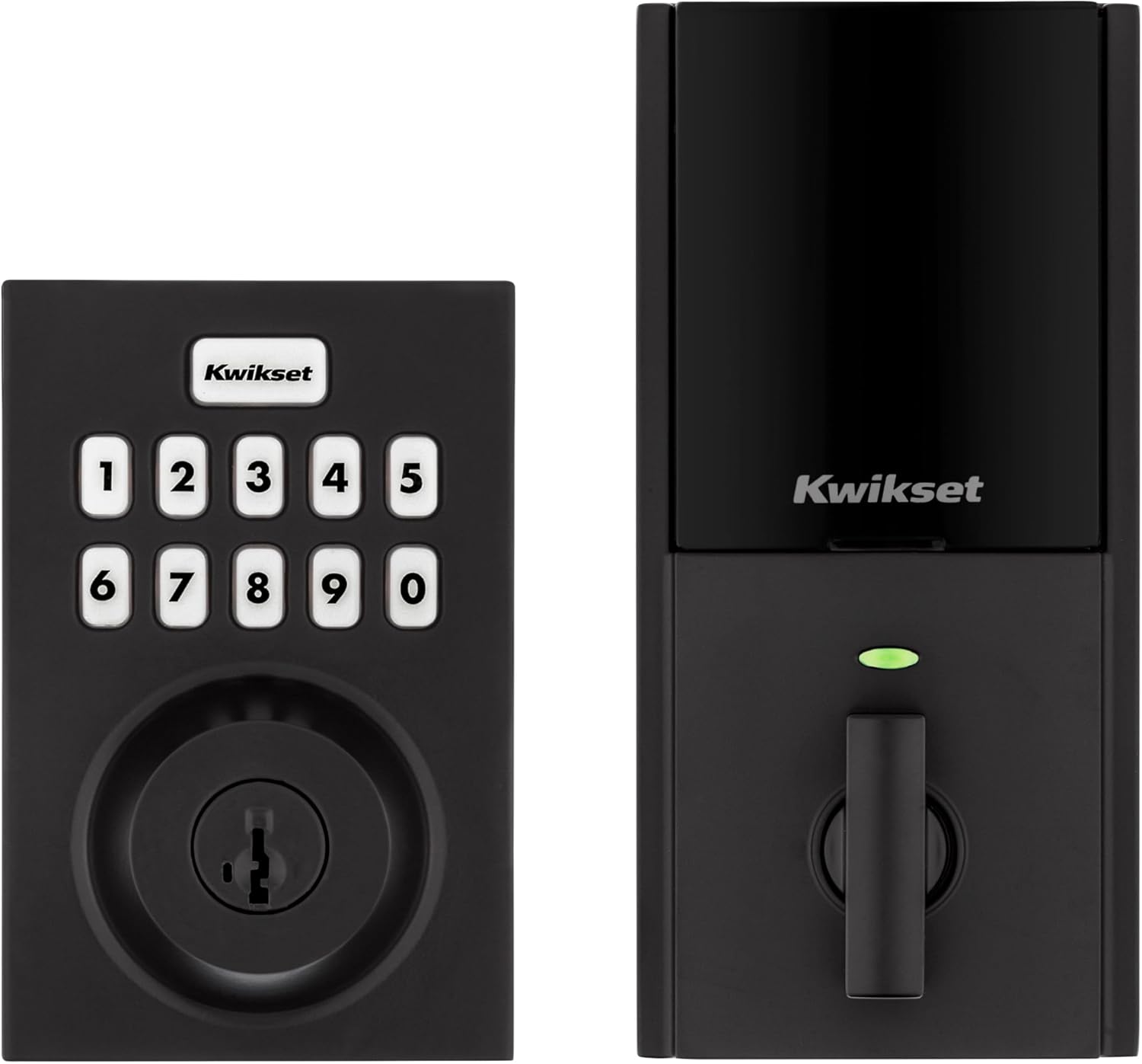
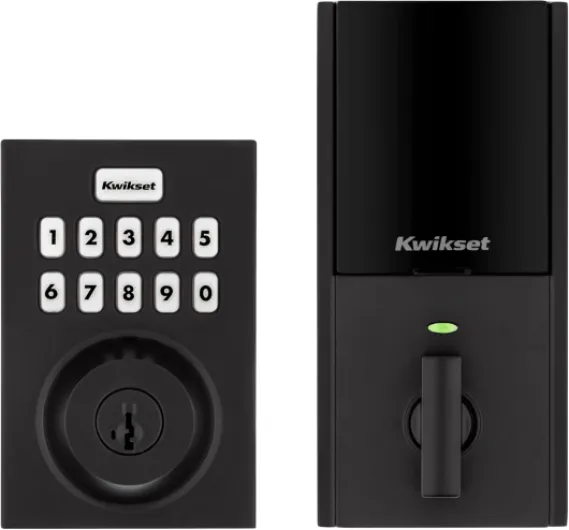
Design‑wise, the HomeConnect 620 is pretty much what you’d expect from a modern keypad deadbolt. The matte black contemporary version I used looks clean and fairly neutral. It doesn’t scream “sci‑fi gadget” on the door, which I like. The exterior side is a rectangular keypad with a small Kwikset logo and a keyhole at the bottom. The interior side is a standard deadbolt housing with a thumb turn and the battery compartment. It’s not tiny, but it doesn’t look out of place compared to other smart deadbolts I’ve tried.
The keypad itself is backlit and easy to read at night. The buttons have a bit of click to them, so you know when you’ve pressed something. I’ve used it in the dark and in bright sun, and it’s been readable in both. The one‑touch lock button on the keypad is handy when you’re leaving: just press it and the door locks without entering a code. That’s one of those little things that you use constantly once you have it. I also like that the lock gives clear beeps and light feedback when it locks or errors out, so you’re not guessing what happened.
One slightly weird bit is the auto‑handing process when you first install the batteries. The lock is supposed to figure out which way to turn to lock/unlock based on your door orientation. For me, it didn’t fully sort itself on the first try; it seemed to decide properly only after I triggered a lock command from the app, which matched one of the Amazon reviewers’ experience. Not a deal‑breaker, but the manual could explain that step more clearly so you don’t think it’s broken when it hesitates during the first run.
On the inside, the housing is plastic over metal, like most smart locks at this price. It doesn’t feel flimsy, but it’s not some luxury piece of hardware either. The thumb turn is smooth enough, and you can always use the key from the outside if the batteries die. Overall, the design is practical: it looks decent, you can see the keypad clearly, and it doesn’t get in the way. Nothing flashy, but it fits fine on a typical front or garage entry door.
Battery life: mostly decent, but setup matters
Battery life on the HomeConnect 620 is one of those things where your mileage really depends on setup. Kwikset claims around 12 months on 4x AA alkaline batteries. In my case, and in a couple of user reviews, that’s roughly accurate. One reviewer updated their review after 1 year and 7 months and said they had changed batteries once, around the 1‑year mark, and the second set was still at 62%. That lines up with what I’ve seen: with moderate daily use (several lock/unlock cycles per day plus some remote commands), you’re looking at close to a year if your Z‑Wave network is healthy.
On the other hand, there’s the horror story from the same user early on: drained a full set of batteries in about two months and then refused to lock, flashing orange. That’s brutal and way off the spec. In their case, the lock was apparently struggling with SmartThings, dropping offline, and then later showing up as an unknown node in Home Assistant. In Z‑Wave land, that usually means the device is constantly trying to communicate and failing, which absolutely kills batteries. Once they fixed their network and followed Kwikset’s pairing advice (controller very close to the lock during inclusion), battery life jumped to about six months, which is much more reasonable.
So, in practice, if you:
- Use decent alkaline AA batteries (don’t cheap out on no‑name junk).
- Pair the lock with the hub very close (within a foot or so).
- Have a stable Z‑Wave mesh or use Z‑Wave Long Range properly.
…you should see somewhere between 6 and 12 months. If you’re constantly seeing it go offline, or the hub is far, expect the batteries to drain fast. The lock does have a battery indicator that shows in compatible apps, and it will warn you before completely dying, but I wouldn’t push it to 0%. I usually plan to swap them once they drop under 30–40% just to avoid getting locked out at a bad moment.
One practical tip: keep a physical key on your keyring or hidden somewhere safe. Yes, it’s a smart lock, but dead batteries or a frozen Z‑Wave network can still happen. Being able to fall back to a key means battery issues are annoying, not a crisis. Overall, I’d call the battery life decent as long as the Z‑Wave side is set up properly. If your hub and network are a mess, this lock will just expose that quickly.
Build quality and how it holds up
The HomeConnect 620 isn’t built like a tank, but for a residential lock it feels pretty solid. It’s BHMA Grade 2, which basically means it’s stronger than the cheaper Grade 3 locks you see in big box stores, but it’s still not a full commercial‑grade brute. For a front door or garage entry in a normal home, that’s fine. One reviewer mentioned using it on a garage entry door with Homeseer and called it “commercial quality and reliable,” which matches my impression: the mechanism feels firm, and it hasn’t gotten sloppy or grindy with use.
The exterior housing is metal with a matte black finish that so far has held up well to fingerprints and weather. I haven’t had peeling or weird discoloration, and the buttons haven’t worn through. Obviously, long‑term outdoor exposure will depend on your climate, but compared to some cheaper keypad locks I’ve had, this one doesn’t feel like it’s going to fall apart after a year. The backplate and internal side use more plastic, but that’s normal for smart locks with battery compartments and electronics.
Mechanically, the deadbolt throw is smooth, as long as your door and strike plate are aligned correctly. That’s honestly the bigger factor in durability: if the door sticks or the bolt has to fight the frame, you’ll stress the motor and drain batteries. When I installed mine, I had to slightly widen the strike plate area to make sure the bolt glides in cleanly. Once that was done, it’s been locking and unlocking without grinding or weird noises. Several reviewers also mentioned quick, reliable operation once installed, which is what you want.
The SmartKey cylinder is another durability angle. It’s designed to resist certain common break‑in methods better than old‑school pin tumblers, and you can rekey it yourself. I’ve rekeyed mine a couple of times just to test it and it still works fine; no feeling of looseness or jamming. As long as you follow the instructions and don’t force the SmartKey tool, it’s straightforward. Overall, I’d say the build is good enough for daily use. It’s not luxury hardware, but it doesn’t feel cheap, and I haven’t seen any worrying wear so far.
Smart features and Z‑Wave behavior in real life
In terms of performance, the lock is solid once it’s properly paired, but getting there can be a bit picky depending on your hub. With Ring Alarm, pairing was quick. The hub saw it right away, and it showed up in the app with full integration: lock/unlock, status, and the ability to tie it into Ring modes. That’s how it should work. One reviewer mentioned this too: Ring recognized it immediately and let them customize modes, unlike some other so‑called “compatible” locks that only give partial control.
With SmartThings, my experience was similar to what one Amazon user described: adding the device was pretty painless, but code management is hidden in the “Smart Lock Guest Access” section under the Life tab, not directly in the device settings. It’s there, but the UI is not intuitive. You can add and delete codes, but it’s not obvious at first where to do it. The lock responds quickly to commands, though. Lock/unlock from the SmartThings app happens in a couple of seconds, and I haven’t seen major lag unless my Z‑Wave mesh was acting up in general.
Where things get a bit more mixed is with Home Assistant and some older Z‑Wave sticks. One reviewer had a pretty bad run early on: massive battery drain and then the lock showing as an “unknown node” and dropping offline. Later they updated their setup, moved to an Aeotec Z‑Stick Gen5 and then to a more stable Home Assistant install, and the lock became reliable with about six months of battery life. The key detail from their experience: Kwikset support told them for first‑time pairing, the Z‑Wave controller needs to be within about 12 inches of the lock. The manual doesn’t say that clearly, and it matters. If you try to include it from across the house, you might fight with failed inclusions and ghost nodes.
Once it’s paired correctly, though, responses are consistent. I can read status, lock/unlock remotely, and hook it into automations like: lock when both phones leave the house, send a notification if the door stays unlocked for more than 10 minutes, or trigger lights when a certain code is used. Z‑Wave 700 Long Range is hard to measure directly, but I can say it stays connected even though my hub is on the other side of the house through a couple of walls. Compared to some older Z‑Wave locks I’ve had, this one drops off the network less often, which is really what I care about day to day.

What this lock actually is (and isn’t)
The HomeConnect 620 is basically a Z‑Wave keypad deadbolt with a few key features: up to 250 user codes, auto‑lock, SmartKey rekeying, and Z‑Wave 700 Long Range. No built‑in Wi‑Fi, no Bluetooth phone unlock, no fancy app from Kwikset itself. Everything smart about it goes through your Z‑Wave hub. In my case that’s Ring and SmartThings (and I also played with Home Assistant). If you don’t have one of those or something similar, you’re paying for features you can’t really use.
Out of the box you get the keypad deadbolt (interior and exterior parts), latch, strike plate, batteries, two keys, and the SmartKey tool. The manual claims it’s a quick DIY install with just a screwdriver, and that’s more or less accurate. If your door is already drilled for a standard deadbolt, it’s mostly a swap. A couple of people mentioned needing to slightly widen the hole or pre‑drill screw holes; I had to do the same for the longer screws. It’s not hard, but it’s not always a 5‑minute job either, especially on older doors.
Function‑wise, the main things you get are:
- Keypad access with a backlit keypad and one‑touch locking.
- Auto‑lock timer (30 sec, 1, 3, 5, or 10 minutes) so the door re‑locks by itself.
- Remote control and status via Z‑Wave hub (lock/unlock, check if it’s open/closed, etc.).
- Code management through your hub app (Ring, SmartThings, Homeseer, Home Assistant, etc.).
- SmartKey rekey so you can match it to your existing Kwikset keys.
In practice, it feels more like an “infrastructure” device than a gadget. It shines when it’s part of a bigger system: auto‑locking when you leave the geofence, sending alerts when a certain code is used, locking when your alarm sets to Away. If you just want a standalone keypad and never plan to mess with automations, there are cheaper non‑Z‑Wave Kwikset keypad models that do almost the same thing for less.
Pros
- Strong integration with Z-Wave hubs like Ring Alarm, SmartThings, Homeseer, and Home Assistant
- SmartKey rekey system lets you match existing Kwikset keys in seconds
- Stable operation and decent battery life (6–12 months) once properly paired and on a solid Z-Wave network
Cons
- Requires a separate Z-Wave hub; not suitable for users who don’t already have or want one
- Pairing can be finicky and the manual doesn’t clearly explain the need to include the lock very close to the controller
- Code management UX is clunky in some apps (e.g., SmartThings hides it in a separate section)
Conclusion
Editor's rating
Overall, the Kwikset HomeConnect 620 is a pretty solid choice if you’re already invested in a Z‑Wave smart home setup and you want a keypad lock that just ties into that world. It does the basics well: keypad entry, auto‑lock, remote control, and code management through systems like Ring, SmartThings, Homeseer, or Home Assistant. The SmartKey rekey feature is genuinely useful if you already have Kwikset locks and want to keep one key for everything. Build quality feels decent, and once it’s paired correctly, the Z‑Wave connection is stable and responsive.
It’s not perfect, though. You absolutely need a compatible hub, the pairing process can be picky about distance, and a weak Z‑Wave network can wreck your battery life and your patience. The documentation doesn’t always match the real‑world best practices (like keeping the controller within 12 inches for first pairing), and some apps hide code management in weird places. If you want a dead simple, Wi‑Fi‑only lock with its own app and no hub, this is the wrong product. But if you’re comfortable with hubs and automations, and you like the idea of clean Ring or SmartThings integration plus easy rekeying, it’s a good fit that gets the job done without a lot of flash.