Summary
Editor's rating
Is it worth the money compared to other smart locks?
Looks like a proper lock, not a plastic gadget
Battery life and what happens when it dies
Build quality and long‑term reliability concerns
Daily use, speed, and smart‑home behavior
What you actually get with this Yale Assure
Pros
- Feels like a solid, quiet, Grade 2 deadbolt with a responsive touchscreen keypad
- Z‑Wave integration works well with hubs like SmartThings, Abode, Hubitat for remote control and automations
- Backup key cylinder and low‑battery alerts reduce the risk of being locked out
Cons
- Requires a separate Z‑Wave hub for smart features; no direct Wi‑Fi or Yale app
- Some reports of touchscreen failures just after warranty and limited repair options
- Ring integration is limited for proper access scheduling and control

Specifications
View full product page →| Brand | Yale |
A smart deadbolt that actually feels like a real lock
I’ve been using the Yale Assure Lock YRD226 (the satin nickel touchscreen version with Z‑Wave and a key) on my front door, and it’s basically my first serious jump into smart locks. I went for it because I’m tired of juggling keys, and I already have a Z‑Wave hub at home. So this isn’t some showroom opinion — it’s based on installing it myself and living with it day to day.
Right away, the first thing that stood out is that it feels like a real deadbolt, not a plastic toy. The motor is quiet, the bolt throws cleanly, and the keypad is bright enough to see at night without having to pull out your phone flashlight. I’ve used it in a pretty normal way: kids going in and out, grocery runs, random deliveries where I need to unlock remotely, and forgetting to lock the door, which is where auto‑relock saves the day.
It’s not perfect though. You do need a separate Z‑Wave hub for the smart features, and the experience really depends on which hub you pair it with. With some systems it’s smooth, with others it’s clunky or missing features like proper access schedules. Also, the touchscreen is good, but it’s still an electronic part sitting outside in weather, so I’m not expecting it to last forever without any hiccups.
Overall, my first impression after living with it a while is: solid product, not magic. It gets the job done, makes daily life easier, but it’s not the cheapest and you have to accept the usual smart‑home quirks and the possibility that support and spare parts are not as generous as they should be for the price.
Is it worth the money compared to other smart locks?
In terms of value for money, this Yale Assure sits somewhere in the middle. It’s not the cheapest smart lock on the market, but it’s also not at the very top of the price range anymore, especially now that there are newer Wi‑Fi models out there. You’re paying for a mix of a well‑known lock brand, decent build quality, and a Z‑Wave module included in the box. If you already have a Z‑Wave hub like SmartThings, Abode, Hubitat, or Ring Alarm, the price makes more sense because you can actually use all the features.
Where the value starts to feel a bit less attractive is if you don’t yet own a hub. Then you have to factor in the cost of a separate smart‑home or alarm hub just to get remote control and notifications. At that point, it might be worth looking at Wi‑Fi smart locks that connect directly to your router and have their own app. You’d lose the Z‑Wave integration but gain simpler setup for someone who just wants phone control without building a whole smart‑home network.
Compared to cheaper keypad deadbolts with no connectivity, this Yale is obviously more expensive, but you’re getting: remote lock/unlock (with the right hub), user code management from your phone, integration with Alexa and alarm systems, and a more polished feel. If those things matter to you, the price is justifiable. If you basically only want a keypad and don’t care about apps or voice commands, you can save a good chunk of money with a basic electronic deadbolt.
Given the Amazon rating around 4.1/5 and the mix of positive experiences and some reliability complaints, I’d say the value is good but not outstanding. It’s a solid choice if you’re already in the Z‑Wave ecosystem and like Yale as a brand. If you’re starting from scratch or you’re very sensitive to long‑term reliability and support, there are other options that might make more sense for the price.

Looks like a proper lock, not a plastic gadget
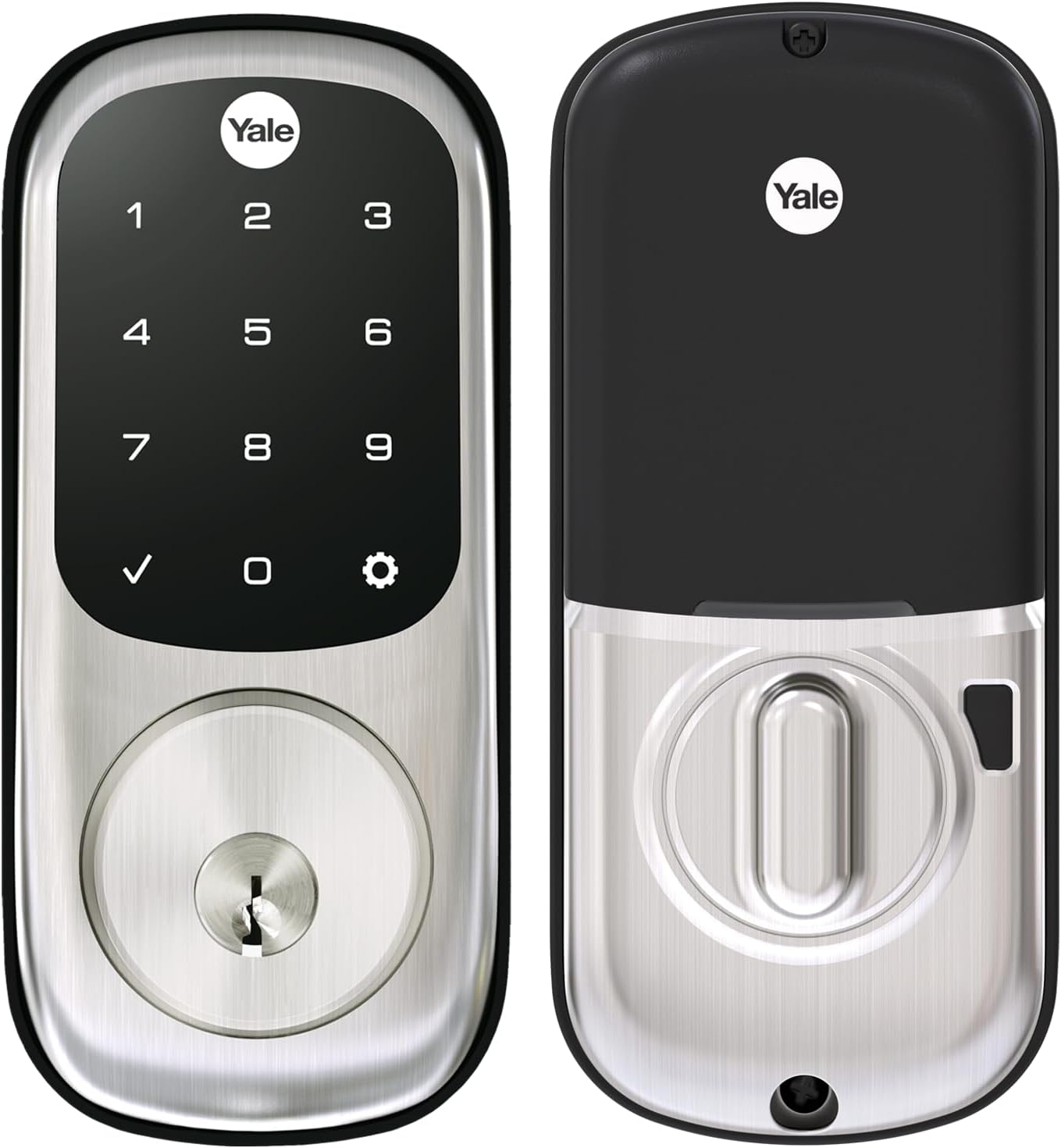
Design‑wise, the Yale Assure YRD226 is pretty straightforward. The outside is a rectangular satin nickel plate with a glossy black touchscreen. When it’s idle, the keypad disappears and it just looks like a blank black panel, which I like — it doesn’t scream “tech toy”, it just looks like a modern lock. Once you tap it with the back of your fingers, the numbers light up clearly and evenly, so no guessing in the dark.
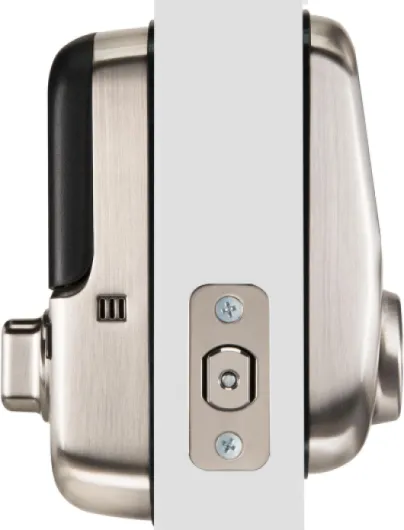
The satin nickel finish is fairly neutral and matches most brushed nickel handles and hinges. It’s not flashy, but it blends in well on a typical front door. After regular use, I didn’t notice obvious fingerprints or smudges on the metal, but the black screen will show some prints if you’re picky. Wipe it with a cloth once in a while and it’s fine. The interior unit is a bit bulkier than a normal thumb‑turn, but that’s expected since it holds four AA batteries and the motor. It doesn’t feel cheap; more like a small metal box on the inside of your door.
One thing I appreciate is that the touchscreen is responsive without needing to hammer it. Some cheaper locks make you poke the numbers multiple times. Here, once you get used to the “back of the fingers to wake it up” motion, it behaves consistently. The beeps and voice prompts are not insanely loud or annoying, and you can adjust or turn off sounds if you don’t want your door talking to you.
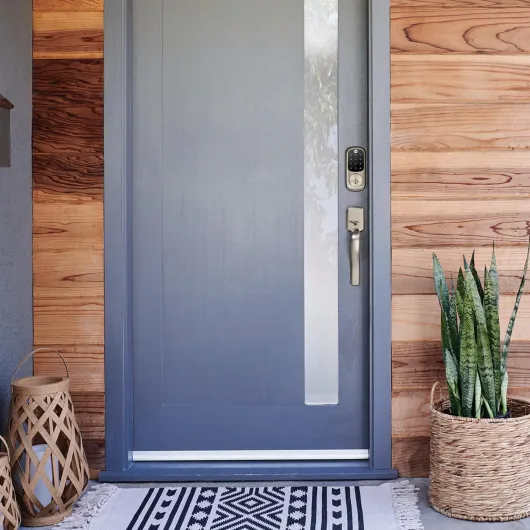
In terms of size, if you’re replacing a standard deadbolt on a normal US door, the footprint is reasonable. It covers the old deadbolt hole area without leaving ugly gaps, and thanks to the rubber gasket, it doesn’t dig into painted doors. It’s not a design piece you’ll show off, but in a good way: it just looks like a modern, serious deadbolt rather than a toy or some experimental gadget.
Battery life and what happens when it dies
The lock runs on four AA batteries, which are included. In normal use — let’s say several lock/unlock cycles a day — you’re generally looking at many months of battery life. Some users report still being on the same set after half a year or more, even with frequent use. A big plus is that the motor is fairly efficient and doesn’t seem to chew through batteries as fast as some other brands, especially if your door closes cleanly and the bolt doesn’t have to fight friction every time.
The lock gives you low‑battery warnings before it completely dies, so you’re not supposed to end up locked out unexpectedly. You’ll hear beeps and see indicators, which is your cue to swap batteries. Changing them is straightforward: open the interior cover, pop the old AAs out, put new ones in. No re‑pairing or code loss in normal battery swaps. As long as you don’t ignore the warnings for weeks, you should be fine.
In the worst case, if you completely ignore the warnings and the batteries die, you still have two physical keys as backup. That’s exactly why I prefer this version over the key‑free model. You’re not stuck outside trying to power it with a 9V battery or calling a locksmith. Just use the key like a normal deadbolt. So in terms of real‑world risk, battery failure isn’t the end of the world unless you’ve lost the keys too.
One thing to keep in mind: if your door is misaligned and the lock has to fight the frame every time it throws the bolt, you’ll drain batteries much faster. That’s not really the lock’s fault, but it matters. Fixing the strike plate and using longer screws into the frame, like some reviewers mention, not only improves security but also helps the motor run smoother and extend battery life. So battery performance is solid as long as your door hardware isn’t a mess.
Build quality and long‑term reliability concerns
Build quality out of the box feels pretty solid. The lock has some weight to it (around 3.5 pounds overall), the metal parts don’t feel flimsy, and the satin nickel finish holds up fine to regular hands, keys, and weather changes. The rubber gasket between the exterior unit and the door is a nice touch, especially if you’ve got a painted or stained door you don’t want to chew up with metal edges. Mechanically, the BHMA Grade 2 rating puts it above cheap generic locks, though it’s still a residential product, not a commercial fortress lock.
Where I start to be a bit cautious is with the touchscreen and electronics over time. There are reports from some users that after a year or so, the touchscreen can fail, which basically kills the main selling point of the product. One reviewer even had three units and had the keypad on one die just out of warranty. Yale support apparently told them they needed a whole new unit because they don’t sell just the touchpad as a part, and then only offered a modest discount on a replacement, which was out of stock anyway. That kind of story doesn’t inspire a lot of confidence long‑term.
To be fair, there are also people who’ve had Yale Z‑Wave locks running for 10+ years (older models) with only cosmetic wear, so it’s not like they all fail after 12 months. My take is: the mechanical side is likely to outlast the electronics. The bolt, latch, and basic lock body should be fine for years if installed correctly. The risk is that the touchscreen or internal electronics eventually give up, and you’re stuck using the key or replacing the whole unit.
Given the price of this lock, I’d say durability is decent but not bulletproof. If you’re installing it on a heavily used exterior door in harsh weather, I’d seriously consider adding an extended warranty or at least keeping your expectations realistic. It’s better built than bargain smart locks, but based on some reviews, I wouldn’t count on flawless performance for a decade without any issues.
Daily use, speed, and smart‑home behavior
On the performance side, the lock does what you expect with very little drama. When you enter a valid code, the motor turns the deadbolt in about a second or two. It’s quiet enough that you hear a soft electric whir, not some grinding noise. Compared to some older smart locks I’ve seen, this one sounds smoother and doesn’t feel like it’s straining. The bolt throws fully as long as your door is aligned properly. If your door sticks, no smart lock is going to fix that — you’ll just burn batteries faster and maybe jam the bolt.
The keypad recognition is reliable. I haven’t had the typical “pressing numbers three times” issue unless my fingers were really wet or freezing cold. The backlit numbers are clearly visible at night, and the simple “press any button to lock” behavior is handy when you’re leaving the house. The auto‑relock feature is one of those things that sounds minor but actually saves you when you forget to lock behind you. You just set a delay (like 30 seconds or a minute), and it locks itself automatically.
With Z‑Wave, performance depends on your hub. With SmartThings and Abode, people report it works well: lock/unlock commands go through in a few seconds, and you can get notifications when the door is unlocked and by which code. With Ring, there are some limitations. For example, you can sync Ring user codes to the lock and use them to disarm the alarm, but scheduled access is weak: codes can still unlock the door outside the schedule, they just won’t disarm the alarm. So if you’re dreaming of fine‑tuned access windows via Ring, this combo is not great.
Overall, as a lock, it behaves predictably: codes work, the motor is quick, and remote commands usually respond within a few seconds as long as your Z‑Wave mesh is decent. It’s not lightning fast like turning a physical key, but it’s perfectly acceptable for regular home use. The bigger variables aren’t the lock itself, but your door alignment and how good your smart‑home hub and Z‑Wave network are.
What you actually get with this Yale Assure
The Yale Assure YRD226 in this version is the touchscreen deadbolt with Z‑Wave and a backup key cylinder. In the box you get the interior unit with the battery compartment, the exterior touchscreen piece, the deadbolt latch, strike plate, mounting hardware, a Z‑Wave module already included, four AA batteries, two physical keys, plus the paper template and manual. So you’re not hunting for extra screws or batteries on day one, which is nice.
This model is Z‑Wave only, which is a key detail. There’s no direct Wi‑Fi and no dedicated Yale app for it. To do anything “smart” (remote lock/unlock, notifications, automations), you must pair it to a compatible Z‑Wave hub like SmartThings, Ring Alarm, Abode, Hubitat, etc. If you don’t already own one of those, the lock turns into a simple keypad deadbolt. Still usable, but you’re not getting the remote control part you probably bought it for.
Yale rates the deadbolt as BHMA Grade 2, which is basically mid‑tier residential — better than cheap builder‑grade stuff, not a high‑security vault lock. It also has a rubber gasket on the exterior piece so it doesn’t chew up your door finish, which is a small but practical detail. There’s auto‑relock, low‑battery alerts, voice prompts during setup, and support for multiple user codes you can hand out to roommates, kids, or contractors.
In daily use, the feature set is enough for a typical house: keyless codes, option to still use a key, remote control if you own the right hub, and quiet motorized locking. Just be aware that some of the fancier things people imagine — like super granular schedules or deep Ring integration — depend a lot more on the hub’s software than on the lock itself. The lock hardware is capable; the experience lives or dies with your smart‑home system.
Pros
- Feels like a solid, quiet, Grade 2 deadbolt with a responsive touchscreen keypad
- Z‑Wave integration works well with hubs like SmartThings, Abode, Hubitat for remote control and automations
- Backup key cylinder and low‑battery alerts reduce the risk of being locked out
Cons
- Requires a separate Z‑Wave hub for smart features; no direct Wi‑Fi or Yale app
- Some reports of touchscreen failures just after warranty and limited repair options
- Ring integration is limited for proper access scheduling and control
Conclusion
Editor's rating
Overall, the Yale Assure Lock YRD226 with Z‑Wave and key backup is a pretty solid smart deadbolt if you know what you’re getting into. As a lock, it feels sturdy, the motor is quiet, and the keypad is easy to use day to day. Auto‑relock, multiple user codes, and the ability to control it through a compatible Z‑Wave hub make it genuinely practical for families, roommates, or anyone who hosts cleaners and contractors regularly. The satin nickel finish looks clean on most doors, and the included keys are a simple but important safety net for dead batteries or electronic glitches.
On the flip side, this model really makes sense only if you already have (or plan to have) a Z‑Wave hub. There’s no direct Wi‑Fi or Yale app, and some platforms like Ring limit what you can do with schedules and access control. There are also a few worrying stories about touchpads failing just after the warranty period, with support not exactly bending over backwards to fix it. So it’s not a perfect product, especially for the price. I’d recommend it mainly to people who are already into smart‑home setups, want Z‑Wave specifically, and prefer a lock that still looks and feels like proper hardware. If you just want simple app control without buying extra gear, or you’re very picky about long‑term reliability and support, I’d look at newer Wi‑Fi smart locks or other brands before pulling the trigger on this one.