Summary
Editor's rating
Value for money: worth it if you already live in Z-Wave land
Looks like a normal deadbolt, which is kind of the point
Battery life: mostly good, but setup and network matter
Build quality and long-term reliability
Day-to-day performance: locking, unlocking, and hub integration
What this lock actually is (and what it isn’t)
Pros
- Integrates cleanly with Ring, SmartThings, and other Z-Wave hubs with S2 security
- SmartKey rekeying lets you match existing Kwikset keys in seconds
- Auto-lock, back-lit keypad, and up to 250 user codes cover most real-world needs
Cons
- Requires a separate Z-Wave hub; no Wi‑Fi or direct app for beginners
- Initial pairing and auto-handing can be finicky and sensitive to hub distance
- Battery life can drop fast if your Z-Wave network or door alignment is poor

Specifications
View full product page →| Brand | Kwikset |
| Special Feature | Auto-Lock, Back-Lit Keypad, Battery Indicator, One-Touch Lock, Passcode Unlock |
| Lock Type | Deadbolt, Keypad |
| Item dimensions L x W x H | 4.25 x 5.38 x 9.81 inches |
| Material | Metal |
| Recommended Uses For Product | Exterior, Interior |
| Style | Contemporary |
| Color | Matte Black |
A smart lock that actually behaves (most of the time)
I’ve been running the Kwikset HomeConnect 620 on my main entry door for a while now, paired first with SmartThings and then with Ring Alarm. I’m not a locksmith or a home automation guru, just someone who’s tired of hiding spare keys under flower pots and dealing with kids forgetting their keys. I wanted a basic, reliable keypad lock that talks to my existing hubs without turning into a weekend-long science project.
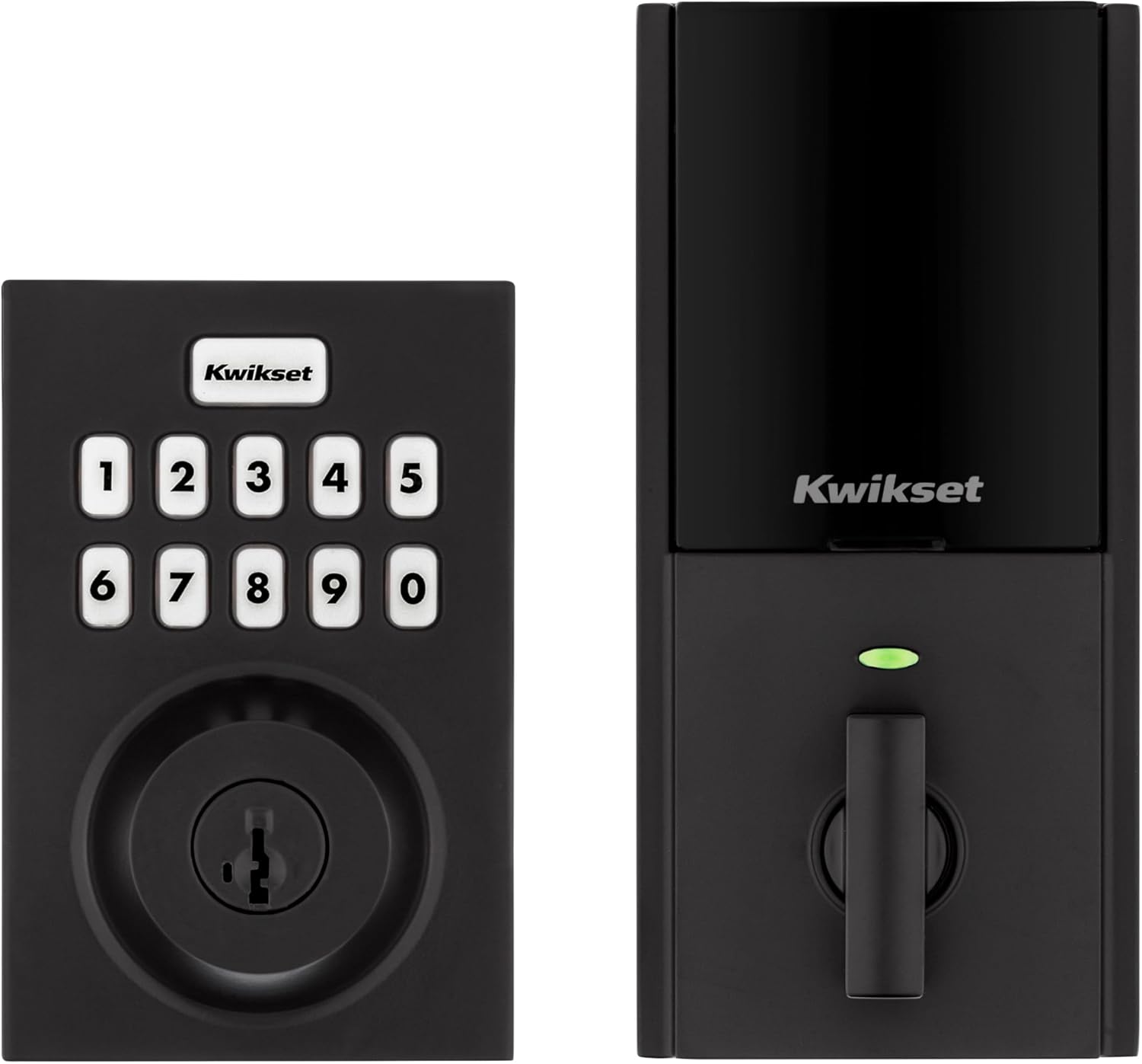
Out of the box, this thing feels like a regular Kwikset deadbolt that someone taught to speak Z-Wave. That’s basically what it is. No Wi‑Fi, no built-in app, no fancy fingerprint reader. You get a keypad, a keyhole, and Z-Wave 700 Long Range to connect to a hub. If you’re already in the Ring/SmartThings/Home Assistant world, that’s exactly what you want; if you’re not, this probably isn’t for you.
Day to day, it’s been pretty straightforward: punch in code, door locks/unlocks, auto-lock kicks in after a set delay, and I can check lock status from the app. When it works, it just fades into the background, which is what I want from a lock. The only time it got my attention was during pairing and the first auto-handing process, which was a bit confusing but not a deal-breaker.
If you’re expecting a flashy "smart home centerpiece", this will feel a bit boring. If you just want a keypad deadbolt that plays nicely with Z-Wave and lets you rekey to your existing Kwikset keys, it’s a pretty solid fit. It’s not perfect, but it gets the job done without a ton of drama once you get past setup.
Value for money: worth it if you already live in Z-Wave land
In terms of value, the HomeConnect 620 sits in that middle area: not dirt cheap, not top-tier expensive. What you’re really paying for here is solid Z-Wave integration plus keypad plus SmartKey. If you already have Ring Alarm, SmartThings, Homeseer, or Home Assistant with a Z-Wave stick, the price makes sense. It slots into your existing setup and gives you remote control, automations, and code management through the platforms you already use.
Compared to Wi‑Fi locks that come with their own app and don’t need a hub, this one looks less attractive if you’re starting from zero. You have to factor in the cost of a Z-Wave hub if you don’t own one yet. In that case, a Wi‑Fi keypad lock might be cheaper overall and simpler to manage. But if you’re already invested in Z-Wave, paying for Wi‑Fi hardware and separate cloud accounts on another brand doesn’t really make sense.
The rekey feature is a big value add if you already use Kwikset. Being able to match the lock to your existing house key in a few seconds saves you from carrying extra keys or calling a locksmith. Several reviewers specifically called this out as one of their favorite parts, and I agree. It’s one of those quiet features that actually saves time and money over the years.
Overall, I’d call the value pretty solid but not mind-blowing. You’re paying for reliability, integration, and convenience more than novelty. If you want a simple, hub-connected keypad lock with long-range Z-Wave and you’re fine dealing with a bit of setup, it’s money reasonably well spent. If you hate tinkering with hubs or don’t care about Z-Wave at all, your money is probably better spent on a straightforward Wi‑Fi smart lock instead.
Looks like a normal deadbolt, which is kind of the point
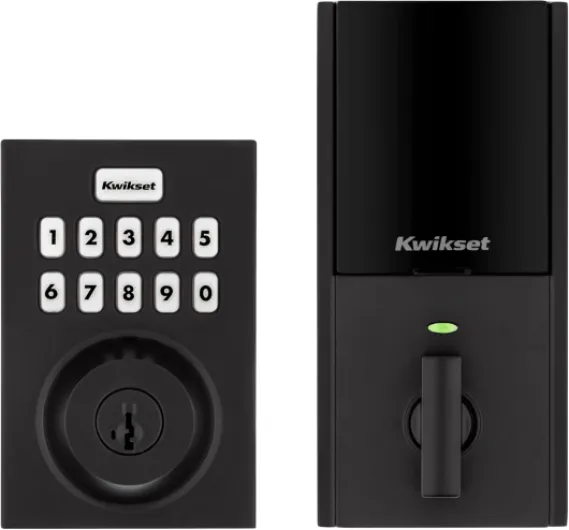
Design-wise, the HomeConnect 620 is pretty standard Kwikset territory. The matte black contemporary version I used looks clean and low-key on the door. It doesn’t scream "futuristic gadget" the way some bulky smart locks do. From the street, most people will just see a keypad and a keyhole, nothing too flashy. I actually prefer that; I don’t need my front door looking like a sci-fi prop.
The keypad is simple: physical buttons, back-lit, with a one-touch lock button. In the dark, the backlight is bright enough to see but not blinding. The buttons have a decent click; you know when you’ve pressed something. They’re not rubbery mush, but they’re also not high-end mechanical keys. Just normal plastic buttons that get the job done. After repeated use, the common digits will probably start to show some shine like any keypad, but so far I haven’t seen weird wear patterns.
Inside the house, the interior unit is a bit bulkier than a regular thumbturn, obviously, because it holds the batteries and motor. It’s not tiny, but it also doesn’t look like someone strapped a router to your door. It’s a rectangular housing that feels in line with other smart locks I’ve tried. If you have a narrow door with decorative trim, measure first; for a standard flat door it’s fine.
One thing I liked is that the finish looks consistent with other Kwikset matte black hardware. If you already have Kwikset handles or levers, this won’t look out of place. No odd color mismatch or cheap glossy plastic. It’s not luxury-grade, but for a mid-range lock, the design is practical and blends in well enough that you stop noticing it after a few days.
Battery life: mostly good, but setup and network matter
The official line is "12-month battery life" on four AA alkalines, and that’s actually not far off if your setup is sane. One reviewer came back after about 1 year and 7 months and said they’d only swapped batteries once, with the second set still at 62%. That’s more in the "year plus" range than "dies every few months", which is reassuring. In my case, with normal daily use (maybe 10–15 lock/unlock cycles per day) and auto-lock turned on, I got around a year out of the first set before the app started warning me.
On the flip side, there’s that one review where the lock drained a set of batteries in two months and then started dropping offline from SmartThings. That’s not great, but it lines up with what happens when Z-Wave devices are constantly trying to reconnect or when pairing is flaky. Later, that same user moved to Home Assistant with an Aeotec Z-Stick and reported about 6 months of battery life, which is much more reasonable. So a bad hub setup or constant communication failures can absolutely chew through batteries.
One thing I noticed: during the first week or two, while I was messing with automations, pairing/unpairing, and testing different hubs, the battery level dropped faster. Once everything settled and the lock wasn’t constantly being polled or reconfigured, the drain slowed down. So if you’re seeing fast battery loss early on, it might be your network or automations hammering the lock more than normal.
Overall, I’d say expect somewhere between 6–12 months per set of batteries in a typical home, assuming your Z-Wave network is healthy and your door is well aligned so the motor isn’t fighting friction. The battery indicator is handy, and the lock doesn’t just die silently—it starts giving you warnings (flashing lights, app alerts) before it refuses to operate. It’s not perfect, but for a motorized deadbolt, the battery story is decent as long as the rest of your setup isn’t a mess.
Build quality and long-term reliability
Build-wise, the HomeConnect 620 feels like a typical mid-range Kwikset deadbolt. It’s not a tank like some commercial-grade stuff, but it’s also not flimsy. It’s BHMA Grade 2, which just means it’s a step above the bargain-bin Grade 3 locks you see in big-box stores. The metal housing and bolt feel solid enough for a normal residential door. The keypad doesn’t flex under normal pressing, and the interior unit doesn’t feel like it’s going to fall apart when you twist the thumbturn.
Real-world durability from other users looks decent. One reviewer replaced a previous Kwikset smart lock that lasted them seven years of constant use, and they expect similar life from this one. Another called it "commercial quality" and said it’s been reliable on a high-traffic garage entry door, with stable connection to their Homeseer system. That lines up with my experience so far: once installed correctly, it just keeps doing its thing without random mechanical failures.
The main durability concerns I’ve seen are more on the electronics and connectivity side than physical breakage. The reviewer who had it drop offline from SmartThings and show up as an unknown node in Home Assistant clearly ran into some kind of firmware or pairing issue. That’s annoying, but it doesn’t sound like the hardware physically failed—more like Z-Wave weirdness, which is sadly common across brands. On my end, I haven’t had it randomly stop working, but I also made sure to keep the hub reasonably close and added a couple of Z-Wave repeaters in the house.
From a security standpoint, the SmartKey cylinder is designed to resist basic bumping and picking better than cheap locks, and being able to rekey yourself means you don’t have to replace the whole thing if a key goes missing. I wouldn’t treat this like a bank vault, but for a regular home, the durability and security level are perfectly fine. It’s not bulletproof, but it’s far from fragile.
Day-to-day performance: locking, unlocking, and hub integration
In daily use, the HomeConnect 620 is mostly boring in a good way. Tap in a code, it unlocks; hit the button, it locks. The motor is audible but not ridiculously loud—about what you’d expect from a powered deadbolt. If your door and strike plate are aligned properly, it throws the bolt cleanly every time. When the door isn’t aligned, you’ll hear it strain a bit, but that’s more a door issue than a lock issue. I had to tweak my strike plate slightly to get perfectly smooth movement.
On the smart side, performance really depends on your hub. With SmartThings, pairing was straightforward: hit add device, press the A button, scan QR. The reviewer who described this process is basically spot on. After pairing, I could lock/unlock from the app, set up automations like "lock when everyone leaves", and manage codes (through Smart Lock Guest Access in the "Life" tab). The code management UI is a bit clunky but functional.
With Ring Alarm, it’s even more streamlined. The integration feels native: Ring recognized it quickly, and I could tie the lock to alarm modes and manage user codes directly in the Ring app. Voice control with Alexa also worked fine—"Alexa, lock the front door" did what it should. There’s a small delay, but that’s normal with Z-Wave hops and cloud processing.
Where people seem to hit snags is with initial pairing distance and some hubs. One reviewer had pairing and battery issues until they learned from support that the controller needs to be within about 12 inches of the lock for the first pairing. Once they did that and switched to Home Assistant with an Aeotec stick, things stabilized. I had one case where the auto-handing (direction detection) didn’t seem to run cleanly the first time; the lock basically figured itself out on the second try when I used the app. So performance is solid once it’s set up, but that setup phase can be a bit picky depending on your hub and Z-Wave network.

What this lock actually is (and what it isn’t)
The HomeConnect 620 is basically a keypad deadbolt with Z-Wave 700 Long Range baked in. No Bluetooth, no Wi‑Fi, no standalone cloud account. Everything goes through a compatible Z-Wave hub: Ring Alarm, SmartThings, Home Assistant with a Z-Wave stick, Homeseer, etc. If you don’t already have a hub, you’ll need to buy one, or this lock is just an expensive keypad that doesn’t reach your phone.
The feature list is pretty clear once you strip out the buzzwords. You get:
- Keyless entry via back-lit keypad
- Up to 250 user codes plus a programming code
- Auto-lock (30 sec to 10 min options)
- SmartKey rekeying so you can match existing Kwikset keys
- Grade 2 BHMA rating, so a step above the cheapest stuff
- S2 Z-Wave security and SmartStart QR pairing
In practice, the headline feature for me is not the buzzwords, it’s the integration with Ring and SmartThings. Being able to lock the door automatically when everyone leaves, or have it lock when Ring is set to Away, is the kind of thing you actually use. One reviewer mentioned true mode integration with Ring (not just a basic lock/unlock), and that matches my experience: you can manage codes in the Ring app and tie it to alarm modes.
What it doesn’t do: no fancy extras like fingerprint unlock, no Apple HomeKey, no built-in Wi‑Fi, and no direct vendor app if you don’t have a hub. So if you’re new to smart homes and just want to control the lock from your phone without adding a hub, this is the wrong product. It’s built for people who already live in Z-Wave land and want a solid keypad deadbolt that plugs into that setup.
Pros
- Integrates cleanly with Ring, SmartThings, and other Z-Wave hubs with S2 security
- SmartKey rekeying lets you match existing Kwikset keys in seconds
- Auto-lock, back-lit keypad, and up to 250 user codes cover most real-world needs
Cons
- Requires a separate Z-Wave hub; no Wi‑Fi or direct app for beginners
- Initial pairing and auto-handing can be finicky and sensitive to hub distance
- Battery life can drop fast if your Z-Wave network or door alignment is poor
Conclusion
Editor's rating
The Kwikset HomeConnect 620 is a practical, no-frills smart lock that makes a lot of sense if you already have a Z-Wave hub like Ring Alarm, SmartThings, or Home Assistant. It does the basics well: keypad entry, auto-lock, remote control, and user code management. The SmartKey rekeying is genuinely handy if you’re already in the Kwikset ecosystem, and the Z-Wave 700 Long Range gives you more flexibility on where your hub sits. Once installed and paired correctly, it behaves like a normal deadbolt that just happens to be controllable from your phone and automations.
It’s not perfect. Setup can be picky about hub distance and Z-Wave quirks, and if your network or door alignment is bad, you can run into battery drain and connectivity headaches. There’s no Wi‑Fi or direct app if you don’t own a hub, so it’s not a plug-and-play option for beginners. But if you’re comfortable with basic smart home gear and you want something that integrates cleanly with Ring, Alexa, or SmartThings, this is a solid choice that gets the job done without a lot of fluff.
I’d recommend it to: homeowners already running a Z-Wave system, Ring users wanting proper lock integration, and people who like the idea of rekeying their own locks. I’d skip it if: you don’t have (and don’t want) a hub, you want fingerprint/unlock gimmicks, or you absolutely hate dealing with any kind of pairing or network setup. For the right person, it’s a dependable, practical upgrade—not flashy, but effective.